

Table of Contents
Key Takeaway
- 🕵️ The scale: 1.7 billion credentials were stolen in the first half of 2026 alone, and 149 million unique login-password pairs sat in one unprotected database compiled entirely from infostealer malware logs.
- 🔍 The free check: You can search your own email in Have I Been Pwned’s stealer-logs section in about ten minutes — no software, no payment, no account.
- 🧠 Why it matters: An infostealer steals session cookies, so it can bypass your multi-factor prompts entirely: an average infected device yields 44 passwords and 1,861 cookies.
- 🧰 The response: Check → revoke sessions → change every credential that matters → upgrade to phishing-resistant sign-ins. Order matters more than speed.
Infostealer malware stole 1.7 billion credentials in the first half of 2026 on its own, according to Flashpoint’s half-year count. And a single unprotected database discovered in January held 149 million unique login-password pairs, including 48 million Gmail accounts, 17 million Facebook accounts and 900,000 Apple iCloud accounts. None of that came from a sophisticated hack. It came from quietly installed malware that empties whatever a browser has stored, packages it, and sells it. Tonight, one free check on your own email will tell you whether your logins are already for sale, and the ten-step cleanup below closes the damage if they are.
What Infostealer Malware Is and Why It Won the Market
An infostealer is a category of malware built to do exactly one job: copy every saved password, cookie, session token, autofill record and sometimes a cryptocurrency wallet file from an infected device, transmit it to the operator, and vanish. It runs for seconds. It is invisible to the person behind the keyboard. In many cases it deletes itself, leaving nothing an antivirus scan would flag afterwards.
The output is called a stealer log: a structured archive of everything the malware found on one machine. A typical log is not one password. SpyCloud’s research found an average of 44 exposed credentials and 1,861 cookies per infected device, which makes a single infection a complete map of your online life: email, banking, corporate SaaS, social media, cloud consoles.
The reason this class outgrew every other threat is that it became a product. Malware-as-a-service pricing on the criminal market looks like ordinary software: Gen Digital reported on October 8, 2026 that the Warden Stealer’s Enterprise tier lists at $1,500 per month, with a test license at $149 for three days. After Microsoft and law-enforcement disruption of one dominant family, the market reshuffled rather than shrank: Flashpoint recorded 7.4 million infected hosts and 1.7 billion stolen credentials in the first half of 2026, which is roughly the volume of all of 2025.
Why Session Cookies Beat Your Multi-Factor Protection
The part most people miss is that saved passwords are only half the haul. Modern infostealer malware also copies the session cookies that keep you logged in. A stolen cookie lets an attacker resume your active session without a password and, critically, without your multi-factor prompt, because the proof of authentication already happened on your device. That is why security teams treat cookie theft as session hijacking, not just credential theft, and why a prompt that says “approve the login” never arrives when the attacker simply reuses the session.
IBM’s 2026 X-Force summary put the pattern in one line: one in three security incidents it investigated involved credential theft, with infostealer malware as the primary collection mechanism. The stolen cookie from a webmail session can be replayed days later. The stolen token from a corporate cloud console can be replayed an hour later. Multi-factor protection works against password theft; it was never designed to defend a session that already authenticated.
The Free Check: Search Your Email Against Stealer Logs
You do not have to guess whether your logins are compromised. Have I Been Pwned has loaded the output of infostealer malware into its database twice at scale, and both datasets are free to search:
- In January 2025, stealer logs covering 71 million email addresses were added, together with 106 million passwords pushed into the Pwned Passwords service. This update also enabled retrieving the specific websites the credentials were captured against.
- In June 2026, a corpus spanning 56 million unique email addresses across hundreds of millions of records went live, adding 124 million more passwords to the searchable database.
The ten-minute routine:
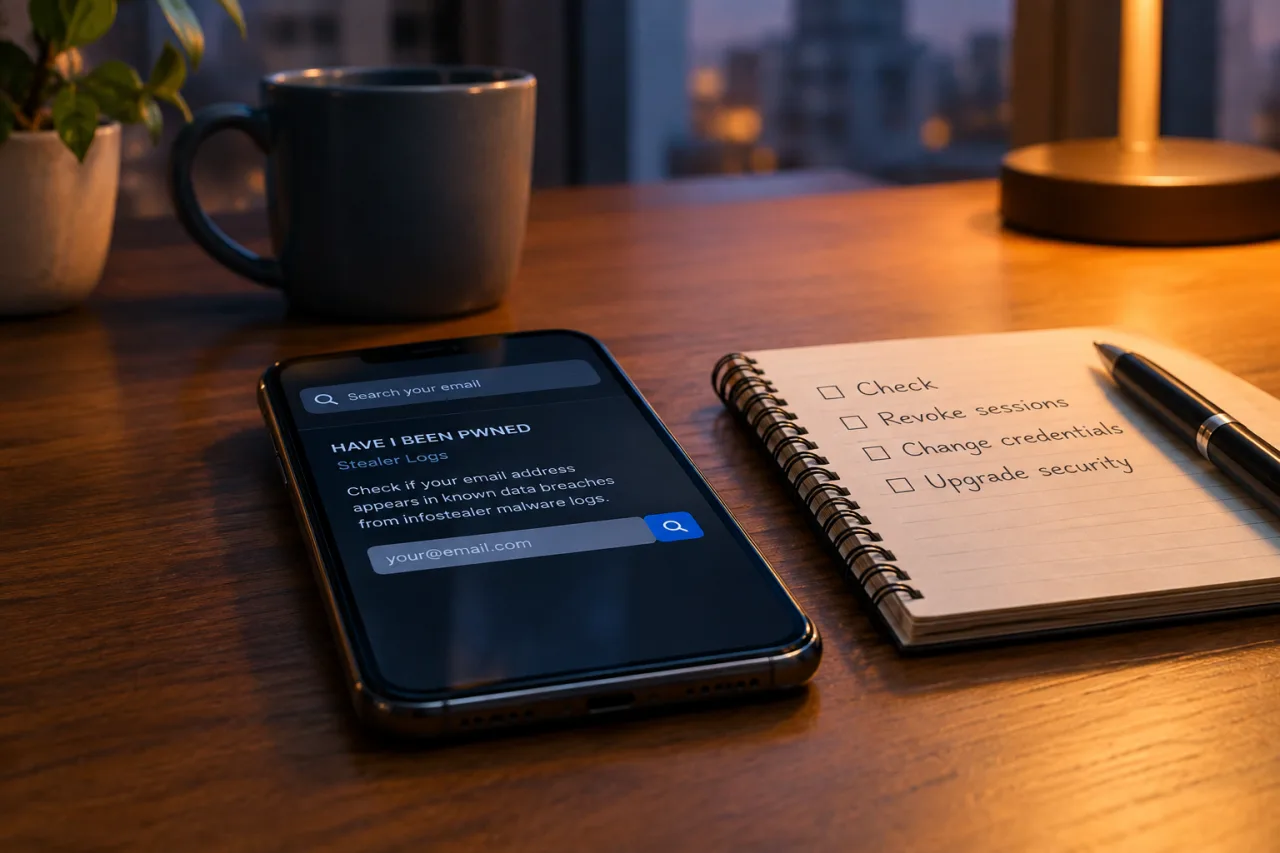
- Open the stealer-logs page and search your primary personal and work email addresses. The result shows the exact sites where your captured credentials were entered.
- Match each hit to the account: every site listed is an account whose password and, worse, whose cookies left your device with the malware.
- Audit the password manager next. Open your password manager’s security report and rotate the ten highest-value entries that have not been changed since before your last check.
- Run your device’s full malware scan immediately after. A clean email result on an infected device does not stay clean.
- Repeat monthly. New logs load continuously; June’s 56 million addresses followed January’s 71 million from an earlier year. Checking once protects you for exactly one cycle.
How the Infection Actually Gets On Your Machine
Nobody installs infostealer malware on purpose. The delivery is ordinary:
- Fake invitations and event pages. The phishing kit behind the OpenAI and SpaceX event invitations harvested exactly this way: a convincing page, a signed-in session, malware planted before the user notices anything odd.
- Cracked or “free” software. A paid application minus the price tag is the classic carrier. The installer works, the software launches, and the theft happens in the seconds you spend admiring the license.
- Browser extensions that overreach. A theme or utility that requests “read and change all your data on all sites” has the same reach as an infostealer. The permission is the breach.
- Ad-laden download mirrors. Search results for popular software are poisoned weekly; the “Download” button that appears first is not the software you wanted.
What all four have in common: the malware does not need an exploit, a vulnerability or a privileged account. It needs one click from a signed-in user. That is why the defense is behavioral as much as technical, which is why MFA prompt fatigue attacks pair with this class so often, since both abuse the moment of trust.
The 10-Step Cleanup Checklist After an Infostealer Hit
If your email shows up in an infostealer malware log, work this list in order. Skipping the early steps is what leaves people rebuilding the same compromise for months.
- Physically isolate the device. Disconnect it from the network before anything else. A session token in a thief’s queue can be replayed while you are investigating.
- Back up the files you own (documents, photos), never the device image. The malware may be gone; the tokens are not.
- Reimage or factory-reset. For Windows: a full drive reimage. For macOS: erase and reinstall. For a phone: factory reset from recovery, not from the settings menu that malware can intercept.
- Change passwords on every account that appeared in the log, starting with email, banking, crypto and the corporate identity provider. Do this from a different, verified device.
- Revoke all sessions everywhere you can. In Google, Microsoft and Apple accounts, sign out of all devices explicitly after the password change. This is the step that kills stolen cookies — a new password alone does nothing to a live session.
- Upgrade the sign-in itself. Where the service supports it, move from SMS or prompt-based approval to passkeys or a hardware security key. A passkey cannot be phished or replayed from a log.
- Empty the browser’s saved-password vault. Move the vault data to a password manager, then wipe the browser store. An empty browser vault is the single biggest structural fix this class demands.
- Sweep wallet files and 2FA seeds. Move crypto to a fresh address or hardware wallet if the seed phrase ever sat on the device. Recreate authenticator entries; the old seeds are in the log.
- Close and re-open what the malware could have reached. For corporate users: tell IT before touching company systems, and let them rotate cloud sessions on their side.
- Set the monthly re-check reminder. The check in step one is not a one-time event; it is a maintenance routine with new datasets loading all the time.
Why Saving Passwords in Your Browser Is the Biggest Single Risk
The browser’s password store is the prize because it is always unlocked while you are online. Your operating system does not ask for a password to fill a login. Autofill hands the credentials to every page you open on that browser profile, including the page a phishing kit or a compromised extension serves behind a familiar-looking window. This is precisely why infostealer malware yields 44 credentials per device: the browser saved them all in one file.
A dedicated password manager changes the economics. Credentials live behind one master password and device unlock, filling only on matching domains. It is not invincible session theft still works against it, but it removes the mass-extraction problem, and its breach report tells you which credentials to rotate first. If your master password is strong and your devices are clean, a stealer log from last year contains yesterday’s empty browser vault, not your working credentials.
What Businesses Need to Add — Today, Not After the Audit
The corporate pattern is worse than the personal one for a simple reason: the devices that carry infostealer malware into corporate SaaS accounts are mostly not corporate. Threat-research analysis published this year estimates that roughly 46% of credentials appearing in corporate-relevant stealer logs come from unmanaged personal devices, and exposure involving credentials for major SaaS and cloud platforms is growing about 29% annually. Meanwhile vendor data puts the enterprise hit rate higher still: Flare’s 2026 analysis says more than 60% of companies with over 1,000 employees carry at least one critical infostealer exposure, and IBM’s figure stands at one third of all investigated incidents.
Four moves close most of the gap:
- Monitor your domains, not just your endpoints. Domain-monitoring services flag when your company’s addresses surface in fresh logs, the earliest warning you will ever get, because the compromise happened on a device you cannot manage.
- Shorten session lifetimes on the high-value consoles. The 24-hour admin session is a 24-hour replay window for a stolen cookie. Thirty minutes changes what an old cookie is worth.
- Make hardware security keys or passkeys the standard for admin and finance roles, where replay attacks carry the highest price.
- Assume the click happened. The average log arrives on the market hours after the infection, which means by the time you know who was phished, resales have already happened. Recovery speed beats detection certainty.
The New Frontier: Stealers Taught to Read Your AI Accounts
The 2026 refresh of this threat has a twist worth knowing. Check Point reported on October 23, 2026 the identification of Aokigahara, an infostealer malware family targeting credentials and session data specifically from AI applications, developer tools and cloud platforms. In September 2026, researchers documented a substantially updated MacSync able to pull credentials and cryptocurrency data from macOS users. The lesson compounds: the assets worth stealing have moved from your email to your AI workspace, cloud consoles and developer tooling. The professional who treats his AI session the way he treats his banking session, short-lived, key-protected and re-verified, is the one whose log has nothing fresh in it.
Takedowns keep coming and keep failing to dent the volume. A market leader fell in May 2025 and two successors grew into the gap within months. This is an ecosystem, not a criminal, and the defense has to be structural: fewer stored credentials, shorter sessions, phishing-resistant sign-ins, and a free monthly check that reads the same logs the criminals read.
Frequently Asked Questions
Can infostealer malware be removed completely from my computer?
Yes — but not by an antivirus scan alone. Because many infostealers delete themselves after transmitting your data, the safest path for a confirmed infection is a full reimage or factory reset, followed by changing every credential that was on the device and revoking all active sessions.
How do I check if my passwords are in a stealer log?
Search your email address in the stealer-logs section of Have I Been Pwned. The result shows the websites where your captured credentials were entered, whether from the January 2025 corpus and the June 2026 corpus alike. It is free and takes minutes.
Can infostealers bypass multi-factor authentication?
They bypass the prompt, not the protection. Session cookies prove you already authenticated, so an attacker who replays them never faces the MFA challenge at all. Upgrading high-value accounts to passkeys or hardware keys closes that window.
What is the most common infostealer in 2026?
Telemetry through early 2026 repeatedly identified Vidar as the dominant family, above 70% of infected hosts in some months, with emerging families like Warden, MacSync and Aokigahara filling the post-takedown gaps. Family names rotate too fast to defend by name; defend by structure.
Do password managers protect against infostealer malware?
They neutralize the browser’s mass-extraction problem, the 44-credentials-per-asset haul, because the vault sits behind one unlock and matches domains on fill. Your stored credentials survive; your live sessions do not, which is why session revocation stays on the checklist.
How do infostealers get on a device in the first place?
Fake software downloads, cracked installers, over-permissioned browser extensions, and convincing phishing pages such as forged event invitations: one click from a signed-in user is all the access this class needs.
If this intelligence helps you, you can add WorldNgayon as a preferred source on Google — free, one click, and it helps other Filipinos find the answers faster.
Financial Disclaimer
This article is published for general informational and educational purposes and does not constitute financial, legal, security-consulting or professional advice. Cybersecurity threats evolve, and details current at publication may change; verify critical steps against your own vendor and regulator documentation before acting. WorldNgayon and its author accept no liability for losses arising from the use or misuse of the information provided. Where products or services are mentioned, none of them is an endorsement, and no compensation was received for this article unless explicitly disclosed.
- cybersecuritynews.com/how-infostealer-logs-became-the-fuel — 149 million unique login-password pairs
- alluresecurity.com/blog/what-is-infostealer-malware — SpyCloud’s research
- haveibeenpwned.com/Breach/StealerLogsJan2025 — stealer logs covering 71 million email addresses
- haveibeenpwned.com/Breach/June2026StealerLogs — a corpus spanning 56 million unique email addresses
- google.com/preferences/source?q=worldngayon.com — add WorldNgayon as a preferred source on Google
External sources linked in this article, in order of first mention. Spotted an error or a broken link? Tell us.
Cite this pagePublished Nov 11, 2026
Agron, E. (2026, November 11). Infostealer Malware: the Free Check Every Professional Should Run This Week. WorldNgayon. https://worldngayon.com/infostealer-malware-check/
Agron, Edmon. “Infostealer Malware: the Free Check Every Professional Should Run This Week.” WorldNgayon, 11 Nov. 2026, worldngayon.com/infostealer-malware-check/.
Agron, Edmon. “Infostealer Malware: the Free Check Every Professional Should Run This Week.” WorldNgayon, November 11, 2026. https://worldngayon.com/infostealer-malware-check/.
Agron, E. (2026) ‘Infostealer Malware: the Free Check Every Professional Should Run This Week’, WorldNgayon, 11 November. Available at: https://worldngayon.com/infostealer-malware-check/.
E. Agron, “Infostealer Malware: the Free Check Every Professional Should Run This Week,” WorldNgayon, Nov. 11, 2026. [Online]. Available: https://worldngayon.com/infostealer-malware-check/
@online{agron2026infostealermalware,
  author       = {Agron, Edmon},
  title        = {{Infostealer Malware: the Free Check Every Professional Should Run This Week}},
  year         = {2026},
  date         = {2026-11-11},
  organization = {WorldNgayon},
  url          = {https://worldngayon.com/infostealer-malware-check/},
  urldate      = {}
}TY - ELEC AU - Agron, Edmon TI - Infostealer Malware: the Free Check Every Professional Should Run This Week T2 - WorldNgayon PY - 2026 DA - 2026/11/11/ UR - https://worldngayon.com/infostealer-malware-check/ Y2 - ER -
Cite the version you read; the page may be updated. Zotero and Mendeley can also import this page directly.