Key Takeaway
- 🔔 An MFA fatigue attack weaponizes your good manners: the attacker already has your password and spams approve/deny prompts until you hit Approve at 3 a.m. just to stop the buzzing — CISA calls it push bombing and rates it among the working MFA bypasses.
- 🔢 The platform fix is number matching: Microsoft Entra now forces the user to type a number shown on the sign-in screen into the Authenticator app — a prompt with no sign-in screen behind it becomes mathematically unapprovable.
- 🚫 The personal-account rule: no enterprise controls? The defense is behavioral — never approve a prompt you didn’t trigger seconds ago, and treat every “surprise” prompt as an attacker holding your password.
- 📊 The pattern in the logs: dozens of MFA denials followed by one approval is the fatigue-attack signature — admins can alert on it; users should report the prompts inside the authenticator app.
- 🔑 The full stop: push approval was never the strong tier — phishing-resistant factors (passkeys, FIDO2 keys) end both fatigue and the AiTM phishing that rides it.
Table of Contents
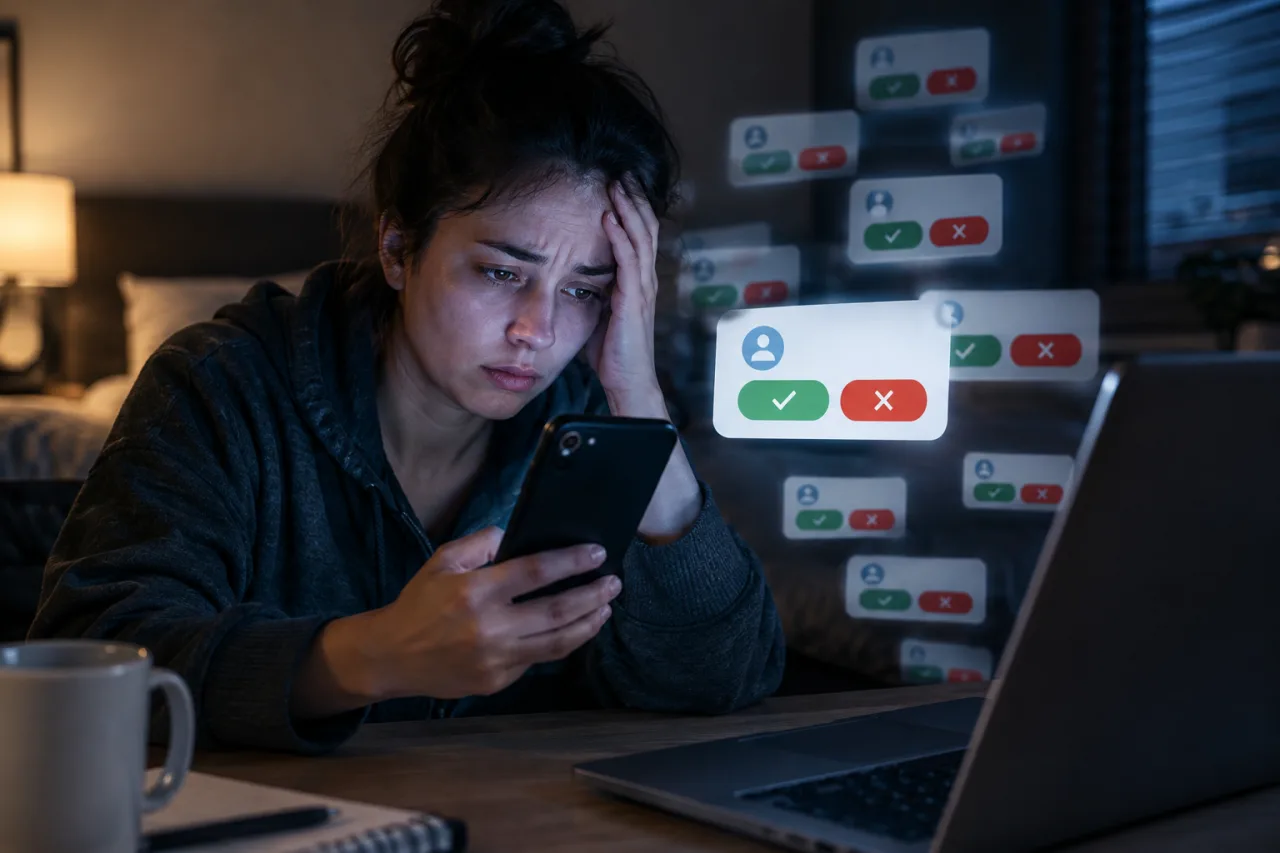
An MFA fatigue attack works because you are reasonable: the attacker logs in with your stolen password, your phone buzzes with an approval request, you press Deny, it buzzes again — the sixteenth buzz arrives at 3 a.m., and the human finger presses Approve to make the world end. CISA’s fact sheet on the technique (also called push bombing) says the quiet part: this is a working bypass of multi-factor authentication, and organizations that cannot deploy phishing-resistant MFA should at minimum deploy number matching. Microsoft enforced number matching for Authenticator pushes tenant-wide for exactly this reason. This guide explains the attack mechanics, the platform settings that end it, and — for the personal accounts that have no admin console — the behavioral rules that make the 3 a.m. approve impossible to press.
How an MFA Fatigue Attack Actually Runs
- The password is already stolen. Credential stuffing, a phishing kit, or a breach dump put the attacker inside your password — the MFA prompt is the attacker’s roadblock, not the first theft.
- The attacker triggers sign-in after sign-in. Each attempt pushes an approve/deny notification to your phone: same login, same alert, night after night, sometimes dozens inside an hour.
- The exhaustion does the hacking. The user who denies nine times approving the tenth — to stop the noise, or in half-sleep, or believing the prompts are a stuck system — completes the attack. No exploit, no malware: pure fatigue, which is where the name comes from.
- The approval hands over the session. The attacker is now signed in; depending on the service, the session persists for days — and the “approve once” moment rarely looks like a breach until the damage lands.
The documented success rate is why the mfa fatigue attack spread: public reporting ties fatigue attacks to high-profile breaches, and CISA’s guidance elevated number matching as the interim mitigation for any organization still on push approvals. The attack also pairs with its sibling — the approval-prompt variations that ask users to “verify a device code” — which the device-code phishing defense guide separates out — the fix differs slightly, and mixing the two attacks is itself an attack surface.
MFA Fatigue Attack Prevention: The Platform Settings
For Microsoft 365 and Entra ID estates, the fix is a configuration audit away. Microsoft made number matching the enforced behavior for Authenticator push notifications — the user must type the number shown on the sign-in screen into the app, so an attacker triggering prompts from elsewhere can never generate an approvable notification. In an mfa fatigue attack the platform settings matter as much as the habits, and the verification path on the admin side is short: entra.microsoft.com → Authentication methods → Microsoft Authenticator — confirm push is enabled (the multi-factor setup guide covers the baseline), and confirm the number match toggle shows enabled; Microsoft’s documentation notes tenants enrolled before enforcement may carry older policies worth checking. The two companion toggles — show application name and show geographic location in push notifications — turn every future prompt into an informed decision: “Approve sign-in to the finance portal from Moscow?” is a deny that writes itself. Vendors across the space shipped their own equivalents (Duo’s Verified Push, Okta’s OTP verification), per CISA’s vendor list, and administrators should also cap push-authentication rates per user so the dozens-of-denials pattern trips an alert instead of a phone.
Personal Accounts: The Rules When There Is No Admin Console
Google, Apple, and consumer-platform accounts push approve/deny prompts too, and most users cannot configure number matching on them — the defense moves into behavior, and the rules are short enough to memorize:
- Prompts happen because someone is logging in as you. An MFA prompt with no login of your own in progress means the attacker has your password — treat the prompt as a breach alarm, not a glitch.
- Deny unless you triggered it seconds ago. The safe response to a surprise prompt is Deny every time; there is no scenario where a legitimate system asks you to approve a login you didn’t begin.
- Change the password immediately after a surprise prompt, from a clean device — the prompt is evidence the password is already compromised, and the fatigue attack only works on stolen credentials.
- Use the report/fraud option where the app offers it — the report flags the attempt to the platform’s abuse team and cuts the attacker’s window.
- Shift strong accounts to stronger factors: passkeys or hardware keys where offered — the upgrade removes the push-approval layer an mfa fatigue attack lives on.
Enterprises Beyond Microsoft: The Duo and Okta Rollout Notes
The same defense exists outside the Microsoft estate, and the vendor names differ more than the mechanics. Duo’s Verified Push shows the requester’s details inside the prompt and requires interaction beyond a tap; Okta’s authenticator verifies with an OTP challenge of its own; and CISA’s vendor list carries the pattern across the identity market for administrators mapping their own rollout. Three rollout notes travel between all of them: enable number matching tenant-wide rather than pilot-only (the fatigue attack finds the unaudited user), pair the setting with push-rate limits so denial storms page someone, and announce the change to users — an approval prompt that suddenly asks for a number reads as a phishing test unless the workforce was told it is the new normal. The change-management layer is small but real: a five-minute settings change plus a one-paragraph staff note converts the 3 a.m. approve from a plausible act into a moment a trained user refuses.
Reading the Logs: The Signature That Catches the Attack
Administrators hunting for a successful fatigue attempt have a pattern to grep for: a burst of MFA denials from the user’s own device, then a single approval, then a new session from an unfamiliar network. Security guidance collects the markers — repeated denied requests from one IP inside a short window, approval requests at hours the user never works, and the app’s own fraud-report flags. Users see the same story locally: the notification history shows a denial storm the morning after, with one gap where the approval slipped through. Both views feed the same response to an mfa fatigue attempt: revoke the session, rotate the password, and enroll a stronger factor before the attacker’s next quiet attempt.
Frequently Asked Questions
MFA Fatigue Attack — What Is It, in One Sentence?
An MFA fatigue attack floods your phone with multi-factor approval prompts after stealing your password, betting that fatigue or half-sleep makes you approve one — CISA documents it as push bombing, a working bypass of push-based multi-factor authentication.
I keep getting MFA approval prompts I didn’t trigger — what should I do right now?
Deny the next one, then change the password from a clean device immediately: the prompt means someone already holds your password and is cycling attempts. Report the prompt through the authenticator app’s fraud option where available, review the account’s recent sign-in activity, and enroll a stronger second factor before the attacker tries again. The mfa fatigue attack rarely stops at one attempt — the credential dump that fed it supports rotation, and the denial storm resumes the moment the new password leaks anywhere else.
How does number matching stop an MFA fatigue attack?
Number matching forces you to type the number displayed on the sign-in screen into the authenticator app — approval requires seeing that screen. An attacker spamming prompts from their own device can never provide the number, so the flood becomes unreadable noise instead of an approvable queue, which is why Microsoft enforced it for Authenticator pushes.
Is my personal Google or Apple account exposed to MFA fatigue attacks?
The push-approve mechanism exists there too, and enterprise toggles like number matching are unavailable to personal users — so the behavioral rules carry the defense: deny all surprise prompts, treat each as proof your password leaked, rotate it immediately, enable the app’s fraud reporting, and move critical accounts to passkeys where the service offers them.
Does number matching make MFA phishing-proof?
No — number matching ends the fatigue vector specifically. Adversary-in-the-middle phishing pages proxy the login in real time and can still harvest sessions that pass MFA, which is why CISA’s guidance ranks phishing-resistant factors (passkeys, FIDO2 security keys) as the full fix and treats number matching as the strongest interim mitigation for push-based MFA.
Financial Disclaimer
This article provides general cybersecurity guidance and does not constitute professional security or financial advice. Platform settings, enforcement timelines, and factor options change over time and vary by vendor; verify every step against CISA’s and your identity provider’s official documentation before acting. The author and publisher disclaim any liability for actions taken based on this information.