

Table of Contents
Key Takeaway

- 🕐 One hour covers it: a proper digital footprint check is eight targeted searches and checks across two search engines, a breach database and Google’s own removal tools, all free.
- 🕳️ The footprint is four layers: what you published, what others published about you, what brokers compiled about you, and what breaches leaked about you. Each layer has a different removal route.
- 🧹 Deletion beats scrubbing: Google’s “Results about you” tool and its removal request form can pull personal data out of search results, but the source page has to be fixed too, or it resurfaces.
- 🔁 Brokers refetch: people-search sites re-list you after a few months, so the opt-out pass runs on a 90-day cycle, not once.
- 🚨 Risk decides priority: a job seeker cleans differently than someone with a stalker or an exposed home address, run the triage before you delete anything.
Search your own name in quotes on a fresh browser and you get the outside view other people see: the old forum account you forgot, the conference bio from three jobs ago, a people-search site listing your exact age and city, and maybe a breach dump with your password from 2012. Most of it stays online because nobody ever asked the specific question: what does the internet hold on me, where, and what can I actually remove? The digital footprint check below answers all three in about an hour, using only free tools that already exist.
What Your Digital Footprint Includes
Security teams split the footprint into layers, and the split matters because each layer obeys different rules.
The active layer is what you knowingly published: social profiles, blog comments, marketplaces, forum posts, CVs on job boards. You own it, and deletion is straightforward in principle.
The passive layer is what others published: photos you appear in, mentions, tags, directory listings, a former employer’s staff page. You influence it but rarely control it.
The compiled layer is what data brokers built: people-search sites that aggregate public records, addresses, relatives and phone numbers into a profile page, then rank it for your name. The Electronic Frontier Foundation has documented how disproportionately this harms people for whom privacy is safety, activists, abuse survivors, queer people in hostile jurisdictions, which is why the check matters beyond tidiness.
The leaked layer is what breaches exposed: passwords, addresses, phone numbers circulating in breach dumps none of us ever uploaded. This layer cannot be removed at all, only answered with rotation and alerts.
The Digital Footprint Check: Eight Searches and Checks
Run these in order. They build on each other: the searches find things, the tools check the dangerous ones, and the removal pass cleans up what deserves removal.
1. Search your name, quoted, on two engines. “Your Full Name” in quotes on Google and on Bing or DuckDuckGo, signed out or in a private window so personalization does not hide results. Note every result that names you and classify it: account, mention, broker listing, leak reference. Add your city, your username, and “email address” as extra passes, same-name strangers hide in unquoted results.
2. Search your email address and usernames. Your primary email in quotes finds old signups and paste-site mentions. Usernames you have reused across services surface accounts you forgot you had. Both feeds the next two steps.
3. Run the breach check. Enter your main email in Have I Been Pwned, the standard breach-search database, and read which breaches exposed which data. If old passwords appear, those credentials are dead wherever you reused them, our infostealer malware check covers the free 20-minute follow-up that pairs with this.
4. Sweep the people-search sites. Search your name on the major people-search and data-broker class of sites, the Whitepages, Radaris, Spokeo and FastPeopleSearch family. Expect to find yourself even if you never signed up for anything; these compile from public records, and they sit at the top of the results for almost every digital footprint check that gets run. The good news is mechanical: each one has an opt-out, and the top-10 broker opt-outs with the 90-day recheck schedule are mapped step by step in our guide.
In practice, a broker opt-out looks like this: find your listing on the site, open its opt-out or privacy request page (almost always linked in the footer), paste your profile URL, submit, and confirm through the email they send. Calendar a recheck for roughly week 13, because several brokers re-verify and re-list profiles after enough time passes. Ten minutes now, ninety minutes saved later.
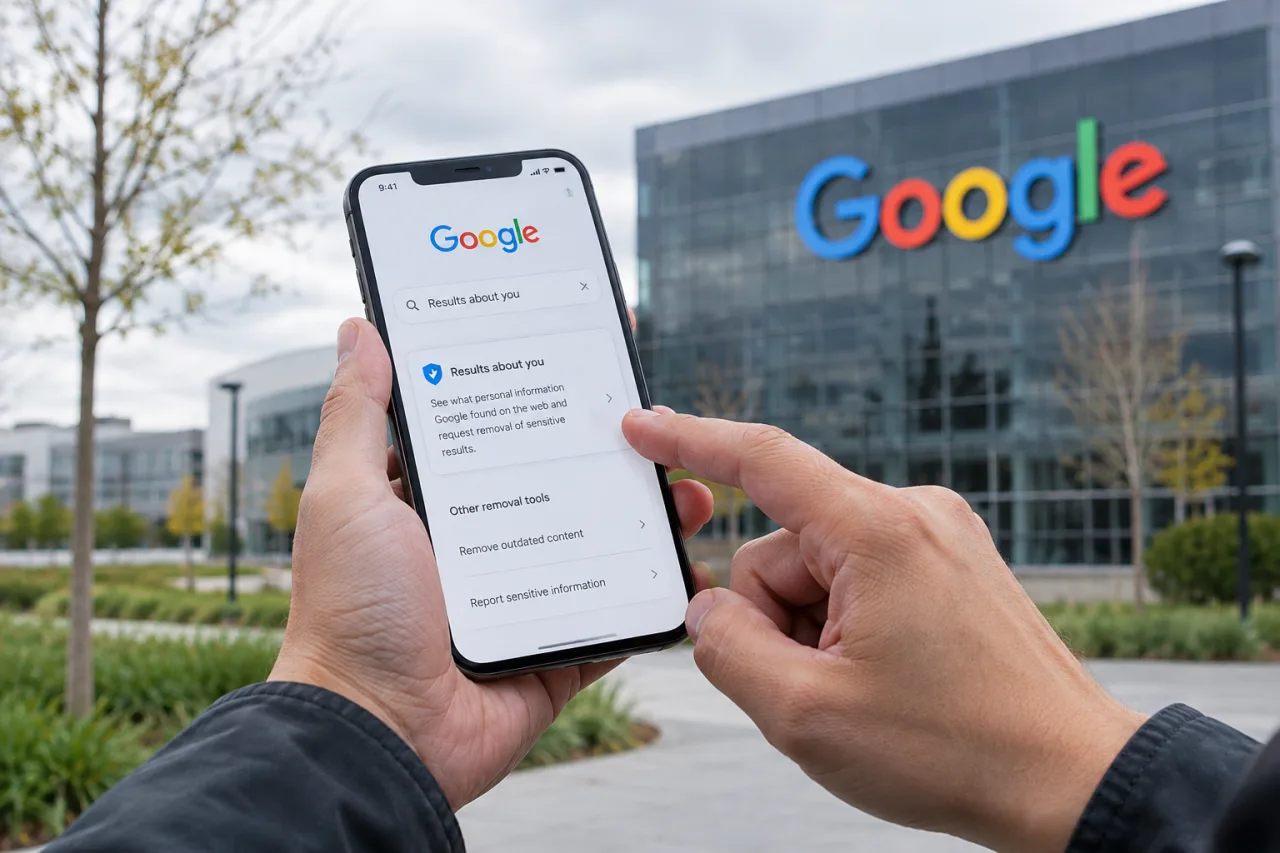
5. Use Google’s own removal tools. Google’s Results about you dashboard finds your address, phone number or email in search results and lets you request their removal, and its wider personal information removal process covers doxxing-class content. The policy expanded in 2022 to remove contact details that pose a risk, as The Verge reported at the time. Removal takes days to weeks and removes the search result, not the page, which leads to the next check.
6. Fix the source, not just the search result. A removed result bounces back when Google re-crawls the still-live page. Whatever you got removed, contact the site hosting it: marketplaces delete profiles on request, old employers retire staff pages, forums delete old accounts. This is where most of the real work lives.
7. Hunt the accounts you forgot. Search your inbox for “verify your email”, “confirm your account” and “welcome”, every hit is an account you opened somewhere, often a decade ago. Delete the dormant ones or lock and strip them; our browser fingerprinting guide and incognito mode explainer cover the browsing layer that keeps adding to the footprint daily.
8. Audit the image trail. Reverse-image-search a recent photo of yourself (Google Lens or a tineye-class service) and check where your face travels. Then check your own photos’ embedded data: our photo metadata guide shows what EXIF data quietly says about location and device when photos leave your phone unstripped.
The Checks, Toolbox-Table
Every digital footprint check comes down to knowing which tool answers which question, and every tool here is free. Put them side by side and the whole audit fits on one screen.
| Tool | What it answers | Where to run it |
|---|---|---|
| Quoted-name search | Where my name currently appears | Google plus a second engine, signed out |
| Have I Been Pwned | Which breaches exposed which of my data | Direct search by email address |
| Results about you | Where my contact data sits in Google results | Google account dashboard |
| Removal request form | Can doxxing-class results be pulled | Google’s documented removal process |
| Google Alerts | Am I being newly mentioned anywhere | Continuous monitoring by email |
| Broker opt-outs | Can compiled profiles be de-listed | Per-site forms, then the recheck calendar |
| Reverse image search | Where do my photos and face appear | Image search on your own pictures |
| Inbox archaeology | Which accounts did I forget | Search your email for signup keywords |
No paid service is required for the audit itself. Paid deletion services exist for the removal half, mostly bundling the broker opt-outs that a careful reader can run manually, worth knowing before anyone subscribes, because the manual route costs nothing but a calendar entry.
What to Remove, What to Leave
Not everything found should be deleted, and the triage is a risk decision, not a cosmetically clean sweep.
Remove immediately: home addresses, phone numbers, ID numbers, family members’ names tied to yours, anything a scammer could weaponize this week, especially if any account of yours was recently attacked. In hostile cases (a stalker, harassment, an abusive ex), the removals become urgent and the stalkerware detection guide matters as much as the footprint work, because surveillance software is the footprint’s evil twin.
Clean up deliberately: old public posts and photos that misrepresent you, forgotten accounts with stale data, duplicate profiles. A hiring manager reading decade-old forum flames is a real cost, and the cost grows with your seniority.
Leave alone or keep: professional bylines, conference talks, portfolios, anything that builds recognition you want. Deleting your whole professional history helps nobody, and wholesale deletions can look evasive.
The 90-Day Cycle That Keeps It Clean
The footprint regrows. Data brokers recompile listings on their own schedule, new accounts leak, new photos surface. A digital footprint check is not a filing-cabinet purge; it is a moving-average that you re-run. Three habits hold the line: rerun step 1 monthly in five minutes, run the full check quarterly, and set a Google Alert for your quoted name so new mentions arrive by email instead of by surprise. The broker opt-outs specifically need the recheck cadence, because several of them, FastPeopleSearch and its peers, will re-verify and re-list a profile after enough time passes. This is why our broker guide runs on a 90-day schedule rather than a one-time promise.
Digital Footprint Checks for OFW and Filipino Families
The stakes run higher in lanes where identity fraud is already industrialized: our identity-fraud report put the Philippines at the top of Asia-Pacific with 17 percent of adults hit, and scam infrastructure actively mines exactly the data this check protects. An OFW family carries extra surface: PSA and school documents circulating for apostille chains, remittance accounts, agency paperwork with passport numbers, Facebook posts that reveal departure dates. A quarterly digital footprint check is the cheap half of that defense, and the removal layer matters most for the document-trail pieces: no broker or fake recruiter should be able to assemble a credible copy of your identity from free public search. Pair this check with family rules on what never gets posted (passport pages, tickets, Iqama cards), and the two lines of defense cover each other.
FAQ
What is a digital footprint check?
A structured self-audit of everything the internet holds about you: search results, data-broker listings, breach records, old accounts and photo trails, plus the removal actions that shrink it. The eight-step version above takes about an hour with free tools.
How do I remove my personal information from Google?
Use the Results about you dashboard to find your contact data in search results and request removal, or the personal information removal request for doxxing-class content, per Google’s documented process. Removal covers the search result; fix the hosting page too or the result returns on the next crawl.
How do I get my information off data broker sites?
Each site runs its own opt-out (most need an email confirmation or ID scan), then rechecks on a schedule because brokers re-list removed profiles after months. The step-by-step top-10 opt-outs in our data broker removal guide include the recheck calendar.
Is Have I Been Pwned safe to use?
It is the standard free breach-search service, you enter an email and see which documented breaches included it, with an optional notification subscription. It does not publish passwords alongside your address by design; it tells you which exposure events exist so you can rotate the affected credentials.
What is the difference between an active and a passive digital footprint?
Active is content you knowingly published and still control, like your profiles and posts. Passive is everything accumulated without your publishing hand: tags, mentions, broker compilations, breach dumps. The active layer you edit directly; the passive layers need the tools in the table above.
Do I need a paid deletion service for a digital footprint check?
No. The audit itself is entirely free, and the highest-value removals run fine manually: broker opt-outs, Google’s removal tools, and the source-page fixes. Paid services mainly automate the broker recheck cycle, which you can also calendar yourself.
Can I delete myself from the internet completely?
Fully and permanently, no: leaked and copied data cannot be clawed back by definition. What a digital footprint check achieves is something more useful: shrinking what is public, removing what is actionable, and controlling what the next search of your name shows.
How often should I run a digital footprint check?
A five-minute name search monthly, the full eight-step check quarterly, broker opt-out rechecks on the 90-day cycle, and an alert for your quoted name running continuously in between.
The Bottom Line
People assume the internet’s record of them is fixed, or worse, unknowable. It is neither. One hour of the digital footprint check above maps the four layers, deletes what a stranger could weaponize, and sets the cycle that keeps it that way. The readers who run it tend to be surprised not by how much the internet knows, but how much of it was one removal request away from disappearing.
- haveibeenpwned.com — Have I Been Pwned
- myactivity.google.com/results-about-you — Results about you
- support.google.com/websearch/answer/12719076?hl=en — personal information removal process
- google.com/alerts — Google Alerts
External sources linked in this article, in order of first mention. Spotted an error or a broken link? Tell us.
Cite this pagePublished Nov 25, 2026
Agron, E. (2026, November 25). Digital Footprint Check: What the Internet Knows About You. WorldNgayon. https://worldngayon.com/digital-footprint-check/
Agron, Edmon. “Digital Footprint Check: What the Internet Knows About You.” WorldNgayon, 25 Nov. 2026, worldngayon.com/digital-footprint-check/.
Agron, Edmon. “Digital Footprint Check: What the Internet Knows About You.” WorldNgayon, November 25, 2026. https://worldngayon.com/digital-footprint-check/.
Agron, E. (2026) ‘Digital Footprint Check: What the Internet Knows About You’, WorldNgayon, 25 November. Available at: https://worldngayon.com/digital-footprint-check/.
E. Agron, “Digital Footprint Check: What the Internet Knows About You,” WorldNgayon, Nov. 25, 2026. [Online]. Available: https://worldngayon.com/digital-footprint-check/
@online{agron2026digitalfootprint,
  author       = {Agron, Edmon},
  title        = {{Digital Footprint Check: What the Internet Knows About You}},
  year         = {2026},
  date         = {2026-11-25},
  organization = {WorldNgayon},
  url          = {https://worldngayon.com/digital-footprint-check/},
  urldate      = {}
}TY - ELEC AU - Agron, Edmon TI - Digital Footprint Check: What the Internet Knows About You T2 - WorldNgayon PY - 2026 DA - 2026/11/25/ UR - https://worldngayon.com/digital-footprint-check/ Y2 - ER -
Cite the version you read; the page may be updated. Zotero and Mendeley can also import this page directly.