
Table of Contents
Key Takeaway
- 🔒 The forgotten doors: A device audit lists every phone, browser and app still signed into your accounts, and most people find at least one they no longer own: a sold laptop, a replaced phone, a tablet that went to a relative.
- ⏱️ Ten minutes, five platforms: Google, Apple, Facebook, Instagram and Microsoft all keep a dedicated devices-and-sessions page. The audit is three taps per platform, and Google documents its whole device history at google.com/devices.
- 🍪 Why sessions beat passwords: Stolen session cookies let an attacker skip the password and the second factor entirely, which is exactly how session hijacking works. An open session is a live door even when your password is perfect.
- 🧾 The sessions model: Google shows a session for every browser, app and service sign-in, and marks ones you already ended with a “Signed out” tag, so the list reads as a history, not just a live count.
- 🔁 The quarterly law: Run the audit every three months, immediately after selling or gifting a device, and the moment any account shows activity you cannot explain.
Every account you own has a silent guest list. The hotel business-center PC you used once for a boarding pass, the work laptop that came back to IT, your old phone now running in a cousin’s pocket, the random streaming-stick browser that logged in for one movie night: each of those may still hold a valid session, and none of them asked your permission to keep it. A device audit is the ten-minute routine that walks onto each platform’s devices page, reads that guest list honestly, and ends every entry that should not be there.
This guide walks the audit across the five account systems most people touch daily, Google, Apple, Facebook, Instagram and Microsoft, using each platform’s own documented paths as of November 26, 2026. It also covers what a stranger in the device audit actually calls for, why ending a session is not the same as changing a password, and the quarterly schedule that keeps the guest list short. The payoff is concrete: no account of yours stays reachable from hardware you cannot see.
What a Device Audit Actually Covers
Two different things hide behind the phrase signed in, and the audit needs both. The first is the device: the physical phone, laptop or tablet that holds your login. The second is the session: a period of activity tied to one browser, app or service on that device. Google’s account documentation describes it precisely: signing in on a new device, a new browser, a new app, an incognito window, or granting an app access to your data each creates a separate session, and multiple sessions can share one device.
That distinction matters because the device audit needs both. the dangerous entries are often sessions, not devices. A public browser you signed into once at the airport holds a session that outlives your visit. A shopping app on your partner’s phone holds its own session under the same account. Ending the session closes the door; the device itself never needed to be lost for the door to be open.
The second reason the audit matters more than it did five years ago is the way attacks have moved. Passwords and even second factors can be sidestepped when the attacker steals an existing session: the cookie that says this browser is already logged in. Our session hijacking guide walks that mechanics in detail, and its core fact is the reason this routine exists: a stolen session cookie lets the attacker ride a login that already passed every check, which is why an old unreviewed session is worth more to a criminal than your password is.
The Google Audit: One Page for Every Session
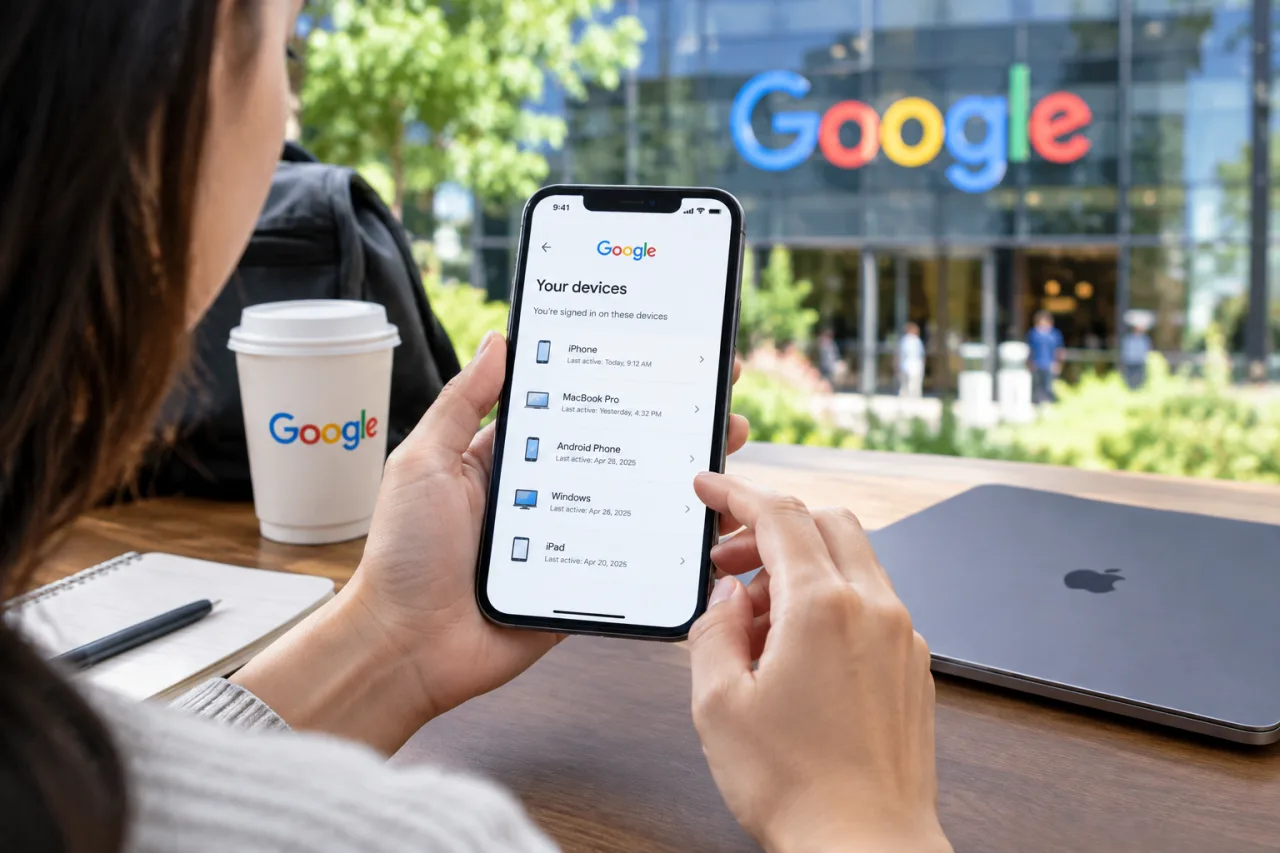
Google gives the audit the most explicit tooling of the five. Sign into your Google Account, open the Security and sign-in section, find the Your devices panel, and choose Manage all devices. You land on a list of every device where you are currently signed in, or were signed in within the last few weeks, and selecting any entry shows its details. Google also keeps the short address google.com/devices pointing at this page, which is the fastest route from any browser.
Read the list with the sessions model in mind. A laptop may appear several times because it holds one session per browser and one per app. Entries you already ended carry a Signed out tag, so a sold phone that you logged out of months ago appears as history rather than danger. The timestamps carry a quirk worth knowing before you panic: Google’s page explains that the shown time is the last communication between the device and Google’s systems, which includes background syncing, so the stamp can be more recent than your last real use.
End a session by selecting the device and choosing Sign out. If the same device name appears with multiple live sessions and you cannot tell them apart, Google’s guidance is to sign out of all of them, because the name alone does not prove which hardware they belong to. And if any entry is genuinely unfamiliar, the audit stops being routine: Google’s own device-list documentation instructs exactly that, running its secured-account flow immediately, change the password, and review the account’s recovery settings.
The Apple Audit: Your Account’s Device List
Apple keeps the list inside account settings rather than a web dashboard sign-in history, which makes it the simplest read of the five; its own device-review support page documents every path below. On an iPhone or iPad: open Settings, tap your name at the top, and scroll to the device list. On a Mac: System Settings, then your Apple Account. Every iPhone, iPad, Mac, Apple Watch and AirPods case signed into the account appears there with its model and, where relevant, its iOS or macOS version. Apple’s support page for reviewing devices signed in to your Apple Account documents the full path, including the web route through your account page for when no Apple device is handy.
The audit action here is Remove from Account, and its effect is worth stating precisely. Removing a device revokes its ability to receive the account’s iMessage, FaceTime, purchases and continuities, and in most cases signs it out of the account. It does not wipe the hardware, which is a different operation: a device you sold years ago that still appears in the list gets removed with one tap and no drama. Devices you still own but never use, an old iPad in a drawer, are also candidates, since each holds a live credential pair.
One Apple-specific nuance belongs in every audit: Find My bindings survive in ways worth checking while you are on the same screen. A device you traded in through a carrier program, for example, should be gone from both the device list and Find My; if it lingers in one, remove it there as well so no future prompts or activation links route through you.
The Meta Audit: Facebook and Instagram Separately
Facebook and Instagram each hold their own session list, and family accounts often carry decades of stale entries. On Facebook: open Settings, choose Password and security, and open Where you’re logged in; Meta documents the exact route on its log-out help page. Facebook groups the entries by account profile and lists each session with device, browser, approximate location and last-active time. Meta’s own help documentation covers the logout path: select the session, choose Log out, and the session dies immediately.
Instagram runs the same shape: Settings, then Password and security, then Login activity, where each session can be reviewed and ended individually. Both apps also offer a single Log out of all sessions button, which is the right move the moment the list shows anything unfamiliar, paired with a password change described in the next section.
The audit habit for Meta platforms matters more than for most, because these accounts double as recovery points and as login providers for third-party apps and games. A stale forgotten session on an old tablet is not just an reading-risk: it is an access path into an identity that other services trust. While you are on the settings page, the same section also lists third-party logins worth a quick review, since app connections made years ago often outlive the apps themselves.
The Microsoft Audit: Managing the Device Roster
Microsoft centers its audit on account.microsoft.com/devices, the page where every PC, Xbox and phone registered to the account appears. Here the model differs slightly from the others: the device list shows hardware linked to the Microsoft account for services, licenses and Find-my-device, and removing a detaches the device from that roster. Microsoft’s support documentation describes the remove path, and notes the practical caveat worth knowing: removing a device from the list manages the device-to-account link, while signed-in app sessions on that hardware are ended when you sign the device out of the account itself.
For the device audit’s purposes, treat the Microsoft page as the roster-cleaning stop: entries for sold laptops, replaced Xboxes, and old phones belong off the list. Active Windows machines you still use stay, because removal would disrupt Store licenses and device sync. If a stolen or truly compromised Windows machine is in play, that scenario graduates past a device audit, and the account-recovery steps in the platform’s own security pages take over.
The Rest of the Login Map
Five platforms cover most daily risk, but the full audit finishes with a short sweep of services that hold real leverage over your life. The places worth a quarterly look, each under Settings, then Security or Sessions on their own sites:
- Email beyond Google and Microsoft: any provider that fronts your recovery mail, because an intruder there can reset everything else.
- Social and messaging: X, WhatsApp, Telegram, each with a sessions page that usually hides under Devices or Security.
- Money and work: banking apps, payment services, cloud storage, and any freelance platform where sessions pay bills.
- Entertainment and shopping: streaming sticks, smart TVs, hotel logins, and marketplace apps, which rarely matter alone but carry saved cards.
If a service offers no device list at all, changing the password performs the same eviction the device audit covers elsewhere the same eviction, because almost every mainstream service invalidates sessions on a credential change. That fallback keeps the audit honest even where the tooling is thin.
What a Stranger in the List Calls For
An unknown device or session upgrades this from housekeeping to incident response, and the order of operations matters:
First, end the session. Use the platform’s sign-out control on the suspicious entry, or Log out of all sessions where offered. This closes the attacker’s current access in seconds.
Second, change the password. A stranger in the list may hold more than one session, and a stolen password hands them re-entry. A new, unique password evicts anything the log-out missed. If that account is the mailbox that guards every other account, our email-hacked first-hour recovery walks the fuller sequence, and the same rule holds: recover the identity hub first.
Third, check what the intruder touched. Account activity, sent messages, saved payment methods, recovery email and phone, and any new app authorizations, because a patient attacker changes recovery details before doing anything loud.
Fourth, harden the door. Turn on an authenticator-based second factor if it is not active, review that it still sends codes to hardware you hold, and run the platform’s own security checkup once more before you close the settings tab.
Signs that point beyond one account, password-reset emails you did not request, a phone that behaves strangely, contacts receiving odd messages, belong to a wider check: our guide to the signs a phone is compromised and the settings checks that settle it pairs directly with this audit.
Make the Audit a Standing Habit
The device audit earns its value through rhythm, not through panic-runs. Three triggers cover it:
The quarterly sweep. Put a recurring note in the calendar for the first weekend of each quarter: ten minutes, five platforms, the sweep through the remaining services, done before coffee goes cold.
The hardware handoff. Any device leaving your hands, sold, gifted, returned, repaired at a shop, erased or wiped, gets signed out of every core account before it walks out the door, and the next quarterly audit catches anything the handoff missed. Our walk-through on wiping a phone before selling covers the erase side; the sign-out side is exactly this audit.
The unexplained ping. A new-device alert, a password-change notice you did not cause, a login from another city: run the full device audit immediately, not at quarter’s end.
The habit compounds with the settings that make each session weaker to begin with: an authenticator app instead of text codes, as our authenticator-versus-SMS comparison explains, fewer permanent logins on shared hardware, and encryption at rest so a stolen device yields less, which our device encryption explainer details. Households with older relatives get one more layer: the same ten minutes, run together, is a quiet way to close the sessions a scam caller hopes are still open, a theme our guide on protecting elderly parents from scams develops fully.
What the Audit Cannot Do
An honest device audit knows its edges. Signing out a session evicts that session; it does not delete anything the intruder already copied, and it does not revoke a password they already have, which is why the password change rides along on any incident run. Removing a device from an account list does not erase the device or unlock it from every tied service. And some session-adjacent risks live outside the device list entirely: third-party app authorizations the device audit cannot see, granted years ago, mail settings an account intruder set before being evicted, and inbox rules that quietly copy mail elsewhere all need their own look, which the extension-permission audit and the platform security pages cover.
The device audit also cannot see forward. It reads the access that exists today; prevention of tomorrow’s entries comes from the second factor, the password manager’s unique-passwords habit, and the quick sign-out after using someone else’s hardware, none of which the device list can do on your behalf.
How We Evaluated This Guide
Every path in this guide was verified on November 26, 2026 against each platform’s own published documentation: Google’s account-access and sessions pages, Apple’s device-list support article, Meta’s login-activity and device-logout help entries, and Microsoft’s device-management page. Interfaces move, so we date-stamp this verification and re-check after each major platform redesign. No step requires paid software; the audit is native to the accounts you already hold.
The Verdict: Who This Routine Serves
The ten-minute device audit is a worth-it habit for anyone whose accounts sit on more hardware than they can picture: professionals juggling a phone, a laptop and a work machine, families sharing streaming devices and handed-down tablets, sellers who log in from many browsers, and anyone whose mailbox doubles as the master key to other accounts. It is not a substitute for second factors or unique passwords, those are the walls; the audit is the nightly walk that checks the doors are actually shut. Ten minutes a quarter buys certainty that no forgotten login is still holding a working key to your life.
FAQ
How do I see what devices are signed into my Google account?
Open your Google Account, choose Security and sign-in, then select Manage all devices under the Your devices panel, or visit google.com/devices directly. Every device and session signed in recently appears with details, and entries you already ended show a Signed out tag.
Does logging out of all sessions change my password?
No. Log-out ends open sessions but leaves the password valid, which is why any incident response pairs the log-out with an immediate password change. The reverse also does not hold everywhere: most mainstream services invalidate sessions on a password change, but a few keep app sessions alive, so check the device list after the change.
Why does my old phone still appear after I sold it?
Either the session was never ended, or the platform keeps signed-out entries as history. On Google, history entries carry the Signed out tag and need no action; on Apple, devices you never removed from the account remain in the list until you use Remove from Account, which is exactly the step the audit performs.
Can someone use my account without knowing my password?
Yes, through a stolen session. An attacker who captures an active session cookie rides an already-authenticated login without the password or the second factor, which is why unreviewed old sessions are dangerous even on accounts with strong credentials.
How often should I run a device audit?
Every three months as the baseline, immediately after any device leaves your hands, and at once whenever an account shows activity you cannot explain. The quarterly sweep plus event triggers covers nearly every real-world exposure.
Does removing a device from my account erase it?
No. Removing detaches the device from the account, revoking services such as iMessage, licenses or sync; the hardware itself keeps its local data unless you erase it separately. For a device leaving your possession, remove it from the account and wipe it before it goes.
- support.google.com/accounts/answer/3067630 — Google’s own device-list documentation
- support.apple.com/en-us/102649 — device-review support page
- account.microsoft.com/devices
External sources linked in this article, in order of first mention. Spotted an error or a broken link? Tell us.
Cite this pagePublished Nov 26, 2026
Agron, E. (2026, November 26). Who’s Signed Into Your Accounts: the 10-Minute Device Audit for Google, Meta, Apple. WorldNgayon. https://worldngayon.com/device-audit-accounts/
Agron, Edmon. “Who’s Signed Into Your Accounts: the 10-Minute Device Audit for Google, Meta, Apple.” WorldNgayon, 26 Nov. 2026, worldngayon.com/device-audit-accounts/.
Agron, Edmon. “Who’s Signed Into Your Accounts: the 10-Minute Device Audit for Google, Meta, Apple.” WorldNgayon, November 26, 2026. https://worldngayon.com/device-audit-accounts/.
Agron, E. (2026) ‘Who’s Signed Into Your Accounts: the 10-Minute Device Audit for Google, Meta, Apple’, WorldNgayon, 26 November. Available at: https://worldngayon.com/device-audit-accounts/.
E. Agron, “Who’s Signed Into Your Accounts: the 10-Minute Device Audit for Google, Meta, Apple,” WorldNgayon, Nov. 26, 2026. [Online]. Available: https://worldngayon.com/device-audit-accounts/
@online{agron2026deviceaudit,
  author       = {Agron, Edmon},
  title        = {{Who’s Signed Into Your Accounts: the 10-Minute Device Audit for Google, Meta, Apple}},
  year         = {2026},
  date         = {2026-11-26},
  organization = {WorldNgayon},
  url          = {https://worldngayon.com/device-audit-accounts/},
  urldate      = {}
}TY - ELEC AU - Agron, Edmon TI - Who’s Signed Into Your Accounts: the 10-Minute Device Audit for Google, Meta, Apple T2 - WorldNgayon PY - 2026 DA - 2026/11/26/ UR - https://worldngayon.com/device-audit-accounts/ Y2 - ER -
Cite the version you read; the page may be updated. Zotero and Mendeley can also import this page directly.