
Table of Contents
Key Takeaway
- 🛡️ Windows defender: Microsoft’s Windows Defender antivirus now blocks 100% of 0-day real-world malware in the July-August 2026 AV-TEST round and drew zero false alarms across more than a million legitimate samples.
- 🏅 The score is 17.5 out of 18: protection 6.0, usability 6.0, but performance 5.5, so Defender keeps its place in the lab’s top band while perfect products like AhnLab’s suite took the full 18.
- 🐢 The real trade is speed: installing frequent-use applications ran up to 44% slower on a standard PC with Defender, against a 15% industry average, and that is the cost you feel daily, not in a spreadsheet.
- 💰 Paid suites add extras, not magic: identity monitoring, bundled VPNs and password managers are the paid value; the malware-blocking engine itself has converged, so buy extras on purpose, not by fear.
- ⚙️ Free beats default: four settings inside Defender, including Controlled Folder Access against ransomware, are what security pros turn on first, and none of them require spending pesos.
Every laptop seller ships Windows, Windows ships Microsoft Defender, and the antivirus industry sells the answer for a monthly fee. The honest question families and freelancers actually ask is blunt: is paid antivirus still buying anything real, or is the free, already-installed Windows Defender good enough to be the only line of defense? The 2026 lab data gives the clearest answer in years, and it cuts in both directions. Protection and usability are solved problems for Defender; raw performance on app installation is where it bleeds, and that single flaw is the difference between a 17.5/18 result and the perfect 18 that competitor suites took this round. This piece reads the actual test numbers, names what paid software still adds beyond the engine, and walks the free settings that security professionals set first, so the decision lands on evidence instead of subscription fatigue.
What Windows Defender Gets Right Now: the 2026 Lab Numbers
The AV-TEST Institute’s July-August 2026 report for Defender reads like this: the Magdeburg lab runs one of the heaviest public test rigs in the industry, and its home-user round evaluated 15 products on updated Windows 11 Professional with default settings, live updates and cloud connectivity. Defender, version 4.18, sat in the field with everyone else. The protection result was as clean as the category allows: 100% protection against 0-day attacks in real-world testing across 297 samples in July and again in August, plus 100% detection of the widespread 12,543-sample reference set in both months. The protection score is a perfect 6.0 out of 6.0.
Usability is quietly equal in importance to detection, because a scanner that screams on legitimate software gets uninstalled by the family within a week. Defender drew zero false warnings of any category across the full round, including legitimate-software false detections over an installed base of more than a million samples, and a perfect 6.0 usability score. In plain terms, the free antivirus built into Windows 11 now outperforms the paid-antivirus stereotype on both of the scores that decide whether a scanner stays on your machine.
The Performance Cost Nobody Mentions
The honest part of the story is the third score. Windows Defender’s July-August performance result is 5.5 out of 6.0, and the detail rows show exactly where the friction lives. Launching popular websites was measurably at average or better, downloads of frequently used applications showed no slowdown, file copying ran slightly below industry average, but installing frequently used applications dragged to 44% slower on a standard PC against a 15% industry average, and 35% versus 14% on high-end machines. That is the one daily grind a paid suite does not fix by existing; it is the number behind the missing half-point.
The headline score of 17.5 out of 18 still clears the AV-TEST top product band, which the institute awards at 17.5 or higher in every published round, so Defender remains a top-product result, not a participation trophy. What it lost this round is perfection: AhnLab V3 took the full 18 with 6.0 across protection, performance and usability, and 17.5 ties Defender to a top band where the separation from perfect products is one performance notch. For a Filipino student on a mid-range laptop or an OFW family sharing an aging desktop, the install-slowdown number is real money in lost time, which is why the settings section below matters as much as the comparison.
What Paid Antivirus Still Adds Beyond the Engine
Paid security suites are not selling the malware engine anymore, because the engine race is effectively tied at the top. What the subscription actually buys is a bundle, and the methodologies that labs such as AV-Comparatives publish for their real-world tests: identity and dark-web monitoring that alerts you when your email or documents appear in a breach, a VPN included in the subscription, a password manager, and in some tiers a dedicated support line when things go wrong. Products like Norton 360, McAfee Total Protection, Bitdefender Total Security and Kaspersky Premium stack these extras in different shapes, and the paid decision is really a decision about wanting the bundle, not about needing better malware blocking than Microsoft gives away.
The support layer is the least glamorous and most defensible paid value. When ransomware touches a family machine at 9 p.m., windows defender users get self-service tools and documentation, while windows defender keeps the engine free and paid tiers phone-queue you to a human who can walk recovery steps. For non-technical users, that difference is worth money. For a technical freelancer or developer who already runs a password manager, a VPN from a telecom plan and a backup routine, the extras repeat what they already pay for elsewhere, which makes the suite subscription a purchase of convenience rather than capability.
Windows Defender vs Paid Antivirus: the Decision, Case by Case
The comparison resolves cleanly once you anchor it to who is using the machine. For a work-only laptop that browses, writes, emails and attends video calls, windows defender plus hardened settings is the better deal, because the lab shows equal protection and zero usability cost. For a shared family machine used for school, games and shopping, the same holds, with the caveat that performance-conscious gamers may prefer a suite whose install-time behavior is lighter. For a household holding significant savings accounts and identity-sensitive documents, a paid suite’s identity monitoring adds genuine situational awareness, and for anyone replacing an expired bundled subscription mid-decade, the free default is the correct first move until a specific need, like a dark-web alert service, appears.
| Reader type | Better fit | Why |
|---|---|---|
| Freelancer on a work laptop | Windows Defender | Equal blocking, zero false alarms, no subscription |
| Family shared PC | Windows Defender | Usability 6.0 means fewer support calls |
| Gamer or tinkerer | Either | Check the install-slowdown before buying |
| Identity-sensitive household | Paid suite | Dark-web and identity monitoring extras |
| Non-technical user wanting help | Paid suite | Human support line when incidents happen |
The Four Settings That Make Defender Stronger
Defender ships in a conservative mode, and four toggles move it to its full strength, per Microsoft’s own endpoint documentation. First is Controlled Folder Access, the ransomware shield that blocks untrusted apps from writing to protected folders like Documents; it is off by default and takes one switch in Windows Security. Second is reputation-based protection, which extends checks to less-common apps and Potentially Unwanted Programs, the grayware that traditional tests underweight. Third is Tamper Protection, which stays on but deserves verification, because malware’s first move is disabling the scanner itself. Fourth is periodic cloud protection at an enhanced level, which raises reaction speed to brand-new samples. None of these cost money, and together they change the machine’s posture from default to deliberate.
The Free-Tier Middle Ground: Third-Party Engines Without the Bill
Between the built-in Microsoft option and the paid suite sits a lane worth naming: free third-party antivirus. In the same July-August 2026 round, Avast Free Antivirus and AVG Antivirus Free carried perfect protection scores of 6.0 on the same rig without any subscription attached. The engine itself is therefore a solved problem in three places at once: the Microsoft built-in and two ad-supported free products all blocked what the lab threw at them, with the differences living in interface, extras and business models rather than in detection.
The honest guidance for that lane: free third-party tools earn their keep when a reader wants a different engine personality or a vendor-supported scanner for an older Windows machine, and they cost attention in exchange, because their installers carry promotional screens for paid upgrades. Never stack a free engine on top of a live windows defender real-time protection as a second layer; pick one live engine, keep the other disabled, and let updates, backups and MFA carry the rest. For most households the built-in Windows product wins the tiebreak on invisible management, since Windows updates deliver engine updates without a second installer asking for anything.
Turning the Four Settings On, Step by Step
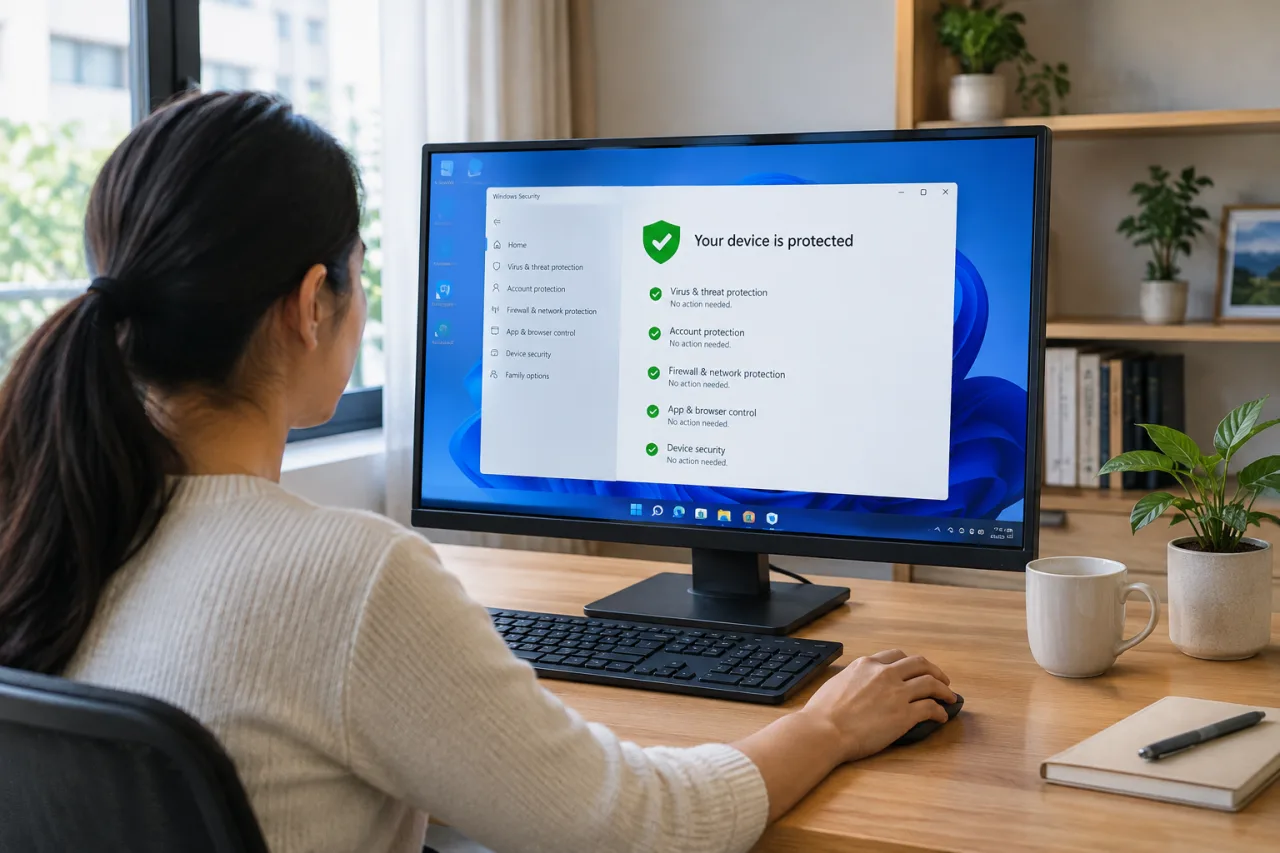
The settings walk takes about five minutes inside the Windows Security app. Open Windows Security from the Start menu, enter Virus & threat protection, and scroll to Ransomware protection, where Controlled Folder Access asks for one switch and an app-permission list you curate over the first weeks. Back on the same screen, open Virus & threat protection settings, then Cloud-delivered protection, and raise the cloud protection level, which is exactly the latency knob that makes new-sample reactions faster. Reputation-based protection sits in the same settings tree under the SmartScreen sections for apps, browsers and email. Tamper Protection appears on the Virus & threat protection settings page itself; verify it reads on, because its whole job is defending the toggles you just set from the malware that arrives later. Finish with one full scan before the family returns to its evening use.
When Paid Software Is the Wrong Buy
Two warnings belong in any honest comparison. The first is running two engines at once: installing a paid suite on top of Defender with real-time protection active invites conflicts, degraded speed and blind spots, since Microsoft’s own guidance treats Defender as the primary engine unless the other product registers itself properly. Decide on one engine and let the other step down. The second is the rogue-antivirus scam class, where pop-ups imitating security scanners harvest card numbers from panicked users; the fix is habit, and only downloading from the vendor’s own site, a rule the free tools in our Windows hardening reading list repeat endlessly.
Where This Sits in the 2026 Security Stack
Antivirus is one floor of a building, and the lab’s worst infection stories this year ran through floors above the scanner. Browser-level threats moved fast, with seven zero-days hitting Chrome in 2026 alone, and the update routine that neutralizes them takes ten minutes and is documented in our browser zero-day guide. Stealer malware that harvests passwords and session cookies spreads through cracked software and fake updates, and the free detection check every professional should run is covered in our infostealer check guide. Multi-factor authentication remains the single highest-value free control, and for OFW families juggling bank accounts across borders, our password manager setup guide and the passkey rollout across Southeast Asian banks we documented separately matter more to real safety than any antivirus brand choice.
The synthesis is honest and slightly boring: for most Filipino professionals, students and small businesses, Windows Defender with four settings enabled is a complete antivirus layer in 2026, paid suites are a bundle purchase that only makes sense when you specifically want identity monitoring or human support, and the money that would go to a redundant subscription serves your security better inside the machine’s backup routine and the household’s passkey migration. Buy extras on purpose, never by fear.
Frequently Asked Questions
Is Windows Defender enough protection on its own in 2026?
For typical home and work use, yes. Defender scored a perfect 6.0 protection with 100% real-world 0-day blocking and zero false alarms in the July-August 2026 AV-TEST round, and its engine is kept current through Windows Update. Pair it with the four hardening settings, browser updates, and backups rather than a second scanner.
Why did Defender lose to paid suites in the 2026 lab results?
It lost one performance notch, not a protection battle. App installation slowdown of 44% on standard PCs, against a 15% industry average, cost it the perfect 18 and left it at 17.5, still within AV-TEST’s top product band.
Does a paid antivirus include anything Defender cannot do at all?
The blocking engines have converged, but paid tiers genuinely add identity and dark-web breach monitoring, bundled VPNs, password managers, and human support lines. If your priority list includes those, a suite is rational; if it is malware blocking alone, it is not.
Should I run a free antivirus like Avast or AVG instead of Defender?
Only with a reason. Free third-party engines also scored perfect protection in the same round, so the choice among free options is about interface and extras, not safety. Running two real-time engines together on one machine is the setup to avoid.
Is antivirus the same as a VPN?
No. A VPN encrypts the traffic between your device and the internet, while antivirus inspects and blocks malicious software on the device. Some suites bundle both, but one does not replace the other.
Does the paid bundle protect my phone as well as my laptop?
Most modern suites cross platforms, so a subscription can cover Android and iOS, which helps households with one bill and many devices. Check the device-count cap before buying, because family tiers matter for households above three machines.
- av-test.org/en/antivirus/home-windows/windows-11/august-2026/microsof… — The AV-TEST Institute’s July-August 2026 report for Defender
- av-test.org/en/antivirus/home-windows/windows-11/august-2026
- av-comparatives.org/tests/real-world-protection-test-july-august-2026…
- learn.microsoft.com/en-us/defender-endpoint/controlled-folder-access — Microsoft’s own endpoint documentation
External sources linked in this article, in order of first mention. Spotted an error or a broken link? Tell us.
Cite this pagePublished Nov 18, 2026
Agron, E. (2026, November 18). Windows Defender vs Paid Antivirus: What Actually Protects You Now. WorldNgayon. https://worldngayon.com/windows-defender-vs-antivirus/
Agron, Edmon. “Windows Defender vs Paid Antivirus: What Actually Protects You Now.” WorldNgayon, 18 Nov. 2026, worldngayon.com/windows-defender-vs-antivirus/.
Agron, Edmon. “Windows Defender vs Paid Antivirus: What Actually Protects You Now.” WorldNgayon, November 18, 2026. https://worldngayon.com/windows-defender-vs-antivirus/.
Agron, E. (2026) ‘Windows Defender vs Paid Antivirus: What Actually Protects You Now’, WorldNgayon, 18 November. Available at: https://worldngayon.com/windows-defender-vs-antivirus/.
E. Agron, “Windows Defender vs Paid Antivirus: What Actually Protects You Now,” WorldNgayon, Nov. 18, 2026. [Online]. Available: https://worldngayon.com/windows-defender-vs-antivirus/
@online{agron2026windowsdefender,
  author       = {Agron, Edmon},
  title        = {{Windows Defender vs Paid Antivirus: What Actually Protects You Now}},
  year         = {2026},
  date         = {2026-11-18},
  organization = {WorldNgayon},
  url          = {https://worldngayon.com/windows-defender-vs-antivirus/},
  urldate      = {}
}TY - ELEC AU - Agron, Edmon TI - Windows Defender vs Paid Antivirus: What Actually Protects You Now T2 - WorldNgayon PY - 2026 DA - 2026/11/18/ UR - https://worldngayon.com/windows-defender-vs-antivirus/ Y2 - ER -
Cite the version you read; the page may be updated. Zotero and Mendeley can also import this page directly.