
Table of Contents
Key Takeaway
- 🔌 Juice jacking is the data risk hiding inside public USB charging: the same cable that moves power can move data, which is why the FBI, the FCC and the TSA have all told travelers to leave the public ports alone.
- 🛡️ The real risk picture: the FCC says no confirmed real-world cases have been verified, and your phone’s defaults block most attacks, so the danger is real but narrow.
- 🔋 Five defense layers cover it: a data blocker, an AC outlet with your own adapter, a full power bank, charge-only prompt discipline, and charging before you travel.
- 🚨 Already plugged into a strange port? Deny any trust prompt, unpair leftover accessories, run a malware check and rotate the accounts that matter, starting with your main email.
- 🧳 Travelers on tight schedules benefit most: the full defense kit costs about the price of one airport snack and fits in the same pocket as your passport.
April 6, 2023, the FBI’s Denver field office sent a short message that has outlived every news cycle since: “Avoid using free charging stations in airports, hotels or shopping centers. Bad actors have figured out ways to use public USB ports to introduce malware and monitoring software onto devices. Carry your own charger and USB cord and use an electrical outlet instead.”
The warning was not a reaction to a single incident, the office told CBS News afterward. It was a public service statement, the kind agencies send when the mechanics of an attack are real even if the headline cases are scarce. Three months later the FCC re-upped its own consumer guide on the same subject, and in mid-2025 travel reporters covered new TSA guidance pointing travelers away from airport juice jacking exposure and toward wall outlets. One phrase, three agencies, four years of consistent advice.
So what exactly is juice jacking, how much danger does one plug actually carry, and what should you do the next time your phone hits eight percent in a departure hall? This guide walks through the mechanics, the real risk picture, the full defense kit and the recovery steps if you already plugged in.
What Juice Jacking Actually Is
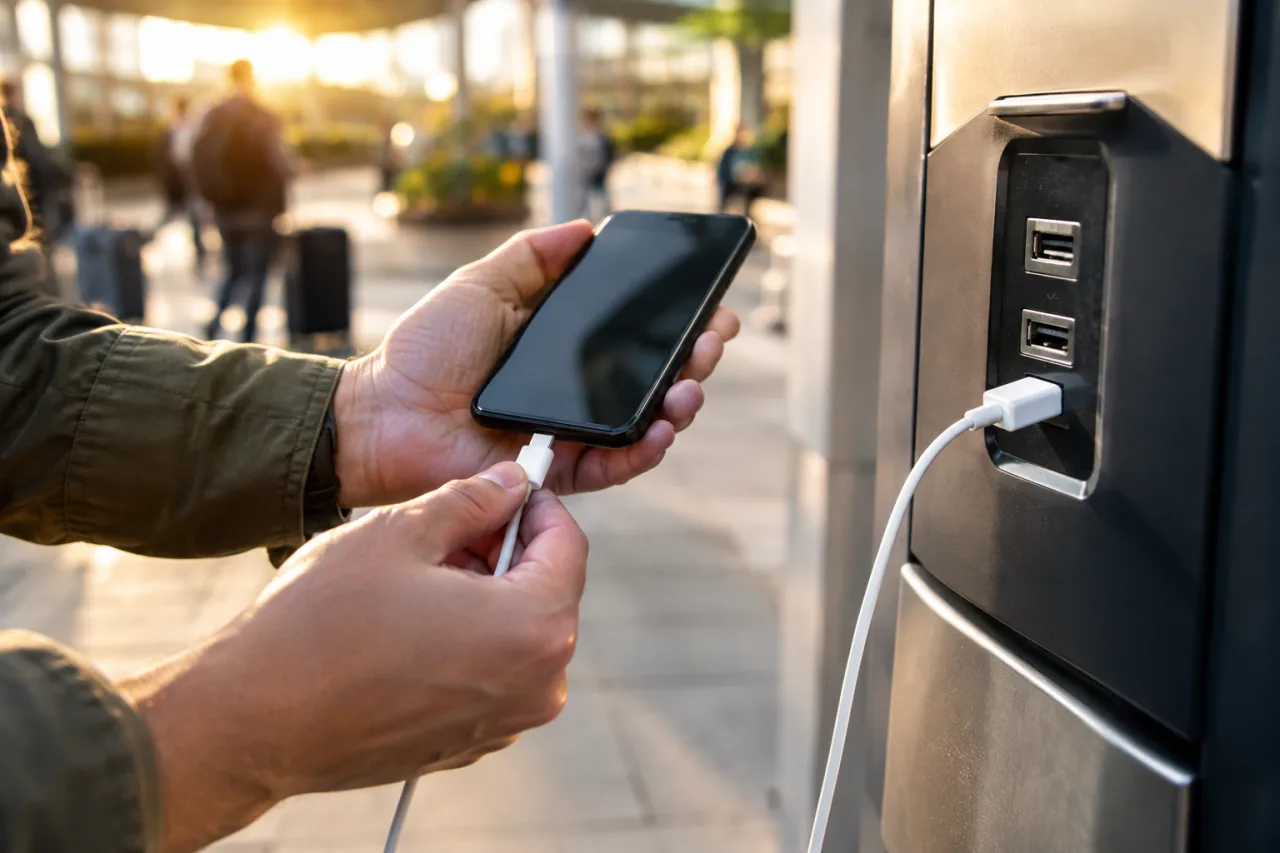
The USB standard bundles power and data over the same wires. That design choice is why one cable can charge your phone, sync your photos and run a software update. It also means anything standing behind a public USB port, a kiosk, a counter outlet, a borrowed cable, is not a passive pipe. It is a device.
Federal guidance describes juice jacking as a cyber-theft tactic tied to those shared charging points. A compromised station, corrupted cable or hidden adapter can attempt two things while your device charges: load malware onto the device, or pull personal data and credentials out of it. The FCC’s consumer guide states plainly that malware installed through a corrupted USB port can lock a device or export personal data and passwords directly to the attacker, who can then use that information to reach online accounts or sell it to others.
Security researchers have demonstrated three distinct mechanics behind the tactic, and the Army Cyber Command fact sheet from April 2022 treats each one seriously:
- Malware delivery through the port. A tampered kiosk or cable presents itself to your phone as a computer rather than a charger. On Android, that can open doors intended for development tools; on any platform, the goal is to push monitoring software or lockers onto the device.
- Direct data access through trust prompts. When you tap “Trust” or “Allow file transfer” on a device you just plugged into unknown hardware, you are granting data access to whatever is behind the port. The theft stops being technical at that point and becomes permission-based.
- Cable-level implants. Researchers have shown chargers and cables with hidden chips that behave like tiny computers inside the cable itself, which is why the Army Cyber Command’s fact sheet on the tactic treats the cable, not just the port, as the attack surface worth respecting.
The Army’s cyber branch published its own guidance on the subject in April 2022, years after the first demonstration of the attack class, and its advice lines up with the civilian agencies: treat unfamiliar USB hardware as untrusted, and feed your device from wall power or your own battery. When the military and civilian branches converge on one warning, juice jacking has moved past a niche researcher curiosity.
What the Agencies Actually Say, in Their Own Words
The three agency messages differ in tone but agree in substance, and reading them in full matters because the headlines around them sometimes stretch the facts.
The FCC (guide updated April 27, 2023): the commission describes juice jacking as “another cyber-theft tactic,” warns that free USB charging stations at airports and hotel lobbies “might have unfortunate consequences,” and states the boundary on record: “Although ‘juice jacking’ has been demonstrated to be technically possible as a proof of concept, the FCC is not aware of any confirmed instances of it occurring.”
The FBI (Denver field office, April 6, 2023): a general alert told travelers to avoid free charging stations at airports, hotels and shopping centers, because bad actors have figured out ways to use public USB ports to introduce malware and monitoring software onto devices, closing with the carry-your-own-equipment instruction. State-level offices made the same case in parallel; the Michigan Attorney General’s public alert landed the same April and carried the identical advice into consumer-protection channels.
The TSA (advisory reported June 2025): Fortune reported the agency’s renewed guidance telling travelers not to charge at airport USB ports, with the same carry-your-own-equipment advice the FBI and FCC have been giving since at least 2023.
Note the shape of the evidence. Two federal agencies issued warnings as standing public guidance, and neither pointed to a confirmed victim case. That is exactly the situation where cheap prevention beats expensive debate: the attack is demonstrated, the cost of protection is about the price of an airport sandwich, and the downside if a real case ever hits your device is account takeover.
How Real Is the Risk
This is the part most explainer pieces skip, and it is the part that keeps the advice credible rather than fearful.
Your phone is not defenseless. Modern iPhones default to USB Restricted Mode, where a locked phone stops accepting new data connections after an hour. Modern Android devices sit in charge-only mode when you connect to unknown hardware and show a notification before any data moves. In both cases, the operating system treats a new USB connection as a permission decision, not a right.
That default hardening is one reason the FCC can say it is not aware of confirmed real-world cases. The attack surfaces that remain live are narrower than the warning headlines:
- Older phones and old operating systems that predate the restricted-mode defaults.
- Users who tap Trust or Allow on a public kiosk, usually because a dialog appeared and they wanted their charge. This is where the permission-based theft lives, and it is fully in your control.
- Tampered hardware, meaning a kiosk that has been opened or a cable that carries an implant. The Army fact sheet’s cable guidance is aimed exactly at this tier.
- Device-lending situations, where kiosks offer devices to use rather than ports to charge, which trade your hardware for an unknown person’s.
None of that says stay home. It says the practical defense is small, specific and cheap, which is the shape of the five layers below.
The Five Defense Layers
The agencies’ advice compresses into five layers. They stack, and each one alone already kills most of the attack paths.
Layer 1: The AC outlet, with your own adapter. Wall sockets carry no data at all. A USB wall plug you bought is only a charger; the FBI’s advice, “use an electrical outlet instead,” is the single highest-value habit change, and it is the reason juice jacking dies at the wall socket. Car chargers and in-seat AC power fall in the same safe bucket.
Layer 2: The USB data blocker. A data blocker is a small dongle that sits between the public port and your cable. Inside it, the data pins are physically absent, so no signal can pass regardless of what the kiosk tries. Prices run around ten to twenty dollars, and some models show an LED that confirms only power flows. If you must use a shared USB port, this is the layer that turns it into a wall socket.
Layer 3: A full power bank, charged before you travel. The power bank removes the port from the equation entirely, and it removes the temptation to plug in at all. Two notes from regulation: banks pass airport security in carry-on bags, and units above 100 watt-hours are not permitted on passenger flights, so a 10,000 to 20,000 mAh model keeps you inside the limit while covering a full itinerary day. The TSA’s own what-to-bring listings treat portable chargers as carry-on items, precisely because of the battery rules, so the bank is also the layer most consistent with screening.
Layer 4: Prompt discipline and settings hygiene. The FCC’s fourth tip is the one that decides real cases: if a prompt asks you to select charge only, share data, or trust this computer, always choose “charge only,” and never tap Trust on hardware you did not bring. While you are at it, review the device’s USB pairing list (iPhone: Settings, General, VPN and Device Management style accessory tracking; Android: USB preferences) and remove pairings you do not recognize. If your phone asks for a passcode before accepting connections from a locked state, leave that protection on; it is doing quiet work.
Layer 5: Charge before you leave, and carry your own cable. The oldest advice stays the best base layer. A phone that leaves the house at full charge never faces the eight-percent temptation, and your own cable, bought from a known brand, removes the cable-implant tier of the threat. The agencies’ phrasing converges on exactly this: carry your own charger and cord.
Everything above fits the traveler’s kit that our travel cybersecurity checklist already recommends, which is why the kit keeps showing up in airport-security conversations: one pouch covers the WiFi risks, the USB risks and the lost-device risks at once.
What to Do If You Already Plugged In
You were at forty percent, the flight updated a gate change, and you used the seat-side USB before remembering any of this. The response window in a suspected juice jacking case matters, so the steps run in priority order:
- Reopen the prompt history mentally. Did a “Trust this computer” or “Allow data transfer” dialog appear? If you tapped allow on anything, treat data access as granted and move to step 3 immediately. If you only ever saw a charging indicator, your exposure is close to zero.
- Unpair unknown accessories. On iOS, check Settings for trusted devices and remove anything unfamiliar. On Android, open USB preferences and revoke pairing from unknown computers. This closes the door a kiosk may have opened for later access.
- Check for software you did not install. Look at your app list and any device-administrator or accessibility grants for entries you cannot explain. When in doubt, run a proper malware scan, and our infostealer malware check guide lists the free scanners that do the job in minutes.
- Rotate the accounts that matter. Start with the email account that anchors your password resets, then banking and wallet apps. If your main mailbox password gets rotated out of an attacker’s hands, the rest of the chain loses its head. The recovery steps in our Google account recovery guide apply to any mailbox provider, and it covers the sign-out-everywhere step that revives sessions an attacker may be holding.
- Watch payment notifications for a week. Juice jacking malware of the kind the agencies describe aims at accounts, not instant drains, so keep an eye on transfer alerts and unusual login prompts. If your number or identity is the worry rather than the device, our stolen phone lockdown guide extends the response to SIM-level risks.
One more scenario worth naming: if the plug was in a hotel room or airport lounge and left marks of tampering, report it. Airport operators and hotel chains take compromised charging stations seriously once they are named, and the report costs you nothing.
How Juice Jacking Fits the Wider Travel Threat Map
Public USB charging is one member of a family of location-based risks that all share the same shape: infrastructure you did not bring, positioned where you cannot refuse it. Once you see the pattern, the defenses rhyme.
- Shared WiFi networks carry the same trust problem as shared ports, which is why our smartphone security settings guide pairs the two discussions: lock the device settings down before the trip, and the hotel network becomes just one more untrusted pipe.
- Bluetooth trackers slipped into your bag operate on the same principle, unknown hardware at close range, and the response guide lives in our AirTag stalking alert guide.
- Someone physically near your phone long enough to install spyware is the close-range cousin of the kiosk attack, and our stalkerware detection guide covers the signs that someone is watching your device from the inside.
The common thread: the defense is always your own hardware, your own settings and permission discipline. Juice jacking gets the headlines because it happens where you are bored and at low battery, but each family member falls to the same kit.
Frequently Asked Questions
Is juice jacking real or is it a myth?
It is real as an attack class, demonstrated by researchers and taken seriously by the FBI, the FCC and the Army’s cyber branch. As for confirmed real-world victims, the FCC’s own guide says it is not aware of any confirmed instances. Treat it as a low-frequency, high-impact risk, which is a different thing from a myth.
Can a public USB charger steal my data without me trusting it?
Without your permission, most modern phones block the juice jacking path entirely. On a locked iPhone, USB connections restrict themselves, and on current Android versions the default is charge-only until you explicitly allow data. The risk concentrates in older devices, tampered hardware and the moment a person taps Trust to speed up a charge.
What is a USB data blocker and do I need one?
It is a small adapter that carries power pins only, cutting the data line physically. Around ten to twenty dollars, it turns any shared port into a wall-socket equivalent. If you travel enough to face public USB ports regularly, it is the cheapest hardware on this list.
Are power banks safe to bring on a plane?
Yes, in carry-on baggage, and that is where they are required to stay. Units up to 100 watt-hours pass standard screening, which covers typical 10,000 to 20,000 mAh power banks, and anything larger needs airline approval. Checked baggage is not a legal place for them.
Does wireless charging in public have the same risk?
Wireless pads exchange far less than the full USB stack, and data transfer is not part of the standard charging handshake, so the attack surface is smaller. As with anything in a public space, a pad could be combined with other tampering, so a public wireless pad is still lower on your option list than your own power bank.
I tapped Trust on a public charging station. What should I do first?
Treat data access as granted: run the plugged-in checklist above in order, starting with unpairing unknown accessories and a malware scan, then rotate your main email and banking passwords from a different, trusted device. The response steps and recovery guides linked in this article cover each stage.
If this intelligence helps you, you can add WorldNgayon as a preferred source on Google — free, one click, and it helps other Filipinos find the answers faster.
Financial Disclaimer
This article is security guidance published for general information. It is not financial, legal or professional advice, and it does not evaluate any specific product, insurer or investment. Hardware prices cited are observed reference ranges and can change without notice. WorldNgayon accepts no liability for decisions made based on this article. Readers should verify current agency guidance at the official sources linked above and consult qualified professionals for their specific situation.
- cbsnews.com/news/fbi-warns-against-juice-jacking-what-is-it — the office told CBS News
- Official fcc.gov/juice-jacking-tips-to-avoid-it — FCC re-upped its own consumer guide
- fortune.com/2025/06/03/dont-charge-phone-airport-usb-ports-tsa-warning — new TSA guidance
- Official arcyber.army.mil/Portals/34/Fact%20Sheets/Juice%20Jacking/ARCYBER%20f… — Army Cyber Command fact sheet
- Official michigan.gov/ag/news/press-releases/2023/04/17/ag-nessel-warns-consum… — Michigan Attorney General’s public alert
- google.com/preferences/source?q=worldngayon.com — add WorldNgayon as a preferred source on Google
External sources linked in this article, in order of first mention. Spotted an error or a broken link? Tell us.
Cite this pagePublished Nov 17, 2026
Agron, E. (2026, November 17). Juice Jacking: the Real Risk of Public USB Charging and How to Block It. WorldNgayon. https://worldngayon.com/juice-jacking/
Agron, Edmon. “Juice Jacking: the Real Risk of Public USB Charging and How to Block It.” WorldNgayon, 17 Nov. 2026, worldngayon.com/juice-jacking/.
Agron, Edmon. “Juice Jacking: the Real Risk of Public USB Charging and How to Block It.” WorldNgayon, November 17, 2026. https://worldngayon.com/juice-jacking/.
Agron, E. (2026) ‘Juice Jacking: the Real Risk of Public USB Charging and How to Block It’, WorldNgayon, 17 November. Available at: https://worldngayon.com/juice-jacking/.
E. Agron, “Juice Jacking: the Real Risk of Public USB Charging and How to Block It,” WorldNgayon, Nov. 17, 2026. [Online]. Available: https://worldngayon.com/juice-jacking/
@online{agron2026juicejacking,
  author       = {Agron, Edmon},
  title        = {{Juice Jacking: the Real Risk of Public USB Charging and How to Block It}},
  year         = {2026},
  date         = {2026-11-17},
  organization = {WorldNgayon},
  url          = {https://worldngayon.com/juice-jacking/},
  urldate      = {}
}TY - ELEC AU - Agron, Edmon TI - Juice Jacking: the Real Risk of Public USB Charging and How to Block It T2 - WorldNgayon PY - 2026 DA - 2026/11/17/ UR - https://worldngayon.com/juice-jacking/ Y2 - ER -
Cite the version you read; the page may be updated. Zotero and Mendeley can also import this page directly.