Key Takeaway
- 📍 An “unknown tracker” alert means someone else’s tag is moving with you: Apple and Google built a joint industry standard — iOS 17.5+ and Android 6.0+ now cross-alert on AirTags and compatible trackers, so the warning reaches you even when the tag pairs with another brand’s phone.
- 🔍 Evidence comes BEFORE disabling: hold the found tag to the back of your phone — an AirTag reveals its serial number and the last four digits of the owner’s phone number; screenshot that plus the alert map with times and dates, because law enforcement can request the full registration data from the manufacturer.
- 🚨 The safety-first rule overrides everything: turning off airplane mode or Bluetooth stops nothing — the tag keeps sharing its owner’s location — and disabling a found tracker tells its owner you found it; if domestic abuse is possible, build a safety plan and contact police or a domestic-violence advocate before touching the tag.
- 🛡️ The person-watching lane is bigger than tags: the same playbook covers stalkerware on your phone and the tracker inside your bag — the defenses layer, and they start with the documentary pack, not confrontation.
- 📵 Prevention = keeping the alert system alive: Location Services, Bluetooth, and Tracking Notifications stay ON; the settings that “feel safer” by turning alerts off only blind you to the tag that’s already moving with you.
Table of Contents
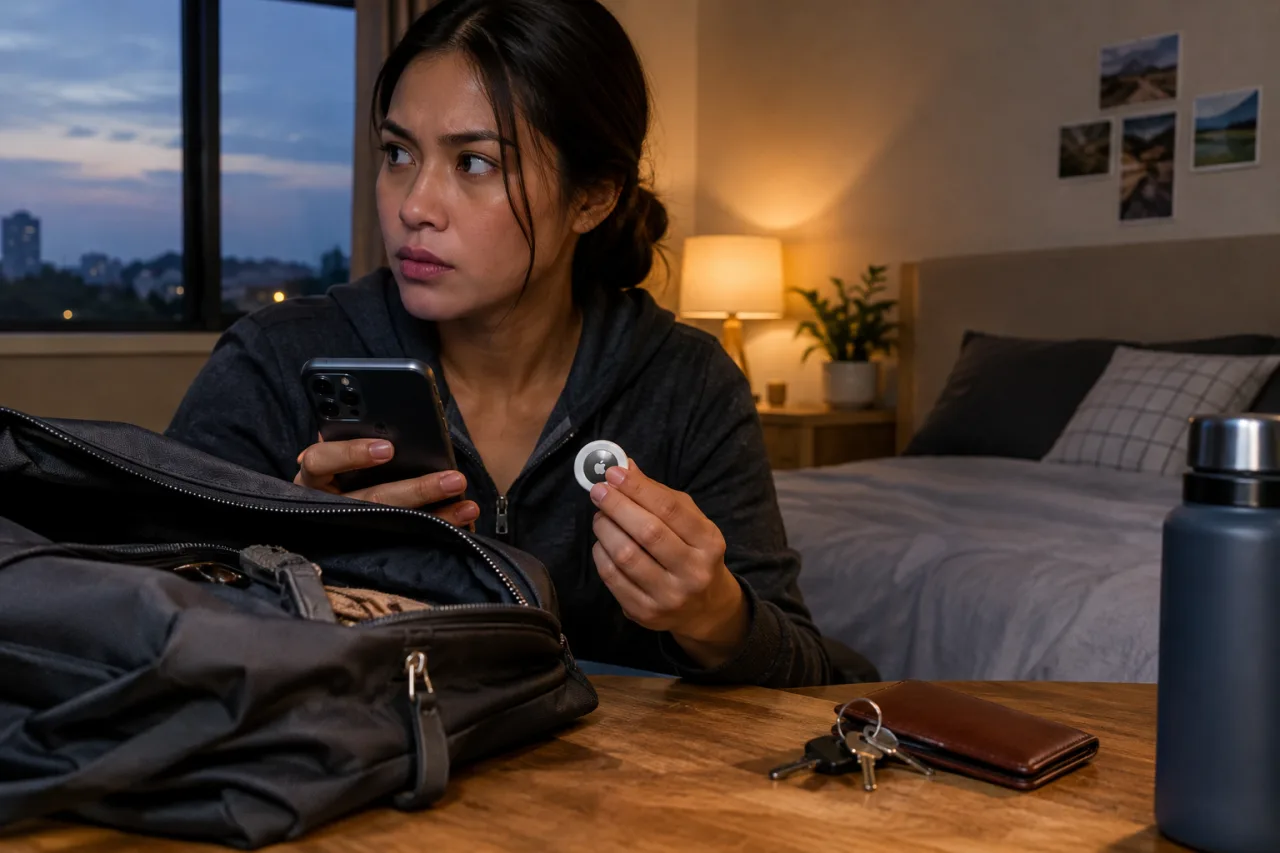
AirTag stalking is the modern fear with a modern answer: if an unknown tracker has been moving with you, both phone platforms now interrupt you with an alert — “Item Found Moving With You” on iPhone, an unknown-tracker notification on Android — and that alert is the start of a documented playbook: find the tag, pull its evidence off the NFC chip, screenshot everything with timestamps, and only then decide between disabling and preserving for police. The joint Apple-Google anti-stalking spec shipped in May 2024 made the systems cross-compatible, and both companies’ support pages now spell out the exact steps this guide consolidates — plus the one nuance the official pages understate and victim advocates stress: what you do next depends on whether the possible tracker-owner is a stranger you can report safely, or someone whose reaction you need to plan around — the difference that separates a five-minute resolution from a safety plan, and the reason this guide leads with evidence instead of endings.
What an AirTag Stalking Alert Actually Means
The alert fires when a tracker separated from its owner travels with you over time — AirTags, AirPods-in-a-case, and compatible Bluetooth tags across the Find My and Find Hub networks. The systems compare movement patterns, not proximity: a tag left in a borrowed jacket pocket behaves differently from one riding your commute route nightly. Three alert shapes exist and each means something slightly different. The “found moving with you” notification means the cross-platform standard detected the pattern; a sound from the tag itself means the separation timer expired (airtag stalking usually surfaces first through the sound — the AirTag emits after being away from its owner for an extended period while moving with you); and a Precision-Finding-style map on some Android devices shows where the tracker was detected traveling with you, with route breadcrumbs. Family Sharing borrowing is the designed exception — the alert lets the borrower of a family member’s AirTag mute alerts for that specific item for a day or indefinitely, Each alert shape is the system speaking at a different confidence level, and the responses differ accordingly — sound, then locate, then evidence, then choice. The muting option deserves its second look for a different reason: muting the wrong alert turns the system off exactly when it matters, which is the mistake that makes airtag stalking invisible to the person being followed.
AirTag Stalking on iPhone: From Alert to Evidence to Disable
- Keep the alert, don’t dismiss. Tapping through starts the flow; dismissing kills the breadcrumb trail the system built for you.
- Play the sound. The Find My flow plays the tag’s chime — repeat it as needed. If Play Sound is unavailable, the tag may have left range or its identifier rotated after an overnight ride.
- Use Precision Finding when offered. On U1-chip iPhones with AirTags, the phone shows distance and direction — follow it to the object.
- Search the predictable places. Airtag stalking cases tend to reuse the same hiding logic Jacket linings, bag outer pockets, under car seats, inside wheel wells, luggage handles, and the less-obvious: a child’s toy, a water bottle sleeve, a bike frame. The documented cases put tags in luggage handles, under car bumpers, inside spare-tire wells, and taped beneath gloveboxes — places chosen because a morning commute or an overnight parking spot feeds the map. Searching with the phone’s light low and the sound looped makes the physical side take five minutes instead of an evening.
- Pull the evidence. Hold the tag’s white face against the back of the phone: NFC opens a page with the serial number and the last four digits of the registered phone — screenshot both plus every alert map before anything else.
- Then choose — preserve or disable. The disable flow inside the alert (or the battery twist-out for a found tag) stops location sharing permanently; the owner gets no direct notice but will suspect once updates stop. If safety is in question, the evidence file goes to law enforcement, who can request the full registration data from Apple — the serial number you screenshot is the key that opens it.
Airtag Stalking Detection on Android: the Find Hub Scan and the 10-Minute Rule
Android 6.0+ devices ship with the unknown-tracker alert system built into Play Services — no app required for the automatic alerts. The manual scan adds a layer: Safety & emergency → Unknown tracker alerts on Android 12+, where a scan checks for tags separated from their owners traveling with you. Apple’s separate Tracker Detect app for Android covers Find My-network tags specifically, and its detection bar is deliberately careful: a tag must stay near you for roughly 10 minutes before the app flags it and unlocks the play-sound option. The evidence steps mirror iPhone — screenshots of alerts and maps, NFC taps for AirTag identity, manufacturer lookup for the rest (Chipolo, Pebblebee, Motorola tags all publish disable instructions and serial formats). The scan-then-move pattern matters: Bluetooth range is short by design, so walking the room with the scan open builds the picture the first static scan misses, and the 10-minute accumulation rule does the same job over time — airtag stalking detection on Android favors patience over a single sweep. One Android-specific caution from Google’s own guidance: turning off alerts or disabling Play Services’ safety system erases previous alert history on the spot — the notifications and their maps are unrecoverable, which turns a privacy-preference toggle into accidental evidence destruction.
The Airtag Stalking Safety-First Doctrine: When Not to Disable Yet
The stalking-survivor guidance — built out by domestic-violence programs and EFF’s surveillance self-defense module — flips the intuitive order. If the person who could be tracking you is a current or former partner, the tag is evidence of a pattern in the airtag stalking case history, and disabling it warns its owner that the pattern is discovered. The safer sequence for that reality: develop the safety plan first (a domestic-violence advocate or hotline helps with this — the US National Domestic Violence Hotline takes calls and texts; local equivalents exist worldwide; for OFWs the secure-messaging setup doubles as the check-in system, document everything with dates, report to police with the serial number and NFC-tap screenshots, and let law enforcement time the disable or the manufacturer-data request. In every scenario, one rule holds from Apple’s own page: airplane mode, Bluetooth-off, and Find My disabled do NOT stop the tracking — the tag reports through other people’s nearby phones, so the only real stop is disabling the item itself, and the only real record is the one you screenshot before doing it.
AirTag Stalking Prevention Checklist: Keeping the Alert System Alive
- iOS: iOS 17.5+ installed; Location Services on; Significant Locations on (Settings → Privacy & Security → Location Services → System Services) — this is what triggers arrival alerts at meaningful places; Tracking Notifications on; Bluetooth on; Airplane Mode off when moving.
- Android: Android 6.0+ with Play Services updated; Safety & emergency → Unknown tracker alerts enabled; the manual scan run when sharing a vehicle or staying somewhere unfamiliar.
- Pack habits: the travel cybersecurity kit covers the device side; bags and jackets re-checked after rideshares, hotel rooms, laundry pickups; car interiors swept monthly; shared vehicles checked after service appointments. Airtag stalking prevention is the boring half — the alert settings plus the sweep habit — and it is the half that makes the rest of this guide a routine instead of an emergency. The documented cases all share one detail — the alerts had been firing before anyone looked at them. and if the phone itself is the lost item, the stolen-phone lockdown is the companion playbook.
- The blind-spot rule: every “silence the alerts” toggle — the one that makes airtag stalking invisible — trades a minor convenience for the exact notification that catches real stalking — the privacy argument runs the other way.
Frequently Asked Questions
AirTag Stalking Alert on iPhone: What Are the Exact First Steps?
Tap the alert, run Play Sound or Precision Finding to locate the object, search the usual hiding spots, then hold the tag’s white face to the phone’s back for the NFC page — screenshot the serial number and owner phone’s last four digits plus every alert map. Evidence before disable; the disable flow lives in the same alert. If a person’s safety is in play, the screenshots go to police before the tag gets touched — the order is the whole point, because the airtag stalking evidence chain (serial, phone digits, alert maps, times) is what turns a found tag into a case a detective can run, while a silently disabled tag turns back into an ordinary keychain.
Does Turning Off Bluetooth or Find My Stop an AirTag From Stalking Me?
No — and both manufacturers state it outright. AirTags use the Find My network of strangers’ devices, so your own settings changing only blinds your alerts; the owner keeps seeing updates. The real stop is disabling the tag itself (battery removal or the in-app Instructions to Disable), which is why the evidence steps come first and the alert settings stay on.
How Do I Detect an AirTag With an Android Phone?
Automatic unknown-tracker alerts fire on Android 6.0+ through Play Services without any install, and the manual scan lives at Safety & emergency → Unknown tracker alerts. Apple’s Tracker Detect app adds Find My-network scanning, flagging a tag after roughly 10 minutes near you and unlocking the sound. Screenshots of alerts and the NFC identity page make the same evidence file Android users need.
What Information Can Police Get From a Found AirTag?
The airtag stalking evidence chain starts here: the NFC tap gives you the serial number and the registered phone’s last four digits; screenshots plus alert maps with timestamps form the report. Law enforcement can request the full registration data from Apple using the device and its serial number — the manufacturer-side lookup is the lane that turns a screenshot into a named owner, which is why the serial capture matters more than disabling quickly.
Can Someone Legally Put a Tracker in My Bag?
Airtag stalking is a crime in many jurisdictions — tracking a person without consent runs through stalking and harassment statutes — Apple’s own support page repeats the point, and enforcement typically runs through stalking or harassment statutes alongside the electronics angle. The practical layer for any traveler: the alert systems exist precisely because the misuse pattern is real, the evidence steps are documented, and the person-watching lane pairs with the phone-side checks — stalkerware detection covers the software half, this guide covers the hardware half.
Disclaimer
This article provides general safety information and does not constitute legal advice. Alert behavior, settings paths, and legal remedies vary by device version and jurisdiction; verify against the official Apple and Google support pages and local law-enforcement guidance. If you are in danger, contact local emergency services or a domestic-violence hotline first. The author and publisher disclaim any liability for actions taken based on this information.
- apple.com/newsroom/2024/05/apple-and-google-deliver-support-for-unwan… — joint Apple-Google anti-stalking spec shipped in May 2024
- support.apple.com/en-us/119874 — both companies’ support pages
- support.google.com/android/answer/13658562?hl=en — Safety & emergency → Unknown tracker alerts
- ssd.eff.org/module/how-to-detect-bluetooth-trackers — EFF’s surveillance self-defense module
External sources linked in this article, in order of first mention. Spotted an error or a broken link? Tell us.
Cite this pagePublished Oct 29, 2026
Agron, E. (2026, October 29). AirTag Stalking: the Unknown-Tracker Alert Playbook for iPhone and Android. WorldNgayon. https://worldngayon.com/airtag-stalking/
Agron, Edmon. “AirTag Stalking: the Unknown-Tracker Alert Playbook for iPhone and Android.” WorldNgayon, 29 Oct. 2026, worldngayon.com/airtag-stalking/.
Agron, Edmon. “AirTag Stalking: the Unknown-Tracker Alert Playbook for iPhone and Android.” WorldNgayon, October 29, 2026. https://worldngayon.com/airtag-stalking/.
Agron, E. (2026) ‘AirTag Stalking: the Unknown-Tracker Alert Playbook for iPhone and Android’, WorldNgayon, 29 October. Available at: https://worldngayon.com/airtag-stalking/.
E. Agron, “AirTag Stalking: the Unknown-Tracker Alert Playbook for iPhone and Android,” WorldNgayon, Oct. 29, 2026. [Online]. Available: https://worldngayon.com/airtag-stalking/
@online{agron2026airtagstalking,
  author       = {Agron, Edmon},
  title        = {{AirTag Stalking: the Unknown-Tracker Alert Playbook for iPhone and Android}},
  year         = {2026},
  date         = {2026-10-29},
  organization = {WorldNgayon},
  url          = {https://worldngayon.com/airtag-stalking/},
  urldate      = {}
}TY - ELEC AU - Agron, Edmon TI - AirTag Stalking: the Unknown-Tracker Alert Playbook for iPhone and Android T2 - WorldNgayon PY - 2026 DA - 2026/10/29/ UR - https://worldngayon.com/airtag-stalking/ Y2 - ER -
Cite the version you read; the page may be updated. Zotero and Mendeley can also import this page directly.