Key Takeaway
- 📺 Smart TV security starts with ACR — Automatic Content Recognition: your TV reports what you watch to its manufacturer, often by default, per Consumer Reports’ long-running investigation — and the tracking settings menu is where that switches off.
- 🎙️ Microphones and cameras are settings, not hardware facts: voice-enabled remotes and built-in cameras disable inside the TV’s settings — the get-cyber-safe rule is turn off what you don’t use, including Bluetooth and geolocation.
- 🧱 The TV rides the router: a smart TV on your main network is a computer on your main network — the guest-network segregation move limits what a compromised TV can reach, per both the FTC’s IoT guidance and Canada’s cyber-safety agency.
- ⏳ Out-of-support TVs age out: Germany’s BSI warns that models past security-update support become standing risk — the response is disconnecting them from the network, not just ignoring the lag.
- 🏦 Never bank from the TV: the BSI guidance is blunt about smart TV browsers lacking current security layers — login-free streaming yes; passwords, payments, and banking stay on hardened devices.
Table of Contents
Smart TV security lives in a blind spot: the television gained a camera, a microphone, an app store, and a broadband connection while the household treated it as furniture. The regulators and consumer labs have kept score — the FTC’s home-device guide walks router and per-device defaults, Consumer Reports has investigated TV tracking since 2015, Canada’s Get Cyber Safe agency lists the smart-device risks plainly, and Germany’s BSI warns in detail about unsupported models turning into botnet members or malware homes. The controls exist on every major platform; they’re just buried in menus nobody opens. This guide runs the 20-minute lockdown: ACR and tracking off, mic and camera choices made consciously, updates confirmed, network segregation, and the habits that keep the household’s biggest screen from becoming its quietest listening device.
What the TV Collects: ACR and the Data Layer
Automatic Content Recognition samples the screen — what you watch, which apps you open, sometimes when and how long — and reports it to the manufacturer, where it can combine with data from outside companies, per Consumer Reports’ documentation of the practice. Streaming apps add their own collection even when you never sign in, and voice features send clips to cloud services when triggered. None of this is hidden from the settings — it’s hidden from the SETTINGS MENU READER: the toggles carry acronyms (ACR, “viewing information services,” “interest-based ads”) and live under privacy or terms-and-conditions menus with acceptance boxes that were pre-checked at setup, which is why every smart tv security routine is a menu walk rather than a single switch.
Smart TV Security: The 20-Minute Lockdown
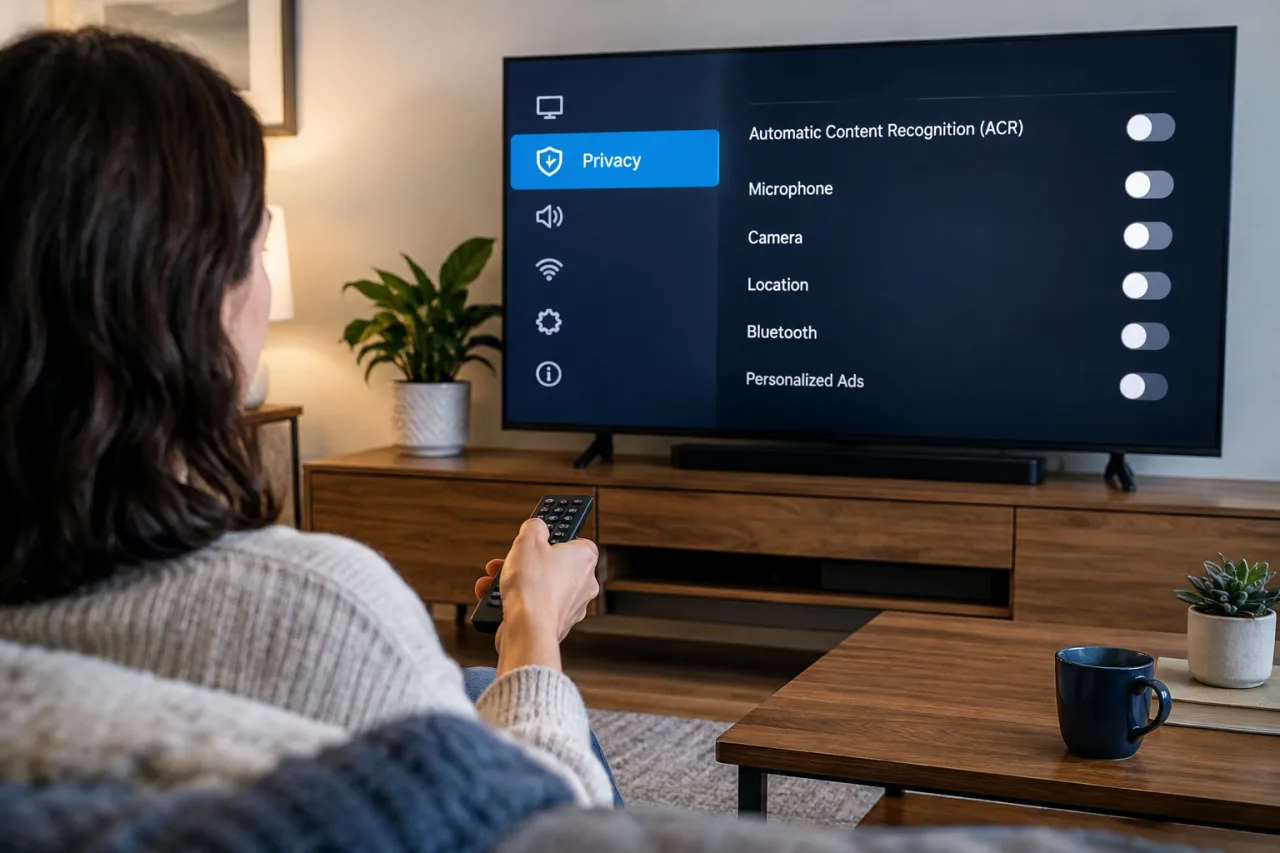
- Turn off viewing tracking. The first smart tv security move — and the one every agency guide lists first: Settings → Privacy (or Support → Terms & Privacy): disable ACR/viewing-information sharing, interest-based ads, and “personalized recommendations” data collection — the Consumer Reports brand-by-brand walkthroughs cover Samsung, LG, Roku, Vizio naming differences.
- Decide on the microphone and camera consciously. Disable voice recognition where the household doesn’t use it; TV’s with built-in cameras get the privacy shutter or the settings kill; the remote’s voice button configures separately from the TV’s far-field mics on some models.
- Change defaults and add the pin. The FTC’s IoT guidance on smart tv security says default usernames and passwords go first — a TV admin password of “0000” survives a decade otherwise. Enable the PIN lock for purchases and settings where offered.
- Check for updates now and leave auto-update on. Firmware updates patch the vulnerabilities; the BSI’s guidance treats vendor update support as a purchase criterion — confirm updates are arriving before trusting the TV.
- Remove unused apps and disable unused services. The FTC flags unused apps as continuing collectors; the BSI adds HbbTV and legacy services as standing vulnerability surfacts when unpatched.
- Move the TV to the guest network. Router-side segregation per the get-cyber-safe rule — a compromised TV on the guest lane reaches nothing that matters; on the main lane it sees everything.
- Never sign into banking or sensitive accounts from the TV. The BSI’s warning is explicit: TV browsers and apps lag in security layers; passwords belong on patched computers and phones.
The Router Comes First: The Network Half of Smart TV Security
The FTC says it directly — the key to IoT privacy in the house is the router. A TV inherits its network posture: WPA2/WPA3 encryption on, the router admin password changed from factory, remote management off — the same moves the router-password lockdown guide walks for the whole household. Segregation does the rest: guest networks isolate IoT devices from laptops, phones, and printers so a compromised TV cannot reach the machines that matter. The pairing matters because smart TVs receive updates SLOWER than phones and computers — a two-year-old TV firmware with unpatched bugs is common, and the network lane is what contains that lag rather than trusting the vendor’s calendar.
Buying and Living With Smart TVs: The Checklist That Ages Well
- Before purchase — the BSI’s three questions: does the manufacturer commit to security updates for the product’s lifetime; is data transmission and storage encrypted and documented; can access be protected with a PIN and can features (camera, mic) be disabled?
- During setup — decline the pre-checked boxes. The tracking consents default to accepted; the privacy menu during first-run setup is the cheapest moment to opt out of everything.
- After a year — the recheck. Firmware updates, new apps granted permissions, settings menus rearranged by updates: a once-a-year pass through the privacy menu catches the drift — the same maintenance logic the smartphone settings guide applies to phones.
- When support ends — the disconnect decision. The BSI’s rule: a TV no longer receiving security updates either leaves the network or gets demoted to a dumb screen fed by a streaming stick you DO patch — the stick model keeps the household’s privacy posture current at the cost of one accessory.
Smart TV Data Rights: What the Rules Say About Your Viewing Data
The collection is legal where consented — which is why the consent menus are the battlefield. In the US, the FTC’s unfair-and-deceptive-practices authority shapes the disclosures (brands have faced scrutiny over viewing-data representations), and privacy statutes in state and national privacy regimes (the CCPA in California, GDPR-class laws in Europe, the Philippines’ Data Privacy Act that our data-rights guide walks) add access-and-deletion rights over the profile your TV builds. The practical layer for a household: the privacy-policy page linked from the TV’s settings names what is collected and how to request deletion, and the ACR opt-out is itself an exercise of that right. The trend line runs toward more disclosure requirements, not fewer — and the lockdown’s menu pass is what turns a policy document into an actual switch in the off position.
Frequently Asked Questions
Is my smart TV watching me?
It can, and Consumer Reports has documented the practice for a decade: most sets ship with automatic content recognition that reports viewing habits, apps can collect data even unsigned-in, and voice features send audio clips when triggered. All of it switches off in settings — the smart tv security lockdown’s first move is finding the ACR toggle on your brand and killing the pre-checked consents. Consumer Reports notes the menus differ by brand but the toggles exist on every major platform — the walkthroughs cover Samsung, LG, Roku, and Vizio by name.
Smart TV security — can a TV actually be hacked?
Yes: researchers have demonstrated TV compromise through vulnerabilities and insecure defaults, and Germany’s BSI warns unsupported models end up in botnets sending spam or joining denial-of-service attacks. The exposure is real but contained by the basics: changed default passwords, firmware updates, network segregation, and unused services disabled — the same 20-minute list this guide walks.
Should I connect my smart TV to the main Wi-Fi network?
Prefer the guest network: Canada’s Get Cyber Safe guidance and the FTC both recommend segregating smart devices so an IOT compromise can’t reach computers, phones, and printers. The TV loses nothing meaningful on the guest lane except access to things it should never have had.
My smart TV no longer gets updates — is it unsafe to keep using?
Germany’s BSI advice for unsupported models is explicit: disconnect it from the internet, or keep it as a screen fed by a streaming stick that does receive updates. An aging TV on your main network is a standing weak point; demoted to offline dumb-screen duty or isolated behind a patched stick, it keeps its job without the risk.
Do I need to worry about the TV’s microphone?
Only as much as you choose to: voice features on remotes and TVs are settings, and the lockdown makes the choice explicit — disable voice recognition where unused, prefer remote-button voice over always-listening hardware where the model offers both, and check the app-level mic permissions after system updates reset them. The camera version of the same decision: use the built-in shutter or settings kill on sets that ship one.
Financial Disclaimer
This article provides general consumer-protection guidance and does not constitute professional security or financial advice. The 20-minute smart tv security lockdown above covers the whole board in one sitting., and update policies change over time and vary by model; verify every step against the manufacturer’s official documentation and the cited agency guidance before acting. The author and publisher disclaim any liability for actions taken based on this information.