

Table of Contents
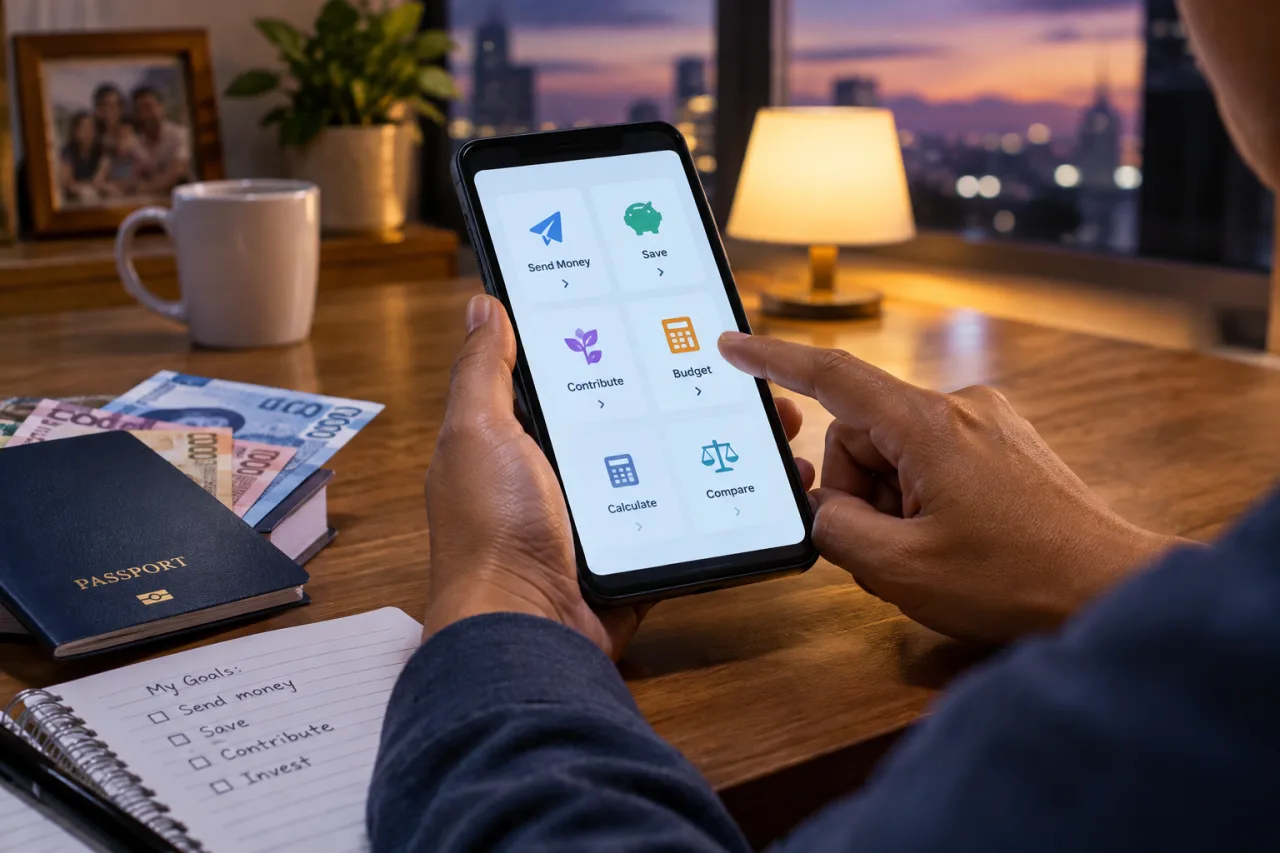
This page serves the worker every payday and the household that depends on him or her: the OFW money and remittance tools below were built for the decisions that repeat, the send, the save, the contribution, the budget, the protection, and each one answers with a number. If the family argument this month is about where the pesos went, start at the envelope splitter; if it is about the provider, start at the comparator. The list exists so every money question has a first stop that is free.
Welcome to the complete money set of tools. The search for OFW money and remittance tools ends with this list: 20 free tools on worldngayon’s own tools hub, live today, no sign-up, no fees, built to answer the five money decisions every overseas worker repeats every month, from the send itself to the pension that comes after it. Each tool price in your browser and links straight to its page.
Key Takeaway
- The OFW money and remittance tools divide into one the list: the OFW money and remittance tools sit in five groups, send, save, contribute, budget and protect, and each one answers with a number instead of a slogan.
- The send: the remittance comparator shows the exact pesos the family receives across providers before you commit.
- The save: the MP2 dividend calculator projects five years, and the MP2-versus-others tool puts the same pesos into four homes after tax.
- The contribute: the SSS contribution calculator and pension estimator price the retirement you are already paying for, monthly.
- The family angle: the padala planner and the Uwi-Fund tool turn every send and every homecoming into a date with a number.
What the OFW Money and Remittance Tools Cover
The list below groups all 20 tools by the decision they answer. Search engines see the intent clearly, and Google’s own top suggestion on the money-tools search is the word investment, so the save and invest groups come right after the send group. Every tool is free, runs in the browser, and needs no account.
The Send Decision, Four Tools
The first decision of every payday is the send: which provider, which rate, and what the family actually receives. Of all the OFW money and remittance tools on the hub, this pair earns its slot first. Two calculators answer the amount, one answers bank choice, and one answers the box that travels beside it.
| Tool | What it answers |
|---|---|
| Remittance final-PHP comparator | How many pesos the family actually receives across Wise, Remitly, WorldRemit and other major providers, fees and conversion margins compared in one screen. |
| Exchange rate alert | One email or Telegram message the moment your host currency reaches the rate you set, so timing the send stops being a midnight chore. |
| OFW bank account comparison | Which account setup fits the corridor you work in: GoBayani-class apps, local digital banks, or a dollar account in the host country. |
| Balikbayan box cost and customs value calculator | The landed cost of the box beside the remittance, with the customs value worked out before the household claims it. |
The send decision carries more arithmetic than the fee panel shows: the advertised rate, the flat charge, the conversion margin inside that rate, the receiving-side cost, and sometimes the currency-pickup difference at the counter. The OFW money and remittance tools compress that arithmetic into one screen, which is why the comparator belongs before every send rather than after the first fight about the missing pesos. Workers who run it on two paydays a month usually keep the cheaper provider for the big send and the faster one for the urgent send, because the answer changes with the amount.
Check the comparator before every send and the hidden-costs trap stops working on you. The full send-cost anatomy, with the cost list most providers pack quietly, lives in the remittance apps comparison. The best tools for OFW money decisions run on the same rule: check the number, then decide.
The Save Decision, Seven Tools
Savings decisions repeat until the rate moves, and the rates moved twice this year. Five calculators turn published rates into answers, one tracker keeps the total visible, and one comparator prices the alternative savings vehicles side by side.
| Tool | What it answers |
|---|---|
| Pag-IBIG MP2 dividend calculator | Your MP2 savings and dividends projected over five years, monthly or lump sum, under the published rate structure. |
| MP2 vs time deposit vs UITF | The same pesos placed into MP2, a time deposit, a digital bank and a UITF, compared after tax, so the result follows the current rates. |
| Pag-IBIG regular savings calculator | The ordinary Pag-IBIG savings path with its own dividend schedule, for the money you want liquid before the MP2 lock ends. |
| Emergency fund calculator | How many months of expenses count as an emergency fund for your household, priced in both the Philippine and the host-country cost base. |
| Uwi Fund, savings target by return date | The homecoming fund: set the return date and it return the monthly set-aside that makes the flight and the celebration real. |
| Net worth tracker | The running total of assets minus debts, the one number that tells you whether the year is working. |
| Loan payoff and debt snowball calculator | The order that clears the debts fastest, with the payoff date and interest saved worked out for each ordering. |
The savings book rewards the person who re-runs the numbers, not the one who memorized last year’s result. Rate cycles moved the MP2-versus-others answer twice in 2026, and the OFW money and remittance tools exist precisely so the household follows the rates instead of the group chat. A practical pattern: every new dividend announcement, re-run the comparison with your actual balance, and let the after-tax columns pick the home for the next tranche. The calculators make that a five-minute exercise instead of a spreadsheet evening.
The MP2 decision has its full mechanical walkthrough in the Pag-IBIG MP2 guide, and the automation-minded path continues in the automated investing guide. Calculators project using stated inputs, so re-run them when the rate cycle moves.
The Contribute Decision, Three Tools
Three government contributions follow every worker across borders, SSS, PhilHealth and Pag-IBIG, and each one has a calculator here. These are the contributions you pay either way when guessed, so work out them monthly.
| Tool | What it answers |
|---|---|
| SSS contribution calculator | Your 2026 contribution for voluntary, self-employed or OFW status under the monthly salary credit you pick, with the Pension Booster share shown against the SSS published schedules. |
| SSS pension estimator | The monthly pension your contribution history implies, so the retirement number stops being folklore. |
| PhilHealth OFW premium calculator | The 2026 premium at 5% of income with the 10,000-peso floor and 100,000-peso ceiling applied. |
Verify every worked out contribution at the SSS and PhilHealth counters before relying on it, the agencies decide, the calculators project. One plain-language note on the ladder: the monthly salary credit you pick becomes the ceiling of the pension the estimator shows decades later, so the contribution decision is really a decision about the retirement row of the table. Workers who read both tools together, the contribution calculator and the pension estimator, stop treating contributions as a bill and start treating them as a priced benefit. The OWWA section belongs to the government set of tools, documented in its own listicle companion.
The Budget Decision, Four Tools
Budgeting is where the family sees the money work. Four planners split the salary, price the household, and convert the abroad numbers into pesos that fit Philippine prices.
| Tool | What it answers |
|---|---|
| Remittance envelope splitter | The salary split into needs, family padala, emergency, Uwi Fund, invest, debt and giving, in both currencies, as one envelope plan. |
| Padala budget planner | The monthly family allowance against the income it comes from, so the send stays sustainable on bad months too. |
| Salary converter with cost-of-living context | What the abroad salary really feels like in pesos once housing and local prices count, the clear comparison between offers. |
| Cost-of-living comparison, city vs city | Two cities priced side by side, the pay each one demands, and what moves a family actually costs. |
The two-currency household is the reason these OFW money and remittance tools matter more than a generic budgeting app: the salary arrives in riyals or dirhams, the family spends pesos, and the conversion margin takes a cut between the two. The budget planners here keep both currencies on one screen, which makes the tradeoffs visible, what one extra emergency month costs against one month of tuition. Decide the split on the screen, then let the autopay and the envelope discipline carry it through the month.
The household split has its full rule-set in the OFW family budget guide and the app comparison sits in the budgeting apps piece.
The Protect and Invest Decisions, Two Plus Two Tools
Two tools protect the plan and two tools price the market, and the contribution section pairs with the Pag-IBIG Fund published rates behind every MP2 screen. Protection first: the insurance calculator sizes the cover the family needs before a policy seller sizes it for you. The investing pair belongs to the PSE section, and the cornerstone guide holds the wider frame.
| Tool | What it answers |
|---|---|
| Insurance needs calculator | The life and term cover your household actually needs, worked out from dependents, debts and the income years left, for OFWs and families. |
| PSE position size calculator | How many shares a position should hold given your risk rule, before the order screen opens. |
| Dividend yield and DRIP calculator | The yield, the reinvested compounding and the income stream of a PSE holding, worked out either way. |
| Net worth tracker, the yearly read | The same tracker, run annually, and the plain number every family should face each December. |
The sizing discipline deserves its own paragraph because it is where most new PSE accounts bleed: position size is a risk rule, not a hunch, and the PSE position size calculator enforces it before the order screen opens. Pair it with the dividend calculator and the market side becomes arithmetic, shares, yield, reinvestment, income. The broker choice behind these calculators is compared in the OFW broker comparison. The market side of this site keeps its own watch section for PSE decisions, and the calculator pair prices the position before any order.
How to Run the OFW Money and Remittance Tools Weekly
A weekly rhythm turns the 20 OFW money and remittance tools into one money system. Payday, run the envelope splitter and confirm next month’s padala; before the send, check the comparator and the exchange rate alert target; month-end, log the contribution through the SSS calculator and screenshot the result; each quarter, re-run the MP2 comparator because the rates moved; every December, read the net worth tracker top to bottom. The whole loop is free, and it uses the best tools for OFW money the hub carries.
The lasting test for any listicle is whether you would keep it open on paydays. Keep this one for a month and the routine forms itself: the OFW money and remittance tools are designed around the decisions that repeat, and the decisions repeat because the month repeats. The family sees the same screen you run, which removes the argument layer, there is a number, it came from the calculator, and everyone counted the same pesos.
The hub keeps growing. New calculators ship weekly, and the directory carries every category, with the full free-tools comparison guide as the cornerstone and the tool directory as the index. The companion listicle for the paperwork half of OFW life covers the government and documentation tools.
Frequently Asked Questions
How many OFW money and remittance tools are on the hub?
Twenty live in this section today, part of 141 live tools on the hub across 13 categories. The calculators here cover the send, the savings, the contributions, the budget and the protection decisions, and new ones ship every week.
Which tool should every OFW check before sending money home?
The remittance final-PHP received comparator. Advertised fees and exchange margins differ enough between providers that the family can receive differences worth a meal budget on a single send, and the comparator shows the final pesos side by side before you commit.
Are these calculators free and safe to use?
Yes, every tool on the hub is free, requires no account, and answer in your browser. The exchange rate alert needs only the email or Telegram contact for the notification you asked for, and nothing about a send value leaves the comparator.
Which savings vehicle wins right now, MP2 or a time deposit?
Run the MP2-versus-time-deposit-versus-UITF tool instead of trusting anyone’s memory: it prices the same pesos in each vehicle after tax under today’s published rates, and the result moved twice in 2026 already. The MP2 guide documents the mechanics and lock behavior.
Do the calculators store my salary or family data?
The calculators figure out in the browser without accounts, so nothing is stored on the platform. The alert tool stores only the target rate and the contact you chose for the notification.
What should a new OFW start with?
Three: the envelope splitter for the first pay cycle, the remittance comparator for the first send, and the emergency fund calculator for the first savings target. Those three form the base layer, the monthly set-aside, the cheapest send, and the months-of-expenses floor; the MP2 and pension tools join as soon as the first fund is half-built.
What is the fastest free way to plan a homecoming?
The Uwi-Fund tool. Set the return date, and it computes the monthly set-aside that covers the flight and the celebration, priced against your actual pay cycle, so the homecoming has a date and a number instead of a hope.
Financial Disclaimer
This listicle is information, not financial advice. Calculators project using their stated inputs and the rates published on their run date; actual dividends, fees, contribution rules and exchange rates change every cycle. Verify contribution and benefit figures with SSS, PhilHealth and Pag-IBIG Fund at their official counters before money moves, and treat every projection as an estimate, not a promise.
- Official sss.gov.ph — SSS
- Official pagibigfund.gov.ph — Pag-IBIG Fund
External sources linked in this article, in order of first mention. Spotted an error or a broken link? Tell us.
Cite this pagePublished Nov 8, 2026
Agron, E. (2026, November 8). OFW Money and Remittance Tools: the 20 Free Calculators That Answer Every Send, Save, and Invest Decision. WorldNgayon. https://worldngayon.com/ofw-money-remittance-tools/
Agron, Edmon. “OFW Money and Remittance Tools: the 20 Free Calculators That Answer Every Send, Save, and Invest Decision.” WorldNgayon, 8 Nov. 2026, worldngayon.com/ofw-money-remittance-tools/.
Agron, Edmon. “OFW Money and Remittance Tools: the 20 Free Calculators That Answer Every Send, Save, and Invest Decision.” WorldNgayon, November 8, 2026. https://worldngayon.com/ofw-money-remittance-tools/.
Agron, E. (2026) ‘OFW Money and Remittance Tools: the 20 Free Calculators That Answer Every Send, Save, and Invest Decision’, WorldNgayon, 8 November. Available at: https://worldngayon.com/ofw-money-remittance-tools/.
E. Agron, “OFW Money and Remittance Tools: the 20 Free Calculators That Answer Every Send, Save, and Invest Decision,” WorldNgayon, Nov. 8, 2026. [Online]. Available: https://worldngayon.com/ofw-money-remittance-tools/
@online{agron2026ofwmoney,
  author       = {Agron, Edmon},
  title        = {{OFW Money and Remittance Tools: the 20 Free Calculators That Answer Every Send, Save, and Invest Decision}},
  year         = {2026},
  date         = {2026-11-08},
  organization = {WorldNgayon},
  url          = {https://worldngayon.com/ofw-money-remittance-tools/},
  urldate      = {}
}TY - ELEC AU - Agron, Edmon TI - OFW Money and Remittance Tools: the 20 Free Calculators That Answer Every Send, Save, and Invest Decision T2 - WorldNgayon PY - 2026 DA - 2026/11/08/ UR - https://worldngayon.com/ofw-money-remittance-tools/ Y2 - ER -
Cite the version you read; the page may be updated. Zotero and Mendeley can also import this page directly.