

Table of Contents
Key Takeaway
- 💸 The verified price board for budgeting apps 2026: YNAB at $14.99/month (or $109/year, ≈$9.08/month billed annually), Monarch at $8.33/month billed annually ($99.99) or $14.99 monthly, Quicken Simplifi at $3.49/month first year then $6.99 billed annually — the US-sync class (CNBC Select’s and Quartz’s own dated rows, quoted in the tables below).
- 🆓 The Philippines-side class is mostly FREE and manual: Pinoy Budget (the Jan-2026 App Store row) tracks income, expenses, GCash and Maya; Money Manager carries the community’s own top pick — manual entry, monthly budgets, no US-account sync needed.
- 🏦 The honest sync-truth: the US-paid apps’ power is bank syncing — “13,000+ institutions” (Monarch’s own row) — and that sync world is US-centric; for a wallet that runs on GCash, Maya and remittance rails, the manual-tracking class is the fit, and the wallet’s own transaction history is the data source.
- 🧮 The zero-based method is the discipline, not the app: YNAB’s own philosophy — “handing every dollar an assignment… before the money moves anywhere” — is the same boundary framework the desk’s ₱1M blueprint teaches; a FREE tracker plus the zero-based habit beats a $15 subscription plus none.
- 🚫 What budgeting apps don’t do: they don’t track remittance fees automatically, they don’t read peso FX classes in real time, and they don’t decide the boundary — the apps are ledgers; the blueprint is the plan.
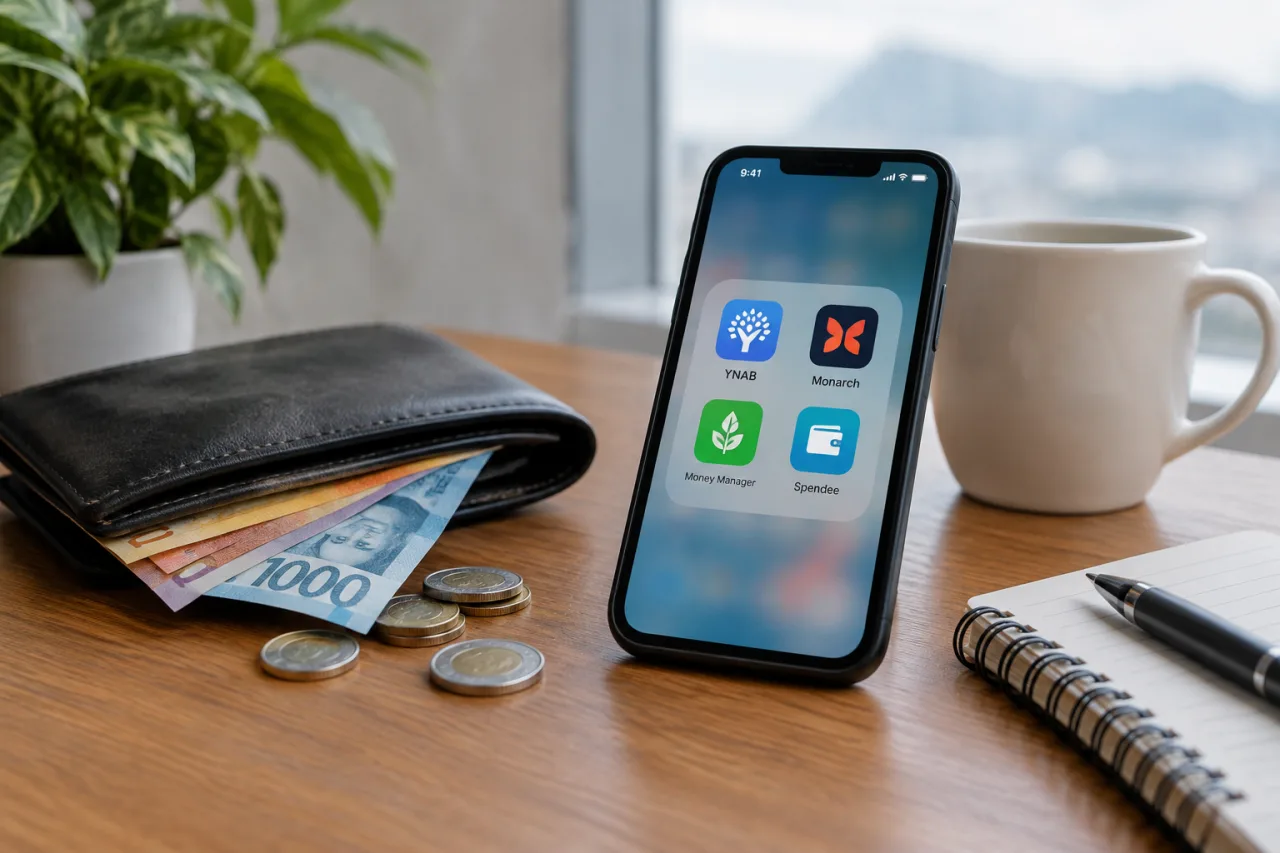
Budgeting apps in 2026 split into two honest camps: the US-class paid subscriptions that sync Western bank accounts (YNAB, Monarch, Simplifi, Empower — priced on CNBC Select’s and Quartz’s own rows) and the Philippines-side free trackers built for peso wallets (Pinoy Budget, Money Manager — manual entry, GCash/Maya-aware). For the OFW wallet, the second camp is where the tooling lives: the manual discipline plus the zero-based method — YNAB’s own “every dollar has a job” philosophy — is the framework the desk’s ₱1M blueprint carries, and the apps are the ledger. This piece is the honest guide to budgeting apps: the verified price rows, the PH-side free class, the wallet-records method, the zero-based discipline for budgeting apps, and the four things no budgeting app does for you — nothing invented, nothing undersold.
The Verified Price Board: the US-Class Apps
The dated rows, priced from the comparison pages’ own tables: YNAB (You Need A Budget): $14.99/month or $109/year (≈$9.08/month billed annually) — the zero-based budgeting’s home, “handing every dollar an assignment, a ‘job’ in YNAB’s own phrasing, before the money moves anywhere”; the honest note the dated reviews share: YNAB connects to US banks and stops there, and its opening weeks demand the user’s own sorting attention (Quartz’s dated breakdown). Monarch: $8.33/month billed annually ($99.99/year); $14.99 billed monthly — the sync class across “13,000+ institutions”, the shared-budget dashboard class; Quicken Simplifi: $3.49/month first year, then $6.99/month billed annually — the personalized spending plan that adjusts in real time (CNBC Select’s own row); Empower: free with optional paid investment management; WalletHub: free credit monitoring with manual-only entry, Premium at $7.99/month billed annually (CNBC Select’s dated table). The desk’s framing: the US-class is priced in dollars and built mostly on the US-sync world — the pesos-only wallet runs a different decision.
The Philippines-Side Trackers: Free, Manual, Peso-Native
- Pinoy Budget: the App Store’s Jan-2026 row: “the ultimate personal finance app designed specifically for Filipinos — track income, expenses, GCash, Maya, and more” — the peso-native class with the wallet names in the tracking list (the App Store’s own page).
- Money Manager: the r/PersonalWealthPH community’s own top pick: “Very straightforward. You can set budget every month” — the manual-entry class the community keeps recommending because nothing in it fights the peso wallet.
- The honest limits: the PH-tracker class carries no US-bank sync (a benefit here — no US-centric card wall), runs manual or photo-entry, and carries the peso FX and the remittance-fee layers as your own line items, not the app’s automation — the desk’s note: manual entry IS the budgeting benefit for many, the friction that makes you look at every peso.
The Wallet-Records Method: Your Transactions Are the Budgeting App
The OFW’s real data class: the GCash and the Maya histories + the bank statements (the BDO/BPI class, the desk’s savings-account guide) + the remittance receipts (the desk’s corridor guides) = the transaction ledger. The method the desk teaches: the monthly ritual — export or screenshot the month’s wallet history on pay week, tag the classes (the needs, the family tranche, the boundary layer, the automation targets), and enter or paste into your tracker (any of the verified free apps run it). The honest claim, stated plainly: no budgeting app reads peso remittance rails automatically — the fee and the FX rows are manual, and that manual row is where the desk’s corridor guides earn their keep: the “recipient gets” test each send runs is a budget line the apps never auto-populate. The method’s payoff: the ledger + the zero-based discipline = the actual budget; the app is the container.
Which Camp for Which Wallet (What the Evidence Supports)
Education desk, not an advisory service — decision inputs, never instructions. The desk’s honest split: the peso-only OFW wallet (the home + the corridor rails): the PH-tracker class (Pinoy Budget, Money Manager) + the zero-based habit from the desk’s ₱1M blueprint — free tools, the discipline carried by your boundary table, the wallet histories as the data. The mixed wallet (US bank accounts from abroad): the US-sync class (Monarch’s 13,000+, Simplifi’s real-time plan) prices its own power — the sync is the product, and the prices above are its cost. The desk’s rule on budgeting apps, no exceptions: the app choice matters less than the boundary framework deciding what every peso gets — the blueprint’s ladder prices that before any download.
Budgeting Apps and the OFW Pay Cycle
The OFW pay-cycle classes that decide which budgeting app shape fits: monthly payday (the common Gulf class) — the manual tracker’s monthly ritual catches the full cycle; the sync class’s real-time plan (Simplifi’s own row) never sees peso corridor timing correctly because the money leaves the app the day it lands. biweekly or weekly — the zero-based assignments re-run at each paycheck’s class; the tracker’s monthly-budget class needs a weekly view, and the PH-trackers’ own budget screens carry it. the family’s shared budget: the Monarch-class shared dashboards serve the two-country household (the desk’s framing, not a product review); the PH-manual class runs its own shared approach: the family’s own budget sheet + the send-day receipt entry — the honest note (the desk’s own observation): the household’s budget is one document; the apps are just two windows onto it. The pay-cycle’s teaching: the budgeting app’s calendar must match the pay cycle’s shape — the wrong calendar kills the habit the desk keeps recommending.
Budgeting Apps’ Failure Modes: the Five Honest Ones
The failure classes the desk sees across both camps, stated as prevention: the app-without-the-boundary (the tracker records spending but nothing assigns pesos a job — the ₱1M blueprint’s boundary table is the app’s missing layer); the wrong-calendar habit (the monthly app on biweekly pay — the class mismatch); the corridor blind spot (the send-day fees and the FX rows unentered — the “recipient gets” test’s own classes the corridor guides carry); the category sprawl (20 categories nobody maintains — the honest class count: five lines run most budgets); the family’s parallel systems (two people, two apps, zero shared truth — the one-document rule). The desk’s closing: budgeting apps fail as software less than budgeting apps fail as rituals — the five prevention classes above are all rituals; the download is the smallest part.
The History Behind Budgeting Apps: the Mint Lesson
The US-class’s own history carries the lesson the dated CNBC/Quartz rows carry obliquely: Mint, the free-sync class’s biggest name, “allows users to track spending, create budgets, and set financial goals” and “syncs” — and it was shut down, its users exported across the surviving apps’ migration offers (the CNBC table’s own rows carry the survivors). The honest lessons for the peso-side: your data must outlive the app — the export-ritual (the wallet histories + your own backups) keeps the ledger portable; the free app’s business model matters (a free tracker funded by nothing has an honest limit — your own export is your leverage); the boundaries between the tool and the habit — Mint synced everything and budgeted nothing for the users who never ran the zero-based class. The desk’s framing for the OFW: the budgeting app’s history teaches that the ledger is the asset, the tools are replaceable, and the discipline is the only non-migratable part.
What Would Change This Reading: the Invalidation Ledger
- A price move: the US-class subscriptions re-price — the CNBC/Quartz dated rows re-verify at each cycle.
- A feature change: the PH-tracker class adds sync or drops peso classes — the app-store pages are the re-verify point.
- The method’s class moving: the zero-based philosophy is YNAB’s own — the method carries to any tracker; the piece’s framing re-verifies with the app updates.
- The wallet histories’ classes: the GCash/Maya export flows — the platforms’ own updates re-route the method the desk keeps.
What the Evidence Supports, by Reader Situation
Education desk, not an advisory service — decision inputs, never instructions.
- If you’re starting from zero: the free class first: Pinoy Budget or Money Manager + the boundary table — the ₱0 tooling is the honest start; the paid class earns its price only where the sync world matches yours.
- If you carry US accounts: the Monarch/Simplifi classes price the sync’s worth — the dated tables carry the exact rows, and the shared-budget class suits households split by oceans.
- If the budget keeps failing: the desk’s honest diagnosis: the tooling is rarely the failure — the boundary framework’s absence is; the ₱1M blueprint’s first tool is the boundary table, not the app.
FAQ
What are the best budgeting apps in 2026?
The verified class by camp: the US-paid syncs (YNAB $14.99/mo or $109/yr, Monarch $8.33-14.99/mo, Simplifi $3.49-6.99/mo, Empower free) and the PH-side free trackers (Pinoy Budget’s peso-native class, Money Manager’s community pick). The honest answer: the best one is the budgeting tool that fits YOUR account set and runs the zero-based discipline.
Are the US budgeting apps usable from the Philippines?
As software, yes; as sync tools, mostly no unless your accounts run US institutions — the sync classes (Monarch’s 13,000+, the CNBC rows) price the US-centric world. The peso-only wallet runs the manual class — the PH trackers or a spreadsheet carry it honestly.
Are Pinoy Budget and Money Manager free to use?
The class carries free tiers as their own premise (Pinoy Budget’s App Store row, Money Manager’s community use); features or premium classes verify at the app stores’ own pages — the desk lists them as the low-cost PH-native class the community recommends.
What is zero-based budgeting?
YNAB’s own method, verbatim-class: “handing every dollar an assignment, a ‘job’ in YNAB’s own phrasing, before the money moves anywhere” — every peso carries a job (the buffer, the family tranche, the boundary layer, the automation target) until nothing sits idle. The method is free; the app is one carrier of it.
Do budgeting apps track remittance fees?
No — not automatically. The remittance fee and FX rows are manual line items in every class; the desk’s corridor guides (the “recipient gets” test the sends run) are where those rows price. The apps’ auto-sync stops at the banks they speak to; the corridor layer is yours to enter.
Which budgeting app suits an OFW the most?
The desk’s honest framing, not advice: the tool matters less than the boundary framework — the ₱1M blueprint’s boundary table decides the budgets; a free peso-native tracker + the zero-based habit + the wallet-histories method = the working class for the OFW wallet; the paid class only earns its price where your accounts live in its sync world.
Spreadsheet or app — which is better for budgeting?
The desk’s honest answer: for most OFW wallets, a spreadsheet + the wallet-histories method + the boundary table carries everything the free trackers do, with zero app risk — the failure mode is consistency, not capability. The apps’ honest edge: the photo-entry class, the mobile friction reduction, and the US-sync class where your accounts qualify. The desk’s rule: choose the container you’ll open every payday; the ledger and the discipline remain portable between any two containers.
Financial Disclaimer
This article is for general information and education only. It is not financial, investment, legal or tax advice, and it does not recommend any specific product or course of action. Prices, features and terms change by instrument without notice; every figure was verified against the cited dated comparison pages and the app stores’ own pages as of November 2026 and must be re-confirmed before any purchase or download. WorldNgayon is not affiliated with any app or developer named and receives nothing from them; no content on this site should be acted upon without independent verification and, where appropriate, advice from licensed professionals.
- qz.com/best-budgeting-apps-2026 — Quartz’s dated breakdown
- cnbc.com/select/best-budgeting-apps — CNBC Select’s dated table
- apps.apple.com/us/app/pinoy-budget/id6756803040 — the App Store’s own page
External sources linked in this article, in order of first mention. Spotted an error or a broken link? Tell us.
Cite this pagePublished Nov 2, 2026
Agron, E. (2026, November 2). Budgeting Apps 2026: Which Fit the OFW Wallet and Why. WorldNgayon. https://worldngayon.com/budgeting-apps-2026-ofw/
Agron, Edmon. “Budgeting Apps 2026: Which Fit the OFW Wallet and Why.” WorldNgayon, 2 Nov. 2026, worldngayon.com/budgeting-apps-2026-ofw/.
Agron, Edmon. “Budgeting Apps 2026: Which Fit the OFW Wallet and Why.” WorldNgayon, November 2, 2026. https://worldngayon.com/budgeting-apps-2026-ofw/.
Agron, E. (2026) ‘Budgeting Apps 2026: Which Fit the OFW Wallet and Why’, WorldNgayon, 2 November. Available at: https://worldngayon.com/budgeting-apps-2026-ofw/.
E. Agron, “Budgeting Apps 2026: Which Fit the OFW Wallet and Why,” WorldNgayon, Nov. 2, 2026. [Online]. Available: https://worldngayon.com/budgeting-apps-2026-ofw/
@online{agron2026budgetingapps,
  author       = {Agron, Edmon},
  title        = {{Budgeting Apps 2026: Which Fit the OFW Wallet and Why}},
  year         = {2026},
  date         = {2026-11-02},
  organization = {WorldNgayon},
  url          = {https://worldngayon.com/budgeting-apps-2026-ofw/},
  urldate      = {}
}TY - ELEC AU - Agron, Edmon TI - Budgeting Apps 2026: Which Fit the OFW Wallet and Why T2 - WorldNgayon PY - 2026 DA - 2026/11/02/ UR - https://worldngayon.com/budgeting-apps-2026-ofw/ Y2 - ER -
Cite the version you read; the page may be updated. Zotero and Mendeley can also import this page directly.