Key Takeaway
- 🔎 The hidden camera sweep is a 10-minute routine, not paranoia: five checks — visual walk, infrared phone-camera test, flashlight lens-glint, mirror contact-tip test, and the wiring hunt — catch the overwhelming majority of planted devices in hotels and short-term rentals.
- 📱 Your phone is the main instrument: the rear camera on most Androids and the front camera on newer iPhones see the infrared glow night-vision cameras emit — test yours with a TV remote first; the remote’s tip glows on a sensor that detects IR.
- 🚫 The found-camera protocol has four steps and one big don’t: don’t touch or unplug (fingerprints and the device itself are evidence), document from multiple angles, leave if you feel unsafe, and report to the property AND police — removal destroys exactly what the report needs.
- 🧯 Detector apps are the last layer, not the sweep: apps see network-connected or IR-boostable cameras only — a wired camera recording to a microSD card is invisible to every app, which is why the manual steps cover what the apps can’t.
- 🏨 Most rooms are clean — the sweep is confirmation: the five-minute pass exists to turn quiet worry into a documented clean room, and the travel-security kit rides in the same bag for the wifi and device half.
Table of Contents
A hidden camera sweep is the ten minutes that decide whether you sleep well — or whether a hotel room or rental stays on your mind for years. The hidden camera question is stoked by real cases (hidden cameras in hotels and rentals make news on every continent), but the practical answer isn’t a gadget: the most reliable detection uses tools already in your pocket. This guide consolidates the full method — the visual walk and where cameras hide, the infrared test that turns your phone camera into a night-vision detector, the flashlight technique that catches lens glint in the dark, the two-way mirror test, and the wiring-and-power hunt — plus the honest limits of detector apps, the exact protocol for what to do (and never do) when you find one, and the legal-adjacent context: recording someone without consent in a private space is illegal in most places, and the evidence chain you preserve is what makes the case work.
What a Hidden Camera Actually Is (and Why Some Are Invisible)
Planted devices split into two families, and the split decides your sweep. Networked cameras transmit over Wi-Fi — viewable in real time from anywhere, detectable on a network scan if they share your network. Offline cameras record to internal storage — no signal, no app sees them, and the only reliable detection is physical: the lens, the power, the placement. The first family breaks into the second’s shadows: a camera that needs no connection is the harder one, and every step of the sweep below covers it — because the lens-glint and infrared methods are the two layers that work on anything with optics, connected or not. What they have in common: every camera has a lens (tiny, coated, and reflective), needs a power source (wired, battery, or the host device), and needs a viewpoint of the places that matter — beds, seating, bathrooms, entryways. That triple constraint is the whole game.
The Hidden Camera Sweep: Five Steps In Order
- The visual walk (2 minutes). Enter, unpack nothing, and walk the room slowly at eye level, then crouch and look up: anything out of place, angled at the bed or seating, or plugged in for no clear reason earns a second look. Hide-spots repeat across cases: alarm clocks, smoke detectors, picture frames, air purifiers, vents and grilles, chargers and adapters, stuffed animals, electrical outlets, and the fixtures nobody questions — the smart TV’s own camera lane, the AC unit, the shower head, the room’s “decoration” shelf.
- The infrared test (1 minute). Lights off, phone camera on, screen facing outward. Older iPhones and most Androids: the main rear camera works; newer iPhones with IR filters: the front camera works instead. Not sure yours detects IR? Point a TV remote at the camera and press a button — a bright white or purple dot on screen means yes. Then sweep the room’s surfaces; a night-vision camera’s IR illuminators glow in your phone exactly like the remote did.
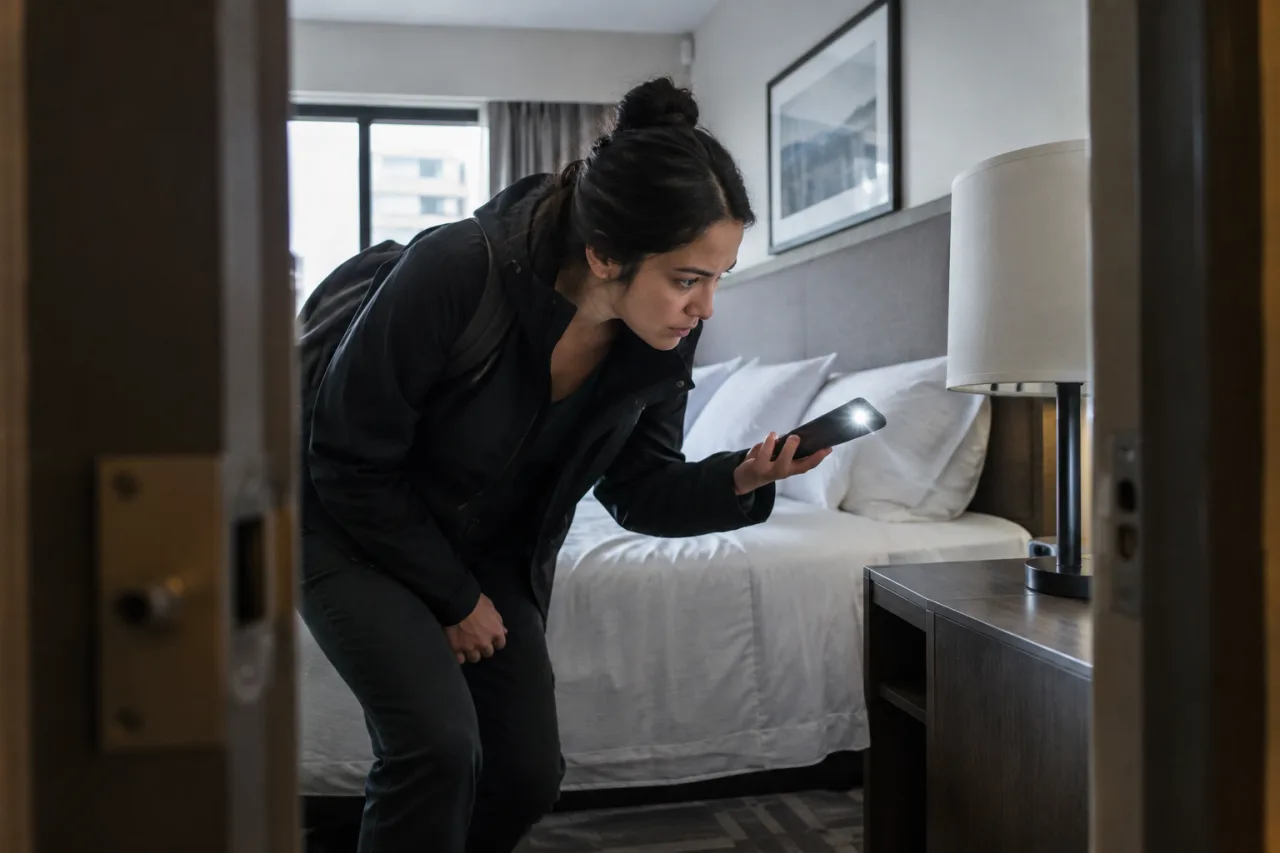
- The flashlight glint (2 minutes). Still with lights low, sweep your flashlight (or phone torch) across the room at eye level and watch for the tiny blue or purple sparkle that moves as you move — coated lens optics reflect differently from household surfaces. The IR-blind cameras (recording to internal storage with no network) are exactly the ones this step catches.
- The mirror test (30 seconds). Fingertip against the glass: a gap between your finger and its reflection means ordinary mirror; fingertip touching its own reflection means possible two-way glass — corroborate by knocking (solid = normal; hollow = suspicious) and by checking for a hidden room behind if placement allows.
- The wiring-and-power hunt (3 minutes). Every camera needs power. Cables that vanish behind furniture, devices with two cords, chargers heavier than their size, battery cameras resting on flat surfaces aimed at the bed — trace the anomalies. Then the app layer: a Wi-Fi network scan (on the room’s network) lists connected devices; unfamiliar names like “IPcamera” or model-strings get noted (hotels dilute this signal — dozens of guest devices share the network — so treat the scan as the last check, not the sweep).
Detector Apps: the Honest Limits
The app-store promise outruns the physics. Detector apps in the hidden camera lane do two things: boost the lens-glint method (highlighting reflective spots your flashlight finds anyway) and scan networks for connected devices — and both have documented failure modes. The offline microSD camera is invisible to network scans; the IR filter on modern iPhone main cameras blinds the app’s night vision exactly where the front-camera workaround matters; and third-party app stores are their own hazard — the detector-app download from a sketchy store is a documented malware lane, so app-store-only is the rule (the Norton hidden-camera guide makes the same point). A detector app is the final confirmation layer the sweep earns — downloaded from the official store, run after the five physical steps, and never trusted to substitute for the walk.
You Found Something: the Four-Step Protocol
- Don’t touch or unplug it. The single most common mistake — removal may destroy fingerprints, preserve the attacker’s SD card, and undermine the case law enforcement would build. Cover with a towel if coverage matters for comfort, without handling the device.
- Document everything. Photos and video from multiple angles: the object, its placement, what it points at, the room’s identifiers, and timestamps — the police report and the platform complaint both build on this file.
- Leave if you feel unsafe. Change rooms (with the property’s knowledge), or leave entirely; personal safety outranks the booking.
- Report to both lanes. The property (hotel management or the rental platform’s safety process) and local police, in that order of speed; recording without consent in private spaces is illegal in most jurisdictions, and the formal report is what starts anything that follows.
Where Sweep Culture Meets Privacy Law
The legal frame varies by country, but the direction is constant: cameras face severe restrictions in private spaces — hotel rooms, bedrooms, and bathrooms sit at the strict end of nearly every regime, and consent is the hinge. What the traveler needs is the practical half: the sweep is legal (you’re inspecting the space you occupy), preserving evidence is smart, and dismantling someone else’s equipment crosses the line into the same territory the report covers — which is why the protocol above hands the device question to police. The companion threats ride the same trip: phone-side surveillance (the stalkerware guide covers the software that watches you) and the network you joined at check-in (the hotel-wifi hijack guide covers the traffic half). The hidden camera question is one lane of a three-lane travel-safety bundle — device, network, room — and the sweep answers the room lane in ten minutes.
Frequently Asked Questions
Hidden Camera Sweep in a Hotel: How Long Does It Really Take?
Ten minutes covers the five steps at walking pace — the visual walk, the IR phone test, the flashlight glint, the mirror check, and the wiring hunt; the network scan adds two more if the hotel’s app-dependent layout makes sense. Most rooms come back clean, and that’s the point: the sweep converts an unanswerable worry into a documented pass, and the vendor-neutral five-method breakdown gets faster with every room.
What Apps Detect Hidden Cameras Honestly?
App-store detector apps that combine lens-reflection and network scanning are the legitimate category — downloaded only from official stores, per the guidance in Norton’s hidden-camera guide. Their limits are physics, not marketing: no app sees an offline camera recording to memory, and network scans drown on shared hotel Wi-Fi. The apps confirm; the five-step sweep is what finds.
Does the Hidden Camera Mirror Test Actually Work?
The fingertip test catches the classic two-way-mirror construction — a visible gap means ordinary glass, fingertip-to-reflection means a possible second surface — and it’s corroborated by the knock (solid versus hollow) and placement logic (why is this mirror mounted where it is?). It’s a narrow check with a wide reputation: the test answers the mirror question only; the lens-glint and IR steps cover the device in the clock radio and the smoke detector.
Can a Hidden Camera Work Without Wi-Fi?
Yes — the offline family records to internal storage and needs only power or battery, which is exactly why network scans can’t be the whole sweep. That’s also why the flashlight glint and the wiring hunt matter most in the places the news cases keep teaching: the device with no visible connection is the one the physical steps catch.
What Should I Do If I Find a Hidden Camera That’s Clearly Recording?
The four-step protocol: don’t touch or unplug (it preserves fingerprints and the device evidence), document from multiple angles with timestamps, leave or change rooms if unsafe, and report to the property plus local police — in that order of practicality, since a report logged with the property usually gets the faster protective response while the police file builds the legal lane. The hidden camera case that reaches law enforcement succeeds on the evidence chain — the guest who preserved it gave detectives something to work with.
Disclaimer
This article provides general safety and security guidance and does not constitute legal advice. Detection methods, app behavior, and legal treatment of surveillance devices vary by device type and jurisdiction; verify against official law-enforcement and legal guidance in your area. The author and publisher disclaim any liability for actions taken based on this information.
- us.norton.com/blog/how-to/how-to-find-hidden-cameras — Norton hidden-camera guide
- tapo.com/us/blog/how-to-find-hidden-cameras-every-detection-method-th… — five-method breakdown
External sources linked in this article, in order of first mention. Spotted an error or a broken link? Tell us.
Cite this pagePublished Oct 29, 2026
Agron, E. (2026, October 29). Hidden Camera Sweep: the 10-Minute Room Check Before You Trust Any Room. WorldNgayon. https://worldngayon.com/hidden-camera-sweep/
Agron, Edmon. “Hidden Camera Sweep: the 10-Minute Room Check Before You Trust Any Room.” WorldNgayon, 29 Oct. 2026, worldngayon.com/hidden-camera-sweep/.
Agron, Edmon. “Hidden Camera Sweep: the 10-Minute Room Check Before You Trust Any Room.” WorldNgayon, October 29, 2026. https://worldngayon.com/hidden-camera-sweep/.
Agron, E. (2026) ‘Hidden Camera Sweep: the 10-Minute Room Check Before You Trust Any Room’, WorldNgayon, 29 October. Available at: https://worldngayon.com/hidden-camera-sweep/.
E. Agron, “Hidden Camera Sweep: the 10-Minute Room Check Before You Trust Any Room,” WorldNgayon, Oct. 29, 2026. [Online]. Available: https://worldngayon.com/hidden-camera-sweep/
@online{agron2026hiddencamera,
  author       = {Agron, Edmon},
  title        = {{Hidden Camera Sweep: the 10-Minute Room Check Before You Trust Any Room}},
  year         = {2026},
  date         = {2026-10-29},
  organization = {WorldNgayon},
  url          = {https://worldngayon.com/hidden-camera-sweep/},
  urldate      = {}
}TY - ELEC AU - Agron, Edmon TI - Hidden Camera Sweep: the 10-Minute Room Check Before You Trust Any Room T2 - WorldNgayon PY - 2026 DA - 2026/10/29/ UR - https://worldngayon.com/hidden-camera-sweep/ Y2 - ER -
Cite the version you read; the page may be updated. Zotero and Mendeley can also import this page directly.