
Table of Contents
Key Takeaway
- Your phone has two layers of privacy: the lock screen keeps strangers out, while app permissions decide which software quietly walks in and opens every drawer. The 60-second audit below closes the second door.
- Five access types carry most of the risk, location, contacts, microphone, photos and notifications, and each one has a safer middle setting that keeps the app working.
- Trust the app, not the prompt: if a flashlight, wallpaper or game asks for contacts or location, the right answer is Deny, nothing you actually use disappears.
- The audit takes one minute today and saves the same minute every month: the per-permission lists in Settings show every app holding each key.
Every app on your phone arrived with a shopping list of app permissions, and most of us tapped Allow on every item somewhere between download and first use. A permission is not decoration: it is a standing grant to read or record part of your life, and it stays valid in the background until you revoke it. Android and iOS both ship a per-permission control panel designed for exactly the minute-long review most users never make. This guide explains what each access really opens, how to run the audit of app permissions on any phone or iPhone, and which requests deserve an instant No, using the platform rules Google and Apple publish, plus what security research says about which permissions apps actually request.
What an App Permission Actually Grants
A permission is a standing authorization to a specific app: location while the screen is on, your contact list, the microphone, the photo library, notifications, local files. App permissions are the phone’s real privacy boundary, the lock screen keeps people out, while these grants decide what software gets in. Unlike a password, it does not expire, and it does not show you when the app used it. The permission model on modern Android moved to runtime in version 6.0: apps ask at the moment they first need a resource rather than listing everything at install, which made prompts more honest and also made them more frequent. Google’s developer guidance states the rule that governs the whole system, apps should request access to sensitive information only when it is necessary for the app’s core function, and no more (Android developer permission guidance).
iOS runs the same principle with a stricter default posture. Apple’s support documentation lists every data type an app can request, location, contacts, photos, microphone, camera, local network, health files, and requires that no third-party app track you across other apps or websites without an explicit ask (Apple Location Services and privacy guide). Since iOS 14.5 every app must show the App Tracking Transparency prompt before following you elsewhere, and tracking denials leave every feature except personalized ads untouched.
Two facts explain why auditing app permissions beats trusting them. First, the prompts arrive one at a time, attached to convenient moments, right when you want to send a photo, scan a code or hear a notification, so each individual Allow feels small and the accumulated standing access never feels visible. Second, research shows how much apps ask: one analysis of millions of listings found that 25 percent of Android apps ask to record audio and roughly one in four asks for precise location, numbers that include whole categories of apps with no audio or navigation feature at all (AVG research, “What Do Your Apps Know About You”, via security.com threat intelligence). A permission you never audit quietly outlives the app you installed it for.
The Five Accesses That Carry the Most Risk
App permissions shrink from a long settings list to five doors when you know which ones lead somewhere valuable. These five account for most of the harm in real incidents, from contact-list harvesting that fuels scam campaigns to location tracks that end up in court records.
1. Location, especially “all the time.” Precise location is the most-requested sensitive permission in one recent academic analysis of Google Play listings, and the most consequential: a background fix reveals your home, your office and your daily rhythm. Both platforms let you downgrade to “while using the app”, and iPhones add Allow Once, which re-prompts at the next launch. A navigation or ride app deserves while-in-use; almost nothing deserves always-on except a genuine safety-sharing app you chose deliberately.
2. Contacts. Your address book is the seed data for social-graph ad networks and for scam infrastructure: it lists names, numbers and relationships of people who never agreed to leave your phone. A legitimate chat app can find your friends without ever walking your whole address book out the door, because both platforms now support contact-sharing APIs that hand over only the matched subset, Apple even lets you share selected contacts with a single app instead of the entire book.
3. Microphone. Audio access converts a phone into an always-available recorder for anything that holds it. The AVG numbers above matter here: audio access in one of four Android apps is a category-wide default, not a feature requirement. Dictation in a notes app: reasonable. Microphone in a wallpaper or flashlight app: the audit’s clearest No.
4. Photos and files. Full photo-library access reads every image, screenshot and scanned document, many of which carry geotags and visible statements, IDs and tickets. Both platforms now offer the safer middle path: Android’s photo picker and iOS’s limited/selected access hand over exactly the images you pick, per app.
5. Notifications and the rest. Notification access sounds harmless and occasionally is the sharpest: a malicious or ad-laden app with notification access can post fake system-style alerts pointing to phishing pages. The same audit logic covers camera, calendar and local-network requests, each is data or reach the app’s core job may not need.
App Permissions on Android: Where the Audit Lives
App permissions on Android keep two useful views. The per-permission view shows every app holding each key: Settings → Security and privacy → Privacy controls → Permission manager (the path varies by maker; search “Permission manager” in Settings). Open Location, sort by the apps with all-the-time access, and fix them first. The per-app view shows one app’s whole grant list: Settings → Apps → [app] → Permissions”, where every entry accepts No, Ask every time, Only while in use or Always.
Three Android-specific settings earn their minute in the audit. Camera and microphone indicators: recent Android versions display a green dot in the status bar whenever an app touches camera or mic, tap it to see which app. Auto-reset permissions: Android revokes a dormant unused app’s permissions automatically, and the setting can force a re-prompt for anything you rarely open. Default-handler rule: apps that want call-log or SMS access must become your default handler for that function first, so a random app asking for SMS rights is either a legitimate replacement SMS app or a red flag walking itself to the door.
App Permissions on iPhone: Where the Audit Lives
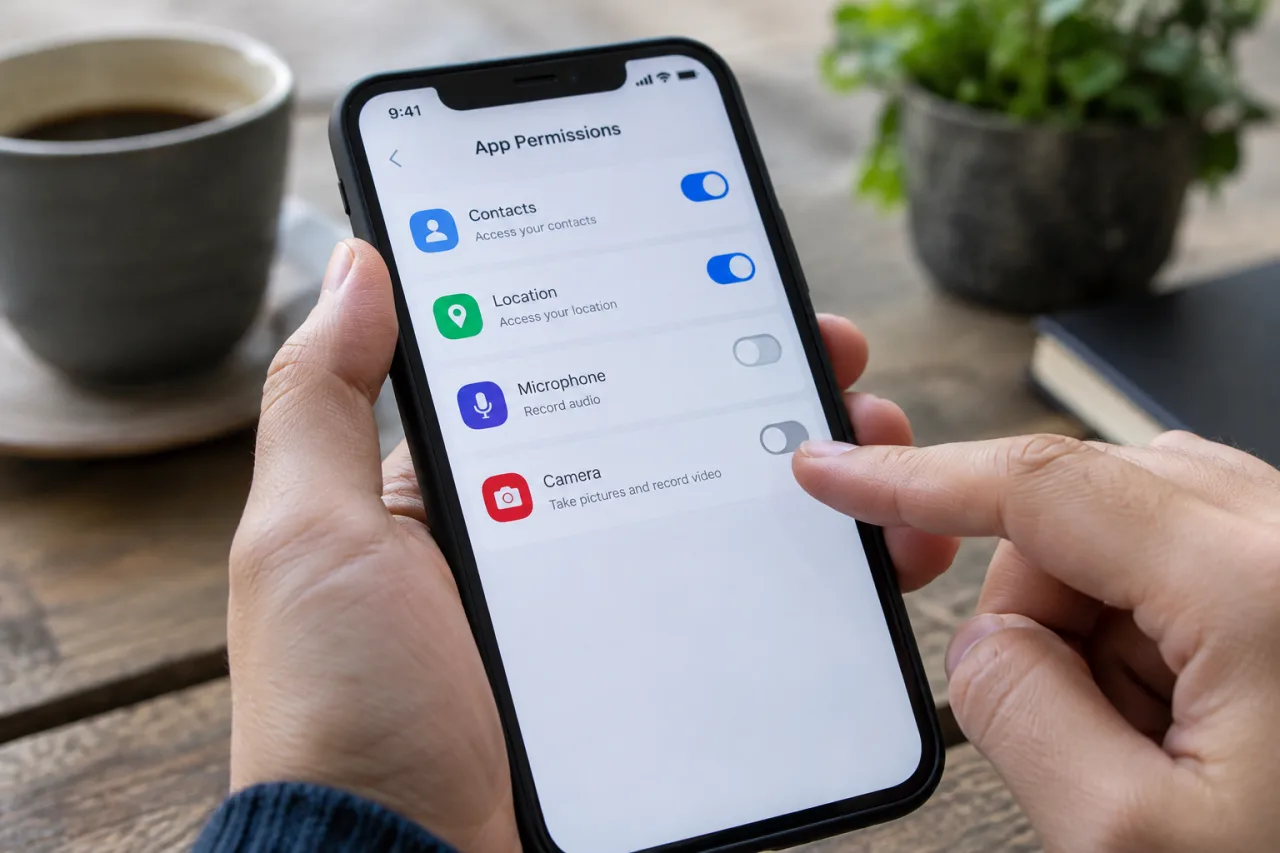
App permissions on iPhone have one clean home: Settings → Privacy & Security. Each row, Location Services, Contacts, Photos, Microphone, Camera, Tracking, lists apps that have asked for that access, and you can flip any grant to a stricter mode from either side of the menu: per data type, or per app on the individual app’s page. The location row offers the trio that makes precise control real: Never, Ask Next Time and While Using the App, with an Always option reserved for what genuinely needs it. Contact sharing gained the per-contact option in recent iOS versions, replacing all-or-nothing access with selected rows.
Two iOS tools turn an app permissions audit from a guess into evidence. App Privacy Report: switch it on at the bottom of Privacy & Security and the phone logs sensor access, network activity and which websites apps touched, the receipt for the standing grants you just reviewed. App Store privacy labels: the “Nutrition facts” on every listing tells you what an app plans to collect before installation, which is the audit’s younger sibling, same logic applied before the download.
Red Flags in App Permissions Worth an Instant No
- Permission-feature mismatch: a calculator asking for contacts, a game asking for SMS, a wallpaper asking precise location. Google’s own rule on app permissions, access only when core function requires the data, turns these prompts into a verdict: the developer is collecting something the feature does not need.
- Permission creep after an update: an app that ran fine on location-while-in-use suddenly asking for contacts after 20 versions. Reviews and changelogs make this visible; the fix is the same audit, re-run.
- The full-list prompt attached to a trivial step: a messaging app requesting the whole address book to “find friends” when the platform’s subset APIs exist. Share two contacts, test the match, then decide.
- Anything sideloaded: an installer file from outside the official store carries none of Play Protect’s checks. If it also asks for Accessibility, SMS or device-admin rights, treat the combination as hostile by default, Android flags device-admin apps precisely because those rights can override lock screens and uninstall limits.
The 60-Second App Permissions Audit, Step by Step
Run this app permissions audit on any phone today; repeat it in a month and it will take thirty seconds.
Seconds 1–15, location. Open the permission manager, tap Location, set every background holder to While using (or Ask each time). Keep always-on only where a real safety feature depends on it.
Seconds 16–30, contacts. Same screen, tap Contacts. Deny anything that is not a messaging, dialer or backup app you trust. On iPhone, switch whole-book sharing to selected contacts.
Seconds 31–45, microphone and camera. Deny every app whose name makes you ask “why?”. The status-bar dots on both platforms tell you when the survivors actually use them.
Seconds 46–60, photos and notifications. Switch full library access to the picker or selected-photos mode for anything that is not your gallery app. In notifications, revoke any app that posted an alert it should not have been able to fake.
Then set the tripwire that keeps the audit from going stale: turn on Android’s auto-reset for unused apps, or iOS’s App Privacy Report for a visible log. The audit is a monthly habit after that, not a project.
When Deny Costs You Something Real
Honesty cuts both ways: a few permissions are load-bearing. A ride-hailing or maps session needs precisely-while-in-use location to work at all. A photography app cannot edit without photo access, which is why the limited-photos modes exist, hand it five shots instead of twenty thousand. A video-call app needs the mic while its screen is front. Voice-to-text needs audio while you dictate. What no app category needs is the always-on version of everything, and where an app truly will not function without a standing grant to data unrelated to its job, the audit teaches the more valuable lesson: delete the app and find one that does the job without the key. Deletion is final, silent and faster than any settings fight, and it is the one decision that never needs a review.
Keep the Same Logic on the Rest of Your Devices
App permissions govern your phone’s software; access to everything else hangs off your network and your other devices, where the same audit logic applies with different doors. The router that every app trusts as its pipe deserves the ten-minute lockdown most households never run (the home router lockdown), and the smart cameras, plugs and appliances on that network carry their own permission-style grants a firmware update can silently change (the connected-device audit). The browser is the third surface: extensions ask for read-and-change rights over every page you visit, which makes them Android-style permission decisions you probably made in 2019 and forgot (the extension audit). And when a phone is headed to its next owner, permissions reset, but the data underneath does not unless you wipe it properly (the wipe-before-selling guide).
FAQ
What app permissions should I allow?
Grant only what an app’s core function needs, in the narrowest form the platform offers: while-in-use instead of always-on location, selected photos instead of the whole library, one-time instead of permanent. Both Google’s and Apple’s own guidance draw the same line, if access is unrelated to the app’s main job, deny it.
Why does a game ask for my contacts and location?
Because those data types sell: contact graphs feed friend-suggestion and ad targeting, location feeds local ads and analytics. A game with no friends-and-location feature has no honest reason for either grant, and both platform rulebooks agree with you.
Does denying permissions break an app?
Usually no. Denied access typically degrades the feature that needed it, no location, no live map, while the rest of the app runs. If an app refuses to work at all after a fair denial, that behavior is itself a red flag worth one more thought before you Allow.
Is it safe to allow location all the time?
Only for apps whose core service is location-by-default and which you chose deliberately. Everything else fits while-in-use. If you already granted always-on in a hurry, the audit above moves it in about four seconds.
How do I check which apps can see my data?
Android: Settings → Security and privacy → Permission manager (or Apps → [app] → Permissions). iPhone: Settings → Privacy & Security, with each category listing the apps that asked. Both views show the same truth from opposite ends, and both accept one-tap revokes.
Do app permissions change after an update?
They change only when you change them: both platforms treat your standing grants as permanent across app updates, which is exactly why a periodic audit matters. The risk runs the other way, new app versions gain features and request new app permissions at the next natural prompt, where a rushed tap adds standing access years into a healthy install.
Can an app spy on me without permission?
The direct sensors, camera, microphone, your contact list, require your consent on both platforms. Side channels are the realistic threat: network traffic, sensor fingerprints and behavioral patterns leak signals without any standing grant, which is why the audit plus a functioning update habit together beat either measure alone.
- developer.android.com/training/permissions/usage-notes — Android developer permission guidance
- support.apple.com/en-us/102515 — Apple Location Services and privacy guide
- security.com/threat-intelligence/mobile-privacy-apps — security.com threat intelligence
External sources linked in this article, in order of first mention. Spotted an error or a broken link? Tell us.
Cite this pagePublished Nov 24, 2026
Agron, E. (2026, November 24). Phone App Permissions: the 60-Second Audit That Stops Silent Access. WorldNgayon. https://worldngayon.com/app-permissions-60-second-audit/
Agron, Edmon. “Phone App Permissions: the 60-Second Audit That Stops Silent Access.” WorldNgayon, 24 Nov. 2026, worldngayon.com/app-permissions-60-second-audit/.
Agron, Edmon. “Phone App Permissions: the 60-Second Audit That Stops Silent Access.” WorldNgayon, November 24, 2026. https://worldngayon.com/app-permissions-60-second-audit/.
Agron, E. (2026) ‘Phone App Permissions: the 60-Second Audit That Stops Silent Access’, WorldNgayon, 24 November. Available at: https://worldngayon.com/app-permissions-60-second-audit/.
E. Agron, “Phone App Permissions: the 60-Second Audit That Stops Silent Access,” WorldNgayon, Nov. 24, 2026. [Online]. Available: https://worldngayon.com/app-permissions-60-second-audit/
@online{agron2026apppermissions,
  author       = {Agron, Edmon},
  title        = {{Phone App Permissions: the 60-Second Audit That Stops Silent Access}},
  year         = {2026},
  date         = {2026-11-24},
  organization = {WorldNgayon},
  url          = {https://worldngayon.com/app-permissions-60-second-audit/},
  urldate      = {}
}TY - ELEC AU - Agron, Edmon TI - Phone App Permissions: the 60-Second Audit That Stops Silent Access T2 - WorldNgayon PY - 2026 DA - 2026/11/24/ UR - https://worldngayon.com/app-permissions-60-second-audit/ Y2 - ER -
Cite the version you read; the page may be updated. Zotero and Mendeley can also import this page directly.