
Table of Contents
Key Takeaway
- 🔍 One scan carries the whole crime: QR code scams start after your camera has already decoded the square — US crypto-kiosk fraud alone drew more than 13,400 complaints and over $388 million in user losses in 2025, keyed in through a QR code one scan at a time.
- ⚠️ The codes hunt from six places: parking meters, menu and street signs, unsolicited parcels, chat invoices, crypto-kiosk instructions, and unexpected email or text messages.
- 🛡️ A safe code has a readable face: the merchant’s own domain, spelled out, over HTTPS. Address shorteners, bare IP addresses, surprise login screens and any download prompt are the red flags.
- ⏱️ The ten-second check: read the URL preview before the screen opens, run a finger over physical codes to catch stickers, refuse unexpected logins, and paste doubtful links into the WorldNgayon QR Code Safety Scanner first.
The FBI logged more than $20.8 billion in reported internet-fraud losses in 2025, and its September 2026 parking-meter alert shows the oldest hardware on the street still quietly doing the newest scam’s work. A sticker is cheap; a fake QR code is cheaper. QR code scams work because the phone decodes the square before the human decides; the ten-second habit below restores that order, one check at a time. Read where a code wants to send you, every time, before the screen opens. That pause is where the theft stops.
Quishing: the Old Phishing Trick in a New Wrapper
Quishing is QR-code phishing, formed the same way the word phishing was: take the delivery vehicle, add the theft. The name stopped being fringe vocabulary in 2024, when Australia’s ACSC gave it a dedicated quishing threat page, Canada’s Cyber Centre listed quishing as one of five distinct ways attackers weaponize QR codes, and the UK National Cyber Security Centre reported that it is seeing an increase in quishing emails aimed at the public. What all three agencies describe is the same low-tech trick wearing a high-tech costume: someone replaces a trustworthy square, or sends you one, and the code opens whatever the criminal wrote into it.
The reason criminals left plain links behind is that the image beats three defenses at once. Email filters read text and parse familiar-looking links, but a QR code inside an image is just pixels to many scanning tools, which is the design goal shared by all QR code scams, the Australian Cyber Security Centre notes in its quishing guidance. Even when the scanner flags something, a QR received on a work laptop is often opened on a personal phone, outside the software and monitoring the workplace relies on. And people have spent years building trust in the square itself, scanning it to order food, join networks and pay, so the code arrives with borrowed credibility: people have already placed their trust in this technology, as the annual threat report from the Australian Signals Directorate put it.
That credibility crosses borders and payment rails. In the Philippines, the pattern surfaced at national scale when GCash blocked more than 4,900 merchant accounts tied to fake QR codes that redirected payments straight into scammer wallets. Our walkthrough of that enforcement action captured the 60-second payment check that wallet users now run, and the mechanics in that story apply to any wallet anywhere.
How QR Code Scams Steal in One Scan
Understand what the code actually is and the theft stops sounding mysterious, because nearly all QR code scams ride the same mechanic. A QR code is not a program; it is a short line of text that your camera decodes and turns into an action. Canada’s Cyber Centre lists the actions a decoded code can trigger: open a website, download an app, join a Wi-Fi network, create a contact, send an email or message, dial a phone number, or display “verified” information that a target will read. The scam writer picks whichever action fits the lie they told to get you to lift the camera, and that menu is why QR code scams keep their shape across every country that reports them.
The money moves in the seconds after the decode, and the FBI described both classic paths in its January 2022 advisory on tampered QR codes. Path one is the counterfeit page: the code lands you on a site that imitates your bank, your wallet or a delivery company, and the password or card number you submit goes to the criminal. Path two is payment redirection: a merchant’s payment code is covered or replaced so the sender’s funds complete into the scammer’s account instead. A third path bundles malware; the FBI warned that malicious codes can attempt to embed software that harvests location, personal and financial data from the device itself.
QR code scams are, in other words, a two-stage theft. The scan is stage one, and it completes automatically. Stage two is the only part you control, and it always asks something of you: a login, a card, a payment, an install, a permission. Refuse stage two and the stage-one scan costs you nothing except seconds. This distinction, automatic decode versus human surrender, is the entire defense.
The Six Places QR Code Scams Hunt for Their Targets
Agencies across three continents converge on the same terrain map. The scam lives where a code is trusted, visible and unattended, and the six patterns below cover the cases the FBI, the FTC and the Australian and Canadian centers all document.
| The scam pattern | Where you meet it | What the scan sets up | The counter-move |
|---|---|---|---|
| Parking meter sticker | Street parking meters carrying official-looking payment codes | A fake payment page that harvests card details or redirects the fee | Inspect the surface for stickers; pay through the meter’s official app instead |
| Menu and sign overlays | Restaurant tables, transit shelters, storefront signs | A phishing page, an auto-join to a hostile Wi-Fi network or a junk download | Ask staff to confirm the code; type the venue’s website manually |
| Package QR codes | Unsolicited parcels with no sender information | A phishing site collecting personal and financial details, or malware on the phone | Never scan a code to identify a package; treat the parcel as mail fraud |
| Invoice and chat payment codes | Chats, email invoices, “payment failed” messages, refund overtures | A payment redirect into the scammer’s wallet | Call the company on a number you know; pay only from the app you opened yourself |
| Crypto kiosk instructions | Phone calls walking a victim to a cryptocurrency kiosk | The scammer’s wallet address auto-filled by a scan, instantly and irreversibly | Hang up at “scan to pay”; a stranger demanding crypto payment is the scam itself |
| Email and text codes | Messages arriving with a QR inside, promising refunds, redeliveries or account fixes | A phishing site, a malicious app install or a payment page | Never scan a code from an unexpected message; verify the sender on the number you already have |
Two numbers size the modern wave. The FBI’s kiosk advisory of November 2021 first flagged the scan-to-pay crypto trick, and by 2025 the same channel had produced more than 13,400 complaints and over $388 million in losses, a 58 percent jump in losses over the prior year. The FBI’s own kiosk complaint data confirms the jump in hard numbers. Australia’s signals directorate, for its part, responded to 30 quishing-related incidents in the 2023-24 financial year, a count it highlighted precisely because social engineering had worn a new costume, in its words.
The invoice and chat pattern deserves its own sentence, because it arrives dressed as customer service. The FBI’s advisory documents the setup plainly: an email says a payment failed and only a code can fix it, so the victim scans, “pays” again, and the real payment lands in the criminal’s account. This is the same machinery behind the PayPal invoice scam, where a fake “unauthorized invoice” email was the bait and the phone call was the close. QR code scams dressed as customer service succeed precisely because the code looks like the service. The unsolicited-package variant gets its own FBI advisory, published in July 2025, warning that codes mailed to strangers now open the same fraud pages. Payment requests that arrive as images, with a code for you to scan, invert every habit a legitimate payment flow requires.
What a Safe QR URL Looks Like
Every one of today’s QR code scams is a link wearing a costume, so the habit that catches the costume is to read the link before it opens. Modern phones preview the decoded address above the camera or offer a notification you must tap: that preview is the decision window. Learn two vocabularies and you can judge the code in the time it takes to glance at the screen.
| Reads as safe | Reads as a warning |
|---|---|
| The merchant’s own domain, spelled correctly, served over HTTPS | A shortened or random string of letters where a brand name used to be |
| A payment deep link you initiated inside the payment app itself | A bare IP address or a domain with switched, doubled or adjacent letters |
| A landing page that matches the promise: menu, schedule, product info | A login screen after an unexpected scan, or any download or install prompt |
| The address stays consistent as the page loads | Redirects through several unfamiliar domains, or a Wi-Fi auto-join prompt you never asked for |
When the preview alone does not settle it, decode before you open. The WorldNgayon QR Code Safety Scanner shows where a QR leads before you commit, and the Suspicious Link Checker scores any link you already scanned against known fake-bank, fake-wallet and fake-courier patterns. Run the doubtful code through one of those tools in the parking lot, before your thumb taps the notification, and the decision window doubles in size.
One prompt deserves a standing rule of its own: the Wi-Fi auto-join. A code that configures your phone to join an open network hands every later action to whoever runs that network, from traffic sniffing to account-page substitution. Travelers can read what that actually costs in our piece on how one login on airport WiFi empties a bank app; the fix there and here is the same refusal.
The Ten-Second Check: Seven Rules Before You Open
Run the check in this order and the whole list costs about ten seconds, the pause every stage of QR code scams depends on skipping. Each rule carries the agency that drafted it first, so the source is always beside the advice.
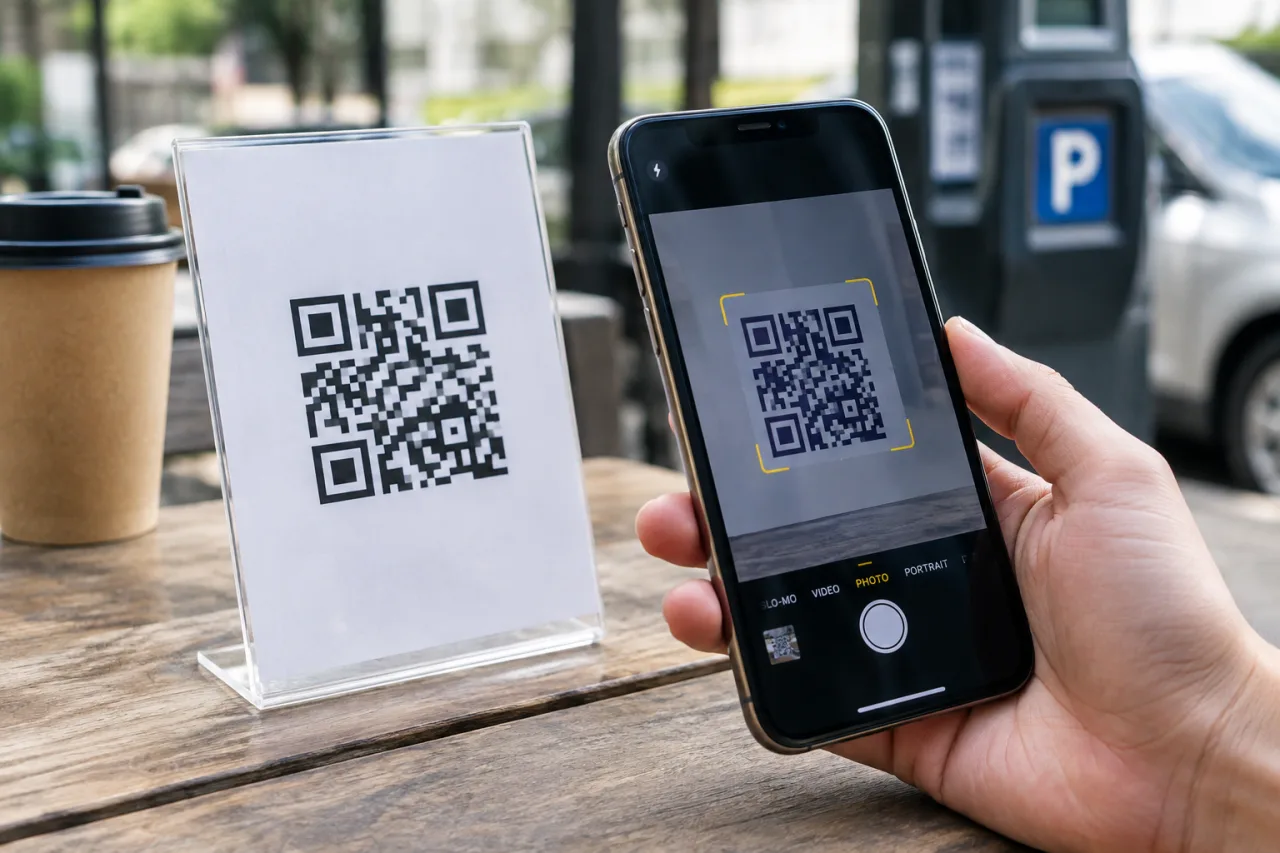
- Use the phone’s own scanner. The NCSC recommends the scanner built into the camera, and the FBI goes further: do not download QR-scanner apps, because that install is its own malware risk and modern cameras already do the job.
- Read before it opens. The FTC’s standing advice is to inspect the URL the reader previews, letter by letter, hunting misspellings and switched letters, and to treat anything that looks off as off.
- Inspect the surface. Canada’s Cyber Centre asks scanners to check whether the code sits on a label that could be covering another one; if a code looks new, misaligned, raised or lower-quality than its sign, ask staff before scanning.
- Never install through a code. Both the FBI and the Australian Cyber Security Centre draw this line: apps and files come from official stores and trusted sites, not from squares on tables and flyers, because the install prompt is the payload.
- Payment or login? Type it yourself. The Australian guidance says to navigate to payment facilities manually through a known URL; the FBI says the same for any site navigated to from a code. The address you type defeats every fake page a code can encode, which is why the payment rule alone neutralizes most QR code scams.
- Verify the sender on a different channel. The FTC documents the urgency scripts, a failed delivery, a locked account, a suspicious sign-in, designed to compress the scan into a reflex. Call the company or person through a number you already know before any code-driven request, so you are always confirming with the party you selected, not the party the code selected.
- Keep the fallback defenses warm. Updates, strong passwords and app-based multi-factor authentication limit the damage a wrong scan can cost, and our comparison of authenticator apps versus SMS shows which code arrives from which source.
You Scanned a Fake Code: the First Moves
Say the check failed and you opened the payload; the response window is now, and the FTC’s remediation list is the cleanest sequence. Stop interacting with the site or anyone who contacts you through it, because follow-up contact is usually a second stage. Change any password you entered, immediately, and change it everywhere the same password lived. Review your card and bank statements for transactions you did not make, and call your bank or card issuer to flag the account and, if money moved, to attempt a recall while the funds still exist. Then report it: to the bank first, then to the fraud channel for your country, from the FTC at ReportFraud for the US to ReportCyber in Australia and the FBI’s Internet Crime Complaint Center.
Honesty about the odds matters in this minute. The FBI states plainly that law enforcement cannot guarantee the recovery of lost funds after a transfer; speed is the variable victims still control, because recall and freeze mechanisms work on money in transit, not money already cashed out. QR code scams run the same clock, which is why our guide to the Viber scam patterns eating group chats treats the first hour as the whole game, and why the breach hygiene loop matters if the code harvested an email password.
If personal or financial information went out with the scan, watch for the third stage: follow-up calls from “bank security” or “fraud investigators” offering help, which are the same crew selling recovery. Legitimate institutions do not cold-call with verification codes, and the report numbers already in your hands are the only help that does not charge you to try.
Why the Real Risk Concentrates in Open Spaces, Phones and Inboxes
All the agency guidance shares one final nuance worth carrying home. The UK NCSC puts it directly: the codes scanned in pubs or restaurants are probably safe, because tampering requires access, while codes in open, unsupervised spaces such as stations and car parks are the riskier ones, and the scams that succeed there usually finish with a human on the phone doing the second-stage work. QR code scams are therefore not one threat but a family of delivery tricks, and the delivery surface you cannot supervise is the one to read twice.
That surface is dense in the Philippines, where a national-scale wallet enforcement action, thousands of phishing messages a month and a scam-economy that reached most of the population in a single year have turned “check the link” into a survival habit against QR code scams. The Philippines’ AI-accelerated phishing economy and the Scamcheck.ph link checker are the local chapter of this same story, and the ten-second check above is the version that fits a parking meter, a dining table and a family chat in equal measure.
Teach the ten-second rule for QR code scams tonight in one sentence: read where the square wants to send you, and never let a code open a login, an install or a payment without asking a second question through a channel you trust. The people who scan on behalf of a whole household, at meters, menus and storefronts, need that sentence more than any of the software built to sell them safety.
Frequently Asked Questions (FAQ)
What is quishing and how is it different from normal phishing?
Quishing is phishing delivered through a QR code instead of a clickable link. The threat is the same, a fake page or a fraud payment, but the vehicle hides the destination inside an image that many email filters cannot read and that only reveals its address at the moment of scan, which is why agencies including Australia’s ACSC and the UK NCSC track QR code scams as their own pattern.
Can a QR code steal money or hack a phone by itself?
Almost never. The decoded code triggers an action such as opening a website, joining a Wi-Fi network or dialing a number, but the loss happens when the person follows through by entering credentials, approving a download or completing a payment. Refuse that second step and a scanned malicious code costs nothing.
What do fake QR codes look like?
The image itself rarely gives the lie away, a fake code prints as cleanly as a real one. The physical signs a code was tampered with are a sticker or label sitting over a printed sign, misalignment, bubbling edges and a code that looks newer than its surroundings. The reliable check is the decoded URL preview, which shows the destination before the page opens.
Is it safe to scan a QR code at a restaurant?
Codes in staffed venues are usually safe, the UK NCSC says, because tampering requires unsupervised access to the sign. The riskier codes live in open spaces such as stations and car parks where anyone can paste a sticker. When in doubt at any venue, ask a staff member to confirm the code or type the venue’s website directly.
I scanned a QR code and entered my password. What should I do now?
Change that password immediately wherever it is reused, enable multi-factor authentication on the account, review bank and card statements for transactions you did not make, and report the incident to your bank and your national fraud channel. Speed matters, because recovery channels work best on funds still in transit.
Do I need a QR scanner app to stay safe?
No, and the FBI recommends against one. A modern phone’s camera already previews the decoded address, and third-party scanner apps have been used to distribute malware. Use the built-in camera, read the preview, and paste uncertain links into a trusted checker before opening.
How do I check where a QR code leads before I open it?
Read the URL your camera previews, and if you want a second opinion, paste the scanned text or link into the WorldNgayon QR Code Safety Scanner or the Suspicious Link Checker, both free, to see the destination and its risk signals before you commit.
- Official cyber.gov.au/threats/types-threats/quishing — dedicated quishing threat page
- Official cyber.gc.ca/en/guidance/security-considerations-qr-codes-itsap00141
- Official ncsc.gov.uk/blog-post/qr-codes-whats-real-risk — the UK National Cyber Security Centre
- Official ic3.gov/PSA/2022/PSA220118 — January 2022 advisory on tampered QR codes
- Official consumer.ftc.gov/consumer-alerts/2026/09/see-qr-code-parked-somewhere… — the FTC
- Official ic3.gov/PSA/2021/PSA211104 — The FBI’s kiosk advisory of November 2021
- Official ic3.gov/PSA/2026/PSA260515-2 — The FBI’s own kiosk complaint data
- Official ic3.gov/PSA/2025/PSA250731 — published in July 2025
External sources linked in this article, in order of first mention. Spotted an error or a broken link? Tell us.
Cite this pagePublished Nov 24, 2026
Agron, E. (2026, November 24). QR Code Scams Explained: How Quishing Steals in One Scan. WorldNgayon. https://worldngayon.com/qr-code-scams/
Agron, Edmon. “QR Code Scams Explained: How Quishing Steals in One Scan.” WorldNgayon, 24 Nov. 2026, worldngayon.com/qr-code-scams/.
Agron, Edmon. “QR Code Scams Explained: How Quishing Steals in One Scan.” WorldNgayon, November 24, 2026. https://worldngayon.com/qr-code-scams/.
Agron, E. (2026) ‘QR Code Scams Explained: How Quishing Steals in One Scan’, WorldNgayon, 24 November. Available at: https://worldngayon.com/qr-code-scams/.
E. Agron, “QR Code Scams Explained: How Quishing Steals in One Scan,” WorldNgayon, Nov. 24, 2026. [Online]. Available: https://worldngayon.com/qr-code-scams/
@online{agron2026qrcode,
  author       = {Agron, Edmon},
  title        = {{QR Code Scams Explained: How Quishing Steals in One Scan}},
  year         = {2026},
  date         = {2026-11-24},
  organization = {WorldNgayon},
  url          = {https://worldngayon.com/qr-code-scams/},
  urldate      = {}
}TY - ELEC AU - Agron, Edmon TI - QR Code Scams Explained: How Quishing Steals in One Scan T2 - WorldNgayon PY - 2026 DA - 2026/11/24/ UR - https://worldngayon.com/qr-code-scams/ Y2 - ER -
Cite the version you read; the page may be updated. Zotero and Mendeley can also import this page directly.