
Table of Contents
Key Takeaway
- 🧹 The reset is one step, not the plan: the standard advice from the FTC treats erasing the phone as step three of a sequence that starts with backups and account exits, not step one.
- 🔑 Accounts outlive the reset: any wipe phone before selling routine that skips removing the device from its cloud account can leave activation locks, two-factor seats and synced tokens pointing at hardware you just handed to a stranger.
- 💳 SIM and eSIM travel separately: the pocket-sized profile and the plastic card stay behind unless you pull them, and both can still receive calls and codes.
- 📱 Wearables and cars reconnect: paired accessories keep their bridges to the account unless each one is unpaired by name.
- ✅ Ten minutes, in order, is enough: the checklist below runs iPhone and Android from backup to receipt, and it ends with two verifications that most sellers never run.
You can wipe phone storage in under a minute, and the factory reset that every guide names genuinely deletes the data on modern encrypted phones, which is exactly why the half-done version of this job feels finished. The problems sit outside the reset: accounts still bound to the hardware, eSIM profiles still provisioned, two-factor authenticator seats still counting the old phone as a trusted key, backups still syncing, and accessories still trusting it.
A wipe phone before selling routine that treats those as separate steps is what actually protects you, and this is that routine, verified against the FTC’s consumer guidance and the platform manuals from Apple and Google.
One scope note, stated plainly, before the steps: the reset is not a myth, and on a modern encrypted phone it does its job well. The title’s warning is about everything the reset never touches, and those are the parts that cost real money when they surface later, which is why a wipe phone before selling routine runs as a sequence rather than a button. Follow the order as written; each step unblocks the next.
What a Factory Reset Does and What It Leaves Behind
A factory reset deletes user data and returns the operating system to fresh state. On a phone with full-disk encryption, the practical mechanism is key destruction: the device destroys the keys that unlock the encrypted storage, which renders the data unrecoverable without touching most of the flash.
Apple’s manuals walk the erasure through Settings, and Google’s Android paths do the same, so the core step is simple and legitimate. If the reset completes and the screen shows the welcome language picker, the local data layer is as clean as consumer tools get.
What the reset does not touch is everything that lives above the hardware layer. The cloud account that held your photos does not know the phone was sold. The authenticator app’s registration on the vendor’s side may still trust the device you wiped. The eSIM profile provisioned by your carrier may remain assigned.
Your backups continue on schedule unless you removed them. Paired Bluetooth devices, from earbuds to a spouse’s car, never received notice. None of that is erased by the button, because none of it is stored on the phone. The wipe phone before selling checklist below works the list in order, cheapest insurance first.
The Wipe Phone Before Selling Checklist, Step by Step
- Back up and transfer first. The FTC’s step one is backup, and Apple’s workflow begins with transferring data to the new device. Sell nothing until the new phone demonstrably holds what you need, because erasing is the point of no return for anything only the old phone held.
- Remove two-factor seats from the old device. Open each account that uses authenticator or device-based codes, move the registration to the new phone or print the recovery codes, and only then release the old device. Our authenticator versus SMS comparison explains why the seat you leave behind matters more than the SMS codes you stopped reading.
- Sign out and remove the device from every cloud account. On iPhone that means signing out of the Apple ID so Activation Lock releases; on Android, removing the Google account before the reset keeps Factory Reset Protection from binding the next owner to your credentials. Do it by name in the account’s device list as well, because a signed-out phone that is still listed is still trusted.
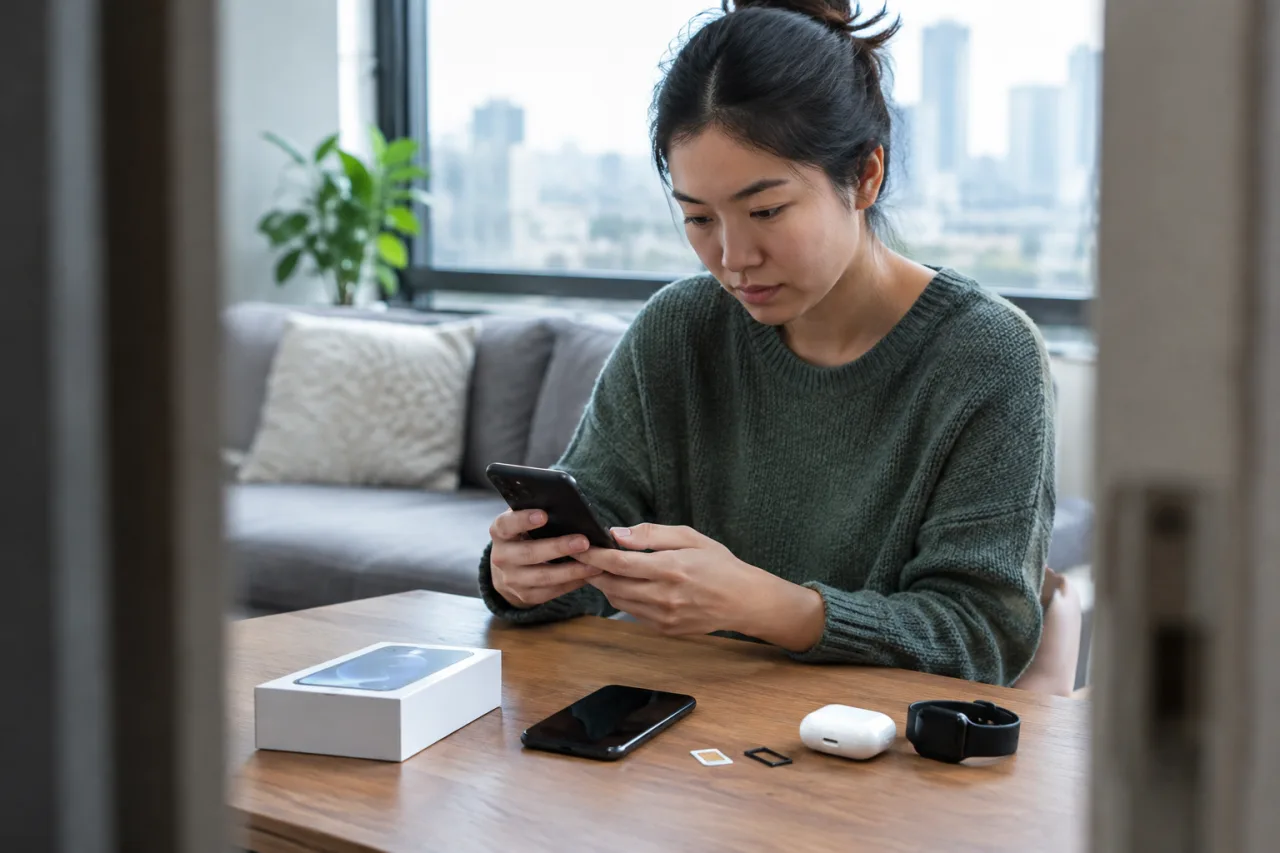
- Unpair accessories one by one. Watch, earbuds, bike computers, the family car’s paired profile: each holds a bond to the phone, and each should be unpaired explicitly so the new owner cannot silently inherit bridges into your devices.
- Pull the SIM and delete eSIM profiles. Physically remove the SIM card, and delete the eSIM profile from settings rather than assuming it dies with the reset. If the number stays active, forward it or close it deliberately; a line that still receives codes on a card in a drawer is a live account risk.
- Handle expansion cards and accessories that store data. MicroSD cards are not always erased by a reset, so pull or wipe them explicitly, and the same applies to any USB accessory cache you have shipped with the device.
- Run the encrypted erasure. Now the button everyone knows: Settings, then the erase-all-content path on iPhone or the factory reset path on Android, allowing the process to complete to the welcome screen. On the oldest Android builds, note that encryption may not be default, in which case load dummy data or use the vendor’s PC tools before the reset.
- Verify from both sides. On your accounts’ device lists, confirm the phone is gone or marked removed. On the phone itself, confirm you are not signed in anywhere, that no activation lock remains for a legitimate buyer to hit, and that the IMEI is clean of carrier blocks you did not expect. A bill of sale with date, IMEI and both parties closes the loop and protects you if the phone surfaces in a dispute later.
What a Bare Reset Leaves Behind, in One Table
| Residue | What it risks | The step that clears it |
|---|---|---|
| Cloud account still bound | Activation lock for buyers, sync of new data to your storage | Sign out and remove from device list |
| Two-factor seats still trusted | New owner’s prompts, delayed lockouts, account recovery paths | Migrate or revoke per account |
| eSIM profile assigned | Calls and codes landing on hardware you sold | Delete profile, move or close the line |
| Active backups on schedule | Old phone’s data overwriting your new device’s state | Remove backup entry and transfer |
| Paired accessories | Silent bridges into watch, earbuds, car | Unpair each device by name |
| MicroSD card data | Photos, chats and documents reading plainly on the buyer’s side | Pull the card or wipe it |
Read the table once against your own last phone handover and the wipe phone before selling routine stops feeling like paranoia. Every row above has shipped real incidents: the activation-locked trade-in that bounced back to the seller, the verification code sent to a phone still provisioned, the smartwatch that kept bridging notifications after the sale.
Platform Notes: iPhone and Android Differences That Trip Sellers
The iPhone path concentrates in one place. Apple’s guidance walks transfer, then sign-out, then erasure, and the sign-out is what releases Activation Lock, the theft-deterrence that a new owner cannot bypass. Skipping the sign-out does not protect your data; it strands the buyer with a locked brick and hands you a chargeback. Apple also offers the last-mile niceties: deregistering iMessage and FaceTime if you are switching platforms, and pulling the SIM at the end. The current manual is short and worth following in order.
Android paths vary by maker, which is the trap. Stock Android’s factory reset is clean about erasure, but Factory Reset Protection behaves by account state at reset time, and vendor skins add their own layers, with Samsung’s Knox containers carrying a separate cleanup path. The universal Android rule is the one Google’s own pages and the FTC’s guidance both encode: remove the accounts first, then reset, then remove the device from the account web on a browser if the phone cannot do it itself.
Our passkeys guide for regional banking apps covers the same registration lifecycle from the credential side.
After the Sale: the Three Verifications Most Sellers Skip
The sale completed, the phone left your hands, and the wipe phone before selling checklist has three checks remaining. First, the account web: open your primary accounts from the new device and confirm the old hardware is absent or explicitly removed, because device lists drift. Second, the codes: within a week, note whether any account still sends verification prompts toward the old phone, and revoke whatever still does.
Third, the carrier: confirm the SIM or eSIM transferred cleanly and the line is not double-provisioned. Each check takes a minute, and together they close the loop the reset opened.
The same habit family extends past phones. The FTC’s guidance covers tablets and connected devices in the same breath, and CISA’s archived alert repeats the sequence for enterprise fleets, and our household pieces apply the identical logic elsewhere: the credit protection options explainer matters when a device with your data does surface misused, and our stolen-number response guide covers the 72-hour response plan for the worst case. Prevention beats response, but knowing the response exists is part of prevention.
Wipe Phone Before Selling: the Small Print That Decides Outcomes
Three edge cases decide most real outcomes. Trade-ins and carrier programs often reject devices that arrive activation-locked, so the account release is a condition of sale, not a courtesy. Family hand-me-downs feel safe and are not, because the same accounts ride along; run the full checklist even when the buyer is a sibling.
And recycling channels vary: reputable electronics recyclers accept wiped devices with the battery intact, while mail-in programs that promise wiping on your behalf deserve skepticism, since the device leaves your custody with your identity provisions still bound to it if you skipped the steps above.
None of this is complicated, which is the point. The wipe phone before selling discipline is ten deliberate minutes in a fixed order, and it is the difference between handing over a clean device and handing over a live map of your accounts to whoever unboxes it next.
The Habits That Carry to Every Device You Retire
Once the wipe phone before selling sequence is muscle memory, the same skeleton applies to every device with an account on it. Tablets follow it nearly verbatim, laptops inherit the cloud-account release and the license deactivations, and even a smartwatch handed to a partner deserves the pairing and two-factor pass. The habit generalizes because the residue model is the same everywhere: the hardware resets, while the registrations around it stay anchored until you unwind them by name.
There is also a timing habit worth keeping. Build the checklist into the upgrade decision rather than the shipping day, because several steps, especially two-factor migrations and device-list cleanup, assume you still hold both phones side by side. A seller who starts the wipe phone before selling sequence after the buyer is waiting has already surrendered that order, and the order is where the protection lives. Batch the steps the same day you unbox the replacement, and the discipline costs nothing but attention.
A final word on what this routine is not: it does not make a stolen phone clean, it does not substitute for carrier fraud reporting when a device disappears, and it cannot recover data you never backed up. What this wipe phone before selling discipline does is convert a genuinely risky handover into a documented, verified one, ten minutes at a time. Our passkeys and authenticator guides extend the same registration hygiene to the credentials that live beyond any single device.
Frequently Asked Questions
Does a factory reset delete everything before selling?
Locally, on a modern encrypted phone, yes: the reset destroys the encryption keys and the data with them, which is why the FTC names erasure as the core step. What the reset never touches sits above the hardware: cloud account bindings, two-factor registrations, eSIM profiles, scheduled backups and paired accessories. That is the gap a complete wipe phone before selling routine closes, step by separate step.
Do I need to remove my Google account before a factory reset on Android?
Yes. Factory Reset Protection binds the phone to whichever Google account was active at reset time, so an account left signed in leaves the next owner locked out, or leaves your credentials attached to hardware you no longer hold. Remove the accounts in settings, reset, then confirm the device no longer appears in your account’s device list from a browser.
What happens if I sell an iPhone still signed into iCloud?
Activation Lock stays armed for the buyer, who cannot set the phone up, and Apple’s guidance places the sign-out before erasure for exactly this reason. Expect a refund demand or a return, since a locked iPhone has little resale value, and your identity provisions remain reachable until the sign-out happens.
Should I take out the SIM card before selling my phone?
Yes. A SIM card carries your line and can receive calls and verification codes; an eSIM profile lives on the device and should be deleted in settings plus confirmed with your carrier. The wipe phone before selling checklist places both in the same step because they are the two paths a stranger can most easily turn back toward your accounts.
Are old phones dangerous to sell even after a reset?
Old hardware carries two extra risks: encryption may not be default on very old Android builds, in which case wipe or destroy rather than sell, and worn devices may fail the buyer’s activation checks. If a device cannot take a full modern reset, reputable electronics recyclers are the safer channel than resale.
Does wiping a phone remove messages on my SIM card?
Usually not. SIM-resident message storage is small but real, and the reset targets the device storage, not the card. Pull the SIM, and if you must hand a card over with a bundled deal, format it separately on another device first.
- Official consumer.ftc.gov/articles/how-remove-your-personal-information-you-ge… — the FTC
- support.apple.com/en-us/118264 — walk the erasure through Settings
- Official cisa.gov/news-events/alerts/2019/11/19/ftc-provides-tips-safeguarding… — CISA’s archived alert
External sources linked in this article, in order of first mention. Spotted an error or a broken link? Tell us.
Cite this pagePublished Nov 23, 2026
Agron, E. (2026, November 23). Wipe Phone Before Selling: the Factory Reset That Is Not Enough. WorldNgayon. https://worldngayon.com/wipe-phone-before-selling/
Agron, Edmon. “Wipe Phone Before Selling: the Factory Reset That Is Not Enough.” WorldNgayon, 23 Nov. 2026, worldngayon.com/wipe-phone-before-selling/.
Agron, Edmon. “Wipe Phone Before Selling: the Factory Reset That Is Not Enough.” WorldNgayon, November 23, 2026. https://worldngayon.com/wipe-phone-before-selling/.
Agron, E. (2026) ‘Wipe Phone Before Selling: the Factory Reset That Is Not Enough’, WorldNgayon, 23 November. Available at: https://worldngayon.com/wipe-phone-before-selling/.
E. Agron, “Wipe Phone Before Selling: the Factory Reset That Is Not Enough,” WorldNgayon, Nov. 23, 2026. [Online]. Available: https://worldngayon.com/wipe-phone-before-selling/
@online{agron2026wipephone,
  author       = {Agron, Edmon},
  title        = {{Wipe Phone Before Selling: the Factory Reset That Is Not Enough}},
  year         = {2026},
  date         = {2026-11-23},
  organization = {WorldNgayon},
  url          = {https://worldngayon.com/wipe-phone-before-selling/},
  urldate      = {}
}TY - ELEC AU - Agron, Edmon TI - Wipe Phone Before Selling: the Factory Reset That Is Not Enough T2 - WorldNgayon PY - 2026 DA - 2026/11/23/ UR - https://worldngayon.com/wipe-phone-before-selling/ Y2 - ER -
Cite the version you read; the page may be updated. Zotero and Mendeley can also import this page directly.