Key Takeaway
- 🔍 The free check: Have I Been Pwned (haveibeenpwned.com) searches your email or phone number against 13+ billion leaked credentials — the fastest legitimate data breach checker available.
- ⏱️ 30 seconds, zero cost: type your email, read the breach list, check which ones expose passwords. No account needed; the site is run by Microsoft security researcher Troy Hunt.
- 🧾 Read results right: a breach listing means your data leaked — the danger level depends on what leaked: an email alone is noise; a password is an alarm.
- 🚨 If your password appears: change it everywhere you’ve reused it — starting with email and banking — then turn on app-based 2FA. That one action neutralizes most leak risk.
- 🇵🇭 Philippine context: breaches of PH telcos, government portals, and delivery services make this check a routine, not a one-time event — run it every quarter.
A data breach checker is the security equivalent of checking your credit report: it tells you whether the worst has already happened — quietly, months ago — while you were still sleeping on it. This week’s stream of headlines (150 million driver’s licenses, telco databases, government portals) makes the same point from every angle: you cannot rely on companies to tell you your data leaked, and you cannot rely on silence to mean safety. The check takes 30 seconds and it’s free. Here’s exactly how to run it, how to read the results like a professional, and the first-72-hours plan if your password shows up.
Why You Need a Data Breach Checker at All
Here’s the uncomfortable mechanics of a modern leak. When a Philippine telco, e-commerce site, or government portal gets breached, the stolen database — names, phone numbers, emails, sometimes passwords — travels a predictable route: from the attacker who stole it, to broker forums where it’s sold in bulk, to the inboxes of thousands of scammers who use it for targeted attacks. Your leaked data isn’t just a record; it’s ammunition personalized with your real details, which is exactly what makes modern phishing emails so convincing.
Related: What Changed: AI Search, Google, and the Decline of Easy Traffic — Rec
Now the worse part: notification rarely happens. Philippine companies have legal duties under the Data Privacy Act to notify the National Privacy Commission and affected individuals of breaches posing real risk — but enforcement lags, many leaks never get attributed, and breaches that surface only on hacker forums come with no notification letter at all. The NPC’s own incident reports have doubled year over year, and most Filipinos affected by those incidents learned about them from news reports, not from the breached company.
That gap is exactly what a data breach checker fills. Instead of waiting for a letter that may never come, you query the leak databases directly — the same collections scammers buy — and see your own exposure as the attackers see it.
The 30-Second Check: Have I Been Pwned
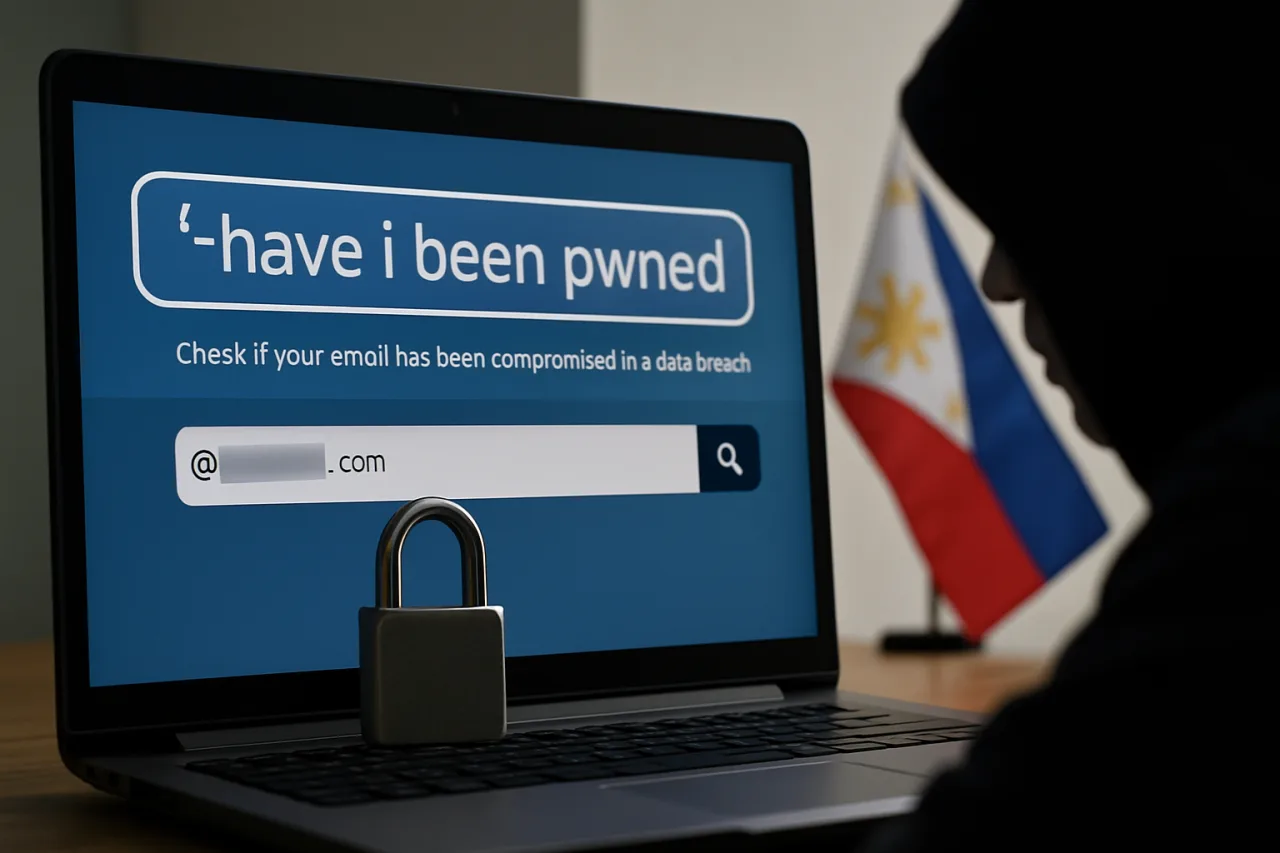
Have I Been Pwned (haveibeenpwned.com) is the internet’s reference data breach checker, run by Troy Hunt — a Microsoft Regional Director and security researcher who has aggregated breach data since 2013. Its database now covers billions of leaked accounts from thousands of breaches, and it’s the tool security professionals themselves use first.
The check:
1. Open haveibeenpwned.com — the reference data breach checker. Type your primary email address into the search box, complete the verification, and read the results. Thirty seconds, no account creation, no fee.
2. Run your alternate emails too. Old addresses leak more often than current ones — a Yahoo or defunct-webmail account from years ago is often the most-pwned item in a person’s results.
3. Check your Philippine mobile number. HIBP supports phone-number search (format: +639XXXXXXXXX). Given how much Philippine data circulates as name-plus-mobile records from telco and delivery-service leaks, this check is uniquely relevant here.
4. Check your passwords separately — safely. Use HIBP’s Pwned Passwords page, which checks whether a password appears in known leaks without sending the password itself (it uses k-anonymity — only a fragment of the password’s hash leaves your browser). Test the passwords you actually use, especially the one guarding your email.
That’s the whole check. What you do with the results is where the real work is — and where most people stop too early.
Reading Your Results Like a Professional
A data breach checker returns a list — but the list has a severity grammar that most people miss:
Email-only breaches (no password). Your address leaked, but passwords didn’t. Risk level: low-to-moderate — it feeds targeted phishing, but doesn’t unlock anything by itself. Action: awareness, not panic. You now know why those “your package is held” texts feel so personal.
Breaches with passwords. This is the alarm class. If a listing shows your password (even hashed) was exposed, the question isn’t whether you’re at risk — it’s which accounts still use that password or a variant of it. Action: the 72-hour plan below, today.
Recent breaches (last 12 months). Fresh leaks mean the data is still in active circulation — scammers pay premium prices for fresh lists. These entries deserve faster response than decade-old breaches.
Sensitive breaches flagged by HIBP. The checker marks breaches involving medical, sexual-orientation, or similar data with a special sensitive flag. If one appears for you, treat the exposure seriously and consider what services of that type you’ve used.
Zero results. Good news with a caveat: HIBP covers known and published breaches. Philippine-specific leaks that never circulated publicly — like internal company databases traded privately — won’t appear. Zero results means “no known leaks,” not “your data never leaked.” The checker narrows uncertainty; it can’t eliminate it.
Secondary Data Breach Checkers Worth Knowing
HIBP is the reference, but a complete data breach checker routine uses two or three specialized tools:
F-Secure Identity Theft Checker — checks whether your email appears in breach collections with a focus on European and global dumps; useful second opinion with a clean interface.
Google Password Manager’s breach check — built into Chrome and Android (Passwords → Check passwords), it cross-checks every password you’ve saved against leak databases automatically. For Filipinos living inside the Google ecosystem, this is the highest-leverage check of all because it covers the passwords you’ve forgotten you have.
Apple’s Password Security Recommendations (iCloud Keychain → Security Recommendations) — the iOS equivalent, flagging leaked and reused passwords on iPhone.
Norton Password Manager breach audit and similar vendor tools — fine as third checks, though they overlap with the above.
One warning to keep you safe while checking: fake data breach checker sites exist precisely to harvest the emails and passwords of worried people. Only use the named tools above — typed directly into the address bar, never through links in emails or texts. A data breach checker that asks for your current password on its web form is the scam, full stop.
The Philippine Breach Landscape Your Checker Sees
Running a data breach checker as a Filipino user means the results list reads like a tour of the country’s digital services — and understanding why that list keeps growing is part of reading it well.
Telco and utility records. Name-plus-mobile-plus-address records are the most common Philippine leak class, and they feed the “your SIM will be deactivated” scam wave. When a data breach checker returns a telco-linked dump, the practical danger is targeted social engineering — the scammer already sounds credible because they have your details.
Government portals. From civil-registry adjacent systems to agency websites, government data leaks have repeatedly made national headlines. These leaks combine identity anchors (birthdates, ID numbers) with contact details — the raw material for document-based fraud.
E-commerce and delivery apps. Every online purchase creates a name-phone-address-order record. Delivery-service leaks power the “your package is stuck at customs” scam — the single most-reported phishing text in Philippine groups.
Financial-adjacent services. E-wallet agent networks, lending apps, and investment platforms have all appeared in local breach reporting. Leaks here carry the highest account-takeover stakes, since they come with proof you hold a financial account.
The professional takeaway: the Philippine data breach checker result is less a snapshot than a barometer. The lists will grow — that’s the environment, not a verdict on you. What the check changes is your response time, and response time is the only variable fully under your control. Pair the quarterly check with the credential hygiene in our password manager setup guide and the multi-factor routine in our MFA setup guide, and a leak becomes an inconvenience instead of a crisis.
The First-72-Hours Plan If Your Password Appears
Your data breach checker just showed your email listed with a password exposed. Work the list, in this order:
Hour 0–1: Change the exposed password everywhere it lives. Not just the breached site — every account sharing that password or a minor variation. Reuse is the multiplier that turns one leak into ten account takeovers.
Hour 1–2: Secure the master key first. Your email account is the reset door to everything else. New unique password, then app-based two-factor authentication (Google Authenticator, Authy) — not SMS, given SIM-swap exposure in leak data.
Hour 2–4: Sweep financial accounts. Change banking, e-wallet (GCash/Maya), and remittance-service passwords; review transaction histories for anything unfamiliar; enable transaction notifications if they’re off. Our GCash security guide covers the wallet-specific steps.
Hour 4–24: Audit the reuse pattern with the tools. Run Google Password Manager’s password checkup — it lists every saved password that’s leaked or reused so you can convert the worst offenders to unique ones, ideally managed by a password manager.
Day 2–3: Harden the perimeter. Turn on 2FA for every account that offers it; update the phone’s OS (the current Defender bypass and Chrome zero-day stories are this week’s reminder that device hygiene and credential hygiene are one system); and set HIBP’s free email-monitoring subscription so future breaches involving your address arrive as alerts instead of surprises.
This is the same response skeleton used in our organizational first-72-hours guide, scaled to one person — because the mechanics of containment don’t care about the size of the victim.
Make It a Quarterly Habit
The Philippine breach cycle — telcos, delivery platforms, government portals, e-commerce — guarantees new material on a rolling basis. The professionals’ habit is the calendar, not the headline:
Quarterly: rerun HIBP on your primary and legacy emails plus your mobile number; the password-manager breach audit; change any password that’s been in place more than a year.
On every major PH breach headline: run the check within the week — the leak may already be circulating before any company statement lands.
On any weird phishing text that cites real details: treat it as evidence your data is circulating, and run the data breach checker the same day — the scam is the signal.
Thirty seconds per quarter is the cheapest insurance in personal cybersecurity. The data breach checker doesn’t prevent leaks — nothing you do prevents a company losing your data — but it collapses the time between leak and response, and that time gap is where account takeovers live. For the full defense stack, the 12-step cybersecurity checklist slots this habit into its broader routine.
Frequently Asked Questions
What is the best free data breach checker?
Have I Been Pwned (haveibeenpwned.com) — the industry-reference database run by researcher Troy Hunt, covering billions of leaked accounts, free to search by email or phone number.
Is Have I Been Pwned safe to use?
Yes — it’s the security industry’s standard tool. Its password check uses k-anonymity, so your full password never leaves your device. Only use tools you navigate to directly, never via emailed links.
My email appears in a breach — what does that actually mean?
That a known breach exposed your account data. Severity depends on what leaked: email alone enables targeted phishing; exposed passwords mean immediate changes everywhere you’ve reused them.
What should I do first if my password was breached?
Change it on every account where it was reused — email first, then banking and e-wallets — then enable app-based two-factor authentication and run a password-manager audit for remaining reuse.
Can I check if my Philippine mobile number was leaked?
Yes — HIBP supports phone search in international format (+639XXXXXXXXX), which is particularly relevant given Philippine telco and delivery-service data leaks.
Why does HIBP show nothing while I keep getting scam texts?
Not all leaks are published or indexed — many PH-specific databases circulate privately. Zero results means no known leaks, not no leaks. Treat personalized scam texts as evidence of circulation.
How often should I run a breach check?
Quarterly as a habit, plus immediately after any major Philippine breach headline or any scam message that cites your real personal details.
Financial Disclaimer: This article is for general information only and does not constitute financial, legal, or professional advice. Tool availability and breach data change; verify on the official sites before acting.
Disclosure: WorldNgayon may earn a commission if you purchase through links in this article. Full details on our disclaimer page.