Table of Contents
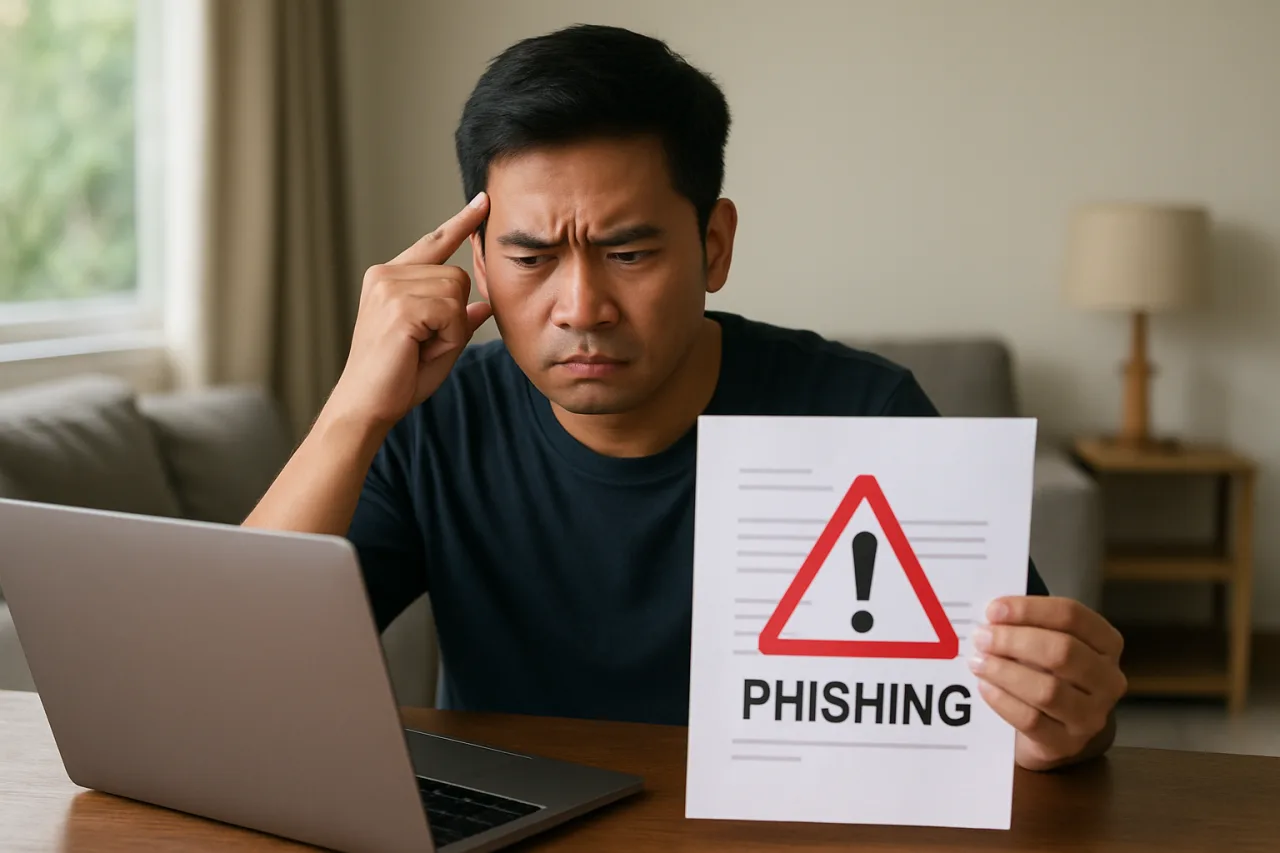
Learning to spot phishing email threats is the most important cybersecurity skill every Filipino professional needs. Phishing emails are the most common cyberattack in the Philippines, with 34,839 incidents recorded in 2025 alone — roughly 95 per day. The National Privacy Commission reported that cybersecurity incidents nearly doubled from 183 in 2019 to 345 in 2025, and phishing accounts for the majority. Every Filipino with an email account, a GCash wallet, or a Facebook profile is a target. The good news: you do not need to be a cybersecurity expert to spot phishing email attempts. You need to know seven red flags, and you need to check them before you click. This guide shows you exactly how to spot phishing email threats, using real examples of phishing emails targeting Filipinos.
Key Takeaway
- Seven red flags identify most phishing emails: mismatched sender address, urgent or threatening language, generic greetings, suspicious links, unexpected attachments, requests for sensitive information, and poor grammar or formatting.
- The 10-second rule: Before clicking any link or opening any attachment in an email, spend 10 seconds checking these seven red flags. If even one is present, do not click.
- AI-powered phishing is harder to detect: Modern phishing emails use AI to write perfect grammar and personalize content — making the old “look for bad spelling” advice obsolete. Focus on sender addresses and link URLs instead.
- GCash, BDO, and Maya phishing patterns: The most common Philippine phishing emails pretend to be from GCash, BDO, BPI, Maya, or government agencies like SSS and PhilHealth. Know what real messages from these organizations look like.
- When in doubt, do not click — verify directly: If an email claims your account is suspended, do not click the link. Open the app or type the website address directly. Real organizations will never penalize you for verifying through official channels.
The Problem: Why This Matters
Phishing works because it exploits trust, not technology. An email that looks like it comes from your bank, your e-wallet, or your employer triggers fear or urgency — and fear makes people click before they think. In the Philippines, the NPC cybersecurity incidents data shows the problem is getting worse, not better. Check Point Research recorded 3,824 phishing websites in 2025 — a 423% increase from 731 the year before, according to SecurityBrief Asia.
The stakes are high. One click on a phishing link can lead to stolen credentials, drained bank accounts, identity theft, and ransomware infections. The 228 million credentials exposed in the Philippines in 2025 were largely harvested through phishing. Every Filipino professional needs to know how to spot these emails — not just IT staff.
How to Spot Phishing Email: 7 Red Flags
Check these seven red flags on every email that asks you to click a link, open an attachment, or provide information. The check takes 10 seconds to spot phishing email threats. A successful phishing attack can cost you months of recovery.
Red Flag 1: Mismatched Sender Address
This is the single most reliable phishing indicator. The sender name may say “GCash Support” or “BDO Online Banking” — but the actual email address tells the truth.
What to check: Look at the email address, not the display name. In Gmail, click the downward arrow next to the sender name. In Outlook, click the sender name to expand the details.
Real example: A phishing email displays “GCash Notifications” as the sender name, but the actual address is gcash-alert@notification-svc.com — not @gcash.com. GCash sends official emails from addresses ending in @gcash.com or @globe.com.ph. Any other domain is fake.
How to verify: If the email claims to be from a Philippine bank or e-wallet, the domain should match:
– GCash: @gcash.com or @globe.com.ph
– BDO: @bdo.com.ph
– BPI: @bpi.com.ph
– Maya: @maya.ph or @paymaya.com
– SSS: @sss.gov.ph
– PhilHealth: @philhealth.gov.ph
Any other domain — even close approximations like @gcaash.com or @bdo-security.net — is a phishing attempt.
Red Flag 2: Urgent or Threatening Language
Phishing emails create artificial urgency to make you act before you think. Common phrases include “Your account will be suspended in 24 hours,” “Immediate action required,” “Your account has been compromised — verify now,” or “Final warning: account closure pending.”
Why this works: Fear triggers a fight-or-flight response. When you are afraid your GCash account will be closed, you click the link to “verify” your identity — which is exactly what the attacker wants.
How to respond: Real financial institutions do not threaten to close your account in 24 hours via email. If the message creates urgency, stop. Open the app directly. If there is a real problem, it will be there. If there is not, the email was phishing.
Red Flag 3: Generic Greetings
Phishing emails often use generic greetings like “Dear Customer,” “Dear Valued Client,” or “Dear GCash User.” Real organizations know your name.
What to check: Does the email address you by name, or does it use a generic greeting? Your bank knows your name. Your employer knows your name. GCash knows the name on your account. If the email says “Dear Customer” instead of “Dear Juan Dela Cruz,” that is a red flag.
Important exception: AI-powered phishing can personalize emails using data from data breaches. If your name and email were exposed in a breach (check at Have I Been Pwned), attackers can use that data to personalize phishing emails. A personalized email is safer than a generic one — but it is not guaranteed safe. Check the other red flags too.
Red Flag 4: Suspicious Links
The link text may say “Click here to verify your account” — but the actual URL tells a different story. This is the second most reliable phishing indicator after the sender address.
What to check: Hover your mouse over the link (do not click). Look at the URL that appears in the bottom corner of your browser or in a tooltip. On mobile, long-press the link (do not release) to see the URL.
Real example: A phishing email link displays as “https://www.gcash.com/verify” but the actual URL is “https://gcash-verify.security-update.net/login.” The real domain is security-update.net, not gcash.com. The attacker created a path that includes “gcash” to make the URL look legitimate.
The domain rule: Only the part before the first slash and after “https://” matters. Everything else can be faked. For example:
– https://gcash.com/verify — real (domain is gcash.com)
– https://gcash.com.security-alert.net/verify — fake (domain is security-alert.net)
– https://verify.gcash.com — real (subdomain of gcash.com)
– https://gcash-verify.com — fake (domain is gcash-verify.com, not gcash.com)
Red Flag 5: Unexpected Attachments
Attachments are a common phishing vector because they can contain malware, ransomware, or credential-harvesting scripts. If you were not expecting an attachment, do not open it — even if it appears to come from someone you know.
What to check: Did the email mention the attachment in the body text? Does the attachment type make sense for the context? A “invoice.pdf” from your employer is plausible. A “invoice.exe” from a vendor is not — .exe files are programs, not documents. A “statement.xlsx” from GCash is suspicious — GCash sends statements through the app, not as email attachments.
Common dangerous attachment types: .exe, .scr, .bat, .js, .zip (containing any of these), .docm, .xlsm (macro-enabled Office files). When in doubt, do not open. Contact the sender through a separate channel to verify.
Red Flag 6: Requests for Sensitive Information
Legitimate organizations never ask for passwords, MPINs, OTPs, credit card numbers, or full Social Security numbers via email. If an email asks for any of these, it is phishing — no exceptions.
What to check: Does the email ask you to:
– Enter your password on a linked page?
– Provide your GCash MPIN or OTP?
– Send a photo of your ID or credit card?
– Confirm your account number or card details?
– Provide your mother’s maiden name or date of birth?
If yes, it is phishing. GCash and Maya fraud prevention guidelines are explicit: GCash and Maya will never ask for your MPIN or OTP via phone, text, email, or chat. No legitimate financial institution will either.
Red Flag 7: Poor Grammar or Formatting — With a Caveat
Older phishing emails were full of grammar errors, misspelled words, and awkward formatting. This was a reliable red flag for years. In 2026, it is less reliable — because AI can now write perfect phishing emails.
What to check: Look for inconsistencies, not just grammar mistakes. Does the logo look slightly off? Is the font different from the organization’s usual emails? Does the layout match previous emails from the same sender? Is the email signature incomplete or missing contact information?
The caveat: Do not rely on grammar alone. AI-powered phishing emails are grammatically perfect. If the sender address and link URL check out but the grammar is poor, it might be a legitimate email from a non-native English speaker. If the grammar is perfect but the sender address is wrong, it is phishing. Always check the sender address and link URL first — they are harder to fake.
What This Means for Filipino Professionals
The phishing threat in the Philippines has specific patterns that every professional should know. The cybersecurity guide for Filipinos and OFWs documents the most common attack types, and phishing tops the list.
GCash and Maya phishing patterns: The most common Philippine phishing emails pretend to be from GCash or Maya. Typical messages claim your account is “flagged for suspicious activity,” “scheduled for suspension,” or “eligible for a cash reward.” The links lead to fake login pages that capture your MPIN and OTP. Remember: GCash and Maya communicate through the app, not through email. If you receive an email claiming to be from GCash, treat it as phishing by default.
BDO, BPI, and bank phishing: Bank phishing emails typically claim “unusual login activity” or “account verification required.” They link to fake banking login pages. Real bank emails about account security will ask you to log in to the bank’s app or call the hotline — they will not provide a link to click.
Government agency phishing: Phishing emails pretending to be from SSS, PhilHealth, Pag-IBIG, or the Bureau of Internal Revenue typically claim you need to “update your records” or “claim a benefit.” Government agencies in the Philippines send official communications through registered mail, SMS from official numbers, or their online portals — not through email links.
For BPO workers: BPO companies are prime phishing targets because attackers know employees have access to client data. If you receive an email that appears to be from your company’s IT department asking you to “reset your password” or “verify your credentials,” do not click the link. Report it to your IT security team and verify through your company’s internal portal.
Common Mistakes to Avoid
Mistake 1: Trusting the display name. The display name in an email can be anything. Only the email address matters. “GCash Support” could be anyone. gcash-support@gcash.com is real; gcash-support@secure-portal.net is not.
Mistake 2: Clicking first, thinking later. Phishing relies on urgency. If an email makes you feel afraid or rushed, that is the emotion the attacker designed. Stop, breathe, and check the seven red flags before doing anything.
Mistake 3: Trusting an email because it looks professional. AI can generate professional-looking emails in seconds. A well-designed email with a logo, proper formatting, and perfect grammar can still be phishing. Design is the easiest thing to fake.
Mistake 4: Forwarding a suspicious email to colleagues. If you forward a phishing email, you are spreading the risk. Instead, report it to your IT team or delete it. If you must warn colleagues, describe the email in your own words without forwarding the original.
Mistake 5: Assuming you are not a target. Attackers send phishing emails by the millions. They do not know or care whether you have ₱1,000 or ₱1,000,000 in your account. Everyone is a target. If you have an email address, you will receive phishing emails. The question is whether you spot them or fall for them.
Tools and Resources
- Have I Been Pwned (haveibeenpwned.com) — Free. Check if your email address has appeared in known data breaches. If yes, change your passwords and enable MFA immediately.
- Google Safe Browsing — Built into Chrome and Gmail. Automatically warns you about known phishing sites. Keep Chrome updated.
- GCash App Security Features — Free. Enable in-app OTPs, face ID, and transaction notifications. GCash now uses in-app OTPs instead of SMS to prevent SIM-based interception.
- Microsoft Defender — Free with Windows. Provides real-time protection against malicious attachments and links in Outlook.
- Report phishing to NPC — Report phishing incidents through the NPC’s Data Breach Notification Management System at npc.gov.ph.
Summary and Next Steps
You now know the seven red flags to spot phishing email attempts: mismatched sender address, urgent language, generic greetings, suspicious links, unexpected attachments, requests for sensitive information, and formatting inconsistencies. Check these on every email that asks you to click, open, or provide information.
Do these three things today:
- Check your email address at HaveIBeenPwned.com. If it appears in a breach, change your password on every account that uses it.
- Enable multi-factor authentication on your GCash, email, and banking accounts. This is your backup if a phishing email steals your password.
- Bookmark the official websites of your bank, GCash, and government agencies. When you receive a suspicious email, go to the bookmarked site directly — never click the link in the email.
Frequently Asked Questions
What is a phishing email?
A phishing email is a fraudulent message designed to trick you into clicking a malicious link, opening a malicious attachment, or providing sensitive information like passwords, OTPs, or credit card numbers. Learning to spot phishing email threats is essential because phishing emails impersonate trusted organizations — banks, e-wallets, government agencies, employers — to exploit your trust and urgency.
How can I tell if an email from GCash is real?
GCash communicates primarily through the GCash app, not through email. If you receive an email claiming to be from GCash, check the sender address — it should end in @gcash.com or @globe.com.ph. If it does not, it is phishing. Even if the address looks correct, do not click links in the email. Open the GCash app directly to check for any real notifications.
What should I do if I clicked a phishing link?
If you clicked a phishing link but did not enter any information: close the page immediately, clear your browser cache, and run a malware scan. If you entered your password: change it immediately on the real website, enable MFA, and check for unauthorized transactions. If you entered your GCash MPIN or OTP: call GCash hotline 2882 immediately to freeze your account. Report the incident to the NPC through their online portal.
Can phishing emails bypass spam filters?
Yes. Spam filters catch many phishing emails, but sophisticated attackers use techniques to bypass them — including new domains, personalized content, and AI-generated text. Some phishing emails reach your inbox. Your spam filter is the first line of defense, but your own ability to spot red flags is the final one. Never assume an email is safe just because it reached your inbox.
Are phishing emails more dangerous with AI?
Yes. AI makes phishing emails harder to detect by generating perfect grammar, personalizing content using breached data, and creating convincing fake websites. The old advice of “look for spelling mistakes” is no longer sufficient. Focus on the sender address and link URL — these are harder for AI to fake because attackers must register domains that impersonate legitimate ones.
This article provides general cybersecurity guidance and does not constitute professional security advice. Phishing techniques evolve continuously. Always verify suspicious emails through official channels and consult your organization’s IT security team for workplace-specific guidance. The author and publisher disclaim any liability for actions taken based on this information.
- securitybrief.asia/story/phishing-smishing-scams-surge-across-philipp… — SecurityBrief Asia
- haveibeenpwned.com — Have I Been Pwned
- lock.pub/en/blog/gcash-maya-fraud-prevention — GCash and Maya fraud prevention guidelines
External sources linked in this article, in order of first mention. Spotted an error or a broken link? Tell us.
Cite this pagePublished July 22, 2026 · Updated July 23, 2026
Agron, E. (2026, July 22). How to Spot Phishing Email: 7 Red Flags Every Filipino Must Check. WorldNgayon. https://worldngayon.com/spot-phishing-email-guide-2026/
Agron, Edmon. “How to Spot Phishing Email: 7 Red Flags Every Filipino Must Check.” WorldNgayon, 22 July 2026, worldngayon.com/spot-phishing-email-guide-2026/.
Agron, Edmon. “How to Spot Phishing Email: 7 Red Flags Every Filipino Must Check.” WorldNgayon, July 22, 2026. https://worldngayon.com/spot-phishing-email-guide-2026/.
Agron, E. (2026) ‘How to Spot Phishing Email: 7 Red Flags Every Filipino Must Check’, WorldNgayon, 22 July. Available at: https://worldngayon.com/spot-phishing-email-guide-2026/.
E. Agron, “How to Spot Phishing Email: 7 Red Flags Every Filipino Must Check,” WorldNgayon, July 22, 2026. [Online]. Available: https://worldngayon.com/spot-phishing-email-guide-2026/
@online{agron2026spotphishing,
  author       = {Agron, Edmon},
  title        = {{How to Spot Phishing Email: 7 Red Flags Every Filipino Must Check}},
  year         = {2026},
  date         = {2026-07-22},
  organization = {WorldNgayon},
  url          = {https://worldngayon.com/spot-phishing-email-guide-2026/},
  urldate      = {}
}TY - ELEC AU - Agron, Edmon TI - How to Spot Phishing Email: 7 Red Flags Every Filipino Must Check T2 - WorldNgayon PY - 2026 DA - 2026/07/22/ UR - https://worldngayon.com/spot-phishing-email-guide-2026/ Y2 - ER -
Cite the version you read; the page may be updated. Zotero and Mendeley can also import this page directly.