Key Takeaway
- ⬇️ Fake software installers are the trap: Microsoft reports an active campaign using counterfeit download sites impersonating trusted vendors — the installer you choose yourself is the attack.
- 🛑 What it does: The malware establishes persistence, disables Windows Update, weakens Microsoft Defender protections, and phones home to attacker infrastructure.
- 🦊 Who’s behind it: Microsoft assesses with moderate confidence the campaign matches the “Silver Fox” Chinese threat cluster — victims span healthcare, manufacturing, gaming, tech, logistics, government, and education.
- 🌏 Watch your region: China-based operations of multinational firms and Chinese-speaking users were hit first — Philippine BPO and shared-service teams take note.
- ✅ The defense: download only from vendor-owned domains or official app stores, verify signatures before running, and never bypass SmartScreen warnings.
Fake software installers have become the quiet backbone of this year’s most damaging Windows attacks. In a September 1 advisory, Microsoft detailed an active fake software installers campaign that impersonates trusted software vendors on bogus download sites, tricking users into running malicious installers that then disable Windows Update, weaken Microsoft Defender, and establish persistence on the machines they touch. Microsoft’s assessment ties the activity, with moderate confidence, to a Chinese threat cluster tracked as Silver Fox — with victims across healthcare, manufacturing, gaming, technology, logistics, government, and education.
This fake software installers campaign turns your own good intentions against you: you wanted the software, you searched for it, you clicked Download — and the campaign’s infrastructure was waiting at the top of the results. Here’s how the trap works, who’s in scope, and the download rules that keep your machine out of the victim list.
How the Fake Installer Campaign Works
The campaign’s genius is that it doesn’t break anything to get in — it waits for you to break in yourself. The operators stand up counterfeit software-download websites that impersonate trusted vendors, then position them exactly where users go hunting: search results, download aggregator listings, and the occasional sponsored placement. The pages look right — familiar logos, familiar product names, familiar “Download Now” buttons.
Microsoft’s fake software installers write-up is specific about the targeting: the campaign has “targeted users looking to download popular software and has resulted in compromises across multiple organizations and industries, primarily affecting China-based operations of multinational organizations and Chinese-speaking users.” The victims, per Microsoft, span “healthcare, manufacturing, gaming, technology, logistics, government, and education sectors” — a list that reads like an economy in miniature.
The fake software installers themselves are engineered to look ordinary. They install something — often the real software, even — while the malicious payload runs alongside it. The user gets the app they wanted. The machine also gets a backdoor. This “real plus payload” pattern is why victims often don’t suspect anything until far later: the software works, updates flow (until they’re cut off), and the compromise hides in the background.
What the Malware Does After You Click Install
Microsoft’s analysis describes a precise, multi-stage kill chain once a fake installer runs:
Persistence. The malware sets itself up to survive reboots — scheduled tasks, service registrations, the standard tricks. A one-time infection becomes a long-term seat at the table.
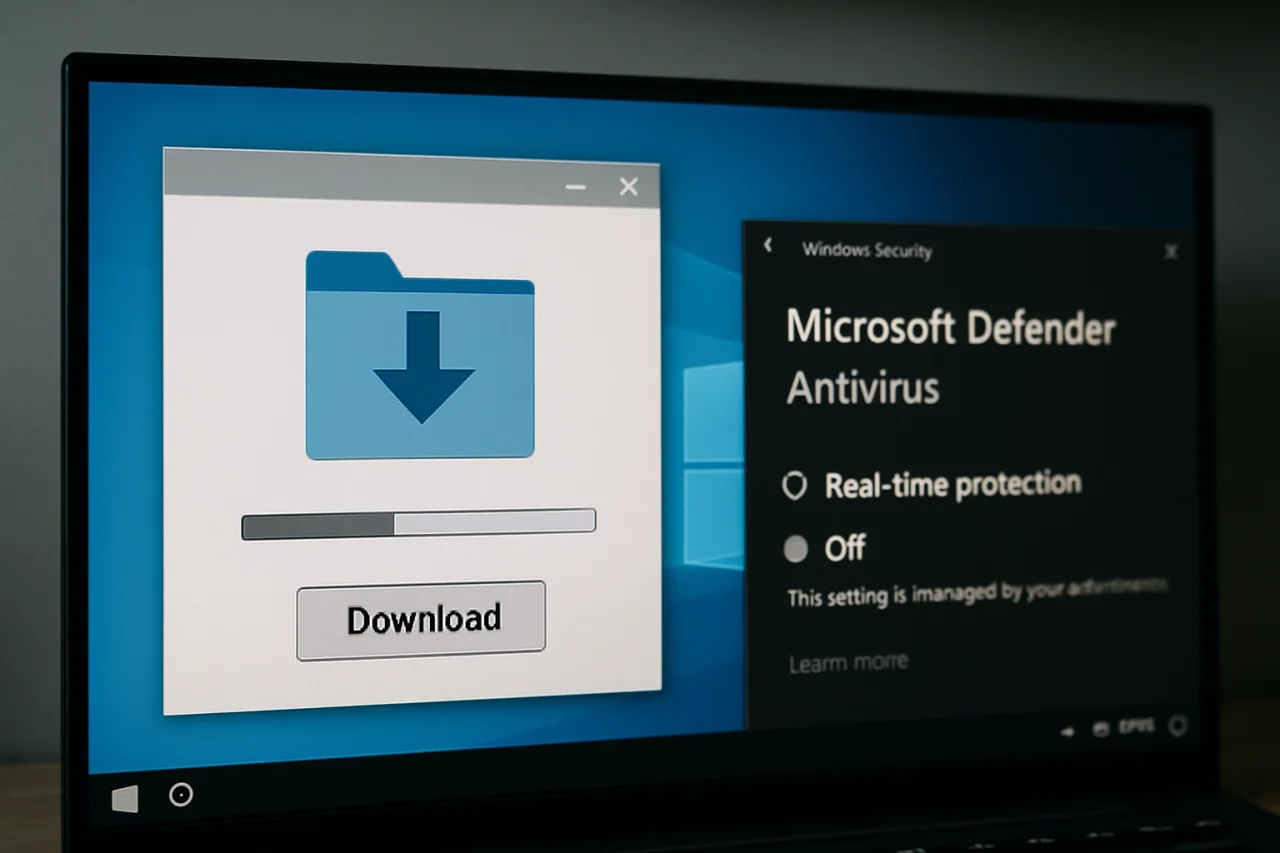
Weakening security protections. This is the campaign’s signature move: it weakens Microsoft Defender from inside — adjusting settings and exclusions so the security engine stops looking where the attacker works. Defender isn’t deleted; it’s blinded, which is quieter and more durable.
Disabling Windows Update. The malware turns off the very mechanism that would patch the vulnerabilities it plans to use. Your machine stops receiving fixes — often without any visible error — and the attacker keeps the door they came through wide open.
Command-and-control. The implant communicates with attacker-controlled infrastructure, awaiting instructions: credential harvesting, lateral movement, ransomware staging, whatever the operator’s business model calls for.
The end state is a machine that looks fine, updates never arrive, and every security alert you’d rely on has been quietly muted — the fake software installers at work. That’s why the fake software installers campaign is rated among the year’s most consequential Windows threats — it doesn’t just break in; it disarms the immune system.
How Counterfeit Sites Outrank the Real Vendor
A fair question about the fake software installers campaign: if the vendor’s real site exists, why does anyone land on the counterfeit one? The answer is search-engine economics, and it explains why this trap keeps working on smart people.
The long-tail search. Users rarely search the exact product name — they search the problem: “free pdf converter,” “video compressor download,” “cleaner for slow laptop.” Long-tail queries have thin, fast-moving results where a fresh counterfeit site can rank within days. The vendor’s real page targets the brand term; the fake site targets the need.
Aggregators and mirrors. Decades-old download portals — and their endless clones — exist to redistribute installers with their own wrapper monetization. Legitimate vendors stopped feeding them years ago, which means the “downloads” these portals serve are either outdated, bundled, or in this campaign’s case, counterfeit outright. The fake software installers ecosystem treats these portals as free distribution infrastructure.
Sponsored placements. Where ad platforms accept installer ads, the counterfeit page can sit literally above the vendor’s organic result — wearing a “Sponsored” tag users have been trained to read as “vetted.” This month’s StreamRat campaign proved the same dynamic on social platforms; search ads are the desktop twin.
The branding budget. Counterfeit operators buy expired domains, mimic help-center layouts, generate fake user reviews, and register SSL certificates — every trust signal except the one that matters: control of the vendor’s actual domain. Some even rank above the vendor for regional queries, because they invest more in SEO than the vendor invests in that region’s language.
The defense follows directly from the anatomy: brand navigation beats brand search. Bookmark the five vendors you actually install software from. Type their domains. Reject every path that routes through a portal, a mirror, or a sponsored tile. The fake software installers campaign has no answer for a user who never searches in the first place — and for the searches you do make, the signature check in Rule 2 is the final backstop.
Who Silver Fox Targets — and Why Filipino Workplaces Should Care
Microsoft’s moderate-confidence attribution points to the Silver Fox cluster, a Chinese threat actor whose earlier campaigns used DLL side-loading and valsorbat-style loader techniques against Chinese-language targets. The September advisory extends the picture: multinational organizations’ China-based operations and Chinese-speaking users first — but “multiple organizations and industries” without language limits.
For Filipino workplaces, the exposure is structural:
BPOs and shared-service centers run exactly the software stack the counterfeit sites impersonate — office suites, design tools, utilities, development kits. One technician grabbing a “free” utility installer from a top search result can seed an endpoint that then touches client networks.
OFW and family machines download software the same way every consumer does: search, click, install. The family laptop that just gained a “free PDF converter” from an ad-heavy download portal is a textbook entry point. Our coverage of crypto clipper malware targeting OFW digital transactions documented the same pattern with a different payload.
Government and education — both named victim sectors — run lean IT teams with software-needy users. The fake installer trap is optimized for exactly that staffing reality.
The pattern also rhymes with this month’s StreamRat ad-delivered Android trojan: attackers have learned that the user’s own intent — “I want this software” — is the most reliable exploit loader ever written.
The Safe-Download Rules That Beat Fake Software Installers
The defense is procedural, not technical. Four rules cover the entire fake software installers playbook:
Rule 1: Vendor domain or nothing. Download only from the vendor’s own domain (type it yourself — office.com, adobe.com, google.com/chrome) or the official Microsoft/macOS app stores. Never install from a download aggregator, a mirror, a forum link, or — critically — an ad unit. Search engines’ “sponsored” results are the counterfeit sites’ favorite shelf.
Rule 2: Check the digital signature. Right-click the installer → Properties → Digital Signatures. Legitimate vendors sign their installers; the name on the signature must match the vendor, and the certificate must be valid. An unsigned installer for a major product is a stop sign — the fake software installers campaign relies on users skipping this 10-second check.
Rule 3: Never bypass SmartScreen or your browser’s warnings. “Windows protected your PC” and “this file may be harmful” exist for this exact scenario. Users who click “Run anyway” complete the attacker’s funnel. If a legitimate download triggers the warning, go find it from the vendor’s site instead.
Rule 4: Verify your defenses after every install. A healthy machine shows: Windows Update status “up to date” (Settings → Windows Update), Defender real-time protection on with tamper protection enabled, and no new browser extensions you didn’t choose. Because this campaign disables Windows Update, a machine that suddenly can’t update is itself a red flag — check within a day of any new install.
For IT administrators, add the fifth: block executable downloads from non-vendor domains at the proxy, and alert on any endpoint where Defender protection state changes or Windows Update service is stopped. Those two telemetry events are the campaign’s fingerprints.
Warning Signs Your Machine Already Met a Fake Installer
The campaign is quiet, but not invisible. After any new software install, these are the tells:
Windows Update stuck or disabled. Settings shows update errors, or the service is switched off. The fake software installers kill update precisely to keep their foothold patchable — a machine that “can’t update” is a machine worth inspecting.
Defender toggles grayed out or exclusions you didn’t set. Open Windows Security → Virus & threat protection → Manage settings. Exclusions list items you don’t recognize? That’s the weakening step made visible.
Unfamiliar scheduled tasks or services. Task Scheduler and services.msc reveal persistence: entries referencing random-named executables in user-writable folders deserve scrutiny.
The software you installed “works” but the machine got slower or noisier. Background C2 traffic is light but real. A full offline scan plus a review of startup entries is the minimum response; if banking happens on that machine, treat credentials as exposed and rotate them from another device — the first-72-hours response guide applies to machines as well as breaches.
Microsoft’s full advisory, with indicators of compromise, is the reference for teams sweeping fleets — and it belongs in every Filipino IT team’s Monday reading, alongside Microsoft’s Threat Protection blog.
One more layer matters for Philippine workplaces specifically: software procurement. Much of the counterfeit-installer risk evaporates when installs stop being ad-hoc. A simple policy — software comes from IT’s approved catalog, requests route through a ticket, exceptions get documented — converts every technician and intern from a potential victim into a checkpoint. The fake software installers campaign is designed for the unmanaged machine; catalog-driven workplaces simply don’t offer it the search-result shelf space it needs. And for the machines that must stay flexible, the signature check plus the post-install defense verification (Rule 4) provide the working middle ground between speed and safety.
Frequently Asked Questions
What are fake software installers?
Malicious installers distributed through counterfeit download sites impersonating trusted vendors. Microsoft’s September 1, 2026 advisory documents an active campaign that disables Windows Update and weakens Defender after install.
Who is Silver Fox?
A Chinese threat cluster Microsoft assesses — with moderate confidence — is behind the campaign. Victims span healthcare, manufacturing, gaming, technology, logistics, government, and education.
Why would malware disable Windows Update?
To keep its foothold. Updates patch the vulnerabilities the malware uses; turning them off keeps the machine exploitable indefinitely, and users rarely notice.
How do I check if an installer is legitimate?
Verify the download URL is the vendor’s own domain, check the installer’s digital signature in file Properties, and never click through SmartScreen warnings.
My Windows Update stopped working after a new install. What should I do?
Treat it as a compromise indicator: disconnect from sensitive accounts, run a full offline Defender scan, review Defender exclusions and scheduled tasks, and rotate credentials for anything used on that machine.
Are Mac users affected?
This campaign targets Windows. Mac users should still follow the same vendor-domain rule — counterfeit installers exist for macOS too.
What’s the single best defense?
Install software only from vendor-owned domains or official stores. Every counterfeit site dies at that rule.
Financial Disclaimer: This article is for general information only and does not constitute financial, legal, or professional advice. Threat details reflect Microsoft’s advisory as of September 2026; follow official channels for current indicators and guidance.