
Table of Contents
Key Takeaway
- 🧭 The job decides: On-device AI wins for short, frequent, private tasks; cloud AI wins for deep reasoning and fresh knowledge. The strongest app designs in 2026 route each task instead of choosing one side.
- 📐 The silicon is ready: Microsoft sets the Copilot+ PC bar at an NPU of 40+ TOPS, Apple runs a roughly 3-billion-parameter model on the latest phones, and Gemini Nano ships inside Android free of charge.
- 📉 The gap is real: On a respected 2026 model index, the best small open model scores 1.8 while the frontier leader scores 58, which is why the hard 20 percent of tasks still escalates to the cloud.
- 🔐 Your data, your call: Processing that never leaves your phone removes the entire interception surface. If the task involves private records, the on-device route is the privacy default.
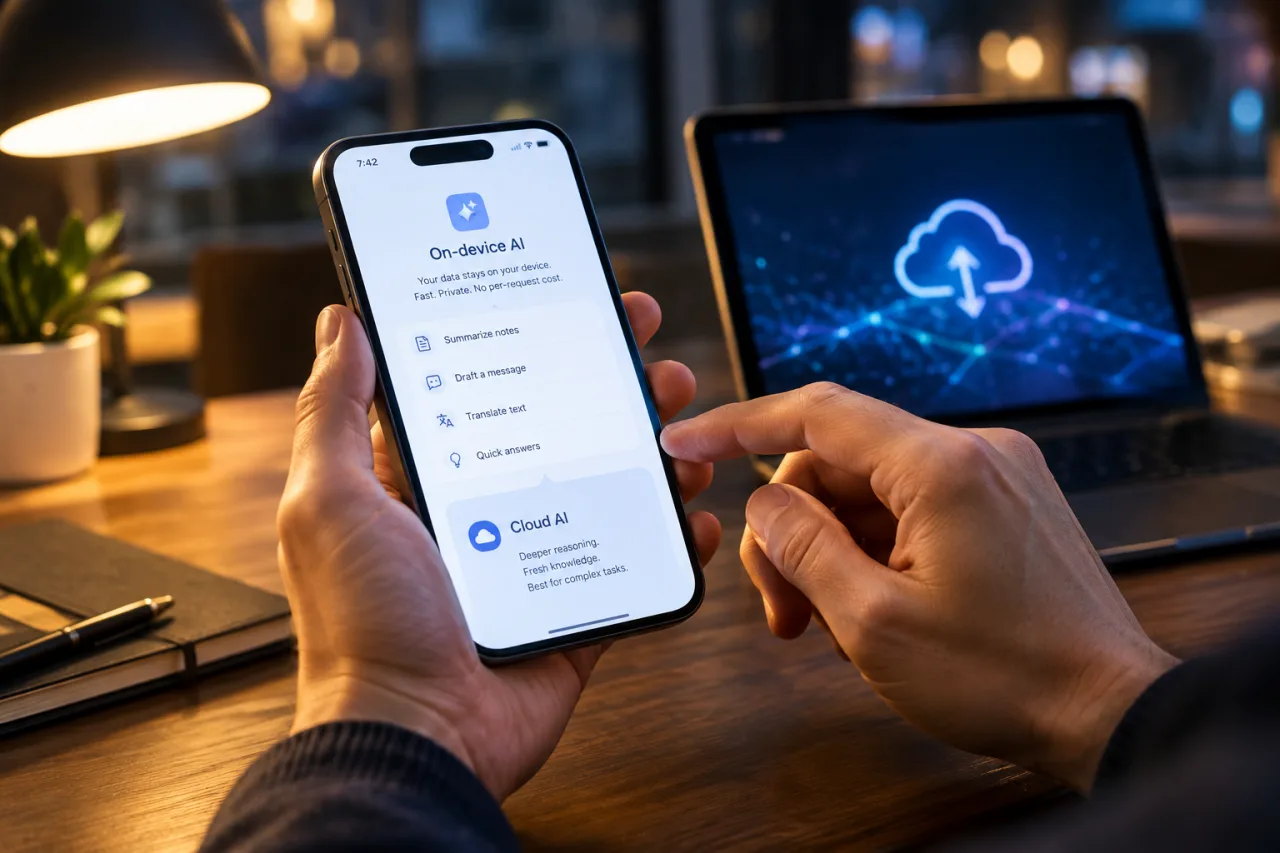
The smartest way to think about on-device AI versus cloud AI is to stop asking where the model lives and start asking what the task needs. The two approaches are not rivals for the same job; they are different tools with different strengths. The phones and laptops shipping in 2026 made this a practical decision instead of a laboratory one, because dedicated AI silicon is now standard equipment, and Apple, Google, and Microsoft each ship an on-device model through their operating systems at no extra charge. This piece walks through what the hardware actually delivers, where the small model breaks, and how a working professional should route work between the two.
The pattern that surprised even app builders: almost nothing chooses one side cleanly anymore. The pattern that won 2026 is hybrid. A small model on the device handles the common 80 percent of requests, including summaries, smart replies, transcription, and classification, and the cloud takes the hard 20 percent: multi-step reasoning, long documents, and anything needing knowledge newer than the device’s training cutoff. What follows is the evidence behind that split, and the practical rules for applying it to your own work.
Why On-Device AI Is Happening Now
Three shifts landed at the same time, and their overlap explains the sudden practicality. First, the silicon arrived. Microsoft’s Copilot+ PC tier requires a neural processing unit rated at more than 40 trillion operations per second, alongside 16 GB of memory and a 256 GB drive, a floor that chipmakers from Qualcomm, AMD, and Intel now clear routinely. Phones carry the same story in a smaller envelope, with each flagship shipping a dedicated NPU for transformer workloads, the same silicon race we mapped in our custom AI chips breakdown.
Second, the platforms started giving the model away. You no longer need a machine-learning team to run local inference, because the operating system manages the weights for you. Google exposes Gemini Nano, a roughly 1.8-billion-parameter model, through the Android AICore system service, with summarization, proofreading, rewriting, image description, and speech recognition available through the ML Kit GenAI APIs. Apple opened its Foundation Models framework so any app can call the on-device model that powers Writing Tools and Priority Notifications. Microsoft ships Phi Silica on Copilot+ PCs. The model download, the quantization work, and the acceleration plumbing all disappeared into the OS.
Third, the privacy stakes became concrete. Apple’s engineering write-up on Private Cloud Compute states the problem plainly and then builds the answer: custom servers whose running code is publicly auditable and that Apple says it cannot inspect. That is a hybrid design, not an escape from the cloud, and its existence is the clearest admission that the escalation path is permanent. Google runs an equivalent split between Gemini Nano and its cloud models.
What the Numbers Reveal, and What They Miss
The capability gap between a phone model and a frontier cloud model is not a rounding error, and the benchmark data makes it impossible to spin. On version 5.0 of the Artificial Analysis Intelligence Index, checked in late October 2026, the best open model up to 4 billion parameters, NVIDIA’s Nemotron 3 Nano 4B, scores 1.8 points, while the leading frontier model scores 58. That is not a small-model-versus-big-model gap; it is a different league. Small models forget context, invent answers to open questions, and break on multi-step agent tasks, which is exactly the work professionals ask of AI.
The hardware numbers deserve their own skepticism too. Headline TOPS figures sell laptops, but sustained generation speed is bound by memory bandwidth, not operations per second. A quantized 3B model adds roughly 1.8 GB to an app bundle, a 7B model adds 4 to 5 GB, and continuous on-device inference drives thermal throttling on most phones within 10 to 20 minutes of sustained use. For low-storage devices, still common in the Philippines, the cloud token pricing our API pricing comparison mapped can be cheaper than upgrading the phone., a model download can exclude users entirely.
What the numbers understate is where small models genuinely win: latency and availability. On-device decoding delivers a first token in roughly 180 to 250 milliseconds, while a cloud round trip over mobile networks adds 80 to 350 milliseconds before compute even starts. When the connection disappears, on-device keeps working. On a plane, in a basement, in a province blackout, the feature does not care.
The Second-Order Effect: Hybrid Became the Default Design
The deepest consequence of this hardware wave is architectural, not economic. App design now treats AI routing the way it treats caching: a first-class layer that sends each request to the cheapest tier that can handle it. A task-complexity check runs on the device, the privacy mode setting is read, connectivity is verified, and the request goes to the on-device model, the vendor cloud, or a privacy-preserving escalation path like Apple’s Private Cloud Compute. Routine writing assistance and notification triage stay local; hard reasoning escalates.
For builders, the effect is that on-device AI became a default component rather than a differentiator. System-provided models carry no binary size penalty and no per-token bill, so leaving them unused costs more than using them. For professionals, the effect is subtler and more personal: the privacy default flipped. Documents summarized locally never touch a server, so the question “can I paste this into the cloud tool?” quietly becomes “does the on-device path handle this yet?”
Where the Philippine Context Shifts the Weights
The global write-up of this decision assumes one flat internet reality. Readers in the Philippines navigate a different one, and it moves several weights in the direction of on-device AI. A large share of the installed phone base sits in the mid-range tier, and vendor documentation is blunt about what that means: processors in the Dimensity 7000 class and Snapdragon 6 series carry limited or no NPU acceleration for large models, so the on-device tier simply is not present on the phones many Filipinos use today. The decision then becomes a device-replacement question, which is a far slower lever than a software toggle.
Connectivity is the second weight. Provincial travel, mountain roads, storm outages, and basement-level workspaces all produce hours where a cloud-only feature is dead weight, while prepaid data budgets make “always-on inference” a visible monthly cost rather than an abstraction. An on-device AI feature runs through those hours at first-token speed with zero data charges. For the OFW reader the privacy weight carries its own value: payroll slips, remittance confirmations, and family documents summarized locally never enter a server log at all, and that is a property no cloud provider can equal at any price.
None of this makes the cloud the wrong choice for Filipinos. It makes the routing rules above sharper: for the same task list, the local tier buys back money, signal dead-zones, and privacy simultaneously, which is why the hybrid pattern matters more in this market, not less.
The Five Cost Lines Nobody Totals
Both sides carry costs, and a real comparison totals four lines. Cloud inference bills per token, with rates that rise at frontier tiers, and the bill scales linearly with usage. On-device inference bills in hardware, storage, and heat: a quantized 3B model occupies about 1.8 GB, a 7B model 4 to 5 GB, and battery drain shows up quickly under sustained load. For a builder shipping a custom model, the engineering line adds fine-tuning compute on the order of roughly $500 to $5,000 for a small 3B run, plus quantization and conversion work. The fifth line is invisible but real: update logistics, because cloud models improve silently on the server while on-device AI models arrive through app-store releases and OS upgrades. Our advice for a solo creator or a small business is practical: treat the system-provided models as the free tier you default to, and price a custom local model only when the task is your product’s core, not a feature.
What a Professional Should Do With This Decision
The routing rules fit on an index card, and they hold for both consumers and builders in a Philippine context, where prepaid data budgets and patchy provincial connectivity make the offline argument practical rather than theoretical.
- Route by task, not by tribe. Summaries, grammar, replies, transcription, classification, and short drafts belong on the device. Research, long analysis, coding, and anything requiring today’s information belong in the cloud. Neither side is “better”; the question is always which task.
- Treat privacy as the tiebreaker. If the material is a client contract, a medical record, a payroll file, or anything you would not text to a stranger, prefer the on-device path when one exists. Data that never leaves the phone has no interception log to leak.
- Check the storage before you commit. A local model is a 2-to-5 GB resident on your device. On a 64 GB phone already crowded with photos, that is a real cost, and Android’s tiered behavior means not every device gets the same model. Verify before you promise offline capability to anyone.
- Builders: use the system APIs first. AICore and the Foundation Models framework give you a capable model with zero download and zero maintenance. Reach for custom models only when the task is your product.
What Comes Next
Watch three markers over the next year. Chip generations keep climbing: newer laptop NPUs publish 60 to 85 TOPS, and Qualcomm’s phone silicon advertises a further 35 percent jump, which mostly buys speed rather than closing the reasoning gap. Context windows on devices are growing too, with Apple’s samples already exercising an 8,192-token context on-device. And the platform APIs keep deepening, with Apple’s single session API now able to reach the on-device model, the privacy-preserving cloud tier, or third-party server models through one interface. None of these moves eliminates the split; each one sharpens the routing rules described above. The desktop surface is widening too, with Chrome’s Prompt API reaching stable builds on machines with a modern GPU or 16 GB of RAM, and Microsoft planning a successor model line for its on-device assistant that moves from insider builds into retail devices in early 2027. Android developers should also read the fine print on quotas, since the managed ML Kit path is foreground-app-only with usage limits today. None of these moves eliminates the split; each one sharpens the routing rules above. The frontier stays in the cloud, the routine stays in your hand, and on-device AI keeps taking a bigger share of the tasks that matter daily.
Frequently Asked Questions About On-Device AI
What does on-device AI actually mean?
It means the AI model runs on your own hardware, a phone’s NPU or a laptop’s dedicated AI processor, instead of on a company’s servers. Your text, photos, or voice notes are processed locally, nothing is uploaded, and the feature keeps working with no internet connection.
Is on-device AI more private than cloud AI?
Yes, by structure rather than by promise. Data processed on the device never crosses a network, so there is nothing to intercept, log, or subpoena. Cloud AI can be private under strong terms, but the data does leave the device, which is why Apple built its auditable Private Cloud Compute as the escalation path.
Why not just run everything on the device?
Capability. A 2026 phone model tops out around 3 to 4 billion parameters, against frontier cloud models far larger, and benchmark scores show the reasoning gap, 1.8 versus 58 on one respected index. Small models also consume storage, about 1.8 GB for a 3B model, and sustained use heats phones into throttling within minutes.
Do on-device AI features cost money to run?
No marginal cost. The silicon you already own does the work, so there is no per-token bill, which is why system-provided models like Gemini Nano and Apple’s Foundation Models are effectively free for builders to adopt. The costs are up front: storage, battery, and, for custom models, optimization engineering.
Which should I use for sensitive work documents?
Prefer the on-device path where your device and tooling offer one, because sensitive content never leaves your hardware. For tasks beyond the device model’s ability, use a cloud service whose data terms you have actually read, and remember that Apple’s Private Cloud Compute exists precisely for this middle case.
Will on-device AI replace cloud AI?
No, and the 2026 platforms are evidence: Apple, Google, and Microsoft all ship hybrid systems where routine tasks run locally and hard tasks escalate to data centers. The boundary moves as chips improve, but the two-tier pattern is the design the industry settled on.
- learn.microsoft.com/en-us/windows/ai/npu-devices — Microsoft’s Copilot+ PC tier
- developer.android.com/ai/gemini-nano — Gemini Nano
- machinelearning.apple.com/research/apple-foundation-models-2025-updat… — Foundation Models framework
- security.apple.com/blog/private-cloud-compute — Apple’s engineering write-up on Private Cloud Compute
- slash-digital.io/en/insights/small-models-on-device — version 5.0 of the Artificial Analysis Intelligence Index
External sources linked in this article, in order of first mention. Spotted an error or a broken link? Tell us.
Cite this pagePublished Nov 19, 2026
Agron, E. (2026, November 19). On-Device AI vs Cloud AI: Which One Should Your Work Run On? WorldNgayon. https://worldngayon.com/on-device-ai-vs-cloud-ai/
Agron, Edmon. “On-Device AI vs Cloud AI: Which One Should Your Work Run On?” WorldNgayon, 19 Nov. 2026, worldngayon.com/on-device-ai-vs-cloud-ai/.
Agron, Edmon. “On-Device AI vs Cloud AI: Which One Should Your Work Run On?” WorldNgayon, November 19, 2026. https://worldngayon.com/on-device-ai-vs-cloud-ai/.
Agron, E. (2026) ‘On-Device AI vs Cloud AI: Which One Should Your Work Run On?’, WorldNgayon, 19 November. Available at: https://worldngayon.com/on-device-ai-vs-cloud-ai/.
E. Agron, “On-Device AI vs Cloud AI: Which One Should Your Work Run On?” WorldNgayon, Nov. 19, 2026. [Online]. Available: https://worldngayon.com/on-device-ai-vs-cloud-ai/
@online{agron2026ondevice,
  author       = {Agron, Edmon},
  title        = {{On-Device AI vs Cloud AI: Which One Should Your Work Run On?}},
  year         = {2026},
  date         = {2026-11-19},
  organization = {WorldNgayon},
  url          = {https://worldngayon.com/on-device-ai-vs-cloud-ai/},
  urldate      = {}
}TY - ELEC AU - Agron, Edmon TI - On-Device AI vs Cloud AI: Which One Should Your Work Run On? T2 - WorldNgayon PY - 2026 DA - 2026/11/19/ UR - https://worldngayon.com/on-device-ai-vs-cloud-ai/ Y2 - ER -
Cite the version you read; the page may be updated. Zotero and Mendeley can also import this page directly.