Table of Contents
GCash account security has become urgent for every Filipino e-wallet user. TransUnion’s H1 2026 Top Fraud Trends Report found that 72% of surveyed Filipino consumers were targeted by digital fraud attempts between August and December 2025 — compared to 53% worldwide. The Philippines’ suspected digital fraud rate hit 4.1% in 2025, exceeding the global average of 3.8% for the sixth consecutive year. And 38% of Filipinos reported losing money to digital fraud, with a median loss of $850 (approximately ₱50,000) per incident.
Yet most GCash users have never enabled the platform’s three most powerful security features — Account Secure, DoubleSafe, and biometric login — even though each one takes under three minutes to activate. The gap between the fraud threat facing Filipinos and the security tools sitting unused inside their own phones is the real story here. GCash account security is not about waiting for the platform to protect you. It is about using the protections that already exist, today, before a scammer reaches your wallet.
Here is what the data shows about the threat, what GCash has built to defend against it, and exactly how to turn on every layer of protection before the next wave of scams arrives. If you also use Maya or other digital wallets, our GCash and Maya security comparison covers platform-specific protections. And if you are choosing which digital bank to trust with your savings, our guide to BSP-licensed digital banks breaks down the safety features of each.
Why GCash Account Security Matters Now
The Bangko Sentral ng Pilipinas (BSP) reported that social engineering schemes — where criminals manipulate victims into revealing sensitive information — accounted for 76% of total fraud losses in the Philippines last year, as detailed in WorldNgayon’s analysis of Philippine digital fraud trends. Hacking made up 13%, while card-not-present fraud accounted for 8%. The threat has shifted from technical exploits to human manipulation, which means no software patch or firewall can fully protect you. The defense that matters most is what you do before a scammer contacts you.
TransUnion found that fraud risk in the Philippines is highest at the account login stage, with a suspected fraud rate of 6.1% — significantly above the global rate of 4.3%, according to Inquirer’s coverage of the TransUnion H1 2026 report. This is followed by account creation at 4.5% and financial transactions at 1.1%. In other words, scammers are concentrating their efforts on getting into your account, not on individual transactions. Once they are inside, the money moves fast.
The most common attack vectors reported by targeted Filipinos were phishing at 45% (fraudulent emails, websites, social posts, and QR codes designed to steal credentials), smishing at 38% (fraudulent text messages — a threat explored in our smishing scam protection guide), and third-party seller scams on legitimate online retail platforms at 28%. Phishing has evolved beyond fake emails — it now includes fake QR codes, a tactic known as “quishing,” which has become one of the fastest-growing threats to Filipino e-wallet users. For a broader view of the threats facing Filipinos, see our top 7 online scams Filipinos must avoid in 2026.
Yogesh Daware, chief commercial officer at TransUnion Philippines, described the landscape plainly: “These insights point to a landscape characterized by more frequent, lower-value scams across digital channels and industries, rather than isolated big-ticket cases. The breadth and frequency of these incidents make digital fraud a persistent concern.” In other words, scammers are not trying to steal ₱1 million from one person. They are trying to steal ₱50,000 from a thousand people. And your GCash account is one of their primary targets.
The Quishing Wave: 6,700 Merchants Blocked
On July 9, 2026, GCash announced it had blocked more than 6,700 fraudulent merchant accounts linked to QRPh-related scams — a tactic called “quishing,” where fake QR codes redirect users to malicious payment pages that mimic legitimate GCash interfaces, according to Benteuno’s July 2026 report. These fake QR codes have been found embedded in posters, emails, receipts, and messages. When scanned, they redirect users to fake login pages for e-wallets or banks, or to sites that install harmful software on their devices.
Miguel Geronilla, chief information security officer at GCash, said in a statement: “Scammers are constantly evolving their tactics alongside digital payments, and we are equally committed to staying ahead of these threats. By proactively blocking suspicious accounts, flagging fraudulent payment pages, and reporting these activities to regulators and law enforcement, we help stop these schemes before they can affect more Filipinos.”
GCash’s enforcement actions include immediately blocking suspicious wallets linked to fraudulent QRPh activity, identifying and escalating fake websites impersonating official GCash payment pages for takedown, and submitting incident reports to PH Payments Management Inc. (PPMI) and the Cybercrime Investigation and Coordinating Center (CICC). But enforcement alone cannot stop every scam. The defenses that matter most are the ones you control on your own device.
Three Layers of GCash Account Security You Should Enable Today
GCash has built three security features that directly address the fraud patterns identified in the TransUnion report. Each one targets a different stage of the attack chain — from account login (where fraud risk is highest at 6.1%) to high-value transactions. Here is what each feature does, why it matters for GCash account security, and exactly how to turn it on.
1. Account Secure — Lock Your Account to One Phone
Account Secure is GCash’s device-binding feature. It ensures that only one registered smartphone can log in to and access your GCash account at a time. This directly addresses the account login fraud risk that TransUnion flagged as the Philippines’ biggest vulnerability — if a scammer obtains your MPIN and OTP but tries to log in from a different device, Account Secure blocks them.
To enable Account Secure:
- Open the GCash app and input your mobile number. Tap Next, then choose Send Code.
- Enter the six-digit authentication code (OTP) sent to your phone and select Submit.
- Key in your MPIN on the login screen.
- Choose Yes! Register this Phone.
- Complete a selfie scan or enter your MPIN to confirm.
You will receive an SMS confirming successful registration. To manage or unregister a device later, go to Profile → Settings → Account Secure, tap the arrow beside your registered unit, and select Unregister Phone. Note that GCash limits the number of device-linking requests per month — do not unregister unless you are switching phones permanently.
2. DoubleSafe — Selfie Verification for High-Risk Actions
DoubleSafe adds a selfie-based verification step for high-risk activities, such as logging in on a new device or executing high-value transactions. Even if a scammer steals your MPIN and intercepts your OTP, they cannot complete the login without your face. This is the layer that stops account takeover attacks — the exact scenario where social engineering tricks a victim into revealing credentials.
DoubleSafe is automatically prompted on first login to a new device. When you see the selfie scan prompt, follow these steps:
- When prompted during login on a new device, position your face within the frame shown on screen.
- Hold still until the scan completes — this typically takes 3-5 seconds.
- If the scan fails, ensure you are in a well-lit area and remove any face coverings (masks, sunglasses).
- The scan confirms your identity and grants access. No one else can replicate this step.
You can verify DoubleSafe is active by checking Profile → Settings in your GCash app. If you do not see DoubleSafe listed, update your GCash app to the latest version from the Google Play Store or Apple App Store.
3. Biometric Login — Fingerprint and Face Recognition
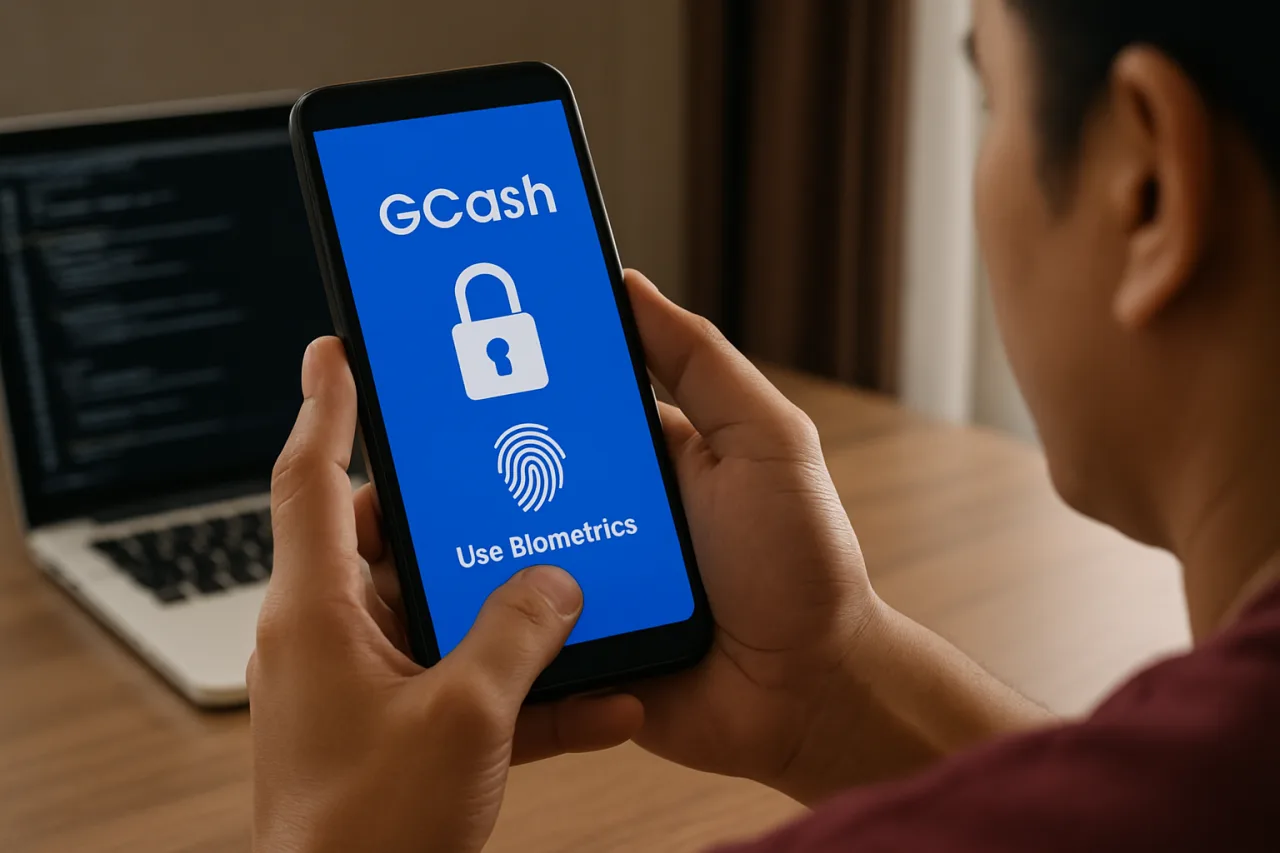
Biometric login replaces typed MPIN entry with fingerprint or facial recognition. This protects against shoulder-surfing — someone watching you type your MPIN in public — and against keylogging malware that could capture keystrokes. With 91% of Filipinos managing at least part of their accounts online, according to TransUnion, the exposure to shoulder-surfing and screen-recording malware is higher than ever.
To enable biometric login:
- Open the GCash app and tap Profile at the bottom of the screen.
- Go to Settings.
- Look for Biometrics Login or Face ID / Fingerprint (label varies by device).
- Toggle the feature on and verify your biometric when prompted.
- From now on, opening GCash requires your fingerprint or face scan instead of a typed MPIN.
The Habits Beyond the App
Enabling all three security features closes the technical gaps in your GCash account security. But 76% of fraud losses in the Philippines come from social engineering — scams that bypass technology by manipulating the human holding the phone. The features above will stop a scammer who has your password. They will not stop a scammer who convinces you to send money voluntarily. That defense is built from habits, not settings. For comprehensive coverage of digital safety practices, see our OFW digital safety guide and the Philippine cybersecurity landscape guide.
Here are the five habits that complement your GCash account security setup:
Verify the merchant name before confirming any QRPh payment. Quishing scams rely on victims scanning first and checking second. Before you tap “Pay,” read the merchant name displayed on the confirmation screen. If it does not match the store or seller you intend to pay, cancel the transaction immediately.
Check the URL before entering login details on any web page. Fake GCash payment pages use domains that look similar but are not official. The only legitimate GCash domain is gcash.com. If the URL contains extra words, numbers, or unusual extensions, do not enter your credentials.
Never share your OTP, MPIN, or selfie scan with anyone. Not GCash customer service. Not a “verification agent.” Not a family member claiming their account is locked. GCash will never call, text, or message you asking for these credentials. Anyone who does is a scammer.
Report suspicious activity immediately through official channels. Use the in-app Help Center, chat with Gigi and select “I want to report a scam,” or call the official GCash hotline at 2882. You can also report incidents to the PNP Anti-Cybercrime Group at (02) 8414-1560 or the CICC via hotline 1326.
Do not click links in unsolicited text messages. Smishing accounts for 38% of fraud attempts targeting Filipinos. If a text claims your account is locked, your package is pending, or you won a prize — and it contains a link — delete it. Log in directly through the GCash app to check your account status. For more on how AI is supercharging these scams, see our investigation into AI deepfake scams in the Philippines.
What the Regulator Is Doing
The BSP is not standing still. In June 2026, the central bank issued Circular No. 1237, which strengthens regulations on the operation of digital financial marketplaces and the presentation of financial products and services. The circular lays out sanctions for BSP-supervised institutions that violate financial consumer protection provisions, tightening the accountability of banks and e-wallet operators for fraud that occurs on their platforms.
This matters because it shifts some of the burden from consumers to platforms. But regulatory protection is reactive — it punishes failures after they happen. Your GCash account security is proactive. The features and habits described above are the ones that stop fraud before a report is ever filed.
The Philippines now ranks among the markets with the most widespread digital fraud exposure across 18 countries and regions surveyed by TransUnion. That distinction will not change quickly. But your personal risk can change today — in the ten minutes it takes to enable Account Secure, activate DoubleSafe, switch on biometric login, and commit to the five habits that close the social engineering gap. GCash account security is not a one-time setup. It is a daily practice. And the best time to start is before you become the next statistic.
Frequently Asked Questions About GCash Account Security
What is GCash Account Secure and how does it protect my account?
GCash Account Secure is a device-binding feature that limits your account to one registered smartphone at a time. It prevents anyone from logging in to your GCash account from a different device, even if they have your mobile number, MPIN, and OTP. This is a critical component of GCash account security. You can enable it through Profile → Settings → Account Secure in the GCash app.
How does GCash DoubleSafe work?
DoubleSafe is a selfie-based verification step triggered during high-risk activities, such as logging in on a new device or completing high-value transactions. It uses facial recognition to confirm that the account owner is the person attempting the action. Even if a scammer steals your MPIN and intercepts your OTP, they cannot pass the DoubleSafe selfie scan.
What is quishing and how do I avoid it on GCash?
Quishing is QR code phishing — a scam where fake QR codes redirect users to malicious payment pages that mimic legitimate GCash interfaces. GCash blocked over 6,700 fraudulent merchants linked to quishing scams in July 2026. To avoid quishing, always verify the merchant name before confirming a QRPh payment, check that the URL matches official GCash domains, and never scan QR codes from unknown or untrusted sources.
What should I do if my GCash account is hacked or compromised?
If your GCash account is compromised, immediately report it through the in-app Help Center by chatting with Gigi and selecting “I want to report a scam,” or call the official GCash hotline at 2882. You can also report incidents to the PNP Anti-Cybercrime Group at (02) 8414-1560 or the CICC via hotline 1326. The faster you report, the higher the chance of recovering funds.
How common is digital fraud in the Philippines in 2026?
According to TransUnion’s H1 2026 Top Fraud Trends Report, 72% of surveyed Filipino consumers were targeted by digital fraud attempts between August and December 2025, compared to 53% globally. The Philippines’ suspected digital fraud rate was 4.1% in 2025, exceeding the global average of 3.8% for the sixth consecutive year. 38% of Filipinos reported losing money to digital fraud, with a median loss of approximately ₱50,000 per incident.
Can I use GCash safely without enabling all three security features?
You can use GCash without enabling all three features, but your GCash account security is significantly more vulnerable. Account login is the stage with the highest fraud risk in the Philippines at 6.1%, well above the global rate of 4.3%. Enabling Account Secure, DoubleSafe, and biometric login closes the gaps that scammers most frequently exploit. The features take less than 10 minutes total to activate and are the foundation of proper GCash account security.
Disclaimer: This article is for informational purposes only and does not constitute financial or cybersecurity advice. Always verify security settings and procedures directly through the official GCash app and help center at help.gcash.com. WorldNgayon is not affiliated with GCash or its parent companies.