Discord Account Hacked: Recovery Steps and Security Review
Key Takeaway
⚡ For a Discord account hacked with an email change, the first move is in the old inbox, not the login screen: Discord sends a “Discord Email Address changed” notification to the original address with a Start Account Recovery button that reverts the change, Discord sends a “Discord Email Address changed” notification to the original address. It carries a Start Account Recovery button that reverts the change, and it expires 48 hours after the change was confirmed (per Discord’s support documentation).
🔄 The documented recovery flow does the whole cleanup in one pass: reverting the email change also logs the account out from all devices, requires setting a new password, removes any phone number and the multi-factor methods on the account, and invalidates later recovery links, the attacker’s two-factor setup is removed in the same process. Re-add your own MFA right after.
🎫 When the 48-hour window has closed, the route is Discord’s ticket form: report the compromise through dis.gd/hackedaccount with the account’s original email, username, and any evidence available (screenshots, receipts). Discord does not guarantee recovery, its own documentation states you are responsible for account security and that it may be unable to assist — and it cannot reissue an expired recovery link.
🧹 Resetting the password alone does not end a compromise: applications authorized on the account (User Settings → Authorized Apps) keep their access until you remove them — Discord’s own recovery instructions include reviewing that list — and an infected device can capture the new credentials within hours. The malware scan, the deauthorization pass and the friend warning are part of the job, not optional extras.
🛡️ Prevention keeps the recovery from repeating: MFA with an authenticator app or a security key, a unique email on record, a pruned authorized-apps list, patched devices and browsers, and one household rule: Discord staff do not initiate contact inside the app, and support does not ask for your password or a code, and a login request from a “giveaway” is a scam by definition.
Table of Contents
A Discord account hacked by an attacker who then changes the account’s email and enables their own two-factor authentication uses the account’s own security settings to lock the real owner out. Most compromises follow that shape, and the recovery process has to answer it directly: the attacker grabs the account’s session credentials or password, changes the email on record, and enables their own two-factor authentication so the account’s own security settings lock the real owner out. Discord’s support documentation documents the way back, and it depends on timing: an email-change revert link that works for 48 hours, and a support form for everything after. This guide follows that documentation step by step, separates what each recovery path can and cannot do, and covers the cleanup that a password reset alone leaves unfinished.
What to Do First: The First Hour
Discord’s own guidance is direct: check your email first. When the email address on an account changes, Discord sends a notification titled “Discord Email Address changed” to the address the account used before. That message contains a button labeled Start Account Recovery, and using it is the fastest documented way back into the account, if it is still within its validity period. The link is generated for your account specifically, stops working 48 hours after the change was confirmed, and Discord’s documentation advises against sharing it with anyone.
A Discord account hacked through a stolen session token may show no visible signs at first — the attacker does not need the password. The reason speed matters is practical rather than dramatic. Once the 48-hour window closes, the revert path is gone, and what remains is the support form, where recovery depends on review rather than automation. If your account shows any of the usual compromise signs: password no longer accepted, messages sent from your account that you did not write, an email-change notice you did not cause, logins from devices you do not recognize, or friends reporting strange messages from you, go to the old inbox first, even while the login screen is failing.
Recovering an Account Whose Email Was Changed
The revert flow is documented on Discord’s support site (“My Discord Email was Changed and I Want to Undo It”), and two details in it decide whether it works. First, per Discord’s documentation, the real link leads to a page starting with discord.com/wasntme/, and Discord states plainly that anything else is fake and not from Discord. Second, the flow is time-boxed: pressing Start Account Recovery opens an Account Recovery page that completes several actions in one process:
the account’s email address is reverted to the one the notification was sent to;
the account is logged out from all devices, including the attacker’s session;
setting a new password is required during the process, in case the attacker knows the current one;
any phone number on the account is removed;
all multi-factor authentication methods on the account are removed, including the attacker’s;
existing recovery URLs for later email changes are invalidated.
After the process completes, re-add your own security settings: a new MFA method and, if you use one, your phone number. Discord also notes two error cases worth knowing in advance: a recovery performed with an earlier link invalidates newer links, and the old email address cannot still be registered to another Discord account when you revert.
One limitation in the documentation matters more than any other: if the recovery link has expired, Discord’s support team cannot send you a new one. The revert is a 48-hour tool, not a standing option.
Password Reset vs Recovery: What Is Different
An ordinary password reset and account recovery after an email change are different operations, and mixing them up wastes the recovery window. If the attacker only guessed or stole your password and the email on record is still yours, the normal route applies: use the Forgot Password flow so a reset link arrives at your own inbox, set a new password, and enable MFA. That is the reset path Discord’s documentation describes for a suspected compromise.
If the attacker changed the account’s email, a reset request goes to the address you no longer control, so the login-screen reset cannot reach you. That is the condition where the documented revert link in the old inbox does the work instead. And when both the email change is older than 48 hours and no login is possible, the remaining documented route is the support form at dis.gd/hackedaccount, not a repeat of the reset attempts, and not a new account that quietly abandons the old one.
A boundary every reader should hold: Discord’s documentation states that you are responsible for the security of your account, and that when an account is compromised through failed security, Discord may be unable to assist in its recovery. Submitting the form well-prepared is the documented way to proceed; expecting a guaranteed outcome is not something the documentation promises.
When Two-Factor Authentication Blocks You
An attacker who enables their own MFA does exactly one effective thing: they delay you at the login screen. The documented recovery removes it, the revert process strips every MFA method and phone number from the account as part of the cleanup, precisely so that attacker-controlled second factors do not survive the recovery. What the revert does not do is preserve your own enrollment: after regaining the account, set up a fresh MFA method immediately (an authenticator app or a security key), because an account protected by a password alone is the same account, one leak away from a repeat.
Where the 48-hour window has passed, MFA removal becomes part of the support review instead of the automated flow. That is another reason the evidence pack matters: the more you can document about the account’s ownership history (original email, creation period, purchase receipts, prior phone numbers), the clearer the review.
How to Report the Compromise
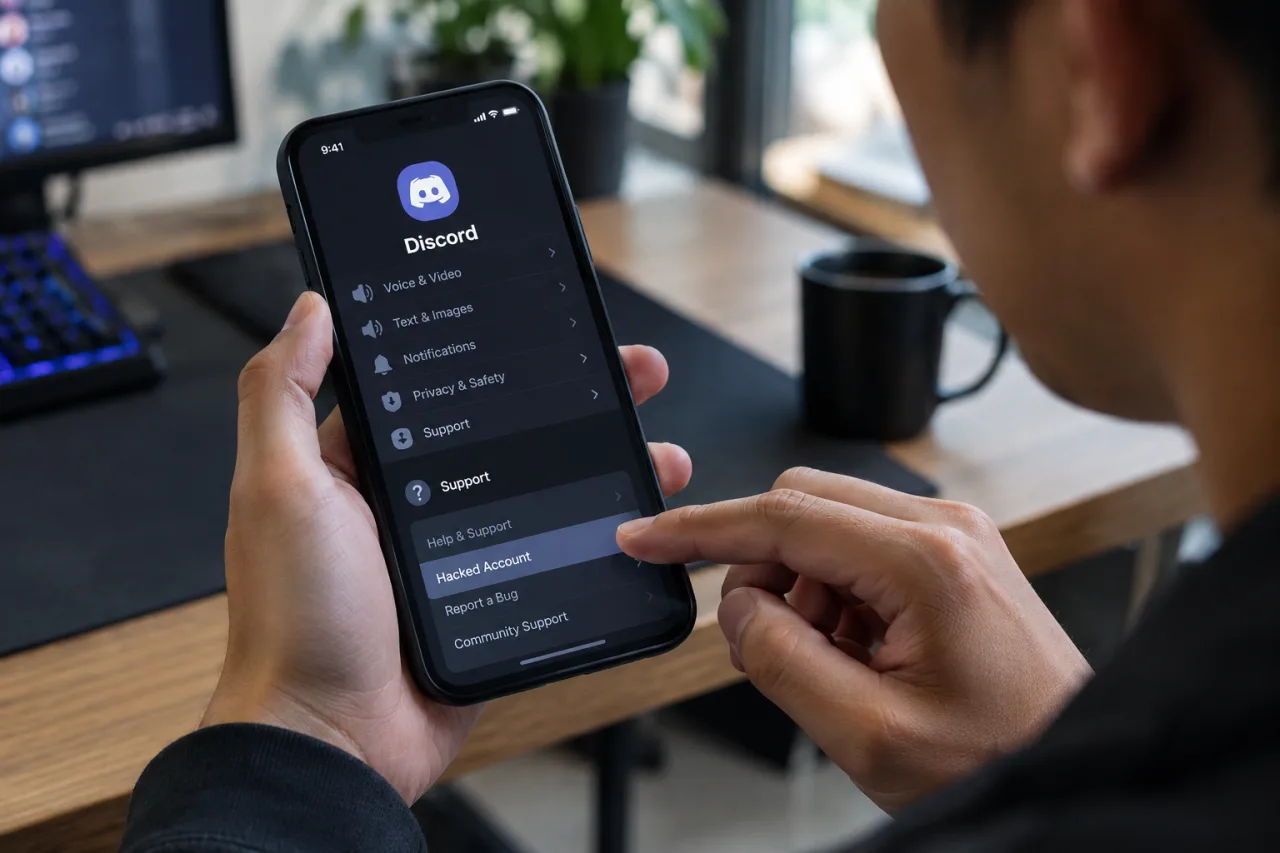
Discord operates one official intake for hijacked accounts: the Hacked Account form at dis.gd/hackedaccount. Fill in the username and user ID, the email associated with the account before the compromise, and everything supporting your ownership: a full description of what happened, any Discord Nitro or purchase receipts, prior phone numbers on the account, and screenshots of unauthorized messages or settings changes. If unauthorized charges occurred, include that detail on the same report, Discord’s documentation directs billing questions to its billing team and warns that filing a chargeback with your bank first can suspend the account during investigation.
Abusive messages sent by the attacker from your account, or toward you, can also be reported in the app itself: select the message, choose Report Message, and pick the abuse type. Keep your report inside official channels, a DM from someone offering to recover the account is the scam, not the recovery.
After the Account Is Back: The Security Review
Regaining the login is the midpoint, not the finish. Discord’s own recovery instructions include three steps users commonly skip, and each one covers a different risk:
Review Authorized Apps. Applications the account connected, bots, tools, and third-party services, including any planted during the compromise, hold standing access that survives a password change. Work through User Settings → Authorized Apps on desktop, or the avatar menu → Authorized Apps on mobile, and remove every entry you do not recognize or no longer use.
Scan the devices that signed in. Credential-stealing malware on the computer that touches the account can capture the new password or the fresh session as soon as you log in again. Discord’s documentation recommends a malware scan (it names Windows Defender for Windows); a full browser-extension audit belongs in the same pass, because infostealers often arrive as extensions.
Warn the contacts. Messages the attacker sent went to your friends under your name, and phishing that has already landed does not stop when you recover. A short, link-free message, “my account was compromised; anything it sent you was phishing; ignore or report it”, prevents the next round. This is the same notification step our Google account and WhatsApp recovery guides treat as standard practice.
Server-side cleanup applies if your account carried roles or permissions: administrators of the servers you moderate can check their permission lists for settings the attacker changed while holding the account.
What If the Account Sends Spam?
A Discord account hacked into sending spam presents a specific problem: the messages go out under your name while you cannot log in. In documented cases the spam ships through access the password change does not touch — an authorized application on the account, an active session, or malware on the device. The response sequence stays the same: use the old inbox’s revert link if the email was changed (the flow logs out all devices), work through the authorized-apps list, scan the device, and warn the contacts the messages reached. A short, link-free note — “my account was compromised; anything it sent you was phishing; ignore or report it” — limits the damage beyond the account itself.
How These Compromises Happen
The delivery methods repeat across cases, and each one aims at the same target: your login or the session that stands in for it. Discord’s safety documentation lists the common patterns itself:
Fake giveaways and “free Nitro” offers, where clicking through a game or prize page hands over credentials or a login approval. A giveaway that requires a login or a QR scan is not a giveaway.
Malicious links and downloads disguised as games or tools, files and attachments that install credential-stealing malware on the machine.
Support impersonation, in which an account styled as a Discord employee offers to “help” or “appeal an action” and then requests personal information, payment, or a login. Discord’s own documentation is explicit: Discord Staff will never contact users directly through the Discord app for support-related matters, and requests for personal information, payment, or credential changes should be refused.
QR-code login abuse, where a stranger’s QR code and a rushed approve-click transfer the session. Approve QR logins only when you initiated them yourself, on your own device.
Malware on the device, infostealers that harvest stored logins and active session data, which is why the device scan is part of recovery and not a separate topic.
Two habits defeat every variant above, and they are simpler than any tool: use official channels for anything involving account security (the support site and the in-app menus, rather than a DM that arrived with urgency), and treat any request to disable a security feature as the attack itself. A “verification” step that needs your 2FA code or a login inside someone else’s process is the compromise in progress.
What to Do if It Happens Again
A second compromise usually means at least one of the recovery steps was skipped the first time: the reused password still lives on another service, an authorized app kept its access, the device kept its malware, or MFA was not re-enabled. The response is the same sequence from the top, with the review widened: password again (unique to this account), authorized-apps list again, device scan again, contacts warned again, and every other account sharing the compromised password gets its own change before its own incident.
If the account cycles through repeated compromises despite full cleanup, the support form with a full history of both incidents is the documented escalation path. Discord does not promise a specific outcome for any individual review. What the documentation covers is concrete: the automated revert works within the 48-hour window, the form handles everything after, and neither works unless the underlying causes (reused credentials, malware, missing MFA) are removed.
Frequently Asked Questions
My Discord Account Was Hacked and the Email Was Changed, How Do I Recover It?
For a Discord account hacked with an email change, check the inbox of the address the account used before the compromise. Discord sends a “Discord Email Address changed” notification there when the change is confirmed, and its Start Account Recovery button reverts the change within the 48-hour validity period. The same flow logs out all devices, requires a new password, and removes the attacker’s MFA and any phone number on the account. If the window has expired, submit the support form at dis.gd/hackedaccount, recovery then depends on review, and Discord cannot reissue an expired link.
What Is the 48-Hour Recovery Window?
The revert link in the email-change notification is generated for your account and remains valid for 48 hours from when Discord sent it. Within the window it reverts the email change; after the window it stops working, and per Discord’s documentation the support team is not able to send a new one. If multiple recovery links were generated, using one invalidates any created after it.
Can an Attacker’s 2FA Be Removed?
Yes, within the 48-hour revert process, which removes every MFA method and any phone number on the account as part of the cleanup, so the attacker’s two-factor setup does not survive the recovery. After completing the revert, set up a new MFA method yourself immediately, because the account exits the process protected by the password alone. Beyond the 48-hour window, MFA removal becomes part of the support review submitted through dis.gd/hackedaccount.
How Do I Know if My Discord Account Has Been Compromised?
The usual signs: your password stops working; messages appear from your account that you did not write; the email on record changed without your action; login prompts from devices you do not own; friends report strange DMs from you; servers or roles changed without your instruction. Any one of these justifies checking the old inbox for the email-change notice and starting the documented recovery steps.
What Settings Should I Have on Discord to Stay Safe?
MFA enabled with an authenticator app or a security key rather than relying on any SMS-based method; a strong, unique password; an email on record used for this account alone; an authorized-apps list pruned to services you actually use; devices and browsers kept current (patched browsers, the patch routine this site tracks); and the household briefing, a giveaway does not need a login, Discord staff do not DM first, QR approvals happen only on requests you initiated.
Financial Disclaimer
This article provides general security-information guidance and does not constitute financial, legal, or professional advice. Recovery flows, settings locations and platform procedures change over time; verify against Discord’s official support pages before acting. References to unauthorized charges are informational; follow Discord’s billing guidance and your financial institution’s dispute process for payment matters. The author and publisher disclaim any liability for actions taken based on this information.
External sources linked in this article, in order of first mention. Spotted an error or a broken link? Tell us.
Cite this pagePublished Nov 8, 2026
APA 7
Agron, E. (2026, November 8). Discord Account Hacked: How to Recover It and Secure It Against Another Compromise. WorldNgayon. https://worldngayon.com/discord-account-hacked/
MLA 9
Agron, Edmon. “Discord Account Hacked: How to Recover It and Secure It Against Another Compromise.” WorldNgayon, 8 Nov. 2026, worldngayon.com/discord-account-hacked/.
Chicago
Agron, Edmon. “Discord Account Hacked: How to Recover It and Secure It Against Another Compromise.” WorldNgayon, November 8, 2026. https://worldngayon.com/discord-account-hacked/.
Harvard
Agron, E. (2026) ‘Discord Account Hacked: How to Recover It and Secure It Against Another Compromise’, WorldNgayon, 8 November. Available at: https://worldngayon.com/discord-account-hacked/.
IEEE
E. Agron, “Discord Account Hacked: How to Recover It and Secure It Against Another Compromise,” WorldNgayon, Nov. 8, 2026. [Online]. Available: https://worldngayon.com/discord-account-hacked/
BibTeX
@online{agron2026discordaccount,
  author       = {Agron, Edmon},
  title        = {{Discord Account Hacked: How to Recover It and Secure It Against Another Compromise}},
  year         = {2026},
  date         = {2026-11-08},
  organization = {WorldNgayon},
  url          = {https://worldngayon.com/discord-account-hacked/},
  urldate      = {}
}
RIS
TY  - ELEC
AU  - Agron, Edmon
TI  - Discord Account Hacked: How to Recover It and Secure It Against Another Compromise
T2  - WorldNgayon
PY  - 2026
DA  - 2026/11/08/
UR  - https://worldngayon.com/discord-account-hacked/
Y2  -
ER  -
Cite the version you read; the page may be updated. Zotero and Mendeley can also import this page directly.