Key Takeaway
- 🤖 An android banking trojan called Rokarolla now targets 217 banking and crypto apps — and it impersonates Google Play Protect to get onto your phone.
- 🎭 The infection chain is pure trust-theft: a fake “security update” asks for Accessibility access, then silently kills the real Play Protect and takes 137 remote commands deep.
- 📵 It intercepts your OTPs before notifications appear and can block your bank’s fraud-warning calls — your phone just never rings.
- 🛡️ The defense is behavioral: deny Accessibility access to apps that have no reason to ask, install only from the official Play Store, and keep Play Protect enabled and verified.
- 🔒 Move banking 2FA off SMS where possible — authenticator apps and passkeys survive even a fully compromised phone.
An android banking trojan discovered in June 2026 has rewritten the rules of mobile fraud. Rokarolla — named after its own command-and-control servers — was documented by researchers Vishnu Pratapagiri and Fernando Ortega at Zimperium’s zLabs, and it is not a simple password stealer. It is a full remote-control platform with 137 commands, aimed at 217 banking and cryptocurrency apps, engineered to defeat exactly the protections most Android users trust: Google Play Protect, two-factor authentication, even the bank’s own fraud phone call. Here is how the attack actually works, and the seven defenses that still hold.
Table of Contents
How the Rokarolla Android Banking Trojan Gets In
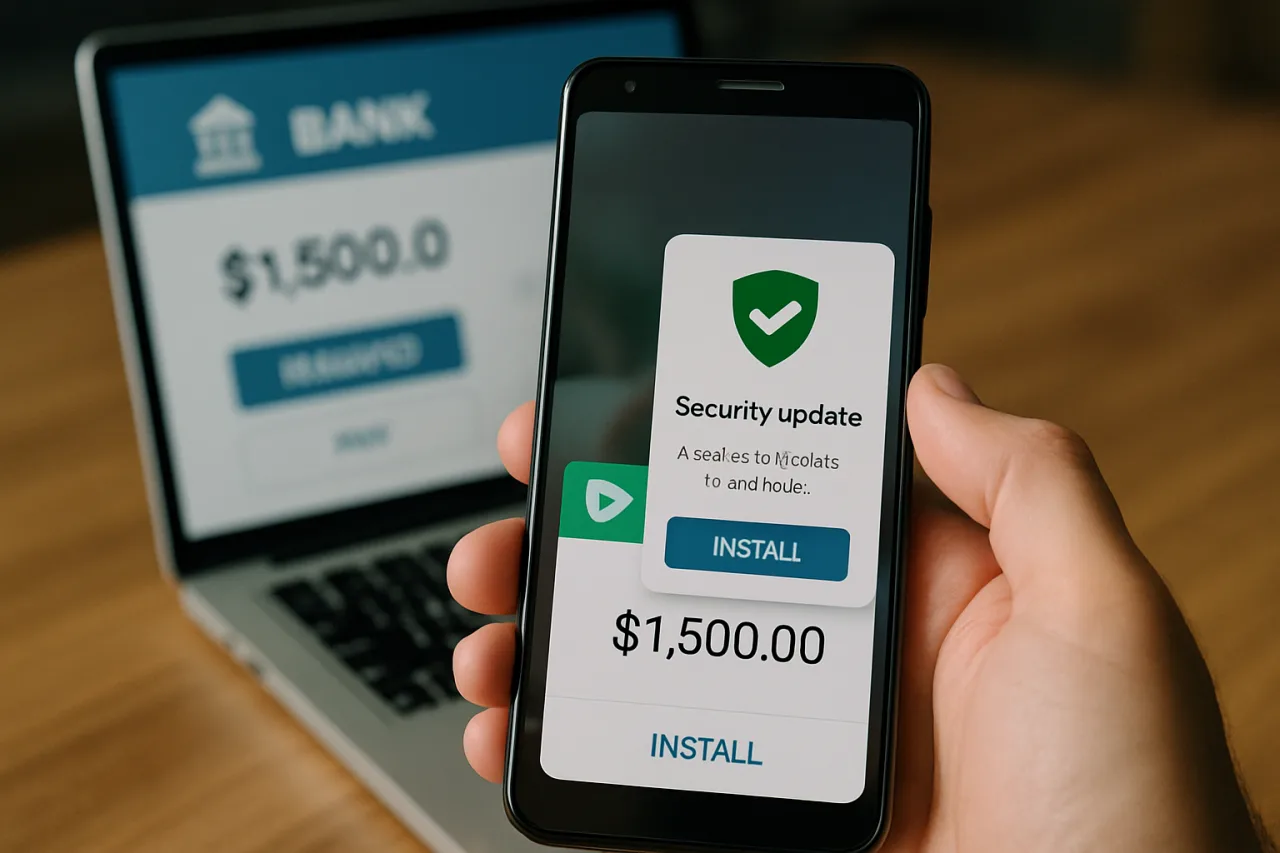
The attack does not start with a suspicious link you would recognize. It starts with you trying to be responsible. The documented distribution chain runs through malicious websites built to look like legitimate download portals — offering fake versions of TikTok, Google Chrome, and, most cleverly, Google Play Protect itself. The victim thinks they are installing a security tool. They are actually handing over the keys.
Zimperium’s analysis describes a two-stage dropper model. Stage one impersonates Google Play Protect during installation, which makes every permission prompt look official. The critical ask is Accessibility Services — the permission that lets an app read your screen and act on your behalf. Once granted, the dropper has everything it needs. Stage two installs the real payload in the background, requests notification access, SMS handling, and call management — and then one of its first commands is to disable Google Play Protect, the very feature it impersonated to earn trust.
From there the phone works normally. Apps open normally. Nothing looks wrong. But every sensitive action is watched, recorded, and streamed to the attacker’s servers. That is the signature of a modern android banking trojan: invisibility first, theft second.
What 137 Remote Commands Looks Like on Your Phone
The previous record-holder among Android bankers, the HOOK trojan, operated with 107 remote commands. Rokarolla ships 137 — the highest documented in 2026. The command set reads like a surveillance product catalog:
- Live HTML overlays (
liveoverlay16): the trojan draws a pixel-perfect fake login screen on top of your real banking app. You type your password into the real-looking form; it goes straight to the attacker while you get logged in normally, so nothing feels off. - Fake SMS and call screens (
sms_overlay_16,call_overlay_16): forged interfaces that capture whatever you enter into them. - Real-time keylogging (
start_keylogger) and screen-text harvesting (textextract): every keystroke and visible string becomes attacker-readable. - Call control (
disable_calls,calls_block): block all calls, or selectively block specific numbers — like your bank’s fraud hotline. - Periodic screenshots: captured, timestamped, compressed, and silently uploaded.
When an infected phone first connects to the C2 server it sends a telemetry beacon — device model, Android version, language, battery, installed apps — and receives a unique bot ID. The operator can then target that specific device with specific overlays for specific apps. Kaspersky’s Q1 2026 mobile threat report counted 162,275 distinct mobile banking trojan packages in the quarter — a 50% jump — so Rokarolla is less an outlier than a flagship of a fast-growing fleet.
The 2FA Bypass: OTPs and the Bank Call That Never Rings
Two-factor authentication is supposed to be the safety net. Rokarolla was built to cut it. By claiming the default SMS handler role — a prompt users approve because the dropper already impersonated Play Protect — the malware reads every incoming text in real time. Your OTP arrives, Rokarolla captures it before the notification ever displays, and the attacker completes the login. Your 2FA becomes the attacker’s 2FA.
The second half is colder. Banks call customers when they detect suspicious activity. Rokarolla’s call-blocking commands mean that warning call never reaches you: the phone simply does not ring. Hoplon InfoSec’s technical breakdown also documents WhatsApp contact harvesting through the same Accessibility abuse — fuel for the follow-up impersonation scams that reach your family after your banking apps are drained.
Defense 1: Never Grant Accessibility to Strangers
Researchers are blunt on the single point of failure: deny Accessibility Services to apps without a clear, user-visible reason, and Rokarolla loses most of its capability. Open Settings → Accessibility today and review every service with access. Legitimate users of Accessibility: TalkBack, screen readers, password managers filling fields (some), automation apps you deliberately installed. Everyone else — revoke. If an app you did not install holds this permission, treat the phone as compromised and jump to Defense 7.
Defense 2: The Only Install Door Is the Play Store
Rokarolla’s entire entry path is sideloading from fake download sites. The defense is one habit: apps come from the official Play Store, full stop. No “update your Chrome” links from SMS, no APK mirrors, no “TikTok Pro” portals. Google’s spokesperson confirmed Rokarolla never made it onto the Play Store — the door works when you use it. If someone sends you an APK link, whatever the story, that is the attack. Our fake software installer guide covers this playbook in depth.
Defense 3: Check Play Protect Right Now
One of Rokarolla’s first commands is disabling Play Protect — so verify yours is alive: Play Store → profile icon → Play Protect → Settings. Both “Scan apps with Play Protect” and “Improve harmful app detection” should be ON. Run a scan. If the toggle was switched off and you did not switch it, that is evidence of stage-two infection — proceed to Defense 7 and change your banking passwords from a different, clean device.
Defense 4: Audit Permissions This Week
The trojan needs three permissions to operate: Accessibility (covered above), notification access, and the default-SMS-handler role. Walk Settings → Apps → Special app access and check each: who is your SMS handler (it should be Google Messages or Samsung Messages), who can read notifications, who can draw over other apps (the overlay mechanism). Anything you cannot name a reason for, remove. Five minutes here dismantles most of the 2026 banker playbook.
Defense 5: Move Your 2FA Off the SMS Channel
Rokarolla’s SMS interception defeats SMS-based codes by design. Authenticator apps generate codes on-device and never touch the SMS channel; passkeys remove the code entirely. Where your bank, GCash, or exchange supports either, switch — the passkeys beginner guide walks through setup. Where SMS is the only option, pair it with transaction limits and push alerts so a stolen OTP does limited damage. And never read an OTP aloud or text it to anyone “verifying” your account — that is the smishing and vishing playbook wearing a bank’s shirt.
Defense 6: Know the Signs of a Compromised Phone
- Battery drains faster than your usage explains — background capture costs power.
- Unknown apps appear in the installed list, or app names mismatch their icons.
- SMS you sent shows as delivered twice, or replies arrive you never saw.
- Contacts report strange messages from your WhatsApp or Messenger.
- Your banking app suddenly asks for permissions it never asked before.
Any one of these is a prompt to run the Defense 3 scan and the Defense 4 audit. Two together justify the quarantine sequence.
Defense 7: If You Are Infected — the Quarantine Sequence
- Disconnect from mobile data and WiFi (airplane mode) to cut the C2 link.
- From a different clean device, change your banking, email, and GCash/Maya passwords first — in that order.
- Revoke sessions on every critical account; the hacked account recovery sequence applies.
- Boot into Safe Mode (long-press power → hold “Power off”), uninstall unknown apps; if uninstall fails, revoke device-admin first, then uninstall.
- Run Play Protect scan and a second opinion from a reputable scanner.
- Last resort, cleanest cure: back up photos and contacts only (no APKs, no “backups”), then full factory reset, restore, and re-secure from step one.
- Warn your contacts — harvested WhatsApp contacts mean impersonation scams may already be running in your name.
Frequently Asked Questions
What is the android banking trojan Rokarolla?
Rokarolla is an Android banking trojan discovered by Zimperium zLabs in June 2026. It targets 217 banking and cryptocurrency apps, operates through 137 remote commands (the most documented in 2026), and spreads through fake download sites posing as TikTok, Chrome, and even Google Play Protect. It steals credentials through screen overlays and Accessibility abuse, intercepts OTPs as the default SMS handler, and can block your bank’s fraud-warning calls.
Can an android banking trojan appear if I only install from the Play Store?
The documented Rokarolla distribution never touched the Play Store — every infection chain starts with sideloading from malicious websites. Staying inside the official store closes the primary door. Risk from the Play Store itself is far lower but not zero, which is why permission audits and Play Protect checks still matter.
How do I know if my phone has Rokarolla?
Look for: Accessibility Services granted to apps you cannot explain, Play Protect switched off without your action, an SMS handler that is not your default messaging app, fast battery drain, and unknown apps in your installed list. Two or more signs together warrant the quarantine sequence and a password rotation from a clean device.
Does 2FA still protect me against android banking trojans?
SMS-based 2FA does not — Rokarolla reads OTPs directly from the SMS channel before you see them. App-based authenticators and passkeys do survive, because they never rely on your SIM or SMS inbox. Move your most valuable accounts — banking, email, GCash — onto authenticator apps or passkeys.
Is my GCash or Maya account at risk from Rokarolla?
Rokarolla’s 217-app target list spans banking and crypto apps across multiple countries, and the same overlay technique generalizes to any fintech app. The defenses are identical: official-store installs only, no Accessibility grants, SMS-handler audit, transaction limits, and authenticator-based login where the app supports it.
What should I do first if I think my phone is infected?
Airplane mode first — cut the attacker’s live link. Then, from a different clean device, rotate your banking and email passwords and revoke active sessions. Only after those two steps begin uninstalling unknown apps and running scans. The instinct to immediately delete the app is wrong: it changes nothing the attacker cannot redo remotely while your sessions stay alive.
Final Word: The Phone Defends Itself Only If You Defend the Permissions
Rokarolla is the clearest signal yet that android banking trojans have graduated from credential theft to full device ownership — 137 commands, 217 target apps, and a distribution model that wears the security industry’s own face. None of its documented infection chains survive a user who installs only from the Play Store, refuses mystery Accessibility grants, and keeps Play Protect alive. Seven defenses, one afternoon, and the most sophisticated mobile fraud platform of 2026 finds your phone closed for business.
- securelist.com/malware-report-q1-2026-mobile-statistics/119819 — Q1 2026 mobile threat report
- hoploninfosec.com/rokarolla-android-banking-trojan — Hoplon InfoSec’s technical breakdown
External sources linked in this article, in order of first mention. Spotted an error or a broken link? Tell us.
Cite this pagePublished Sept 19, 2026 · Updated Oct 9, 2026
Agron, E. (2026, September 19). Android Owners: The ‘Play Protect’ Update You Just Installed Might Be a Thief. WorldNgayon. https://worldngayon.com/android-banking-trojan-protect-phone-guide/
Agron, Edmon. “Android Owners: The ‘Play Protect’ Update You Just Installed Might Be a Thief.” WorldNgayon, 19 Sept. 2026, worldngayon.com/android-banking-trojan-protect-phone-guide/.
Agron, Edmon. “Android Owners: The ‘Play Protect’ Update You Just Installed Might Be a Thief.” WorldNgayon, September 19, 2026. https://worldngayon.com/android-banking-trojan-protect-phone-guide/.
Agron, E. (2026) ‘Android Owners: The ‘Play Protect’ Update You Just Installed Might Be a Thief’, WorldNgayon, 19 September. Available at: https://worldngayon.com/android-banking-trojan-protect-phone-guide/.
E. Agron, “Android Owners: The ‘Play Protect’ Update You Just Installed Might Be a Thief,” WorldNgayon, Sept. 19, 2026. [Online]. Available: https://worldngayon.com/android-banking-trojan-protect-phone-guide/
@online{agron2026androidbanking,
  author       = {Agron, Edmon},
  title        = {{Android Owners: The ‘Play Protect’ Update You Just Installed Might Be a Thief}},
  year         = {2026},
  date         = {2026-09-19},
  organization = {WorldNgayon},
  url          = {https://worldngayon.com/android-banking-trojan-protect-phone-guide/},
  urldate      = {}
}TY - ELEC AU - Agron, Edmon TI - Android Owners: The ‘Play Protect’ Update You Just Installed Might Be a Thief T2 - WorldNgayon PY - 2026 DA - 2026/09/19/ UR - https://worldngayon.com/android-banking-trojan-protect-phone-guide/ Y2 - ER -
Cite the version you read; the page may be updated. Zotero and Mendeley can also import this page directly.