Key Takeaway
- 📱 A sim swap scam moves your Globe, Smart, or DITO number onto a criminal’s SIM — and every bank OTP meant for you lands in their hands instead.
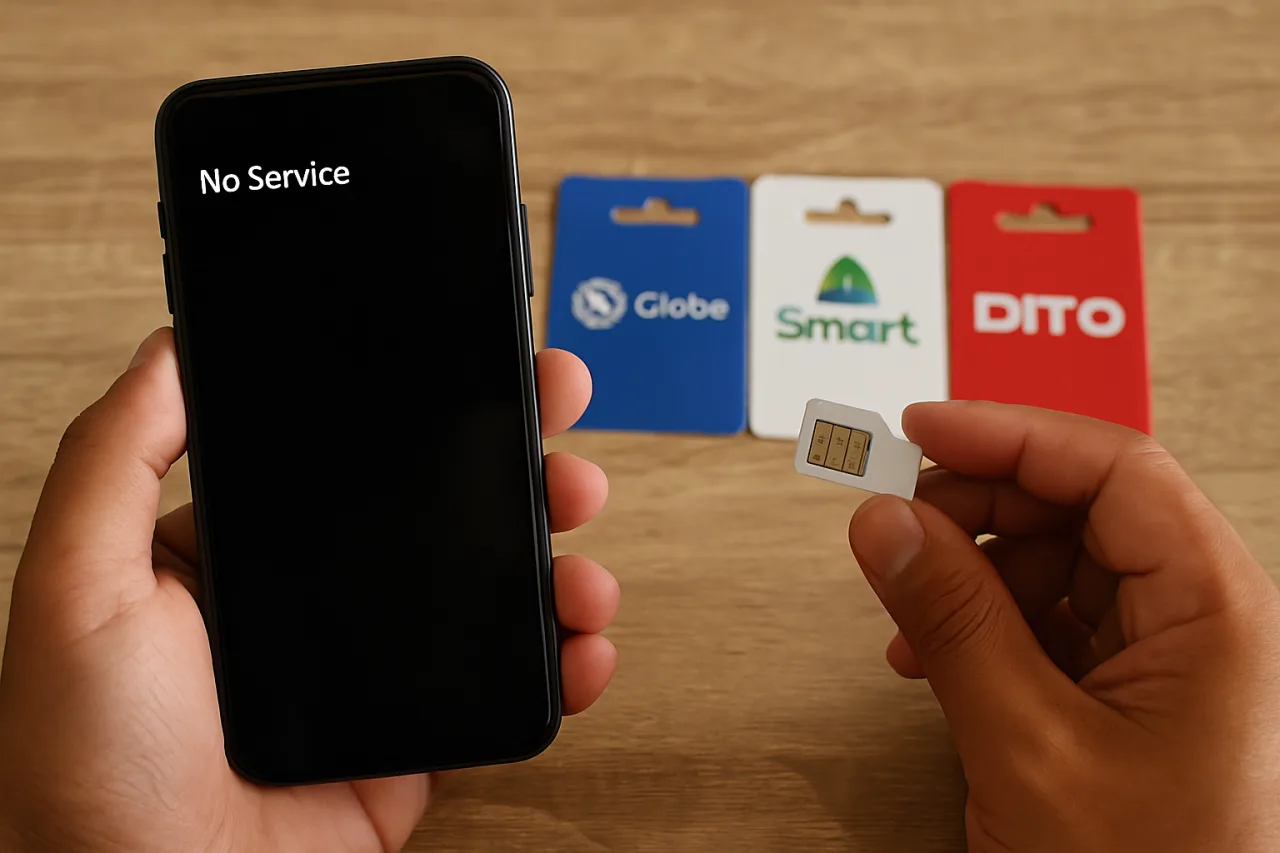
- ⏱️ The whole attack takes under 30 minutes from the moment your signal dies; the tell-tale sign is “No Service” on a phone that was working seconds ago.
- 🏦 Globe’s own advisory confirms the pattern: scammers pose as telco agents offering SIM replacement, gather your data through phishing, then request the swap in your name.
- 🔒 Your strongest defense is moving off SMS authentication — authenticator apps and passkeys survive a SIM swap because they never touch your phone number.
- 📞 Set a SIM PIN and a carrier-level port-out freeze today; both cost nothing and block the two fastest attack paths.
A sim swap scam does not need your password. It does not need your phone. All it needs is one convincing phone call to a customer service line — made in your voice, armed with your birthday and address, asking for a “replacement SIM.” Twenty minutes later, your GCash, Maya, and banking apps still open normally, but every one-time PIN they generate arrives on a stranger’s phone. This guide shows you exactly how the attack runs on Philippine carriers, the warning signs that give it away, and the eight locks that make your number worthless to thieves.
Table of Contents
Why Your Phone Number Is a Wallet Key
In most of the world, a phone number is an address. In the Philippines, it is an authentication token. SMS one-time PINs remain the default second factor for GCash, Maya, most traditional banks, and a long tail of shopping and remittance apps. Whoever holds your SIM holds the mailbox those codes arrive in — and with it, the practical ability to approve transfers, reset logins, and take over accounts that email-based recovery would normally protect.
That is why a sim swap scam is rated among the most damaging identity attacks of 2026. A leaked password costs you one account. A hijacked SIM costs you every account that trusts your number. Security analysts tracking the attack class note the entire chain — signal loss, carrier social engineering, OTP interception, account draining — routinely completes inside half an hour, faster than most victims can dial their bank’s hotline.
The Philippine layer adds two local realities. First, SIM Registration Act data has become a target: researchers and senators alike have raised alarms about how registered personal data could be abused for exactly these social-engineering plays. Second, insider abuse at dealer level is not hypothetical — reports on Globe, Smart, and DITO attacks document accomplices at stores and authorized dealers processing swaps without proper verification.
How a SIM Swap Scam Unfolds in the Philippines
The attack has a script, and knowing the script is half the defense:
- Data harvest. The criminal assembles your identity from breaches, social media, and phishing texts: full name, birthday, address, the last four digits of your ID.
- The carrier call. Posing as you, they contact Globe, Smart, or DITO support — or walk into a store with a fake ID — claiming a lost or damaged SIM. The request sounds routine: “please transfer my number to a replacement SIM.”
- Activation. Your number migrates to the criminal’s SIM. Your phone shows “No Service”; theirs lights up with your number.
- The drain. Password resets and OTP codes now route to the attacker. Banking apps, GCash, email, and social accounts fall in sequence — the classic sequence documented in carrier advisories and Philippine SIM swap attack reports.
Globe’s official help page warns subscribers about the exact social-engineering version: callers posing as telco representatives, fake offers of home-delivery SIM replacement, and phishing that gathers the details needed to pass verification. The carrier’s rule is absolute and worth repeating to your family: Globe, banks, and legitimate institutions will never ask for your OTP — never share it (Globe SIM swap advisory).
The 5 Warning Signs You Have Been SIM Swapped
- Sudden “No Service”: your phone loses signal in a place where coverage is normally fine, and airplane-mode cycling does not bring it back.
- Calls and texts fail both ways: you cannot make or receive anything, while WiFi apps still work.
- OTP messages stop arriving: a bank login that should text you a code shows nothing at all.
- Password-reset emails arrive unprompted: someone is actively resetting your accounts right now.
- Friends report odd messages: your WhatsApp or Viber “asks” contacts for money or codes.
If the first sign hits, you have minutes, not hours. The attacker is already mid-attack: the swap succeeded, and the drain phase has started. Move to Lock 8 immediately.
Lock 1: Set a SIM PIN With Your Carrier
A carrier account PIN — separate from your phone’s lock screen — is the first wall against the “call and pose as me” method. When the caller cannot supply the PIN, the swap request stalls. Contact Globe, Smart, or DITO support and register a PIN for account changes; do not use your birthday, your phone number’s digits, or anything guessable from your social profiles. Store it in a password manager, not in your contacts.
Lock 2: Request a Port-Out Freeze
Number porting is the attack’s quieter sibling: instead of a replacement SIM inside the same carrier, the criminal ports your number to a different network they control. Ask your carrier whether a port-out freeze or additional port-out verification is available on your line, and enable it. In the US this protection is standard at major carriers; Philippine availability varies by plan and support agent, so ask by name — “port-out freeze” — and get the answer on record.
Lock 3: Move Your 2FA Off SMS
This is the single lock that defeats the entire attack class. Codes from an authenticator app — Google Authenticator, Microsoft Authenticator, Authy — are generated on your device and never travel through your SIM. Passkeys go further: your fingerprint or face is the login, and there is no code for anyone to intercept. Bank and GCash security settings increasingly support both; where SMS is the only option, pair it with app-based transaction limits and alerts (Lock 5). For the full walkthrough of device-based logins, see our passkeys beginner guide.
Lock 4: Starve the Data Harvest
Every SIM swap starts with a data harvest, and the harvest feeds on oversharing. Strip your birthday, phone number, and address from public social profiles. Treat “verify your identity” texts as phishing until proven otherwise — the patterns mirror the smishing and vishing playbook we documented this month. And when a data breach exposes your details, rotate the exposed logins before someone replays them; our email breach hygiene workflow covers the cleanup sequence.
Lock 5: Harden Your Bank and GCash Alerts
Open every financial app you use and switch on push notifications for logins, device changes, and transfers. Push alerts survive a SIM swap because they arrive through the app’s own channel — the criminal cannot silence them without your unlocked phone. Set transfer limits that would make a drained account impossible: a ₱10,000-per-day cap converts a catastrophe into a recoverable incident. GCash and Maya both expose these controls in their security settings.
Lock 6: Audit the Number on File
Check which accounts list your mobile number as the recovery path. Email first: if Gmail or Outlook can be reset by SMS alone, a SIM swap hands over your entire digital identity, password manager included. Where possible, replace SMS recovery with an authenticator app or backup codes stored offline, and keep a second recovery email that exists nowhere in your public footprint.
Lock 7: Know the Official Rules
Three official anchors hold up your defense. The telco side: carriers will never ask for your OTP, and swap requests should always involve your own action and verification. The regulator side: the National Privacy Commission treats unauthorized account takeover as a reportable data privacy incident, and complaints are filed through its official channels. The law-enforcement side: the DOJ Office of Cybercrime accepts e-filing for online fraud cases. Knowing where the official doors are turns panic into procedure.
Lock 8: React in the First Ten Minutes
If “No Service” hits and the signs add up:
- Call your carrier from another phone — the official hotline, not a number texted to you — and report suspected SIM fraud; ask for an immediate account freeze.
- Log in to your bank and GCash from WiFi and change passwords while your session is still alive.
- Revoke sessions and enable every lock — the sequence in our hacked account recovery guide applies to your email and social accounts the same way.
- Warn your contacts before impersonation messages do damage in your name.
- File the report — carrier complaint plus NPC and cybercrime e-filing — while timestamps are fresh.
Frequently Asked Questions
What is a sim swap scam in simple terms?
A sim swap scam tricks your mobile carrier into transferring your phone number to a SIM card the scammer controls. From that moment, calls and texts meant for you — including bank OTPs — arrive on the scammer’s phone instead of yours. Nothing on your own phone changes except the signal, which dies because your number now lives elsewhere.
How do I know if I have been SIM swapped?
The signature sign is sudden “No Service” on a phone that had coverage moments earlier, followed by failed calls and missing OTP texts. Unprompted password-reset emails and friends reporting strange messages complete the pattern. If two or more signs appear together, treat it as an active attack and call your carrier from another phone immediately.
Can a scammer do a SIM swap with just my phone number?
Not usually — they need supporting personal details to pass carrier verification, which they gather from data breaches, social media, or phishing. That is why data hygiene matters: the less of your identity is public, the harder the social-engineering call becomes. SIM Registration Act data leaks are a known concern for exactly this reason.
Which is safer: SMS OTP or an authenticator app?
An authenticator app is safer, full stop. SMS codes travel through your carrier and die with your number in a SIM swap; authenticator codes are generated on your device and cannot be intercepted by swapping SIMs. Where a service only offers SMS, add transaction limits and push alerts so a stolen code can still do limited damage.
Can I get my money back after a SIM swap drain?
It depends on speed and evidence. Banks can claw back transfers reported immediately, but success is not guaranteed — document everything: timestamps, the carrier freeze confirmation, the fraud report numbers. File with the National Privacy Commission and the DOJ Office of Cybercrime; official complaints create the paper trail that disputes require.
Does eSIM protect against SIM swap scams?
An eSIM is not automatic immunity — the number can still be socially engineered onto another device. But eSIM plus a carrier account PIN raises the bar: there is no physical card to steal from a store, and changes require stronger in-account verification. Pair it with authenticator-based 2FA for the real protection.
Final Word: Your Number Is a Master Key — Guard It Like One
A sim swap scam succeeds because we treat our phone number as an address when the whole financial system treats it as an identity. Flip your thinking: put a PIN on the line, freeze port-outs where available, move logins off SMS onto authenticators and passkeys, and know the ten-minute reaction plan. The scammers’ script only works on a number that answers no challenge. Give yours the eight locks, and the most efficient phone-attack of 2026 finds nothing to steal.
- lock.pub/en/blog/globe-smart-dito-sim-swap — Philippine SIM swap attack reports
- globe.com.ph/help/sim-swap-scam — Globe SIM swap advisory
External sources linked in this article, in order of first mention. Spotted an error or a broken link? Tell us.
Cite this pagePublished Sept 19, 2026
Agron, E. (2026, September 19). SIM Swap Scams Hit Globe, Smart, and DITO — Here’s Your Lock-Out Plan. WorldNgayon. https://worldngayon.com/sim-swap-scam-defense-guide-2026/
Agron, Edmon. “SIM Swap Scams Hit Globe, Smart, and DITO — Here’s Your Lock-Out Plan.” WorldNgayon, 19 Sept. 2026, worldngayon.com/sim-swap-scam-defense-guide-2026/.
Agron, Edmon. “SIM Swap Scams Hit Globe, Smart, and DITO — Here’s Your Lock-Out Plan.” WorldNgayon, September 19, 2026. https://worldngayon.com/sim-swap-scam-defense-guide-2026/.
Agron, E. (2026) ‘SIM Swap Scams Hit Globe, Smart, and DITO — Here’s Your Lock-Out Plan’, WorldNgayon, 19 September. Available at: https://worldngayon.com/sim-swap-scam-defense-guide-2026/.
E. Agron, “SIM Swap Scams Hit Globe, Smart, and DITO — Here’s Your Lock-Out Plan,” WorldNgayon, Sept. 19, 2026. [Online]. Available: https://worldngayon.com/sim-swap-scam-defense-guide-2026/
@online{agron2026simswap,
  author       = {Agron, Edmon},
  title        = {{SIM Swap Scams Hit Globe, Smart, and DITO — Here’s Your Lock-Out Plan}},
  year         = {2026},
  date         = {2026-09-19},
  organization = {WorldNgayon},
  url          = {https://worldngayon.com/sim-swap-scam-defense-guide-2026/},
  urldate      = {}
}TY - ELEC AU - Agron, Edmon TI - SIM Swap Scams Hit Globe, Smart, and DITO — Here’s Your Lock-Out Plan T2 - WorldNgayon PY - 2026 DA - 2026/09/19/ UR - https://worldngayon.com/sim-swap-scam-defense-guide-2026/ Y2 - ER -
Cite the version you read; the page may be updated. Zotero and Mendeley can also import this page directly.