Key Takeaway
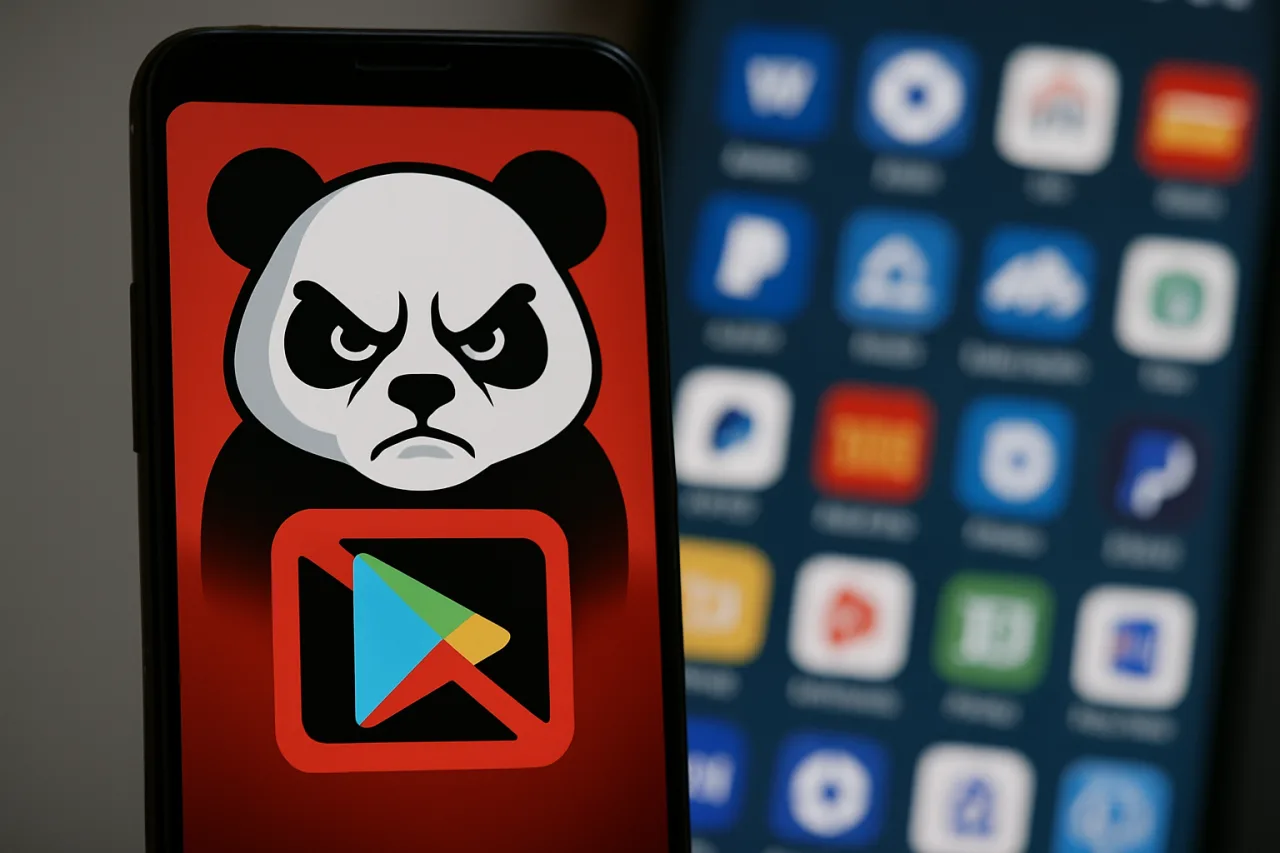
- 🐼 New Trick: ToxicPanda Android malware now abuses VPN permissions to cut your phone off from Google Play before it strikes — disabling the very security checks designed to stop it.
- 📈 Bigger List: The banking trojan now targets 349 banking, crypto, and e-wallet apps across 16 countries and answers 167 remote commands from attackers.
- 📵 Why Your Phone Is Exposed: It arrives through sideloaded APKs hosted on Amazon cloud buckets, then grants itself Accessibility access over your objections.
- 🛡️ 5-Minute Defense: Check your VPN list, kill Developer Options, reject unexplained Accessibility prompts, and install apps only from official stores — steps below take minutes, not hours.
ToxicPanda Android malware just got uglier. This ToxicPanda Android malware family, tracked by mobile security firm Zimperium, has been rebuilt into what researchers are calling version 2.0 — expanding its hit list to 349 banking, cryptocurrency, and e-wallet applications across 16 countries, answering 167 different remote commands, and adding a genuinely novel trick: it asks for your phone’s VPN permission, uses it to create a local network interface, and then blocks all communication with Google Play and Google Play Services. In plain language, the malware switches off the guard dog before it starts biting. If you bank, pay, or send money from an Android phone — as most Filipinos do — this is the threat that deserves five minutes of your attention today.
What ToxicPanda Android Malware Is and Why Version 2.0 Matters
ToxicPanda first surfaced in the wild as a descendant of the Anatsa-family Android banking trojans, and security researchers have watched it evolve from a simple overlay-attack tool into a full remote-access platform. According to Zimperium’s analysis and follow-up reporting by BleepingComputer and Malwarebytes, the 2.0 build of ToxicPanda Android malware is a different class of problem. The malware’s targeting list now spans 349 applications — traditional banks, digital banks, cryptocurrency exchanges, and e-wallets — in 16 countries, and its command set has grown to 167 remote instructions, giving whoever controls an infected handset granular, real-time control from anywhere in the world.
What makes this wave different is not the size of the target list but the sequencing of the attack. Older versions of ToxicPanda Android malware typically waited until a victim opened a banking app and overlaid a fake login screen.
ToxicPanda 2.0 works further upstream. It manipulates the device’s networking layer to sever the connection between your phone and Google’s verification infrastructure — the systems that check whether an app you are installing is legitimate, keep devices patched, and let Play Protect flag malicious behavior. By breaking that channel first, the malware creates a window in which it can extract, decrypt, and install its real payload without Google’s safety machinery ever seeing it happen.
How ToxicPanda Android Malware Bypasses Google Play Protect
The ToxicPanda Android malware attack chain reconstructed from Zimperium’s analysis reads like a burglar studying a house before entering. Each stage lowers your phone’s defenses before the next stage begins, and the whole sequence runs while the screen shows something ordinary.
- The dropper arrives. Victims install what looks like a legitimate app from a sideloaded file. Zimperium reports the droppers are being distributed through Amazon AWS-hosted cloud buckets — which gives attackers cheap, scalable hosting on infrastructure few users would suspect.
- A fake installation flow plays out. A progress bar, a few permission prompts, something that feels routine. Nothing on screen betrays what is being negotiated behind it.
- The VPN request appears. The dropper asks for VPN service permission — a request most users wave through because VPNs sound like security. Once granted, the malware creates a local network interface that lets it control which traffic leaves the device.
- Google Play goes dark. Through that interface, ToxicPanda blocks communications with Google Play and Google Play Services. App verification, security updates, and Play Protect checks fail silently. Your phone looks normal; its immune system is offline.
- The payload installs. With verification suppressed, the dropper extracts and installs the real ToxicPanda Android malware payload.
- Accessibility access is demanded. The installed payload requests Accessibility Service permissions — the master key of Android — giving it the power to read screens, harvest credentials, intercept one-time PINs, and perform taps and gestures on the victim’s behalf.
The newest builds go one step further. Researchers found functions that automate abuse of Android’s Wireless Debugging Bridge (ADB), walking the device into enabling Developer Options and Wireless Debugging on its own, then obtaining shell-level access — the Android equivalent of handing a stranger the keys to the whole house, not just one room. On infected devices, the malware is no longer an observer. It is an operator.
| Capability | Older ToxicPanda | ToxicPanda 2.0 |
|---|---|---|
| Targeted apps | Dozens of banking apps | 349 banking, crypto, and e-wallet apps |
| Remote commands | Limited set | 167 supported commands |
| Play Protect evasion | Overlay tricks post-install | Blocks Google Play traffic via VPN permission |
| Device control | Accessibility abuse | Accessibility + automated Wireless ADB shell access |
| Distribution | Mixed phishing links | Amazon AWS-hosted dropper buckets |
Why Filipino Smartphone Users Are Prime Targets
The economics of Philippine digital life make this campaign more dangerous here than in most markets. The country runs on mobile wallets: GCash and Maya process payments for tens of millions of users, digital banks hold balances that once sat in cash, and remittances from OFW family members flow through apps every day of the week.
ToxicPanda Android malware attacking e-wallets is not attacking an abstract category — it is attacking the way an entire country pays bills, sends allowances, and gets paid. Zimperium’s country breakdown includes the Philippines’ Southeast Asian neighborhood, and e-wallet categories sit squarely inside the 349-app target list.
The human infrastructure of scams compounds the technical one. Fraud messages arrive over SMS, Facebook Messenger, and messaging apps with a fluency that only improves with AI assistance, and the national response infrastructure — the Scam Watch Pilipinas network, whose 1326 hotline we explained in our remote-work cybersecurity checklist, the Cybercrime Investigation and Coordinating Center’s I-ARC hotline 1326 — exists precisely because volume keeps climbing. We have documented this pressure in earlier coverage of phishing attacks in the Philippines and of GCash and Maya security for OFW households. ToxicPanda merges both worlds: a phishing message gets you to install the dropper, and the trojan takes over everything after that. The scam message is no longer the attack — it is just the door.
There is also a class dimension to the threat. Many Filipino users share devices with family members, keep several financial apps open in the background, and rely on free VPN apps already — a habit that normalizes VPN permission prompts. A malware author could not design a friendlier environment. The same phones carry the family’s e-wallet, the teenager’s games sideloaded from outside Play, and lolo’s SSS app. One dropper infecting one shared device can compromise every account that touches it.
How to Check Your Android Phone for ToxicPanda Right Now
You do not need antivirus scans or technical expertise to run this check — the malware’s own tricks leave fingerprints you can see in Settings. Do each step today; the whole routine takes about five minutes.
- Inspect your VPN list. Open Settings, search for “VPN” (or go to Network & internet → VPN), and delete every profile you did not deliberately install yourself. ToxicPanda’s VPN-based stranglehold on Google Play shows up here — an entry you cannot explain is the loudest red flag.
- Kill Developer Options and Wireless Debugging. Search Settings for “Developer options” and switch it off entirely. Confirm that both Wireless debugging and USB debugging are disabled. Remote attackers crave shell access; this closes the door they prefer.
- Audit Accessibility permissions. Go to Settings → Accessibility and review every service with access. Anything that should not be there — especially apps whose names you do not recognize — gets switched off and uninstalled immediately.
- Stop sideloading. Apps arrive on your phone through official stores or they do not arrive at all. APK links in Messages, Viber, Facebook posts, comments, and “installer” links from customer-support chats are the delivery system for droppers like ToxicPanda’s.
- Treat permission prompts as questions, not formalities. An app that wants Device Administrator rights, developer settings, VPN permissions, or Accessibility access needs a justification that makes sense. When it does not, the correct answer is no.
- Keep Play Protect switched on and check it. Open the Play Store app → profile icon → Play Protect → make sure scanning is enabled, and run a manual scan. If Play Protect is switched off and you did not turn it off, your phone has already been tampered with.
If your phone shows any of these red flags — a VPN profile you never created, Developer options mysteriously enabled, Play Protect refusing to switch on, or apps you do not recognize — back up your essential data, then do a full factory reset and change your banking and e-wallet passwords from a different, clean device. Report incidents to your bank immediately so accounts can be frozen and transactions disputed, and file reports through the I-ARC hotline 1326 so the campaign enters national tracking.
The Bigger Picture: Banking Trojans Are Industrializing
ToxicPanda 2.0 is not an isolated piece of criminal engineering; it is one product in a maturing market. Android banking trojans have spent three years adopting capabilities that used to belong to nation-state toolkits — accessibility abuse, packet interception, overlay injection, and now network-layer manipulation. Each capability that premier malware families prove out spreads to the rest of the ecosystem within months, because the developers share, sell, and fork their kits. The VPN-permission technique that makes this version dangerous will be visible in other trojan families before the end of the year.
For the Philippines, the strategic answer has three layers. Individually, the Settings checklist above is the difference between an attempted infection and a successful one.
Institutionally, banks and wallet providers — GCash, Maya, and the digital banks included — must keep detecting devices with abnormal VPN interfaces, disabled Play Protect, or active developer features before transactions clear, and flag them the way card issuers flag unusual geography. Nationally, the enforcement work of the Cybercrime Investigation and Coordinating Center and its partners needs the reporting volume that only informed users provide. The PNA reported that CICC and Scam Watch Pilipinas relaunched their love-scam awareness campaign this month for exactly this reason — the scams evolve, and public memory must keep pace. ToxicPanda Android malware blocks the security layer your phone depends on can be beaten only before it installs — which makes this article’s checklist, five boring minutes in your Settings app, the highest-return cybersecurity investment available to you this week.
Frequently Asked Questions About ToxicPanda Android Malware
Is my phone infected with ToxicPanda Android malware?
Check three things: your VPN list in Settings for entries you did not create, Developer Options status (it should be off), and Play Protect status in the Play Store app. Any of these tampered with, plus unexplained apps or Accessibility services, is grounds for an immediate factory reset and password changes from a clean device.
Can ToxicPanda infect phones through the Google Play Store itself?
The current campaign distributes droppers through sideloaded APK files hosted on Amazon cloud buckets rather than through Play Store listings. That said, sideloading remains the decisive risk factor — apps installed from outside official stores bypass Google’s review entirely. If you install only from official stores and never grant unexplained permissions, this campaign’s primary entry path stays closed.
Why would malware need VPN permission?
VPN permission in Android creates a virtual network interface that can route and filter the device’s traffic. ToxicPanda 2.0 uses that power to block the phone from reaching Google Play and Google Play Services, which disables app verification and Play Protect checks while it installs its payload. It is a misuse of a legitimate security tool — one reason random VPN permission requests deserve suspicion.
Which banking apps does ToxicPanda target?
Zimperium’s analysis counts 349 targeted applications across 16 countries, spanning traditional banks, digital banks, cryptocurrency exchanges, and e-wallets. The category matters more than the specific list: any app that holds money or authorizes payments is fair game, including the e-wallets millions of Filipinos use daily.
Does an antivirus app protect me from ToxicPanda?
Mobile security apps add a useful layer, and good ones detect ToxicPanda family behavior — but the malware is specifically designed to suppress the checks that would catch it, including Play Protect. Habits beat scanners: refuse sideloaded apps, deny unexplained permission requests, and run the Settings checklist above.
How do I report a ToxicPanda infection or an attempted scam in the Philippines?
Report to your bank’s fraud line first so accounts are protected, then file with the government’s Inter-Agency Response Center through hotline 1326, the central channel run with DICT, CICC, NPC, and NTC, or message Scam Watch Pilipinas. Reports feed the national threat picture that shapes takedowns and public warnings.
Are iPhones affected by ToxicPanda?
No — ToxicPanda is an Android banking trojan, and its techniques depend on Android systems like Accessibility Services and VPN service permissions. iPhone users face different fraud threats, but this particular campaign targets Android devices.
Financial Disclaimer: This report is based on research from Zimperium, coverage by BleepingComputer and Malwarebytes, and official public guidance from Philippine authorities. It is general security information, not professional advice; readers should follow their bank’s official channels for account-specific concerns.
- zimperium.com/blog — Zimperium
- bleepingcomputer.com/news/security/toxicpanda-android-malware-uses-vp… — BleepingComputer
- malwarebytes.com/blog/mobile/2026/08/toxicpanda-2-0-can-take-over-you… — Malwarebytes
External sources linked in this article, in order of first mention. Spotted an error or a broken link? Tell us.
Cite this pagePublished Aug 29, 2026 · Updated Aug 31, 2026
Agron, E. (2026, August 29). 349 Banking Apps, One VPN Trick: Inside the Dangerous ToxicPanda Android Malware. WorldNgayon. https://worldngayon.com/toxicpanda-android-malware-2026/
Agron, Edmon. “349 Banking Apps, One VPN Trick: Inside the Dangerous ToxicPanda Android Malware.” WorldNgayon, 29 Aug. 2026, worldngayon.com/toxicpanda-android-malware-2026/.
Agron, Edmon. “349 Banking Apps, One VPN Trick: Inside the Dangerous ToxicPanda Android Malware.” WorldNgayon, August 29, 2026. https://worldngayon.com/toxicpanda-android-malware-2026/.
Agron, E. (2026) ‘349 Banking Apps, One VPN Trick: Inside the Dangerous ToxicPanda Android Malware’, WorldNgayon, 29 August. Available at: https://worldngayon.com/toxicpanda-android-malware-2026/.
E. Agron, “349 Banking Apps, One VPN Trick: Inside the Dangerous ToxicPanda Android Malware,” WorldNgayon, Aug. 29, 2026. [Online]. Available: https://worldngayon.com/toxicpanda-android-malware-2026/
@online{agron2026toxicpandaandroid,
  author       = {Agron, Edmon},
  title        = {{349 Banking Apps, One VPN Trick: Inside the Dangerous ToxicPanda Android Malware}},
  year         = {2026},
  date         = {2026-08-29},
  organization = {WorldNgayon},
  url          = {https://worldngayon.com/toxicpanda-android-malware-2026/},
  urldate      = {}
}TY - ELEC AU - Agron, Edmon TI - 349 Banking Apps, One VPN Trick: Inside the Dangerous ToxicPanda Android Malware T2 - WorldNgayon PY - 2026 DA - 2026/08/29/ UR - https://worldngayon.com/toxicpanda-android-malware-2026/ Y2 - ER -
Cite the version you read; the page may be updated. Zotero and Mendeley can also import this page directly.