
Table of Contents
Editor’s Note — November 2, 2026: This article has been updated to correct information about Google Account recovery attempts and security-related waiting periods. We also clarified several security recommendations and revised the recovery guidance to better reflect Google’s official documentation.
Key Takeaway
- 🔑 A Google Account reaches everything downstream: which is why a google account hacked incident is more than a sign-in problem — the mailbox holds Gmail, Drive, Photos, Calendar, YouTube, Play purchases — and it receives the password-reset messages other services send, which is why one compromise can spread beyond it.
- 🚪 Recovery runs on one official page: accounts.google.com/signin/recovery, answered as accurately as you can (the flow stays usable across every google account hacked situation). Google’s guidance states that wrong guesses do not end the process and there is no fixed limit on recovery attempts — accuracy, not speed, is what matters. Some situations do carry waiting periods set by Google’s own checks.
- ⏳ The documented waiting rule: changing a recovery email or phone can delay some account changes for up to 7 days — a protection for the owner against an attacker changing recovery details, not a punishment for trying.
- 🩺 Every google account hacked recovery ends in the Security Checkup: Google’s guided sweep of activity, devices, sign-in methods, recovery contacts and app access for suspicious items after you are back inside. It shows what changed and what is connected; it does not always reveal how an attacker first got in.
- 🧰 Recovery is not the end: email forwarding, filters, third-party permissions and unknown device sessions can outlast a password change, and accounts using this inbox as their recovery channel may need their own review — the checkup lists each item; you clear it.
Google Account Hacked: Start by Identifying Your Situation
A google account hacked event tends to arrive as several problems at once, and the playbook below runs in that order: the mailbox is upstream of Gmail, Drive, Photos, Calendar, YouTube, Play purchases, and the reset messages half of your other accounts depend on. The instructions below follow Google’s own recovery documentation, checked against the official pages on November 2, 2026: securing a hacked or compromised account, account recovery, and investigating suspicious activity. Before any deep cleanup, pick the situation that matches yours — each has a different first move.
Scenario A — You cannot sign in
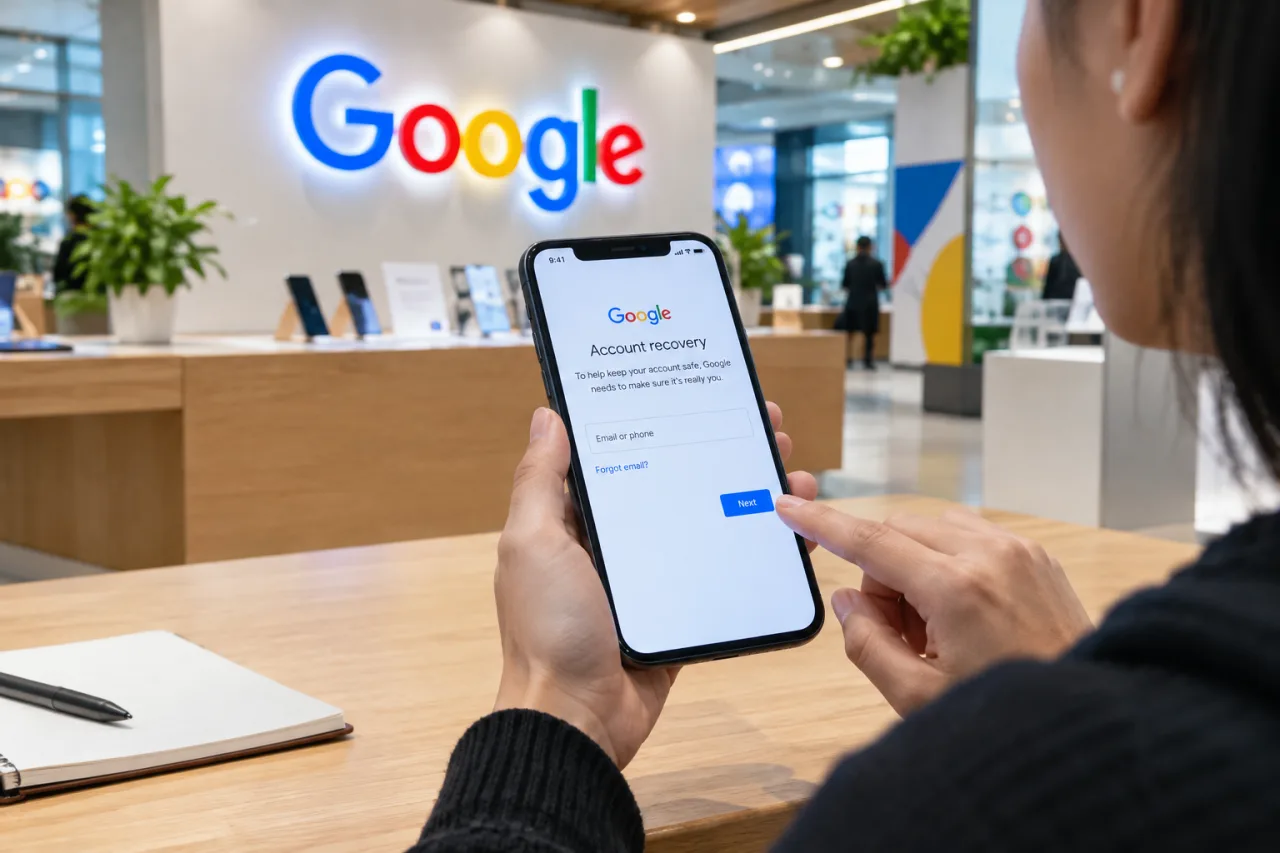
Go to Google’s account recovery page and answer the questions with your best available information: the last password you remember (an approximate answer is acceptable — the flow asks about remembered passwords), the recovery phone or backup email on file, and anything else the screen requests. Google’s recovery tips note that signing in from a device, browser, or location you have used before can help the checks recognize you. Answer carefully; wrong guesses do not end the process, and Google allows retrying without a set cap in its general guidance. If the flow shows a waiting period, follow it — security delays are decided by Google’s checks and vary by situation, and no fixed duration can be promised. If the flow asks for a paid service or a third party claims it can call Google to recover your account, decline: Google states it works with no such service, and it advises never giving out passwords or verification codes. The platform versions of this playbook — the YouTube channel recovery guide and the Facebook account recovery guide — run the same first-hour discipline. These steps may not apply to a work, school, or organization account — that situation is covered in Scenario D.
Scenario B — You can still sign in, but you suspect the account is compromised
A google account hacked worry usually starts exactly here — unfamiliar security events or devices — and the response is to move before the attacker does. Google’s own sequence for a hacked or compromised Google Account: open myaccount.google.com, review Security & sign-in → Recent security events, and mark anything you do not recognize as not yours — the screen then walks you through securing the account. Next, review Your devices → Manage devices and sign out anything unfamiliar. Change your password immediately, and Google adds a wider sweep for the same reason: change it too on services where you reused the same password, sites that contact you through this Gmail address, sites where you sign in with this address, and passwords saved in your Google Account. Then check recovery phone, recovery email, and the two-step verification state — the checks that follow under recovering access matter as much here, because an attacker with current access can change them from inside.
Scenario C — You have recovered access; the incident is not necessarily over
Regaining sign-in does not automatically clear everything an attacker may have set up while inside. Work through Google’s suspicious-activity checklist, which covers each of these in order:
- Recent security events: the “Review security events” panel flags sign-ins and changes you did not make.
- Device sessions: Your devices — sign out anything you don’t recognize.
- Recovery details: check the recovery phone and email — an attacker who re-points them keeps a foothold, which is also why Google applies the 7-day delay to recovery-info changes.
- Two-step verification: confirm the methods list — remove any verification method or recovery method you did not add; Google disables suspicious sign-in methods it detects and asks you to confirm your real ones.
- Third-party permissions: review apps and sites with access to your account; a password change does not revoke OAuth grants an app already holds — revoke anything you do not use or recognize.
- Gmail forwarding and filters: in Gmail settings, remove forwarding rules, filters, and labels you did not create — a forwarding rule sends incoming mail, including future reset messages, somewhere other than your inbox.
- Sensitive connected services: Google Pay saved cards, Chrome payment details, and Drive or Photos sharing you did not set up — the official checklist walks each; report unfamiliar charges through its links.
- Messages sent in your name: if the account sent mail you did not write, expect contacts to have received phishing under your address — see the next section for the cleanup.
Scenario D — The account belongs to an organization
If the account is managed through Google Workspace — work, school, or another group — Google’s recovery steps may not work the same way: the organization’s administrator controls sign-in policies, recovery settings, and security events. Contact your administrator first; they can enforce password changes, review account activity, and restore elements an individual account manages itself. Do not attempt personal-recovery flows against a managed account — settings may be enforced at the organization level.
The Security Checkup: What It Reviews — and What It Cannot Tell You
Once a google account hacked incident is back inside your hands, the checkup is the page that turns sign-in access into a read of the account’s state. Google’s Security Checkup walks the security surface one screen at a time: recent sign-in events, signed-in devices, saved passwords and account warnings, two-step verification status, recovery contact details, and third-party access. For a recovered account, it is the guided sweep that turns “I can sign in again” into “I know what changed.” What it does not promise: a definitive reconstruction of how the attacker got in. It surfaces suspicious items and unfamiliar access; the original entry method — a phished password, a SIM-swapped code, malware on a shared computer — may require looking at sign-in locations, devices, and your own recent activity. Treat the checkup as detection and investigation of the account’s state, not a forensic answer key.
How an Attacker Keeps Access After a Password Change
In a google account hacked case, a password change alone does not end every compromise, because an intruder may have left channels that survive it. Google’s persistence list, in plain terms:
- Third-party app grants: an authorized app can keep reading Gmail or Drive data without ever displaying a password again. The checkup and the permissions manager both list them; revoke what is unfamiliar.
- Email forwarding: a forwarding address added under the attacker ships every incoming message elsewhere — including future password-reset codes for other services.
- Filters: rules that auto-delete alert emails or hide the attacker’s trail can be created without notice.
- Recovery information: a new phone or backup email becomes the proof-of-ownership anchor.
Checking these immediately after recovery is what separates “password changed” from “attacker locked out.” The distinction matters because the attacker’s goal after entry is persisting access — the mailbox, not the password alone, is what keeps it.
What Can Be Affected Beyond the Account Itself
The cleanup after a google account hacked incident does not stop at the account line — recovered access does not undo what happened while the mailbox was open:
- Contacts: if the compromised account sent mail — especially scams or phishing — recipients received it under your name. Send a short direct message to people who likely received it, through a channel they already trust (another app, a phone call), warning them not to act on recent messages from this address.
- Accounts that use this inbox as their recovery channel: every service whose password-reset emails land in this mailbox — banking platforms, shopping or marketplace accounts, social platforms, work tools — should have its password changed and its own recovery settings verified, because reset messages readable during the exposure window are credentials for those accounts.
- Saved payment and identity information: card details, tax or passport information stored in Google services, and identity documents in Drive or Photos — Google’s compromised-account page recommends contacting your bank and local authorities when financial or personal information was exposed, in addition to reporting unauthorized charges on Google Pay.
- Channels the account connects to: linked YouTube channels, Blogger blogs, and Chrome extensions the attacker may have installed have their own checks in Google’s document.
Label an item confirmed when you find the evidence of it, and treat the rest as possible-but-unconfirmed — no compromise necessarily touches every item in this list.
How to Reduce the Risk of Another Account Compromise
The google account hacked cleanup ends with the hardening pass — a cleaned account is not a finished one, and these measures shape what the next attempt can reach. These measures reduce specific risks; none of them makes the account impossible to compromise, and each addresses a distinct lane:
- Two-step verification: Google lists it as a core protection — “helps keep hackers out,” so a stolen password alone is no longer enough. Prefer a passkey, security key, or authenticator app over SMS-only codes; reducing reliance on SMS reduces exposure to attacks that hijack phone numbers, though other recovery channels and residual risks still exist. This guide’s passkey explainer covers the trade in detail.
- Recovery redundancy: a working recovery phone and a backup email on a different provider, so a single failed channel never strands you without proof of identity.
- Device and browser hygiene: current OS and browser versions, screen lock enabled, and removal of harmful software (Google’s page carries a Chrome cleanup guide for compromised browsers).
- The link habit: for messages pressuring sign-in, open the service in the app or by typing its address yourself rather than through the link provided — this practice addresses the phishing lane specifically, which is where smishing and vishing defenses apply, and where AI-platform account recovery guides follow the same lanes.
Reconstructing What Happened, Carefully
The sign-in and security-event history also makes the google account hacked timeline readable: dated records of what changed and from where — the closest available evidence for establishing when exposure began. The rotation logic that follows is analytical guidance from this guide, not a Google rule: for services whose reset messages passed through this mailbox, change passwords changed AFTER an unfamiliar sign-in appears in the record — because reset messages readable during the exposure window are credentials for the services they reach. Precision here turns the cleanup from guesswork into a list. Note what evidence genuinely shows (sign-in dates, listed devices, security events) and label conclusions about attacker behavior as conclusions — the record will not narrate every attacker step.
Frequently Asked Questions
My Google account was hacked — what should I do first?
A google account hacked recovery starts with one of these two doors: the recovery page if you cannot sign in, or the security panels if you can — or open myaccount.google.com and review recent security events and devices if you can — both paths begin immediately, and neither depends on waiting. Answer the recovery prompts as accurately as possible; there is no fixed cap on attempts under Google’s general guidance, and accuracy — not speed — is what moves you forward.
How do I recover a Google Account without a password or phone number?
The flow offers alternative verification: an approximate last password, a prompt sent to a signed-in device, or a backup email on file. Google’s recovery tips cover what helps (familiar devices, locations, accurate history). If the flow displays a security delay or additional verification, follow it — durations vary by situation and cannot be predicted in advance. Decline any third-party “recovery service”: Google states it works with none of them — the only legitimate route in a google account hacked case is Google’s own flow.
Someone is using my Gmail to send scams — what should I do?
Secure the account first (password, sessions, recovery details), then remove any forwarding or filter rules created to keep messages flowing, revoke unfamiliar third-party permissions, warn the contacts who received the messages through a channel they trust, and change the passwords of any account whose reset emails route to this inbox.
How do I know if my Google Account has been compromised?
Google’s signs list includes: unfamiliar security alerts or sign-in notifications, unexpected password or recovery-info changes, devices on the account you don’t recognize, unfamiliar app permissions, mail sent or removed you didn’t send, or unfamiliar purchases through Google Pay. Any single sign justifies a full review — recent events, devices, recovery details, permissions, and Gmail settings.
What security settings should I have on my Google Account?
Two-step verification (passkey, security key, or authenticator app rather than SMS-only), a recovery phone and backup email on file, a permissions list limited to services you use, no forwarding or filter rules you did not create, and a Security Checkup reviewed whenever an unfamiliar sign-in appears. These reduce risk — they do not make compromise impossible, which is why periodic review continues.
How long does Google Account recovery take?
It varies. Some recoveries complete in a few minutes; others involve waiting periods Google’s own checks impose — and Google documents that changed recovery information can delay certain account changes by up to 7 days. No total duration can be promised; the flow itself states what applies in your case.
Financial Disclaimer
This article provides general security-information guidance and does not constitute financial, legal, or professional advice. Recovery flows, checkup tools, and account-security settings change over time; verify against official Google Account Help pages before acting. The author and publisher disclaim any liability for actions taken based on this information.
- accounts.google.com/signin/recovery
- support.google.com/accounts/answer/7682439 — Google’s guidance
- support.google.com/accounts/answer/6294825 — securing a hacked or compromised account
- support.google.com/accounts/answer/140921 — investigating suspicious activity
- support.google.com/accounts/answer/7299973 — recovery tips
- myaccount.google.com
- myaccount.google.com/device-activity — sign out anything unfamiliar
- passwords.google.com — passwords saved in your Google Account
- myaccount.google.com/signinoptions/rescuephone — phone
- myaccount.google.com/recovery/email — email
- myaccount.google.com/signinoptions/two-step-verification — methods list
- myaccount.google.com/permissions — apps and sites with access to your account
- support.google.com/mail/answer/10957 — forwarding rules
- support.google.com/mail/answer/6579 — filters
- myaccount.google.com/security-checkup — Google’s Security Checkup
- pay.google.com — Google Pay
- support.google.com/chrome/answer/2765944 — Chrome cleanup guide
External sources linked in this article, in order of first mention. Spotted an error or a broken link? Tell us.
Cite this pagePublished Nov 2, 2026
Agron, E. (2026, November 2). Google Account Hacked: the Recovery Playbook and the Security Checkup That Keeps It. WorldNgayon. https://worldngayon.com/google-account-hacked/
Agron, Edmon. “Google Account Hacked: the Recovery Playbook and the Security Checkup That Keeps It.” WorldNgayon, 2 Nov. 2026, worldngayon.com/google-account-hacked/.
Agron, Edmon. “Google Account Hacked: the Recovery Playbook and the Security Checkup That Keeps It.” WorldNgayon, November 2, 2026. https://worldngayon.com/google-account-hacked/.
Agron, E. (2026) ‘Google Account Hacked: the Recovery Playbook and the Security Checkup That Keeps It’, WorldNgayon, 2 November. Available at: https://worldngayon.com/google-account-hacked/.
E. Agron, “Google Account Hacked: the Recovery Playbook and the Security Checkup That Keeps It,” WorldNgayon, Nov. 2, 2026. [Online]. Available: https://worldngayon.com/google-account-hacked/
@online{agron2026googleaccount,
  author       = {Agron, Edmon},
  title        = {{Google Account Hacked: the Recovery Playbook and the Security Checkup That Keeps It}},
  year         = {2026},
  date         = {2026-11-02},
  organization = {WorldNgayon},
  url          = {https://worldngayon.com/google-account-hacked/},
  urldate      = {}
}TY - ELEC AU - Agron, Edmon TI - Google Account Hacked: the Recovery Playbook and the Security Checkup That Keeps It T2 - WorldNgayon PY - 2026 DA - 2026/11/02/ UR - https://worldngayon.com/google-account-hacked/ Y2 - ER -
Cite the version you read; the page may be updated. Zotero and Mendeley can also import this page directly.