Table of Contents
Key Takeaway
- 🗄️ Paperless-ngx turns a Hostinger VPS into the family document vault: every contract, receipt, certificate, and ID scanned, OCR’d, tagged, and searchable in one box — forever.
- 🔍 The OCR engine reads scanned images and photos, so “I’ll search the receipt by amount and month” replaces the drawer-diving ritual that loses important papers.
- 🐳 The setup is one copy-paste Docker Compose block on a KVM 1 VPS (~$6.49/mo intro) — the same server family as our Jellyfin, Nextcloud, and Vaultwarden builds.
- 📱 The mobile workflow is the OFW habit: snap the document with the phone app, the VPS OCRs and files it before you’ve reached the checkout.
- 🔐 Done right, the vault is private (HTTPS, family accounts, backups) — the guide includes the security and backup steps that make it trustworthy.
Table of Contents
Hands-on build first? The full six-step install — VPS sizing, one-line install, OCR filing, and backup choreography — is in Stop Photographing Documents Into Your Camera Roll; this guide adds the household scenarios and the first-week fixes once the vault is running.
Why OFW Households Need a Paperless-ngx Vault
Every OFW household runs the same losing race against paper. The passport copies live in three places; the land title is “in the cabinet at mother’s house”; the OEC receipt, the hospital bills, the kids’ birth certificates, the utility receipts for the loan application — scattered, duplicated, and always missing exactly when a bank, embassy, or school asks.
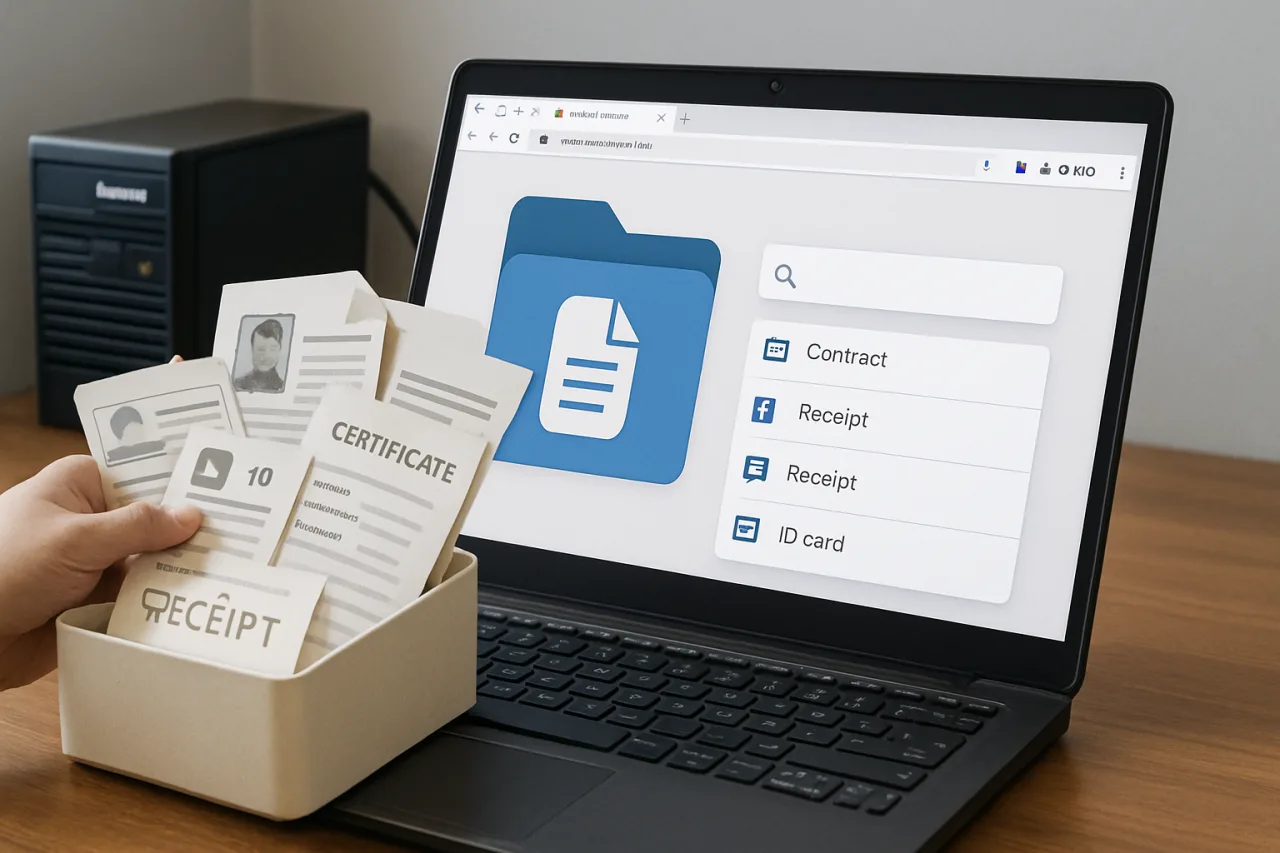
The Paperless-ngx answer is architectural: one server holds every document the family owns, OCR reads the text inside scans and photos, and one search box answers “where is it?” in seconds — from Riyadh, from Laguna, from anywhere.
Paperless-ngx is the open-source document management system the self-hosting community converged on: it ingests scans and photos, runs OCR, files everything with tags and correspondents, and keeps the originals plus the searchable text. It is the natural companion to the Nextcloud file server we built earlier — Nextcloud stores files as folders; Paperless-ngx makes documents findable. Together they replace the shoebox and the “documents” folder full of scan0042.pdf.
What it does not do: it is not a legal-archive service and not a backup product by itself — Step 4’s backup discipline is part of the build, not an optional extra. With that stated, the whole project fits in one evening on a VPS you may already have.
Step 1: The VPS Plan and the Backup Math
Documents are small compared to media: ten years of a family’s paperwork — receipts, contracts, certificates, school records — typically lands under 10 GB even at high scan quality. That makes sizing easy:
- KVM 1 (intro ~$6.49/mo) — comfortably runs Paperless-ngx plus the Vaultwarden password manager from our earlier build; OCR is CPU-bound but patient.
- KVM 2 (~$7–9/mo) — the family tier if you also host Jellyfin or Nextcloud on the same box (this series’ running recommendation: one VPS, every family service).
The Hostinger KVM plans with Ubuntu 24.04 LTS work as-is; the hPanel snapshot feature plus an off-server backup (Step 4) covers the vault’s two failure modes — server loss and user error. If you already run the Jellyfin build from yesterday’s tutorial, this stack installs alongside it on the same machine without conflict.
Step 2: Install With Docker (Copy-Paste)
SSH into the VPS (hPanel’s browser terminal works) and run the block — it deploys the official Paperless-ngx compose stack with PostgreSQL and the OCR engine:
# 1. Docker (official repo)
curl -fsSL https://get.docker.com | sudo sh
sudo usermod -aG docker $USER && newgrp docker

# 2. Pull the official compose
mkdir -p ~/paperless && cd ~/paperless
curl -L https://raw.githubusercontent.com/paperless-ngx/paperless-ngx/main/docker/compose/docker-compose.sqlite.yml -o docker-compose.yml
curl -L https://raw.githubusercontent.com/paperless-ngx/paperless-ngx/main/docker/compose/.env -o .env

# 3. Set a strong secret + admin before first start
sed -i "s/PAPERLESS_SECRET_KEY=.*/PAPERLESS_SECRET_KEY=$(openssl rand -hex 32)/" .env

# 4. Launch
docker compose up -d
docker compose ps
When the containers show Up, open http://YOUR-VPS-IP:8000 (the sqlite compose binds the web UI there), create the admin account in the browser, and the vault exists. The first meaningful test: drag any PDF into the web interface and watch Paperless OCR it, read its text, and suggest tags — that suggestion engine is the part that makes the vault feel alive.
Step 3: OCR, Tags, and the Mobile Scan Habit
Paperless-ngx’s OCR runs on ingest: every scan or photo gets a text layer, which is what makes the search box work over images of paper. The Filipino-document reality check — machine-printed BIR, SSS, and bank documents OCR cleanly; handwritten receipts come through partially — is why the tagging layer matters more than perfect OCR. The proven scheme for an OFW family:
- Document types as tags:
contract,receipt,certificate,government,medical,school. - People as correspondents: one per family member — the search “birth certificate Maya” becomes two clicks.
- Years in the title or created-date: Paperless indexes dates automatically; use them in searches.
- Storage paths per family branch: the app’s storage-path feature keeps each sibling’s documents in their own view.
The mobile habit is where the vault fills itself: the Paperless mobile app (or any scan-to-email workflow) uploads a photo of a document the moment it enters the house; OCR, filing, and searchability happen on the server. The family rule that makes it work: if it’s photographed, it exists; if it’s not, it doesn’t. Ten minutes a week beats the annual passport-renewal panic.
Step 4: Security and Backups — the Trust Layer
A document vault holds the family’s most sensitive data, so the security bar is the Vaultwarden standard, not the Jellyfin one. Four steps, in order: put the web UI behind HTTPS (reverse proxy + free Let’s Encrypt certificate, same pattern as the Uptime Kuma build — or Tailscale for household-only access); keep PAPERLESS_SECRET_KEY secret and unique; create one account per person with minimal permissions; and never expose port 8000 raw to the internet.
Backups are two layers, both scriptable: the built-in document_exporter command exports everything (originals + metadata) to a folder, and that folder syncs to your Nextcloud instance or a Hostinger object storage bucket on a weekly cron. The restore test — actually re-importing an export to a fresh container, once — is what turns “I have backups” into “I have backups that work.” The vault’s promise, “answers where-is-it forever,” only holds if the server survives; the export file is the part you could email to yourself in the worst case.
The OFW Scenarios This Vault Solves
Four real situations show where the Paperless-ngx vault earns its keep. The loan application: the bank wants three months of payslips, the employment contract, and two government IDs — searched and exported to a single PDF in ten minutes instead of a week of cousin-coordination. The emergency: father hospitalized in the province, the PhilZam claim needs the hospital bill and the member’s SSS records, and the OFW forwards the exact documents from the vault while booking a flight.
The BIR appointment: TIN, previous returns, and the property tax receipts in one tagged view. The school enrollment: birth certificates and report cards searched by the child’s name, printed fresh instead of re-requested from a registrar.
The deeper change is household memory. Paper receipts fade; memory folders get deleted by accident; the vault keeps the original file and the OCR text with dates — so the question “how much was that hospital bill in 2023” becomes a search, not an excavation. For families split across the Gulf and the islands, the shared vault is the closest thing to a family archive that survives distance, typhoons, and moving vans.
Start small: one week, one drawer. Scan the highest-stakes folder first — IDs, birth certificates, land titles, insurance policies — and let the habit grow. The vault pays for itself the first time a lost receipt doesn’t cost a claim, a loan, or a renewal.
Quick Fixes for the First Week
- Container exits immediately: check
docker compose logs— usually a bad path in the compose file or a permissions error on the data directory. - OCR produces garbage: the scan quality is below ~150 DPI; re-scan at 200–300 DPI, or photograph flat under even light.
- Web UI unreachable: confirm the port binding in the compose file and the firewall (UFW) allows your chosen port — and remember Step 4: raw port exposure is not the goal.
- Wrong auto-tags: the classifier learns from corrections; retag ten documents consistently and the suggestions sharpen fast.
Affiliate disclosure: WorldNgayon may earn a commission when you use our links, at no extra cost to you. Full details on our disclaimer page.
Frequently Asked Questions
What is Paperless-ngx?
An open-source document management system: it ingests scans and photos, runs OCR so the text inside images becomes searchable, and organizes everything with tags, correspondents, and document types — a private, family-owned alternative to shoeboxes and scattered folders.
How much does the Paperless-ngx Hostinger setup cost?
The software is free; the KVM 1 VPS runs about $6.49/mo intro (renewing at standard rates) and comfortably hosts the vault plus a password manager. Storage is the only scaling factor — a decade of family paperwork typically stays under 10 GB.
Can Paperless-ngx read handwritten receipts?
OCR reads machine-printed documents well (BIR forms, bank statements, contracts) and struggles with cursive handwriting — printed receipts and receipts from stores with thermal printers usually work. Snap photos flat and well-lit; the search index is only as good as the scan.
Is it safe to keep IDs and certificates on a VPS?
With the vault’s own controls, yes: HTTPS-only access, unique accounts, no raw port exposure, and weekly exports to a second location. The same rule applies as with any password manager — the server holds the encrypted data; the discipline lives in your access habits.
Can my family upload documents from their phones?
Yes — the Paperless mobile app uploads to the server over HTTPS; the OCR, tagging, and search all happen server-side. The OFW in Riyadh and the household in Laguna file into the same vault from two continents.
How is this different from Google Drive?
Search depth and ownership: cloud drives search filenames and basic text; Paperless-ngx OCRs the inside of scanned images, auto-files by learned patterns, and keeps everything on hardware you control. The trade-off: you run the server and the backups — which is exactly what this build scripts.
- docs.paperless-ngx.com — Paperless-ngx
- github.com/paperless-ngx/paperless-ngx — Paperless-ngx compose stack
External sources linked in this article, in order of first mention. Spotted an error or a broken link? Tell us.
Cite this pagePublished Sept 22, 2026 · Updated Sept 25, 2026
Agron, E. (2026, September 22). Paperless-ngx on Hostinger: the Family Document Vault That Answers ‘Where Is It?’ Forever. WorldNgayon. https://worldngayon.com/paperless-ngx-document-vault-hostinger/
Agron, Edmon. “Paperless-ngx on Hostinger: the Family Document Vault That Answers ‘Where Is It?’ Forever.” WorldNgayon, 22 Sept. 2026, worldngayon.com/paperless-ngx-document-vault-hostinger/.
Agron, Edmon. “Paperless-ngx on Hostinger: the Family Document Vault That Answers ‘Where Is It?’ Forever.” WorldNgayon, September 22, 2026. https://worldngayon.com/paperless-ngx-document-vault-hostinger/.
Agron, E. (2026) ‘Paperless-ngx on Hostinger: the Family Document Vault That Answers ‘Where Is It?’ Forever’, WorldNgayon, 22 September. Available at: https://worldngayon.com/paperless-ngx-document-vault-hostinger/.
E. Agron, “Paperless-ngx on Hostinger: the Family Document Vault That Answers ‘Where Is It?’ Forever,” WorldNgayon, Sept. 22, 2026. [Online]. Available: https://worldngayon.com/paperless-ngx-document-vault-hostinger/
@online{agron2026paperlessngx,
  author       = {Agron, Edmon},
  title        = {{Paperless-ngx on Hostinger: the Family Document Vault That Answers ‘Where Is It?’ Forever}},
  year         = {2026},
  date         = {2026-09-22},
  organization = {WorldNgayon},
  url          = {https://worldngayon.com/paperless-ngx-document-vault-hostinger/},
  urldate      = {}
}TY - ELEC AU - Agron, Edmon TI - Paperless-ngx on Hostinger: the Family Document Vault That Answers ‘Where Is It?’ Forever T2 - WorldNgayon PY - 2026 DA - 2026/09/22/ UR - https://worldngayon.com/paperless-ngx-document-vault-hostinger/ Y2 - ER -
Cite the version you read; the page may be updated. Zotero and Mendeley can also import this page directly.