
Table of Contents
NordPass password manager promises to end the arithmetic almost every Filipino professional quietly loses to: the average person now juggles 187 passwords for personal accounts and roughly 67 more for work, according to NordPass’s own 2026 usage research — and 94% of the 19 billion passwords analyzed by Cybernews in its landmark study turned out to be reused or duplicated. That single habit is why one leaked login from a shopping site can empty a GCash-linked email, a work VPN, and a bank app in the same afternoon. This review walks through what the NordPass password manager actually does, how to set it up in about 20 minutes, what the free plan hides, and who should honestly skip it.
Key Takeaway
- 🔐 The number: The average person manages 187 passwords — 59% of people reuse them across accounts, which turns one breach into many.
- 🧰 The tool: NordPass stores unlimited passwords, passkeys, and cards in an XChaCha20-encrypted vault; the free plan covers one device forever.
- ⚙️ The setup: Seven steps — download, master phrase, import, extension, MFA, health scan, backup codes — take roughly 20 minutes.
- ⚠️ The catch: The free plan is single-device only, Premium renews at $35.88 a year after the $23.88 intro price, and there is no phone support.
Why the NordPass Password Manager Became Non-Negotiable in 2026
The threat data this year stopped being abstract. Huntress’s 2026 Cyber Threat Report found that 37% of identity-based attacks began with stolen or reused credentials, and Enzoic’s 2026 Credential Risk Report found that 73% of organizations discovered employee or contractor credentials sitting in breach dumps, dark web markets, or infostealer logs. Verizon’s long-running Data Breach Investigations Report has put the figure at 81% of breaches involving weak or stolen passwords for years. The pattern is consistent: attackers rarely break in — they log in.
For OFWs and Filipino professionals the exposure is sharper than average. The Philippines posts some of the highest scam-exposure rates in Southeast Asia, and our previous coverage of the top online scams targeting Filipinos in 2026 showed how credential reuse feeds directly into GCash phishing and SIM-swap chains. Every reused password is a bridge between a low-value account and a high-value one. A password manager severs that bridge by making every login unique without forcing you to memorize anything, and that is precisely the job the NordPass password manager was built for.
What the NordPass Password Manager Actually Does
NordPass comes from Nord Security, the same company behind NordVPN, and its pitch is a single encrypted vault for everything you would otherwise keep in a notes app or a browser’s memory. The core claims, according to its maker:
- XChaCha20 encryption — the vault uses the XChaCha20 algorithm rather than the older AES standard the company says it outperforms; an independent audit of earlier NordPass versions is published, though the current build’s most recent audit status should be checked on the official site before trusting any manager with your life. [VD — vendor claim]
- Unlimited storage — passwords, passkeys, credit cards, secure notes, and file attachments on every plan, free included.
- Passkey support — you can store and use passkeys inside the vault, which matters as FIDO Alliance data shows passkey adoption growing roughly 400% since 2023. [3P — FIDO figure]
- Built-in authenticator — two-factor codes live beside the logins they protect, on paid plans.
- Email masking — Premium users can generate disposable email aliases for signups, cutting the spam-and-phishing surface area. [VD]
- Biometric unlock and autolock — fingerprint or face unlock on supported devices, with an inactivity timer that locks the vault automatically.
- Password health and data breach monitoring — Premium flags weak, reused, or breached credentials continuously, a feature CNET’s reviewers called worth the price.
One practical detail the marketing omits: the free plan includes the full vault, generator, and autofill, but only one device at a time. If your phone is logged in, your laptop is locked out. That single limitation decides most upgrade decisions — more on it below.
The Setup: NordPass Password Manager in 7 Steps
The NordPass password manager setup is the whole job. Set aside 20 minutes and a cup of coffee; do the steps in order and do not skip the last two.
- Download from the official source only. Go to nordpass.com and install the app for your platform — Windows, macOS, Linux, Android, or iOS. Never install a password manager from a third-party APK site; fake password-manager apps are a documented malware category. [EI — editorial judgment]
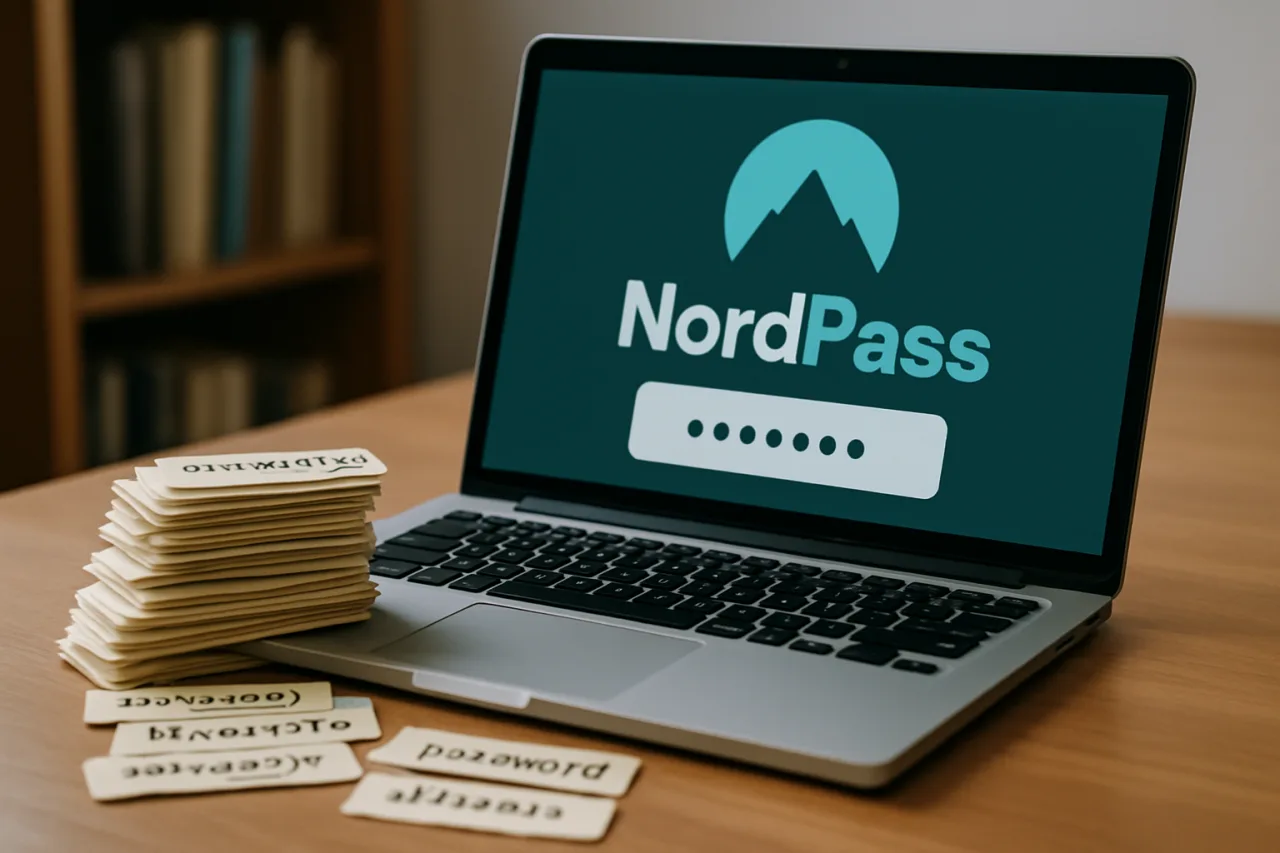
- Create the account and the master phrase. Your master password is the one password you will actually memorize. Use a four-to-five word passphrase (“blue-jeep-mango-tarpaulin” beats “P@ssw0rd!”) and write it on paper, stored physically — not in the same phone that holds the vault.
- Import your existing passwords. NordPass imports CSV exports from Chrome, Safari, Edge, and other managers in one step. This is the moment the tool pays for itself: 187 logins land in the vault at once. Delete the browser’s saved passwords after importing — keeping both copies defeats the purpose.
- Install the browser extension. Autofill only works from the extension; it is what stops the typing-fatigue relapse back to reuse.
- Turn on multi-factor authentication. Add an authenticator app or security key to the NordPass account itself. MFA on the vault is the difference between “annoying breach” and “catastrophic one.”
- Run the password health scan (Premium). The scanner grades every stored login as weak, reused, or breached. Work through the red entries starting with email, banking, and wallet accounts — not the forum accounts that feel urgent.
- Save your backup codes and set emergency access. Print the recovery kit or store the codes offline, and designate an emergency contact on Premium so your family is never locked out if something happens to you — a step OFW households should not skip.
For households sharing logins — the family Netflix, the remittance center account, the landlady’s Wi-Fi password — Premium’s secure sharing and the six-seat Family plan ($44.28 for the first year) remove the group-chat password ritual entirely.
Free vs Premium: What the 187-Password Reality Demands
So what does the NordPass password manager cost, and what does free actually hide? Here is the honest arithmetic. Pricing is compiled from NordPass’s published rates and CNET’s and PCMag’s 2026 price checks:
| Plan | First-year price | Renewal price | Devices | Key limits |
|---|---|---|---|---|
| Free | $0 | $0 | 1 at a time | No breach scanner, no password health, no email masking |
| Premium | $1.99/mo ($23.88/yr) | $35.88/yr | Unlimited | — |
| Premium 2-year | $1.49/mo ($35.76 total) | then standard | Unlimited | — |
| Family (6 users) | $3.69/mo ($44.28/yr) | $71.88/yr | Unlimited | Six separate vaults |
Read as a whole, the NordPass password manager pricing table rewards two-year commitments and punishes month-to-month forgetfulness. Two numbers in it deserve the highlighter. First, the free plan’s one-device limit: for the many professionals whose entire password life lives on one phone, free is genuinely enough, and it is the most generous single-device free tier we have tested alongside Bitwarden’s multi-device free plan. Second, the renewal jump: Premium’s $23.88 intro year renews at $35.88 — a 50% increase that lands quietly on your card. That is not unique to NordPass, but you should know it before you click. A 30-day free trial of Premium exists and does not ask for a card.
The Cons Box: Where the NordPass Password Manager Falls Short
No tool gets a pass on this site, and the NordPass password manager gets scrutinized hardest of all because it earns our commission. These are the real flaws:
- One device on free. The single biggest complaint in user reviews. If you switch between phone and laptop daily, the free plan will frustrate you by design.
- The renewal markup. As noted, $23.88 becomes $35.88 in year two. Budget for it or set a reminder before renewal.
- No phone support. Help arrives by live chat or email only. For a product guarding your entire digital life, that is thinner than some competitors.
- Export is manual. Getting your data out requires a CSV export you must find in settings — an extra friction step competitors automate.
- Bitwarden wins the free multi-device contest. If you refuse to pay, Bitwarden’s free plan syncs unlimited devices; our Vaultwarden self-hosting guide covers the fully free DIY route too. NordPass free is best understood as “the whole family’s passwords on grandma’s one laptop,” not a multi-device tool.
- Vendor audit claims need checking. The NordPass password manager advertises third-party audits of its cryptography; verify the most recent report date on its official security page before committing enterprise secrets. [UR — unresolved, check before enterprise use]
How We Evaluated
This NordPass password manager guide is research-based, not a sponsored placement. It draws on the vendor’s official feature documentation and pricing pages, published 2026 pricing checks by CNET and PCMag, independent threat statistics from Huntress, Enzoic, Cybernews, and Verizon, and our own newsroom’s operating experience running both cloud and self-hosted password managers across the sites we publish — including the step-by-step import and MFA flows described above. We did not run a fresh hands-on lab test of the current NordPass build for this piece; where a claim is the vendor’s alone, it is tagged as such in the text, and we commit to re-testing and updating this page when NordPass’s next major version ships.
Who Should Skip a Password Manager Entirely
Honest reviews say no sometimes. Skip the dedicated tool if:
- You keep fewer than ten accounts and already use unique passwords. The overhead outweighs the benefit; your phone’s built-in manager covers you.
- You are fully passkey-native. If every sensitive account you own already uses passkeys (see our guide to passkey security and its 39 attack paths), a password vault becomes a convenience layer, not a security one. Google Password Manager and iCloud Keychain already store passkeys for free.
- You cannot maintain the master phrase discipline. A password manager with a master password saved in the same phone’s notes app is a stronger single point of failure than what it replaced. If you will not manage that one phrase offline, stop here.
- You are on a strict zero-budget plan and multi-device matters. Bitwarden free or self-hosted Vaultwarden serves that need without a subscription.
NordPass vs Vaultwarden vs Your Browser’s Manager
Three realistic options, three different readers. The official NordPass site documents the full feature set, and we compared the three approaches on the dimensions that decide real outcomes:
| Dimension | NordPass | Vaultwarden (self-hosted) | Browser built-in |
|---|---|---|---|
| Cost | Free 1 device; Premium $23.88 first year | Free software + your server cost | Free |
| Setup effort | 20 minutes | An afternoon + maintenance | None |
| Breach monitoring | Premium: continuous | Depends on your setup | Basic |
| Who owns the data | Nord Security (zero-knowledge) | You, entirely | Google / Apple |
| Best for | Professionals who want full features without IT work | Technical users who want total control | Minimalists with few accounts |
Even inside the comparison, the NordPass password manager earns its slot: no other option on this table ships continuous breach monitoring at $2 a month. The security stack also has a layer above the vault: the network. A password manager protects your logins, but a VPN protects the traffic itself when you work from café or airport Wi-Fi — a scenario our public Wi-Fi security guide covers in depth, and where pairing NordPass with NordVPN makes operational sense for frequent travelers.
If you are ready to consolidate 187 logins behind one phrase, you can set up the NordPass password manager free here — the free tier requires no card, and Premium’s 30-day trial lets you test the breach scanner before paying anything.
The Verdict: Who Our Recommendation Serves
After weighing the vault engineering against the cons box: the NordPass password manager is a worth-it pick for working professionals and OFW households who live across two or more devices, want breach monitoring and passkey storage without self-hosting, and will pay roughly the price of one milk tea a month after the intro year. It is not the absolute best fit for everyone — zero-budget multi-device users should start with Bitwarden free, total-control users should read our Vaultwarden guide, and passkey-native minimalists already carry a capable vault in their phone. For everyone else in the 187-password reality, the free NordPass password manager plan on one device is the right starting point, and Premium is the upgrade the breach data justifies. Check the current intro pricing and trial the Premium scanner before the renewal math decides for you: start with the NordPass free plan, and read our complete password manager setup guide if you are migrating from a browser for the first time.
Frequently Asked Questions About the NordPass Password Manager
Is the NordPass password manager actually free?
Yes — the free plan is permanent, not a trial. You get unlimited password storage, the generator, autofill, and biometric unlock on one device at a time. The catch is the single-device limit: log in on your phone and your laptop session drops. Premium removes the limit and adds breach monitoring, password health, email masking, and secure sharing.
How much does NordPass Premium cost in 2026?
Premium runs $1.99 per month billed annually at $23.88 for the first year, then renews at the $35.88 standard rate. The two-year plan averages $1.49 per month ($35.76 total). The Family plan covers six users at $3.69 per month ($44.28 first year, $71.88 on renewal). All figures are the published US rates; check the official pricing page for peso-converted local pricing.
Is NordPass safe to trust with banking passwords?
Its vault uses XChaCha20 encryption with a zero-knowledge design, meaning Nord Security’s servers never see your data in readable form — the same architecture class as every reputable manager. Safety then depends on you: a strong master phrase, MFA on the account, and offline backup codes. Verify the latest independent audit date on NordPass’s official site before moving enterprise credentials in.
What happens if I forget my master password?
Zero-knowledge design cuts both ways: nobody at NordPass can recover your vault without the master password. That is why the setup’s final step — printing backup codes and setting emergency access — is non-negotiable. Store the printed kit somewhere physical and separate from your devices.
Can I import passwords from Chrome or another manager?
Yes. Export a CSV from your browser or old manager, then use NordPass’s built-in importer on desktop. The whole import takes minutes even for hundreds of entries. Delete the original browser-saved passwords afterward so the vault becomes the single source of truth.
NordPass or Bitwarden — which is better for Filipinos on a budget?
If “budget” means zero pesos and you need phone-plus-laptop access, Bitwarden’s free multi-device plan is the stronger pick. If you can spend about $2 a month, NordPass Premium adds continuous breach scanning and a more polished app experience. Self-hosters who want full control should weigh Vaultwarden, which we documented end-to-end on a Hostinger VPS.
Disclosure: WorldNgayon may earn a commission if you purchase through links in this article. Full details on our disclaimer page.
Financial Disclaimer
This NordPass password manager guide is published for general information and cybersecurity education. It is not financial, legal, or professional security advice. Pricing figures cited are US dollar rates compiled in September 2026 and may change; peso pricing, promotions, and renewal terms vary by region and should be verified directly with the vendor before purchase. WorldNgayon may earn a commission from purchases made through links in this article, which never influences our verdicts. You remain responsible for your own account security decisions, including master password management and backup practices.