Table of Contents
Dark Web Monitor services answer a question every professional now has to ask: is my email already for sale in the criminal underground? The mechanics are simple — breach dumps surface constantly on dark web forums and paste sites, monitoring services index those dumps, and when your address appears in a new one, you get an alert. The value is equally simple: you learn you’ve been burned while you can still change the locks. This guide explains how dark web monitoring actually works in 2026, tests what the major options deliver — including the Dark Web Monitor feature built into the NordVPN next-generation security suite — and tells you honestly when a free checker is all you need.
Key Takeaway
- 🔦 The function: Dark web monitoring scans breach dumps and criminal forums for your email and alerts you when your data surfaces.
- ⚖️ The honest math: Free checkers (HaveIBeenPwned) cover one-time lookups; continuous monitoring like NordVPN’s Dark Web Monitor runs in the background automatically.
- 🚨 What alerts mean: An alert is not a hack — it means your data from some past breach is circulating; the response is rotation, not panic.
- 🇵🇭 Why it matters here: With 19.2M+ Philippine credentials compromised in H1 2026 alone, assuming you’re unaffected is the expensive assumption.
The dark web is not a place your data visits. It is a market where your data is the merchandise. Every major breach since the mid-2010s has fed it: email-password pairs, phone numbers, government IDs, card fragments. The 255 Philippine breach incidents recorded in just the first half of 2026 — documented in our analysis of compromised credentials in the Philippines — all end their story the same way: with data for sale to whoever pays. Monitoring is the mechanism that tells you your name reached that inventory — and a dark web monitor is the only part of that economy that works for you instead of against you.
How Dark Web Monitoring Actually Works
Three layers, in order of how most people encounter them. One-time lookup: you enter an email into a service like HaveIBeenPwned and it tells you which known breaches contain it — free, instant, but only as current as your last check. Continuous monitoring: a service holds your email (hashed, in reputable implementations) and checks new dumps as they surface, pushing an alert when there’s a hit — this is the dark web monitor pattern, built into NordVPN’s app and standalone services alike. Credential-level response: premium tiers cross-reference the leaked data against your stored accounts and flag exactly which logins to rotate — the password-manager integrations our NordPass review covers bring monitoring and response into one place. The technology underneath all three is the same: breach data indexed against identifiers. The difference is whether you go looking or the watchtower is always lit.
What monitoring cannot do matters as much. It cannot remove your data from the dark web — nothing can; a leaked record is leaked. It cannot tell you what the buyer intends. And it cannot see dumps that are never public — private seller channels trade in silence, which is why monitoring coverage is always partial. [EI — editorial assessment] Treat every “we monitor the entire dark web” claim as marketing; the honest services say which sources they index.
The 2026 Landscape: Who Does What
The options divide into three tiers, each serving a different reader honestly:
| Service | Model | Cost | Best for |
|---|---|---|---|
| HaveIBeenPwned | One-time lookup + free notifications | Free | Anyone wanting a baseline check |
| Google / Apple built-ins | Account-scoped monitoring | Free with account | Users deep in one ecosystem |
| NordVPN Dark Web Monitor | Continuous scan inside VPN app | In subscription | People who want monitoring on by default |
| Password-manager breach tools | Monitoring tied to your vault | Premium tier | Users consolidating security tooling |
The fair comparison, per the vendor’s own positioning: NordVPN’s Dark Web Monitor runs continuously in the background of an app you may already have open — the same next-gen security suite that bundles scam-call filtering and malicious-link blocking — so the alert arrives without you remembering to check anything. The free alternatives do the same core lookup but require either your initiative or your loyalty to one ecosystem. [VD — feature claims per maker] None of them replaces the other’s job badly enough to call any choice wrong; the choice is between remembering and not needing to.
What to Do When the Dark Web Monitor Alert Fires
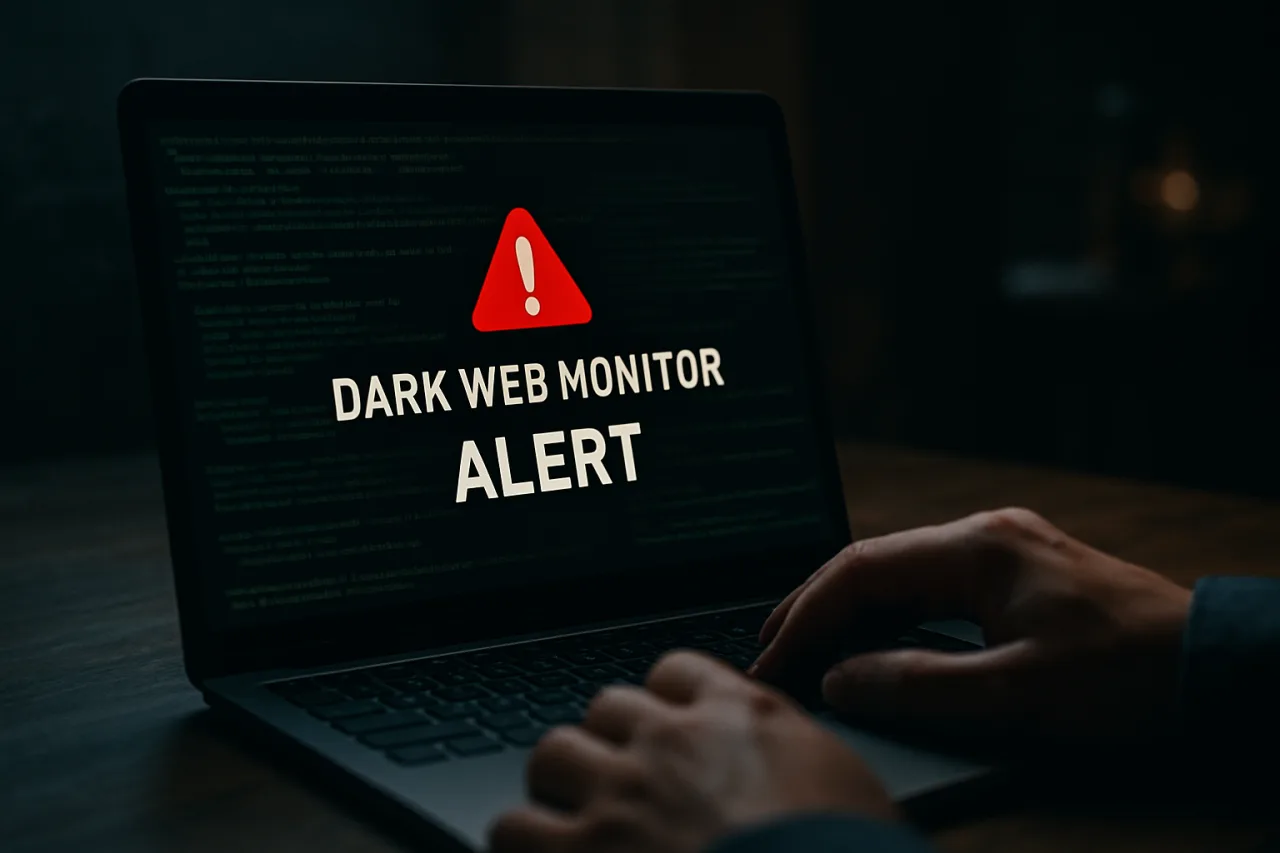
An alert from your dark web monitor is a starting gun, not a verdict., not a verdict. The response sequence, in order: first, identify which breach the alert references — the notification names the source; if it doesn’t, the checker sites let you trace it. Second, rotate that service’s password immediately, and any account sharing it — this is where the password-manager health scan earns its keep. Third, enable MFA on the affected account if it isn’t already; a rotated password without a second factor is half a fix. Fourth, check the exposed data type — an email in a marketing leak needs less urgency than a password-and- government-ID combo. Fifth, watch the financial edges: if card fragments or banking credentials were in the dump, monitor statements and consider a card reissue. And sixth, log the event — a family that tracks its exposures starts to see which services lose data repeatedly, and votes with its accounts accordingly.
The Dark Web and the Filipino Data Economy
The Philippine angle on dark web monitoring is volume, not novelty. The country’s breach cadence — the 19.2 million compromised credentials of H1 2026, the 99-million-record financial-sector attacks of March and April — means Filipino emails circulate in criminal markets at a rate that makes monitoring less optional than in quieter markets. The identity material in circulation is uniquely local: ID scans, license records, and the kind of personal-detail bundles our 150-million-license dark web report covered. A Filipino professional’s email is, statistically, already in at least one dump — the average is not zero but multiple. The question the monitoring services actually answer is not “am I exposed?” (assume yes) but “has something NEW surfaced that I haven’t yet rotated?” That reframing — from if to when — is what makes continuous monitoring worth its keep, and it is why the practice pairs naturally with the passkey migration our passkey security guide covers: data that can’t leak is data you never monitor for.
Here’s the question that matters: if an alert fired tonight, would your family know the protocol? The five-minute version — who rotates what, which accounts get MFA first, where the backup codes live — is the difference between an alert and an incident.
A word on the psychology, because it decides whether any of this works. Security tools fail in homes for one of two reasons: they alert too often, and the family learns to ignore them, or they alert once, the family panics, and nothing systematic happens afterward. The fix is a standing rule agreed in calm weather: every dark web monitor alert triggers the same five moves — identify the breach, rotate the password, enable MFA, check the data type, watch the money edges — in the same order, every time. Write the five moves somewhere the household can find them. The families that treat an alert like a fire drill rather than an alarm clock are the ones that never test the difference at 2 a.m. with a drained wallet. Monitoring is cheap; the protocol that consumes its output is where the value actually lives.
The economics close the case. A breach alert costs nothing to act on when it is false urgency and everything to ignore when it is real: rotation is fifteen minutes, MFA is five, and the alternative is the average breach aftermath — weeks of statement-watching, a card reissue, the low hum of “what else did they get?” against the certainty that the same email now anchors a dozen accounts. Priced against one prevented account takeover, a year of any monitoring tier in this guide rounds to nothing. The only expensive option on the menu is not knowing.
Who Should Skip Dark Web Monitoring Entirely
Honest guides say no sometimes. Skip the dedicated monitoring if: you already run continuous monitoring inside a password manager or security suite and receive its alerts — a second service duplicates the same feeds; your exposure surface is a single email you check yearly and you’re comfortable with the baseline-check cadence; or your threat model is phishing-first rather than breach-first — the messaging-app fraud patterns our remittance scam defense guide dissects are stopped by behavior, not by dump monitoring. Monitoring covers the credential-theft front of the war; it is silent on the confidence fronts entirely. Budget the attention accordingly.
One final calibration for the skeptics, because the skeptic is right about something: the dark web is smaller than the movies suggest, and much of what is called “dark web data” is simply recycled breach dumps circulating for years. That critique is correct and it changes nothing. The dumps recycle precisely because the credentials in them keep working — reuse keeps a 2019 leak profitable in 2026. Every rotation you perform devalues the entire criminal inventory built on your old password, which is why the alert-and-rotate loop, boring as it is, is the only lever in this economy that an individual actually controls. The dumps will keep circulating either way. What they are worth is up to you.
The Verdict: Who Dark Web Monitoring Serves
Continuous dark web monitoring is a worth-it default for Filipino professionals whose email is their financial identity — which is nearly everyone reading this — provided they understand what an alert means: not a hack, but a rotation order. The free tier of the market (HaveIBeenPwned’s lookup and notifications) is genuinely sufficient for disciplined users who check quarterly and rotate on schedule. The subscription route earns its keep through default-on behavior: NordVPN’s Dark Web Monitor runs without anyone remembering anything, and in a market posting 255 breaches per half-year, defaults beat discipline. What monitoring is not: a substitute for unique passwords, MFA, or scam skepticism — it is the tripwire layer of a defense whose foundation is built elsewhere. Set the tripwire; keep building the foundation.
Frequently Asked Questions About Dark Web Monitoring
What is a dark web monitor and how does it work?
A service that indexes breach dumps, paste sites, and criminal forums for your email or other identifiers, then alerts you when they surface. NordVPN’s Dark Web Monitor runs continuously inside its app; HaveIBeenPwned offers free lookup and notification tiers. An alert means your data from some breach is circulating — the correct response is rotating credentials, not panic.
Is my email already on the dark web?
Statistically, assume yes: with 19.2 million Philippine credentials compromised in H1 2026 alone and 255 breach incidents in six months, most long-used Filipino email addresses appear in at least one dump. A dark web monitor answers the operational question — whether something new has surfaced that you haven’t rotated yet.
Are free dark web checkers enough?
For disciplined users, mostly yes — HaveIBeenPwned’s data is the industry’s reference index and its notification service is free. The paid integrations add default-on monitoring, credential-level cross-referencing against your vault, and bundling with other security layers. The honest gap is behavior: free tools require you to check; continuous monitors do the checking.
Does Dark Web Monitor remove my data from the dark web?
No — nothing removes leaked data. A leaked record is leaked permanently; deletion services that claim otherwise are selling comfort. Monitoring’s entire value is early warning: knowing your data surfaced so you rotate before a buyer exploits it.
Can scammers use dark web monitoring against me?
Indirectly, yes — the same dumps monitoring services index are what scammers use to target you. An alert that tells you your data from Service X leaked is also a preview of the personalized scam that cites Service X. Rotate, enable MFA, and treat any message that “knows” your details with escalated suspicion.
How do I check if my data is on the dark web right now?
Start with a free lookup at HaveIBeenPwned for your primary email, check Google’s and Apple’s built-in dark web reports if you’re in those ecosystems, then decide whether continuous monitoring via a security app fits your habits. Our data breach checker guide walks the full process step by step.
Disclosure: WorldNgayon may earn a commission if you purchase through links in this article. Full details on our disclaimer page.
Financial Disclaimer
This article is published for general information and cybersecurity education. It is not security consulting, legal, or financial advice. Feature descriptions are per vendor documentation as of September 2026 and may change; verify current capabilities and pricing with each provider before purchasing.
Cite this pagePublished Sept 17, 2026
Agron, E. (2026, September 17). Your Email Is Already on a Criminal Price List — the Dark Web Monitor Is the Only Way to Know When It’s Your Turn. WorldNgayon. https://worldngayon.com/dark-web-monitor-guide/
Agron, Edmon. “Your Email Is Already on a Criminal Price List — the Dark Web Monitor Is the Only Way to Know When It’s Your Turn.” WorldNgayon, 17 Sept. 2026, worldngayon.com/dark-web-monitor-guide/.
Agron, Edmon. “Your Email Is Already on a Criminal Price List — the Dark Web Monitor Is the Only Way to Know When It’s Your Turn.” WorldNgayon, September 17, 2026. https://worldngayon.com/dark-web-monitor-guide/.
Agron, E. (2026) ‘Your Email Is Already on a Criminal Price List — the Dark Web Monitor Is the Only Way to Know When It’s Your Turn’, WorldNgayon, 17 September. Available at: https://worldngayon.com/dark-web-monitor-guide/.
E. Agron, “Your Email Is Already on a Criminal Price List — the Dark Web Monitor Is the Only Way to Know When It’s Your Turn,” WorldNgayon, Sept. 17, 2026. [Online]. Available: https://worldngayon.com/dark-web-monitor-guide/
@online{agron2026darkweb,
  author       = {Agron, Edmon},
  title        = {{Your Email Is Already on a Criminal Price List — the Dark Web Monitor Is the Only Way to Know When It’s Your Turn}},
  year         = {2026},
  date         = {2026-09-17},
  organization = {WorldNgayon},
  url          = {https://worldngayon.com/dark-web-monitor-guide/},
  urldate      = {}
}TY - ELEC AU - Agron, Edmon TI - Your Email Is Already on a Criminal Price List — the Dark Web Monitor Is the Only Way to Know When It’s Your Turn T2 - WorldNgayon PY - 2026 DA - 2026/09/17/ UR - https://worldngayon.com/dark-web-monitor-guide/ Y2 - ER -
Cite the version you read; the page may be updated. Zotero and Mendeley can also import this page directly.