Table of Contents
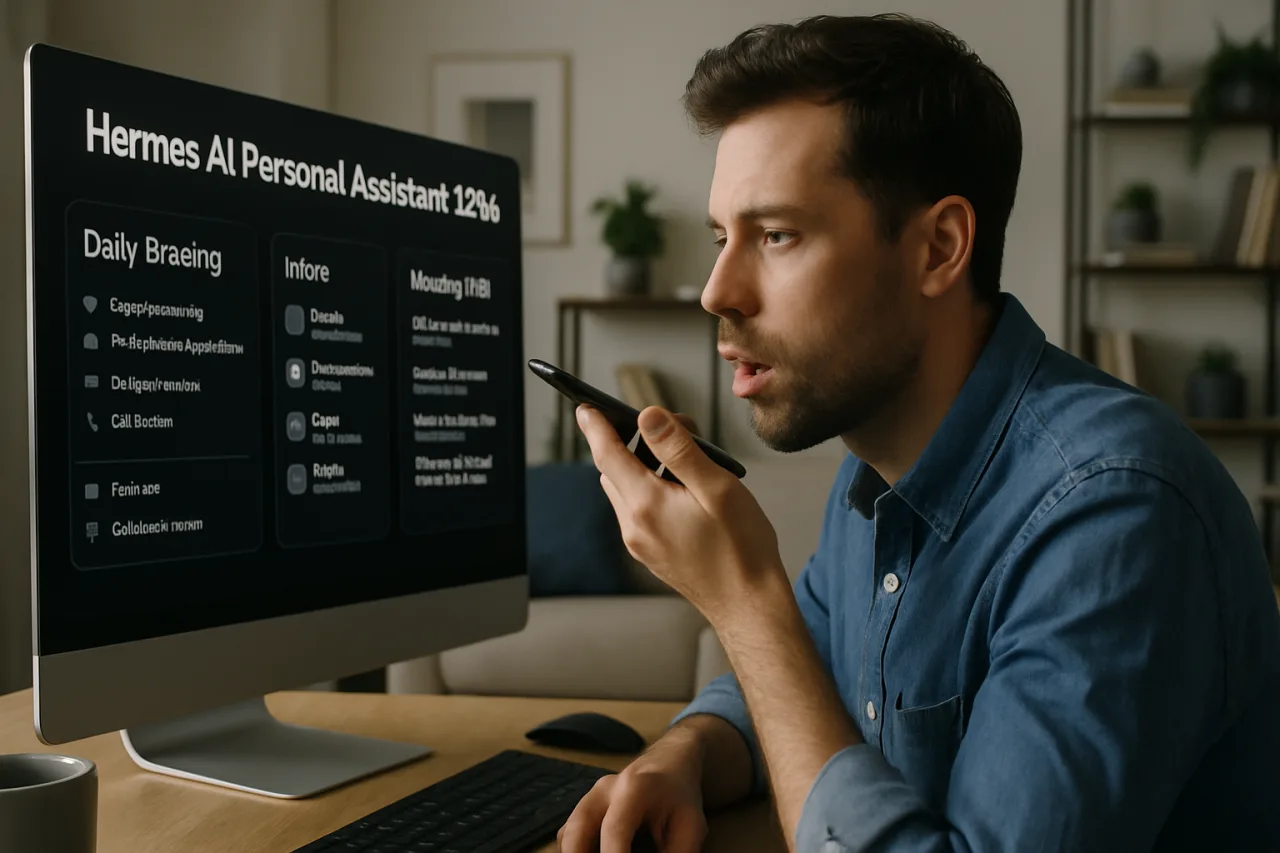
Hermes AI personal assistant use cases represent 44 documented deployments — the second largest category in the Hermes AI ecosystem — covering daily briefings, inbox triage, memory wikis, landing page creation, self-hosted cloud replacements, and proactive task management. These Hermes AI personal assistant deployments demonstrate how individuals are using the agent as a 24/7 digital chief of staff that remembers everything, works while they sleep, and gets smarter with every interaction. This article — Part 6 of our Hermes AI use cases series — examines how users are deploying Hermes AI as a personal assistant in production, with real examples from the official Hermes Agent platform.
Key Takeaway
- 🤖 44 personal assistant stories: Hermes AI personal assistant is the second largest use case category with 44 documented deployments covering daily briefings, inbox triage, memory wikis, self-hosted cloud replacements, and autonomous landing page creation.
- 📧 Natural language cron: The most cited Hermes AI personal assistant pattern is natural language scheduling — “every weekday at 9am, summarize my inbox and post to Slack” — a real working command that replaces manual email management.
- 🧠 Memory wikis: A user built a clickable memory wiki — a site with all subjects discussed and daily logs — with the agent asking for their number 1 priority each morning and generating tasks to support it.
- 🏗️ Autonomous web deployment: A user told Hermes AI to Google them, build a landing page, SSH into their VPS, upload the page, and text them when done — all autonomously.
- 🇵🇭 Filipino relevance: Filipino professionals and OFWs can use Hermes AI personal assistant for daily briefings from Philippine news sources, inbox management across time zones, family coordination through WhatsApp, and autonomous task completion while working or sleeping.
What Are Hermes AI Personal Assistant Use Cases?
Hermes AI personal assistant use cases are deployments where the agent serves as an individual’s 24/7 digital assistant — managing communications, scheduling tasks, maintaining memory, and proactively suggesting improvements. The 44 documented Hermes AI personal assistant stories on the official platform represent the broadest range of individual use cases, from simple daily briefings to complex autonomous web deployments.
What distinguishes Hermes AI personal assistant deployments from consumer AI tools like Siri, Google Assistant, or ChatGPT is threefold. First, persistence: the agent remembers your preferences, past conversations, and workflow patterns across sessions — you don’t re-explain yourself every time. Second, autonomy: the agent runs scheduled tasks without being prompted and can execute multi-step workflows autonomously. Third, self-improvement: the agent writes skills from experience, making it progressively more capable. These three differentiators are the same patterns identified in our Hermes AI use cases overview (Part 1) that define all successful deployments.
7 Real Hermes AI Personal Assistant Deployments
1. Natural Language Cron for Inbox Summaries
The most cited Hermes AI personal assistant pattern comes from Anthony Maio, who documented on Substack: “An agent that grows with you — not marketing fluff; it literally writes markdown skill files when it solves hard problems. Natural-language cron: ‘every weekday at 9am, summarize my inbox and post to Slack.'” This single command replaces a daily 30-minute email review ritual. The agent wakes up at 9 AM, reads the inbox, summarizes what matters, posts to Slack, and goes back to sleep. For Filipino professionals who start their day with email triage, this Hermes AI personal assistant pattern eliminates the most time-consuming morning routine.
2. Autonomous Landing Page Creation and Deployment
A user told their Hermes AI personal assistant to Google them, build a landing page based on what it found, and deploy it. The agent ran web searches, found information about the user, identified gaps, created an HTML landing page, SSH’d into the user’s VPS, uploaded the page, and texted them when it was done. The user described the experience as “genuinely mind blowing.” This deployment demonstrates the agent’s ability to chain multiple tools — web search, HTML generation, SSH, file upload, and notification — into a single autonomous workflow. For Filipino professionals building a personal brand, this pattern creates a self-updating online presence.
3. Memory Wiki with Daily Priority Routine
A user built a “memory wiki” — a clickable website containing all subjects discussed with their Hermes AI personal assistant, plus daily logs. Every morning at 9 AM, the agent asks for the user’s number 1 priority, generates supporting tasks, and updates its memories about the user accordingly. This Hermes AI personal assistant pattern transforms the agent from a reactive tool into a proactive productivity partner that knows your goals, tracks your progress, and suggests next steps. The memory wiki also serves as a searchable history of your work — a personal knowledge base that grows automatically.
4. Self-Hosted Google Drive Replacement
A user set up their Hermes AI personal assistant with Nextcloud and LibreOffice to replicate Google Drive functionality. LibreOffice Writer (similar to Google Docs) works fine, though LibreOffice Calc had some issues. This Hermes AI personal assistant deployment demonstrates the privacy-first approach — running a cloud productivity suite on your own infrastructure with your AI agent managing it. For Filipino professionals concerned about data sovereignty or who want to avoid Google/Microsoft subscription costs, this pattern provides a fully self-hosted alternative.
5. Daily 7 AM Filtered Tech Briefing
A software engineer and YouTube creator receives a daily 7 AM briefing from their Hermes AI personal assistant that is filtered for software engineering and content creation topics — not generic news. The agent scans sources, filters for relevance, and delivers a concise summary. Proactively, it also identifies tasks the creator describes doing manually and suggests automation approaches. This pattern — personalized, filtered, proactive — replaces generic news apps and RSS readers with a briefing that knows what you care about.
6. Nightly Micro-App Generation
A user scheduled their Hermes AI personal assistant to build a useful micro-app every night at 2 AM. The instruction: “Schedule a task for yourself to do every single night at 2am. It should be a micro app, UI, or system that helps us get closer to my personal goals — save us time, make us more productive, or just be generally useful.” The agent wakes up at 2 AM, builds something, and has it ready by morning. This deployment demonstrates the agent’s ability to work on creative tasks autonomously — generating value while the user sleeps.
7. Family WhatsApp Assistant
A user set up a Hermes AI personal assistant for their family of three, running through WhatsApp. Each family member uses it for different purposes — one $200 ChatGPT subscription replaced by a single Hermes agent that lives inside WhatsApp and handles tasks proactively. This deployment is particularly relevant for OFW families — a shared WhatsApp assistant that coordinates logistics, manages reminders, and serves as a family communication hub across distances.
The Hermes AI Personal Assistant Architecture
Persistent Memory Layer
The foundation of every personal assistant deployment is persistent memory. The agent stores user preferences in MEMORY.md and USER.md files — remembering your communication style, your priorities, your past decisions, and your workflow patterns. When you ask it to do something it has done before, it recalls the previous approach and applies it. This memory layer is what makes the Hermes AI personal assistant feel like a human assistant who has worked with you for months, rather than a chatbot that starts from scratch every time. The AI Builder Club identifies this as the core differentiator from session-based AI tools.
Scheduled Task Layer
Built on memory, the scheduled task layer uses natural language cron to automate recurring work. The agent accepts commands like “every weekday at 9am, summarize my inbox and post to Slack” or “every night at 2am, build a useful micro-app” and creates cron jobs that run autonomously. For the personal assistant, this layer transforms the agent from reactive (waiting for your commands) to proactive (working on your behalf while you do something else).
Proactive Intelligence Layer
The most advanced deployments include proactive intelligence — the agent observes your workflow patterns, identifies tasks you do manually, and suggests automations. The daily 7 AM briefing that says “the thing you described doing manually every Thursday could be automated — here’s how” is the proactive intelligence layer in action. This transforms the assistant from a tool that does what you tell it into one that identifies what you should be telling it.
How Filipinos Can Use Hermes AI Personal Assistant
Daily OFW News Briefing
OFWs can receive a daily briefing from their Hermes AI personal assistant that aggregates Philippine news, family updates, financial market movements, and weather — filtered for their specific interests and delivered through WhatsApp at a scheduled time. This connects to the digital skills ecosystem for OFWs.
Inbox Management Across Time Zones
Filipino professionals working with international clients across time zones can use a Hermes AI personal assistant to manage their inbox 24/7. The agent categorizes emails, extracts action items, drafts responses for review, and routes urgent items to messaging — all while the professional sleeps. This is particularly valuable for Filipino freelancers serving US, European, and Australian clients simultaneously.
Autonomous Personal Brand Management
Following the landing page deployment pattern, Filipino professionals can use their Hermes AI personal assistant to maintain their personal brand online — updating their portfolio website, posting to LinkedIn, and monitoring their online presence — all on autopilot. The agent can also connect to the AI career Philippines ecosystem to track job opportunities.
Family Task Coordination
For OFW families, the Hermes AI personal assistant can manage shared calendars, track bill payments, send birthday reminders, and coordinate school activities — all through a shared WhatsApp group. The agent serves as a neutral coordinator that keeps everyone informed without requiring constant phone calls across time zones. This complements the business operations patterns covered in Part 3.
Cost Comparison: Hermes AI Personal Assistant vs. Alternatives
| Personal Assistant Function | Traditional Cost | Hermes AI Cost |
|---|---|---|
| Daily email management | $20-30/month (Sanebox, etc.) | $5 VPS + ~$5 API |
| Daily news briefing | $10-15/month (Feedly Pro) | $5 VPS + ~$3 API |
| Task management | $10-15/month (Todoist Pro) | $5 VPS + ~$2 API |
| Personal knowledge base | $8-15/month (Notion, Obsidian Sync) | $5 VPS + ~$2 API |
| Cloud storage (self-hosted) | $10-20/month (Google One) | $5 VPS + $0 API |
| Total monthly | $58-95/month | $15-17/month |
Frequently Asked Questions About Hermes AI Personal Assistant
What is a Hermes AI personal assistant?
A Hermes AI personal assistant is a 24/7 AI agent deployment that manages communications, schedules tasks, maintains memory across sessions, and proactively suggests improvements. With 44 documented use cases, it is the second largest category in the Hermes AI ecosystem.
How does the Hermes AI personal assistant remember me?
The agent stores user preferences, past decisions, and workflow patterns in MEMORY.md and USER.md files that persist across sessions. When you ask it to do something it has done before, it recalls the previous approach and applies it — making the assistant progressively more capable the longer you use it.
Can the Hermes AI personal assistant work while I sleep?
Yes. Natural language cron commands like “every weekday at 9am, summarize my inbox” create scheduled tasks that run autonomously. One user schedules their agent to build a useful micro-app every night at 2 AM. The agent wakes up, does the work, and has results ready by morning.
Can I use the Hermes AI personal assistant through WhatsApp?
Yes. A documented use case shows a family of three sharing one Hermes AI personal assistant through WhatsApp, replacing a $200 ChatGPT subscription. The agent lives in the messaging app you already use — no separate application required.
How much does a Hermes AI personal assistant cost?
Hermes AI is free and open-source. Monthly costs include $5 for a VPS and $5-15 for AI model API access depending on activity. This compares to $58-95/month for equivalent SaaS subscriptions — representing 70-80% cost savings.
Can OFWs use the Hermes AI personal assistant?
Yes. OFWs can use the assistant for daily news briefings from the Philippines, inbox management across time zones, family task coordination through WhatsApp, and autonomous personal brand management — all from a $5/month VPS accessible anywhere in the world.
Can the Hermes AI personal assistant build websites?
Yes. A user told their agent to Google them, build a landing page, SSH into their VPS, upload the page, and text them when done — all autonomously. The agent chained web search, HTML generation, SSH, file upload, and notification into a single workflow.
Disclaimer: This article is for informational purposes only and does not constitute technical advice. Hermes AI is an open-source project under active development. Personal assistant capabilities described reflect the state of the project as of July 2026. For official documentation, visit hermes-agent.nousresearch.com.
- hermes-agent.nousresearch.com/docs/user-stories — official Hermes Agent platform
- aibuilderclub.com/blog/hermes-nous-research-self-improving-agent — AI Builder Club
External sources linked in this article, in order of first mention. Spotted an error or a broken link? Tell us.
Cite this pagePublished July 16, 2026 · Updated July 17, 2026
Agron, E. (2026, July 16). Hermes AI Personal Assistant 2026: 44 Real Daily Briefing, Inbox, and Memory Wiki Use Cases. WorldNgayon. https://worldngayon.com/hermes-ai-personal-assistant-2026/
Agron, Edmon. “Hermes AI Personal Assistant 2026: 44 Real Daily Briefing, Inbox, and Memory Wiki Use Cases.” WorldNgayon, 16 July 2026, worldngayon.com/hermes-ai-personal-assistant-2026/.
Agron, Edmon. “Hermes AI Personal Assistant 2026: 44 Real Daily Briefing, Inbox, and Memory Wiki Use Cases.” WorldNgayon, July 16, 2026. https://worldngayon.com/hermes-ai-personal-assistant-2026/.
Agron, E. (2026) ‘Hermes AI Personal Assistant 2026: 44 Real Daily Briefing, Inbox, and Memory Wiki Use Cases’, WorldNgayon, 16 July. Available at: https://worldngayon.com/hermes-ai-personal-assistant-2026/.
E. Agron, “Hermes AI Personal Assistant 2026: 44 Real Daily Briefing, Inbox, and Memory Wiki Use Cases,” WorldNgayon, July 16, 2026. [Online]. Available: https://worldngayon.com/hermes-ai-personal-assistant-2026/
@online{agron2026hermesai,
  author       = {Agron, Edmon},
  title        = {{Hermes AI Personal Assistant 2026: 44 Real Daily Briefing, Inbox, and Memory Wiki Use Cases}},
  year         = {2026},
  date         = {2026-07-16},
  organization = {WorldNgayon},
  url          = {https://worldngayon.com/hermes-ai-personal-assistant-2026/},
  urldate      = {}
}TY - ELEC AU - Agron, Edmon TI - Hermes AI Personal Assistant 2026: 44 Real Daily Briefing, Inbox, and Memory Wiki Use Cases T2 - WorldNgayon PY - 2026 DA - 2026/07/16/ UR - https://worldngayon.com/hermes-ai-personal-assistant-2026/ Y2 - ER -
Cite the version you read; the page may be updated. Zotero and Mendeley can also import this page directly.