Table of Contents
Hermes AI integrations represent 26 documented use cases where users connect the agent to external systems including Nextcloud, Home Assistant, Gmail, S3, PostgreSQL, Hindsight Cloud memory, SearXNG search, and browser automation tools. These Hermes AI integrations transform the agent from a standalone tool into a connected infrastructure layer that bridges multiple services, databases, and platforms. This article — Part 7 of our Hermes AI use cases series — examines how users are building integration ecosystems around Hermes AI, with real examples from the official Hermes Agent platform.
Key Takeaway
- 🔗 26 integration stories: Hermes AI integrations connect the agent to cloud storage, smart home systems, email APIs, databases, search engines, memory providers, and browser automation tools.
- 🏠 Home Assistant in 5 minutes: A Home Assistant add-on takes users from zero to working Hermes agent in under 5 minutes — the fastest documented integration setup.
- ☁️ Self-hosted cloud replacement: Users integrate Nextcloud and LibreOffice with Hermes AI to replace Google Drive and Google Docs — fully self-hosted, privacy-first, and free.
- 🧠 Hindsight Cloud memory: Vectorize.io connected Hindsight Cloud memory to Hermes AI, providing the best-performing AI agent memory as an external service.
- 🌐 Browser automation on VPS: A full copy-paste setup for Hermes AI + Browser Harness on a Hostinger VPS enables autonomous web browsing and interaction.
What Are Hermes AI Integrations?
Hermes AI integrations are deployments where the agent connects to external services, databases, APIs, or hardware systems to extend its capabilities beyond its built-in 80+ tools. The 26 documented Hermes AI integrations on the official platform represent the third largest use case category, reflecting the agent’s modular architecture that makes connecting external systems straightforward through skills, MCP (Model Context Protocol), and direct API calls.
What makes Hermes AI integrations powerful is that they inherit the agent’s core advantages — persistent memory, scheduled execution, and self-improving skills. When Hermes AI integrates with your email system, it doesn’t just fetch emails — it remembers how you categorize them, learns which senders are important, and adjusts its filtering over time. When it integrates with your database, it remembers your query patterns and optimizes them. This is the same self-improving architecture covered in our Hermes AI use cases overview (Part 1), applied to connected systems rather than standalone tasks.
5 Key Hermes AI Integration Categories
1. Cloud Storage and Productivity Integration
The most documented Hermes AI integration category is cloud storage and productivity tools. A user set up their agent with Nextcloud and LibreOffice to replicate Google Drive functionality — LibreOffice Writer works as a Google Docs replacement, with the agent managing file operations. This Hermes AI integration demonstrates that open-source alternatives, combined with an AI agent, can fully replace commercial cloud productivity suites. For Filipino professionals concerned about subscription costs or data sovereignty, this pattern provides a fully self-hosted alternative at zero software cost. The Hostinger skills guide covers how to configure Hermes AI integrations with cloud services.
2. Smart Home and IoT Integration
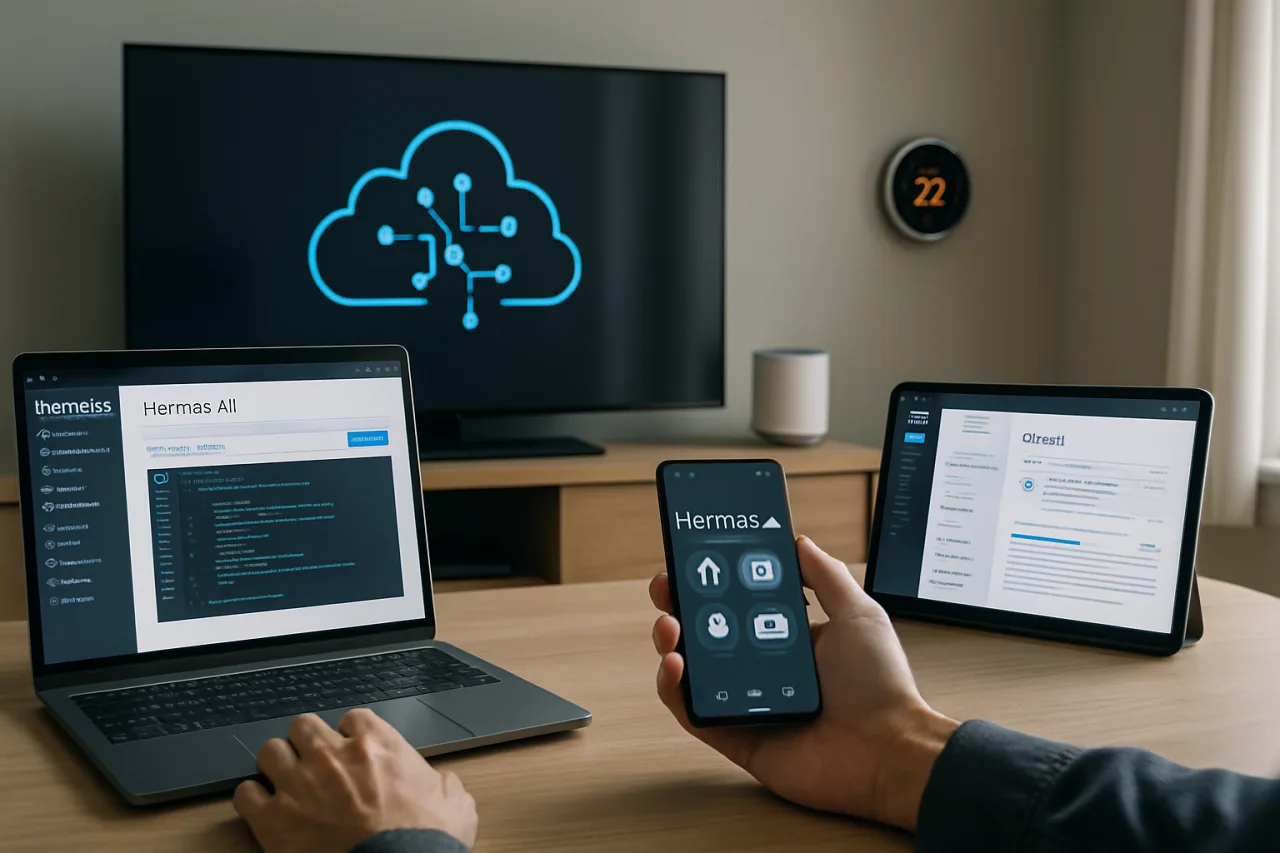
A Home Assistant add-on takes users from zero to working Hermes agent in under 5 minutes — the fastest documented Hermes AI integration setup. This integration connects the agent to smart home devices including lights, sensors, cameras, and appliances, enabling natural language control (“turn off the kitchen lights”) and automated routines (“if motion detected after 10 PM, turn on security cameras”). For Filipino smart home enthusiasts, this Hermes AI integration transforms Home Assistant from a manual dashboard into a voice-activated, AI-powered home management system. The smart home pattern connects to the creative applications covered in our content creation article (Part 4).
3. Email and Communication Integration
The DBOS + PostgreSQL + S3 + Gmail API integration, documented in our developer workflows article (Part 2), represents the most complex Hermes AI integration for email processing. The agent connects to Gmail through the official API, uses PostgreSQL for state management, S3 for attachment storage, and DBOS for workflow orchestration. This three-actor pipeline processes emails autonomously for 8 hours a day. For Filipino professionals, this Hermes AI integration pattern can be replicated with any email provider that offers API access, creating a fully autonomous email management system.
4. Memory Provider Integration
Vectorize.io connected Hindsight Cloud to Hermes AI, providing what they describe as the best-performing AI agent memory as an external service. This Hermes AI integration extends the agent’s built-in memory system with a cloud-based vector database, enabling faster recall, larger memory capacity, and cross-device memory synchronization. For users running multiple agents (like the multi-agent fleet covered in our business operations article, Part 3), Hindsight Cloud provides shared memory infrastructure that all agents can access.
5. Search and Browser Automation Integration
A user set up a local SearXNG container shared across multiple Hermes AI agents as a privacy-first search engine — avoiding the need for paid search APIs. Separately, a full copy-paste setup for Hermes AI + Browser Harness on a Hostinger VPS enables autonomous web browsing and interaction. The browser harness is registered as a Hermes skill via symlink, enabling the agent to navigate websites, fill forms, extract data, and interact with web applications autonomously. For Filipino businesses needing web scraping or competitive intelligence, this Hermes AI integration provides autonomous web research at $5/month VPS cost. The MindStudio cron automation guide covers how to combine browser automation with scheduled tasks.
The Hermes AI Integration Architecture
Hermes AI integrations are built on three architectural layers that work together to connect the agent to external systems. Understanding these layers helps developers design their own integration patterns and troubleshoot existing ones. The architecture is designed to be modular — each integration can be added or removed independently without affecting others.
Skills as Integration Adapters
Hermes AI integrations are primarily implemented through skills — markdown files that define how the agent should interact with an external service. A skill can specify API endpoints, authentication methods, data formats, and error handling. When the agent needs to interact with an integrated service, it loads the relevant skill and follows its instructions. This skill-based architecture means Hermes AI integrations are readable, editable, and shareable — users can publish their integration skills for others to use.
MCP (Model Context Protocol) Support
Hermes AI supports MCP, a standardized protocol for connecting AI agents to external tools and data sources. MCP enables Hermes AI integrations with any service that implements the protocol, including databases, APIs, file systems, and hardware devices. The Meta Ads CLI integration documented in Part 4 uses MCP to connect Hermes AI to Facebook’s advertising platform. As the MCP ecosystem grows, Hermes AI integrations will expand automatically without requiring custom skill development.
Container and Self-Hosted Patterns
Many Hermes AI integrations use containerized services running alongside the agent. The SearXNG search container, the Nextcloud storage container, and the Browser Harness all run as separate containers that the agent communicates with. This container-based architecture means Hermes AI integrations can be deployed on any system that supports Docker — from a $5 VPS to an enterprise Kubernetes cluster. The AMD Developer Cloud deployment guide demonstrates how to run Hermes AI with open-source models and vLLM for GPU-accelerated integration workloads. This is particularly valuable for Filipino developers who want to avoid recurring cloud API costs by running models locally on owned or rented GPU hardware.
How Filipinos Can Build Hermes AI Integrations
Philippine E-Commerce Integration
Filipino e-commerce sellers can build Hermes AI integrations with Lazada, Shopee, and TikTok Shop APIs to monitor inventory, track orders, and manage customer messages autonomously. The agent connects to each platform’s API through a custom skill, aggregates data across all stores, and delivers a daily summary through WhatsApp. This replaces manual dashboard checking across multiple platforms — a significant time saver for Filipino online sellers.
Remittance and Banking Integration
OFWs can integrate Hermes AI with their remittance provider’s API to monitor exchange rates, track transaction status, and receive alerts when favorable rates appear. The agent connects to bank APIs for balance monitoring and bill payment scheduling. For Filipino families managing finances across countries, this Hermes AI integration provides a unified financial monitoring system that operates 24/7 across time zones.
Government Service Integration
Filipino professionals can integrate Hermes AI with government online services — SSS contribution checking, PhilHealth status, PRC license renewal reminders, and NBI clearance tracking. The agent connects to each service through browser automation or API, checks status on a schedule, and alerts when action is needed. This Hermes AI integration pattern eliminates the frustration of manually checking multiple government portals — the agent handles the repetitive checking and only notifies the user when something requires attention. It connects to the broader digital skills ecosystem for Filipino professionals and the ETEEAP schools directory for educational credential verification.
Smart Home for Filipino Households
Following the Home Assistant integration pattern, Filipino households can deploy Hermes AI as a smart home controller — managing lights, security cameras, and appliances through natural language commands via WhatsApp or Telegram. The agent can also monitor energy usage and suggest optimizations to reduce electricity bills, a practical application for Filipino households managing monthly utility costs. The AI career landscape increasingly rewards professionals who can configure and manage these intelligent systems, making smart home integration a valuable skill.
Hermes AI Integrations: Compatibility Matrix
| Service Category | Integration Method | Difficulty | Documented Examples |
|---|---|---|---|
| Cloud Storage (Nextcloud, S3) | API + Skill | Medium | Self-hosted Google Drive replacement |
| Email (Gmail, Outlook) | Official API + Skill | Medium | 3-actor email pipeline (8h/day) |
| Smart Home (Home Assistant) | Add-on | Easy | Zero to agent in under 5 minutes |
| Search (SearXNG, DuckDuckGo) | Container + Skill | Easy | Privacy-first search across agents |
| Memory (Hindsight Cloud) | MCP + API | Medium | Best-performing agent memory |
| Browser (Browser Harness) | Symlink + Skill | Medium | Autonomous web browsing on VPS |
| Databases (PostgreSQL) | Direct connection | Hard | Email pipeline state management |
| Ads (Meta CLI + MCP) | MCP | Medium | Facebook ad campaign management |
Frequently Asked Questions About Hermes AI Integrations
What are Hermes AI integrations?
Hermes AI integrations are 26 documented use cases where the agent connects to external services including cloud storage, smart home systems, email APIs, databases, search engines, memory providers, and browser automation tools — extending its capabilities through skills and MCP.
How do I connect Hermes AI to external services?
Hermes AI integrations use three methods: skills (markdown files defining API interactions), MCP (Model Context Protocol for standardized tool connections), and containers (external services running alongside the agent). The Home Assistant add-on offers the easiest setup — zero to working agent in under 5 minutes.
Can Hermes AI replace Google Drive?
Yes. A documented use case shows a user replacing Google Drive with Nextcloud and LibreOffice integrated with Hermes AI. LibreOffice Writer works as a Google Docs replacement, with the agent managing file operations — all self-hosted and free.
Can Hermes AI control smart home devices?
Yes. A Home Assistant add-on connects Hermes AI to smart home devices including lights, sensors, cameras, and appliances, enabling natural language control and automated routines. The setup takes under 5 minutes.
What is Hindsight Cloud memory for Hermes AI?
Hindsight Cloud, connected by Vectorize.io, provides external memory infrastructure for Hermes AI using a cloud-based vector database. It enables faster recall, larger memory capacity, and cross-device memory synchronization — particularly useful for multi-agent deployments.
Can Hermes AI browse websites autonomously?
Yes. A Browser Harness integration enables Hermes AI to navigate websites, fill forms, extract data, and interact with web applications autonomously. The setup uses a symlink to register the browser as a Hermes skill, running on a Hostinger VPS.
How can Filipino businesses use Hermes AI integrations?
Filipino businesses can integrate Hermes AI with e-commerce platforms (Lazada, Shopee, TikTok Shop), remittance providers, banking APIs, and government online services (SSS, PhilHealth, PRC). The agent monitors all connected services on a schedule and delivers summaries through WhatsApp — replacing manual dashboard checking across multiple platforms.
Disclaimer: This article is for informational purposes only and does not constitute technical advice. Hermes AI is an open-source project under active development. Integration capabilities and compatibility described reflect the state of the project as of July 2026. For official documentation, visit hermes-agent.nousresearch.com.
- hermes-agent.nousresearch.com/docs/user-stories — official Hermes Agent platform
- hostinger.com/ca/tutorials/what-are-hermes-agent-skills — Hostinger skills guide
- mindstudio.ai/blog/build-cron-based-ai-automation-hermes-agent — MindStudio cron automation guide
- amd.com/en/developer/resources/technical-articles/2026/deploying-herm… — AMD Developer Cloud deployment guide
External sources linked in this article, in order of first mention. Spotted an error or a broken link? Tell us.
Cite this pagePublished July 16, 2026 · Updated July 17, 2026
Agron, E. (2026, July 16). Hermes AI Integrations 2026: 26 Real Cloud, Smart Home, Email, and Browser Automation Use Cases. WorldNgayon. https://worldngayon.com/hermes-ai-integrations-2026/
Agron, Edmon. “Hermes AI Integrations 2026: 26 Real Cloud, Smart Home, Email, and Browser Automation Use Cases.” WorldNgayon, 16 July 2026, worldngayon.com/hermes-ai-integrations-2026/.
Agron, Edmon. “Hermes AI Integrations 2026: 26 Real Cloud, Smart Home, Email, and Browser Automation Use Cases.” WorldNgayon, July 16, 2026. https://worldngayon.com/hermes-ai-integrations-2026/.
Agron, E. (2026) ‘Hermes AI Integrations 2026: 26 Real Cloud, Smart Home, Email, and Browser Automation Use Cases’, WorldNgayon, 16 July. Available at: https://worldngayon.com/hermes-ai-integrations-2026/.
E. Agron, “Hermes AI Integrations 2026: 26 Real Cloud, Smart Home, Email, and Browser Automation Use Cases,” WorldNgayon, July 16, 2026. [Online]. Available: https://worldngayon.com/hermes-ai-integrations-2026/
@online{agron2026hermesai,
  author       = {Agron, Edmon},
  title        = {{Hermes AI Integrations 2026: 26 Real Cloud, Smart Home, Email, and Browser Automation Use Cases}},
  year         = {2026},
  date         = {2026-07-16},
  organization = {WorldNgayon},
  url          = {https://worldngayon.com/hermes-ai-integrations-2026/},
  urldate      = {}
}TY - ELEC AU - Agron, Edmon TI - Hermes AI Integrations 2026: 26 Real Cloud, Smart Home, Email, and Browser Automation Use Cases T2 - WorldNgayon PY - 2026 DA - 2026/07/16/ UR - https://worldngayon.com/hermes-ai-integrations-2026/ Y2 - ER -
Cite the version you read; the page may be updated. Zotero and Mendeley can also import this page directly.