Key Takeaway
- 📶 The September Android update fixes 180 vulnerabilities — including CVE-2026-28662, a Wi-Fi flaw that lets attackers execute code with no tap from you.
- 🎯 The worst System-component bug (CVE-2026-28604) is rated critical with remote code execution and zero user interaction required — the exact profile of the attacks targeting Filipino phones this year.
- ⏱️ The fix takes five minutes: check your security patch level, update to 2026-09-05 or later, reboot. That is the entire defense.
- 📱 Patches do not install themselves — OEM layers (Samsung, Xiaomi, vivo, OPPO) ship them on their own schedule, so checking manually is the only way to know.
- 🏦 Unpatched Androids are the hunting ground for the banking trojans documented this quarter — the patch is your cheapest malware insurance.
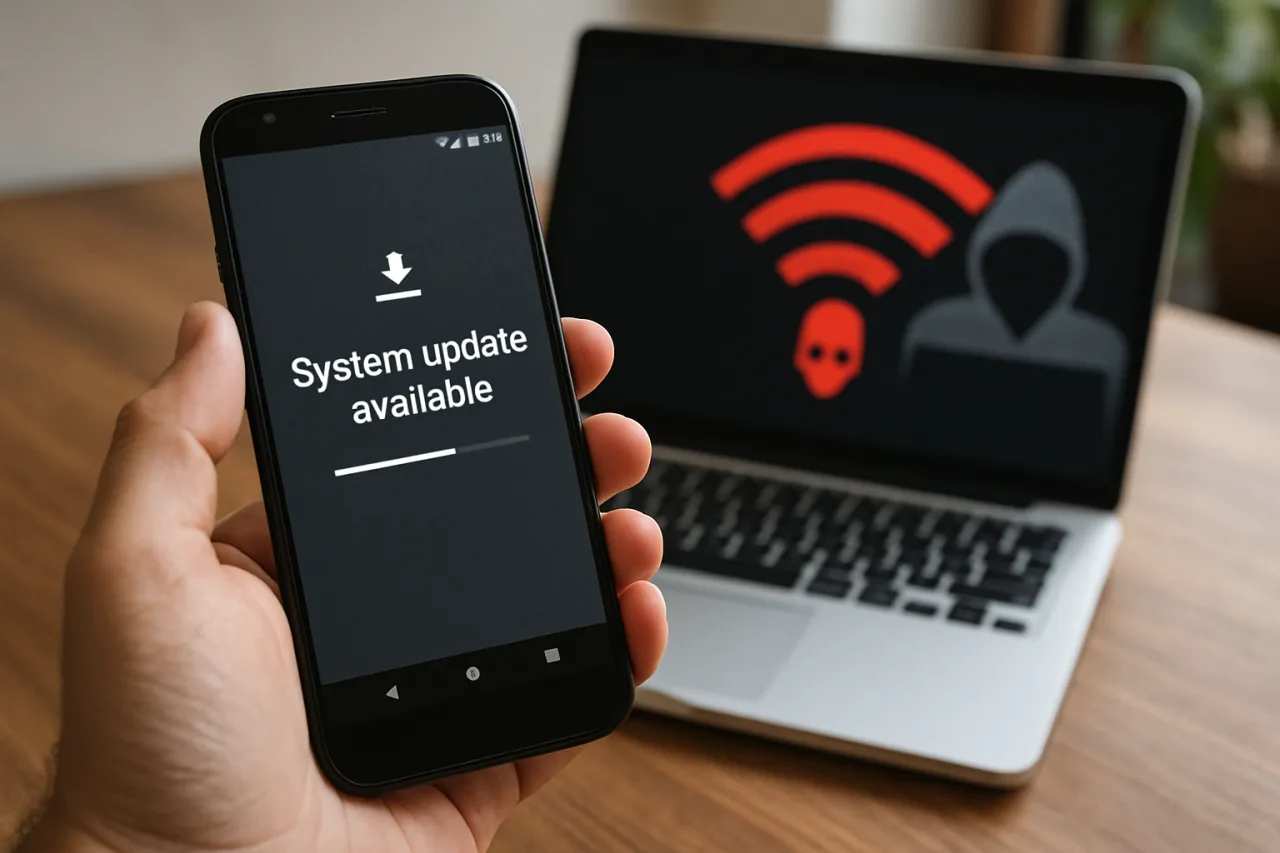
The most dangerous attacks on your Android phone share one property: they never ask you to tap anything. That is why the September Android update deserves five minutes of your attention today — the September Android update and Google’s 2026-09-01 bulletin closes 180 vulnerabilities, and the worst of them share the zero-interaction exploit profile that made this summer’s banking trojans so costly. One of the critical bugs lives in the Wi-Fi stack itself, meaning a phone connected to the wrong network could be attacked without a single visible prompt. This September Android update guide decodes the bulletin in plain language, walks the five-minute update ritual, and explains why Philippine Android users should treat this month’s patch as mandatory, not optional.
Table of Contents
What the September Android Update Actually Fixed
The September 2026 Android Security Bulletin, published September 8, distributes its fixes across two security patch levels — the September 1 release closing 95 vulnerabilities in Android Runtime, Framework, System, and Setup Wizard, with the September 5 level completing the set across System and kernel components. The total: 180 fixes spanning the entire attack surface of the operating system. The official Android Security Bulletin names the most severe issue as a critical vulnerability in the System component allowing remote code execution with no additional privileges needed — and, critically, no user interaction for exploitation.
Security analysts tracking the bulletin highlighted CVE-2026-28604, CVE-2026-28618, CVE-2026-28639, and CVE-2026-28662 as the cluster that matters most. TechRepublic’s coverage singles out CVE-2026-28662 for its location: the Wi-Fi stack, where a memory-corruption bug could hand attackers a path onto the device from the network itself. Within 48 hours of publication, Google released the source patches to AOSP so every OEM can port them — which is exactly why your phone’s update timing now depends on its manufacturer.
The Wi-Fi Bug That Needs No Tap
Most vulnerabilities require the user to cooperate — open the file, click the link, install the app. The September bulletin’s worst bugs drop that requirement. A remote code execution flaw with no user interaction means the attack can begin the moment conditions align: your phone connected to a network the attacker controls or can inject traffic into, running a component with the unpatched flaw. No notification. No permission dialog. Nothing you could have refused.
That is the nightmare profile, and it is why patch timing — not just patch existence — is the real security boundary. Every day between bulletin publication and your phone actually installing the fix is a day the attack window stays open. For users who connect to café WiFi, airport networks, or shared building access points across Philippine cities daily, the exposure math is unforgiving.
Why Unpatched Phones Are the Banking Trojan’s Favorite Target
Patching does not exist in a vacuum — it closes the technical doors that malware campaigns try first. The Rokarolla banking trojan documented in our trojan protection guide chains trust-theft permissions, not raw exploits — but the droppers that deliver such payloads, and the exploits that privilege-escalate them, feed on exactly the bugs this bulletin kills. Kaspersky’s Q1 2026 data counted a 50% jump in mobile banking trojan packages; the fleet grows fastest where devices run old patch levels. Your five-minute September Android update raises the floor beneath every other defense this guide series covers.
Step 1: Check Your Security Patch Level
The patch level is printed on your phone right now: Settings → About phone → Android version → Android security update. The date shown is the last patch level your device received. If it reads anything before 2026-09-01, your phone is missing this month’s September Android update and its 180 fixes. Write the date down — it is your reference point for every future check, and the number OEM support lines will ask for.
Step 2: Update and Reboot the Right Way
Path: Settings → System → System update (Samsung: Settings → Software update; Xiaomi: Settings → About phone → MIUI/System version). Tap “Check for update” — do not wait for the automatic notification, because staggered rollouts leave most devices waiting for days. If the September Android update appears, install over WiFi with 50%+ battery, then reboot. Re-verify the patch level after the reboot: the September Android update should show 2026-09-05 (or the newest level your OEM shipped). Five minutes, start to finish.
Step 3: What If Your Phone Has No Update Yet
Three tiers of reality. If your device is new enough, the fix arrives within days-to-weeks of the bulletin — keep checking weekly, and enable “auto-update over WiFi” while you wait. If your OEM has gone quiet on updates (the graveyard of budget Androids three or more years old), the September Android update may never come to your model — at that point the behavioral layer below carries the full load, and a hardware upgrade conversation becomes a security decision, not a luxury one. And if the update fails or loops, restart, free 5GB+ of storage, and retry; a full backup before any update remains the golden rule.
Step 4: The Behavioral Layer That Patches Cannot Replace
Patches close software doors; they do nothing about the doors you open yourself. The complete defense from this series: install only from the Play Store and refuse mystery Accessibility grants (trojan guide), keep your OTPs off every conversation (scam text guide), and consider passkeys for the accounts that matter (passkeys guide). The September Android update plus those habits is the difference between a hardened phone and a hopeful one.
How Each Brand Ships the September Patch Differently
The September Android update reaches different brands on different clocks, and knowing your brand’s rhythm removes the anxiety from rollout week. Pixel devices sit first in line — Google tests them against the bulletin directly and pushes within days. Samsung’s One UI layer follows with its own integration pass, usually within two weeks, delivered through Settings → Software update. Xiaomi, OPPO, vivo, realme, and Transsion brands (Infinix, Tecno, itel — the value tier most common in Philippine retail) vary the most: flagships track the bulletin closely, while entry-level models may wait a full month or receive only quarterly cumulative patches.
The practical advice for every brand is identical: do not wait for a notification. Open the system update screen, tap check, and let the phone tell you its truth. If the September security level is still missing after two weekly checks, your OEM’s support page or official community forum will confirm the rollout schedule for your exact model number — worth looking up once, then ignoring until next month.
The Family Update Ritual: Make It a Sunday Habit
Technical habits survive when they attach to existing routines. Pick one — Sunday video call with the family, the weekly market run, payday — and attach the patch check to it. Each household member (or each phone you manage: yours, your spouse’s, your kids’, your parents’) gets the sixty-second check: Settings → About phone → security patch level → update if stale. This single ritual closes the gap between Google’s bulletin and the phones that actually receive it, which for most families is weeks long.
The stakes are concrete, not hypothetical. The banking trojan fleet documented this quarter grows fastest on stale devices; the Wi-Fi attack class in this month’s bulletin targets precisely the unpatched window. A family that patches together converts the most expensive devices in the house — the ones holding GCash, banking apps, and work email — into the hardest targets in the neighborhood. Sixty seconds per phone, one ritual per week, and the September Android update becomes what it should be: routine maintenance, not emergency surgery.
Frequently Asked Questions
What did the September 2026 Android update fix?
The September 2026 Android Security Bulletin addresses 180 vulnerabilities across two patch levels (2026-09-01 and 2026-09-05), covering Framework, System, kernel, and vendor components. The most severe issues are critical remote code execution bugs requiring no user interaction, including CVE-2026-28662 in the Wi-Fi stack.
How do I check my Android security patch level?
Open Settings → About phone → Android version → Android security update. The date shown is your current patch level. Anything earlier than 2026-09-01 means this month’s fixes are not installed yet — head to Settings → System → System update and check manually.
Why does my Samsung or Xiaomi phone get the update later than Pixel?
Google publishes the source patches within 48 hours of the bulletin, but each manufacturer must integrate them into its own software layer, test, and roll out — so OEM timing varies from days to weeks (and for some budget models, never). Pixel devices receive patches first; checking manually every week is the reliable habit.
Is the Wi-Fi vulnerability CVE-2026-28662 being exploited?
The September bulletin does not report public exploitation of CVE-2026-28662 at publication — which is exactly the moment to patch, before that changes. A Wi-Fi stack bug with no-interaction exploitation potential is most valuable to attackers while the unpatched population is large. Updating removes you from that population.
Do I still need antivirus if my phone is fully updated?
Updates close known software doors; they cannot stop social engineering — the fake app you install, the Accessibility permission you grant, the OTP you share. Behavioral defenses (official-store installs, permission audits, OTP discipline) plus a current patch level is the complete picture; neither substitutes for the other.
How often should I check for Android updates?
Weekly is the practical rhythm — monthly security bulletins land on the first days of each month, and OEM rollouts stagger behind. Turn on auto-update over WiFi so the system checks itself, then verify the patch level monthly as a five-minute ritual. The date string is the truth; notifications are not.
Final Word: Five Minutes, 180 Doors Closed
The September Android update is the rare security task where the effort-to-protection ratio is absurd: five minutes of your attention closes 180 vulnerabilities, including the no-tap Wi-Fi class of attack that no amount of caution can personally firewall. Check the patch level, install, reboot, verify — then set the monthly reminder. The banking trojans and Wi-Fi bugs of 2026 share one prerequisite: an unpatched phone. Deny them that, and your Android stops being the softest target in the room.
- source.android.com/docs/security/bulletin/2026/2026-09-01 — official Android Security Bulletin
- techrepublic.com/article/news-google-android-update-180 — TechRepublic’s coverage
External sources linked in this article, in order of first mention. Spotted an error or a broken link? Tell us.
Cite this pagePublished Sept 19, 2026 · Updated Oct 9, 2026
Agron, E. (2026, September 19). A Wi-Fi Bug Lets Hackers In Without a Single Tap. The September Fix Is Out. WorldNgayon. https://worldngayon.com/android-september-2026-patch-guide/
Agron, Edmon. “A Wi-Fi Bug Lets Hackers In Without a Single Tap. The September Fix Is Out.” WorldNgayon, 19 Sept. 2026, worldngayon.com/android-september-2026-patch-guide/.
Agron, Edmon. “A Wi-Fi Bug Lets Hackers In Without a Single Tap. The September Fix Is Out.” WorldNgayon, September 19, 2026. https://worldngayon.com/android-september-2026-patch-guide/.
Agron, E. (2026) ‘A Wi-Fi Bug Lets Hackers In Without a Single Tap. The September Fix Is Out’, WorldNgayon, 19 September. Available at: https://worldngayon.com/android-september-2026-patch-guide/.
E. Agron, “A Wi-Fi Bug Lets Hackers In Without a Single Tap. The September Fix Is Out,” WorldNgayon, Sept. 19, 2026. [Online]. Available: https://worldngayon.com/android-september-2026-patch-guide/
@online{agron2026androidseptember,
  author       = {Agron, Edmon},
  title        = {{A Wi-Fi Bug Lets Hackers In Without a Single Tap. The September Fix Is Out}},
  year         = {2026},
  date         = {2026-09-19},
  organization = {WorldNgayon},
  url          = {https://worldngayon.com/android-september-2026-patch-guide/},
  urldate      = {}
}TY - ELEC AU - Agron, Edmon TI - A Wi-Fi Bug Lets Hackers In Without a Single Tap. The September Fix Is Out T2 - WorldNgayon PY - 2026 DA - 2026/09/19/ UR - https://worldngayon.com/android-september-2026-patch-guide/ Y2 - ER -
Cite the version you read; the page may be updated. Zotero and Mendeley can also import this page directly.