Table of Contents
Key Takeaway
- 🔗 What you will build: a fully working n8n on Hostinger deployment — your own automation engine running 24/7 on a VPS you control, with HTTPS, a proper domain, and unlimited workflow executions.
- ⚡ The template makes it beginner-easy: Hostinger ships an official “Ubuntu 24.04 with n8n” template that pre-installs n8n inside Docker with automatic SSL — the whole base install takes minutes, not an evening.
- 💰 The economics are the story: self-hosted n8n has no per-task, per-execution, or per-operation fees. Zapier bills per automation step; this setup bills you one flat VPS price of roughly $6–9 a month no matter how much it runs.
- 🛠️ Every command and click is written out: template deploy, first login, domain DNS, the docker-compose environment block, your first workflow, updates, and backups — nothing left as “exercise for the reader.”
- 🇵🇭 Built for the Filipino workflow: examples included for OFW-realistic automations — content pipelines, lead capture, invoicing reminders, and monitoring alerts that run while you sleep.
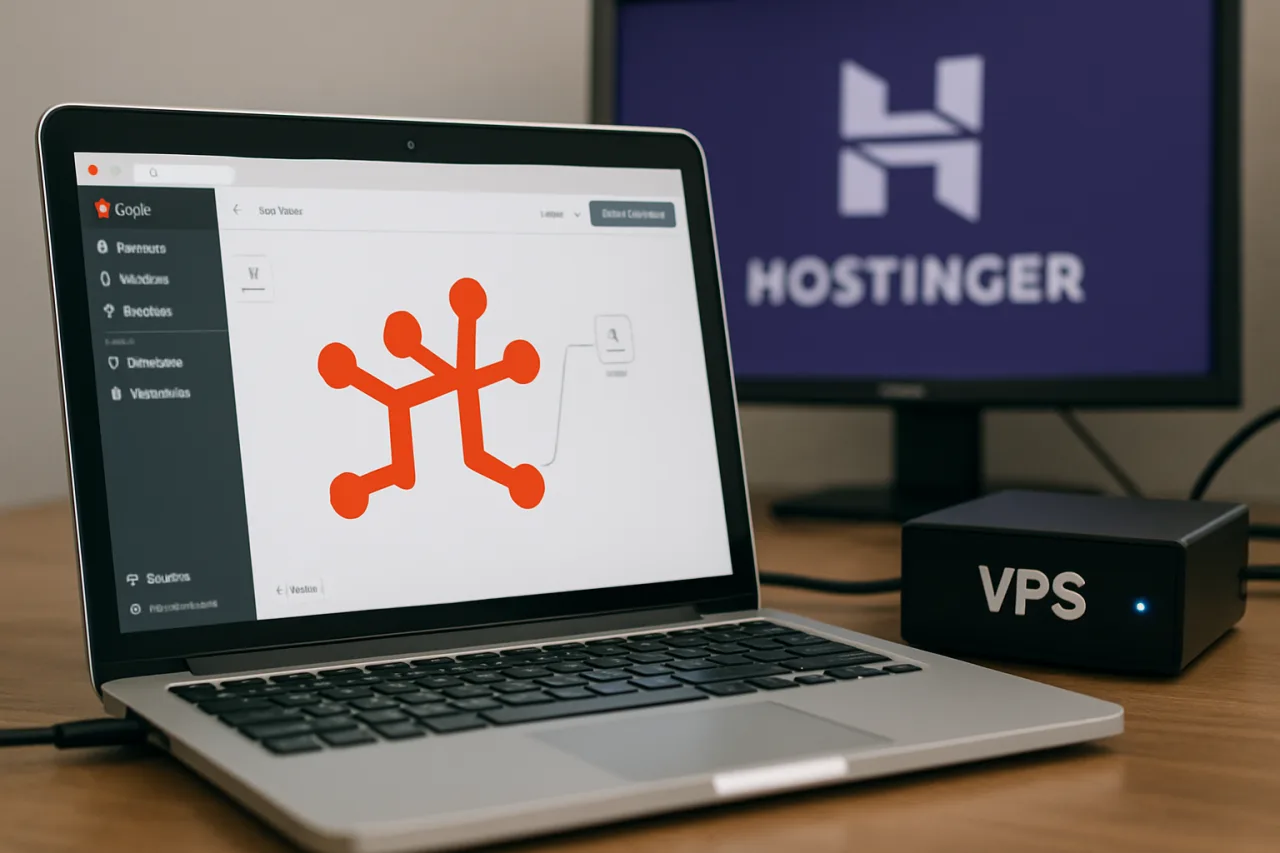
Every automation platform with a subscription page has the same fine print: you pay per task. Zapier charges per action, Make charges per operation, and a busy business workflow can burn hundreds of dollars a month doing things a $6 server could do for free. n8n on Hostinger is the escape hatch — n8n is the open-source workflow automation tool behind thousands of production automations, and when you self-host n8n on Hostinger infrastructure of your own, the executions are unlimited and the software is free. This guide walks the complete n8n on Hostinger setup, step by step, from buying the VPS to launching your first working automation.
What n8n Is and Why Self-Hosting Changes the Math
n8n (pronounced “n-eight-n”) is an open-source workflow automation tool that connects more than 400 services — Gmail, Telegram, Google Sheets, Notion, OpenAI, webhooks, databases, and everything in between — into visual workflows you build by connecting nodes on a canvas. Think of it as Zapier’s open-source sibling with more power and fewer ceilings: loops, branching, code nodes, and AI agent nodes are all first-class citizens. The official n8n documentation covers the full feature set; the critical difference is the license model — n8n is free to self-host for internal business use, and the cloud version charges based on executions.
The cost math explains why the self-hosting community keeps growing. A typical agency workflow — form submissions flowing into a CRM, notifications pinging Telegram, weekly reports auto-generated — might execute 5,000 times a month across 30,000 node operations. On per-task pricing that is a three-figure monthly bill. On n8n on Hostinger, the same load runs comfortably on a KVM 2 VPS (2 vCPU, 8 GB RAM) at roughly $7–9 a month flat — the machine does not care whether it executes 50 workflows or 50,000. n8n itself idles at 300–500 MB of RAM and spikes during heavy runs, which is why the 2-vCPU/4 GB-plus class of VPS is the sweet spot for production.
👉 Create your Hostinger VPS here — the plan used for every step below.
What You Need Before Starting
Three things. The VPS itself (next step). A domain name you control — any registrar works, and if your automation needs are internal-only you can technically run without one, but a domain gives you proper HTTPS, which webhook-based workflows (Telegram, Slack, most SaaS triggers) require. And about an hour. No prior server experience is assumed; every command is copy-paste ready.
Step 1: Deploy the Hostinger n8n Template
Hostinger maintains an official “Ubuntu 24.04 with n8n” VPS template — a preconfigured image that installs n8n inside Docker together with the Traefik reverse proxy (which handles your HTTPS certificates automatically) and a PostgreSQL database. Using it is the difference between an evening of configuration and a coffee break. Buy the VPS, choose the KVM 2 plan, pick a data center near you (Singapore is the usual choice for the Philippines), and in the operating-system selection step choose Applications → n8n instead of a plain OS. Complete checkout, wait five to ten minutes for provisioning, and the server comes up with Docker running and n8n already deployed.
Existing VPS without the template? You can reinstall into the template from hPanel (VPS → Settings → Operating System → Applications → n8n) — the VPS is wiped, so do this before you build anything. Already comfortable with Docker and want full manual control? A complete manual path is covered near the end of this guide.
Step 2: First Login and Owner Account
Open the n8n interface. With the template, n8n answers on your VPS IP over HTTPS once you attach a domain (next step) — the template’s Traefik setup expects n8n.yourdomain.com style access. The first time you load the editor, n8n walks you through creating the owner account: an email, a strong password, and basic workspace details. This account administers your instance — set user management up immediately, because an automation tool with webhook endpoints on the public internet deserves the same treatment as any admin panel: a unique password, and credentials saved in a password manager, not a sticky note.
Step 3: Point a Domain at Your n8n Server
Webhook-based automations — anything triggered by Telegram, forms, or SaaS callbacks — need a valid HTTPS URL, and browsers need one for daily use. In your domain’s DNS settings, add an A record: host n8n, value your VPS IP (123.45.67.89 in hPanel’s VPS overview), TTL default. DNS propagation takes minutes to a couple of hours. The template’s Traefik then requests and renews your Let’s Encrypt certificate automatically — you never touch certificate files. If DNS runs through Hostinger’s own domain panel, the record is two clicks; if your domain lives elsewhere, point the A record at the VPS IP and you are done.
Step 4: Configure the Environment Block
Connect to the VPS over SSH (browser terminal works: hPanel → VPS → Overview) and navigate to the template’s config directory:
cd /docker/n8n
Open docker-compose.yml in the nano editor (nano docker-compose.yml) and find the environment: block under the n8n service — the single place where public URLs, timezone, and runtime settings are declared. The two lines that matter:
N8N_HOST=n8n.yourdomain.comWEBHOOK_URL=https://n8n.yourdomain.com/
Add your timezone while you are there — GENERIC_TIMEZONE=Asia/Manila — so scheduled workflows fire on Philippine time, not server UTC. Save (Ctrl+O, Enter, Ctrl+X) and apply the change:
docker compose up -d
Docker recreates the n8n service with the new settings in seconds — no downtime drama, no other steps required. This file is the single control surface for the whole deployment; every future tweak (new variables, queue mode, database changes) happens here and lands with the same one command.
Step 5: Build Your First Workflow
Open https://n8n.yourdomain.com, sign in, and click Create Workflow. A first automation that proves the whole stack in ten minutes: a Telegram trigger node connected to your bot token, wired to a node that echoes your message back. Webhooks from Telegram will only register against a valid HTTPS URL — which Step 3 and 4 just gave you — so a working Telegram round-trip is your certificate that the domain, HTTPS, and webhook URL are all correct. From there the canvas is yours: connect a form node to a Google Sheets row-append, a schedule trigger to an HTTP request that pulls data and messages you a digest, an email parser to an AI summary node. Workflows save to the server’s Docker volume automatically as you build; the Execute Workflow button runs them on demand, and the Active toggle puts them on permanent duty.
Step 6: Updates, Backups, and Housekeeping
Two habits keep the deployment boring — in the good way. First, updates: the template runs n8n as a Docker container, so monthly maintenance is three commands from /docker/n8n:
docker compose pull
docker compose down
docker compose up -d
Your workflows and credentials live in the attached Docker volume, which survives the container swap — the volume is the disk, the container is just the engine bolted to it. Second, backups: take Hostinger snapshots before major changes (hPanel → Backups & Snapshots), and for belt-and-suspenders, schedule a periodic export of the n8n data directory. Ten minutes a month of housekeeping buys you an automation platform that never surprises you.
The Manual Docker Path (No Template)
On a plain Ubuntu 24.04 VPS, install Docker, then run n8n with a single container for testing:
docker run -it --rm --name n8n -p 5678:5678 -v n8n_data:/home/node/.n8n n8nio/n8n
That gets you a working editor on port 5678 — good for learning, not for webhooks, because plain HTTP breaks most SaaS triggers. Production setups pair n8n with a reverse proxy for HTTPS (Caddy is the gentlest; Traefik is what the template uses) and, for heavier loads, a PostgreSQL container instead of the built-in SQLite. The official Docker installation docs cover the compose file in full. For production sizing: 2 vCPU and 4 GB is the floor for an n8n + PostgreSQL + proxy stack; scale to 8 GB when workflows process documents or run AI nodes.
What This Setup Unlocks
The fun part is the catalog. Content teams run publication pipelines — RSS pull, AI draft, human approval step, scheduled publish. Service businesses wire lead forms to CRM entries to instant Telegram notifications. Finance folks reconcile invoices on schedule and get nudged about outliers. Agencies monitor client sites hourly and open tickets automatically. And because workflows are JSON, they are versionable and portable — yours to back up, clone, and reuse, not locked in a SaaS vault. We showed how an agent-driven stack pairs with this in our Hermes VPS setup guide — n8n is the workflow engine, Hermes is the conversational brain, and together they cover most of what businesses pay platforms monthly for. For the security-minded, the self-hosted LLM security checklist applies almost verbatim, and our Gartner 40% cancellation analysis explains why disciplined deployment matters to any automation server you expose to the internet.
Scaling Up: When Your Workflows Outgrow One Server
A single n8n container serves most use cases for years — but part of running your own infrastructure is knowing where the ceiling is. n8n handles concurrency on one machine until workflows start queueing behind each other; the tell is execution times creeping up during peak hours. The first lever is plan size: upgrading the VPS (more cores, more RAM) in hPanel takes minutes and requires no reconfiguration because your data volume travels with the machine. The second lever is architectural: n8n supports queue mode, which splits the editor from the workers that execute workflows, letting a small fleet of worker containers process jobs in parallel — the template’s docker-compose file can be extended for this the same way any environment change is made.
The third consideration is database durability. The template ships PostgreSQL, which is already the right choice; manual installs that started on the built-in SQLite should migrate to PostgreSQL before workloads become business-critical, because a database that can be backed up live, replicated, and tuned independently is the difference between a home lab and a production platform. None of these steps are urgent on day one — and that is the correct reading. The whole advantage of this architecture is that it starts small and cheap, proves its value in real executions, and scales in measured steps when the workload tells you to. Capacity planning by invoice shock, the way per-task SaaS forces, is replaced by capacity planning by observation, the way engineers actually prefer.
WorldNgayon Analysis: The per-task pricing model is quietly becoming a tax on successful businesses — the better your automations work, the more you pay for them. That inversion is why the self-hosting movement matters strategically, not just economically: every execution your infrastructure handles for a flat VPS fee is a line item that never appears on a SaaS invoice. For Filipino freelancers and agencies, there is a second layer — selling automation build-outs is a service, and being the person who can stand up production n8n on n8n on Hostinger infrastructure in an afternoon is a billable skill with almost no local competition. The tool is free; the knowledge is the product.
Bottom Line: Zapier prices your success by the task; a VPS prices it at one flat rental — and this setup moves you to the second column for good.
Troubleshooting n8n on Hostinger
n8n does not load at all after template deploy — give provisioning five to ten minutes, then check that the container is up: docker ps inside the VPS should show the n8n service running; if not, cd /docker/n8n && docker compose up -d and check docker compose logs.
Webhooks register as HTTP and Telegram/SaaS triggers fail — your WEBHOOK_URL is not set to the https domain, or DNS has not propagated yet. Fix the environment block (Step 4), re-run docker compose up -d, and re-test after propagation.
Certificate errors in the browser — the A record points somewhere else or propagation is incomplete; verify with ping n8n.yourdomain.com from your laptop that it answers with the VPS IP, and give Traefik a few minutes to issue the certificate.
Editor sluggish on heavy workflows — you are likely on KVM 1. n8n’s memory spikes during large executions; KVM 2’s extra core and RAM is the practical fix, and hPanel upgrades run without touching your data volume.
Variables did not take effect — the compose file was edited but the container was not recreated. Every environment change requires docker compose up -d from the /docker/n8n directory; a plain restart does not re-read the file.
Frequently Asked Questions
How much does it cost to run n8n on Hostinger?
The VPS is the main cost: KVM 2 (2 vCPU, 8 GB RAM — comfortable for production) runs roughly $7–9 per month on intro pricing. The n8n software itself is free to self-host for internal business use. There are no execution, task, or operation fees — that is the entire point of self-hosting.
Is the Hostinger n8n template better than installing manually?
For most people, yes. The template pre-installs Docker, n8n, PostgreSQL, and the Traefik reverse proxy with automatic HTTPS — the four pieces manual installs usually fumble. Manual installation remains the right choice when you need custom architecture, but for getting a reliable instance live in minutes, the template path in Step 1 wins.
Do I need a domain for n8n webhooks to work?
For webhook triggers (Telegram, forms, SaaS callbacks), effectively yes — they require a valid HTTPS URL, which needs a real domain and certificate. The template’s Traefik issues Let’s Encrypt certificates automatically once your domain points at the VPS. Internal workflows without webhooks can run without a domain, but you will want one quickly.
How is self-hosted n8n different from the n8n cloud?
Same editor, same nodes — different economics and control. The cloud service charges based on executions and manages hosting for you; self-hosting puts unlimited executions on your own VPS, keeps credentials and data on hardware you control, and costs one flat hosting fee. Maintenance (updates, backups) is your job — Step 6 covers it.
Can n8n use AI models in workflows?
Yes — n8n ships AI agent nodes that connect to OpenAI, Anthropic, Google, and local models, so workflows can summarize documents, classify requests, or draft replies mid-automation. Combined with a VPS install, you can even point workflows at models running on the same machine.
What can I automate first as a beginner?
Start with something that notifies you — a form-to-Telegram alert, a daily RSS digest, a scheduled reminder. Notification workflows teach triggers, actions, and credentials without risk, and they are the skeleton every more complex automation grows from.
Financial Disclaimer
This article is for general information and editorial analysis only and does not constitute financial, investment, or legal advice. Pricing mentioned reflects Hostinger’s publicly listed intro pricing as of September 13, 2026 and is subject to change by the vendor. This article contains commercial links to the hosting provider used in our own infrastructure; WorldNgayon.com may earn a commission on qualifying purchases made through them, at no additional cost to readers. This does not influence our recommendations. Readers should verify current pricing and terms before purchasing. WorldNgayon.com publishes under Edmon Agron.
Disclosure: WorldNgayon may earn a commission if you purchase through links in this article. Full details on our disclaimer page.