Table of Contents
Home Assistant Voice — THE BOARD — Wednesday, September 30, 2026 → Hostinger How-To #20 (The Private Voice Server): Alexa and Google answer your family in exchange for a permanent microphone in the living room — the home assistant voice alternative is a server you own. Today’s drill replaces that landlord: a Home Assistant Voice pipeline — wake word, Whisper speech-to-text, Piper voice replies — running on a Hostinger KVM VPS you pay in pesos, not in data. 🎙️ Events Intelligence: the home assistant voice build joins the self-hosting ladder beside Hermes, Nextcloud, and the Matrix server..
Key Takeaway
- 🎙️ The voice stack is free software now: Home Assistant’s Assist pipeline chains wake word → speech-to-text → conversation engine → text-to-speech entirely on hardware you control, and the official guides document every step.
- 🖥️ Your server can be a VPS, not a spare mini-PC: KVM 1 (₱380-class/month intro) runs the control-command build; KVM 2 (₱520-class) handles the full Whisper model with snappier replies. Same server family as your Hermes or Nextcloud box.
- 🔌 The microphone is a ₱3,400 puck (or your phone): the $60 Home Assistant Voice Preview Edition detects “Okay Nabu” on its own chip and only streams audio after the wake word fires — and the Companion app turns any Android phone into a free satellite for testing.
- 🧾 What you finish with tonight: a private voice endpoint that answers lights-locks-schedules questions, speaks back in a human voice, keeps working when the internet drops, and never uploads a sentence to an ad company.
- 📊 The honest math: controls-only = Speech-to-Phrase on the lightest tier; open conversation = Whisper small on KVM 2; a local LLM brain still wants a separate GPU box or a cheap API bill — priced below.
Home Assistant Voice: Why the Landlord Model Finally Has a Rival
For a decade the bargain was one-sided. Amazon and Google gave every household an always-on microphone for the price of a restaurant meal, and the household paid with the only currency those companies actually collect: the sentences themselves. Every “what’s the weather,” every kid’s bedtime request, every argument accidentally captured — processed on servers you will never see, retained under policies you did not write, in exchange for a voice that turns the lights on. The Home Assistant home assistant voice project flipped the ledger in 2026: the wake word, the transcription, the intent parser, and the spoken reply all run on hardware you own, following an official build path published at Home Assistant’s official voice documentation. Nothing leaves the network unless you decide it should.
The official documentation is blunt about the trade-off. Fully local speech processing needs real compute: on a Raspberry Pi 4, a Whisper transcription takes around eight seconds — an eternity in voice-assistant time. On an Intel-class x86 box, it finishes in well under a second. That single latency number is why Filipino households that already rent a KVM VPS for Hermes, n8n, Nextcloud, or the family media server have a quiet superpower: you already own the machine. Adding a voice pipeline to it costs nothing extra per month, and the build below finishes in under an hour.
What changed for 2026 is the maturity curve. The Voice Preview Edition — Home Assistant’s first first-party microphone puck — carries dual mics, a dedicated audio DSP with hardware noise suppression, a physical mute switch (per the official Voice PE page), and an ESP32-S3 chip that detects its wake word locally. Community builds now document the full chain end to end: wake word to lights-on with zero packets leaving the home network, proven by the one test that matters — pulling the internet cable and watching the assistant keep answering.
WorldNgayon’s position on this build stays the same as every build in this series: this is not a gadget review. It is an ownership decision. A family that runs its own voice server pays once, in setup time, and keeps every future sentence out of someone else’s training pipeline. This guide walks the exact drill — and the two honest forks in the road where the easy version and the powerful version diverge.
The Architecture: Five Pieces That Chain Into One Pipeline
Home Assistant’s voice system is five small services in a relay race — the architecture that makes a private home assistant voice pipeline work. Understanding the relay is what makes the build debuggable instead of mysterious:
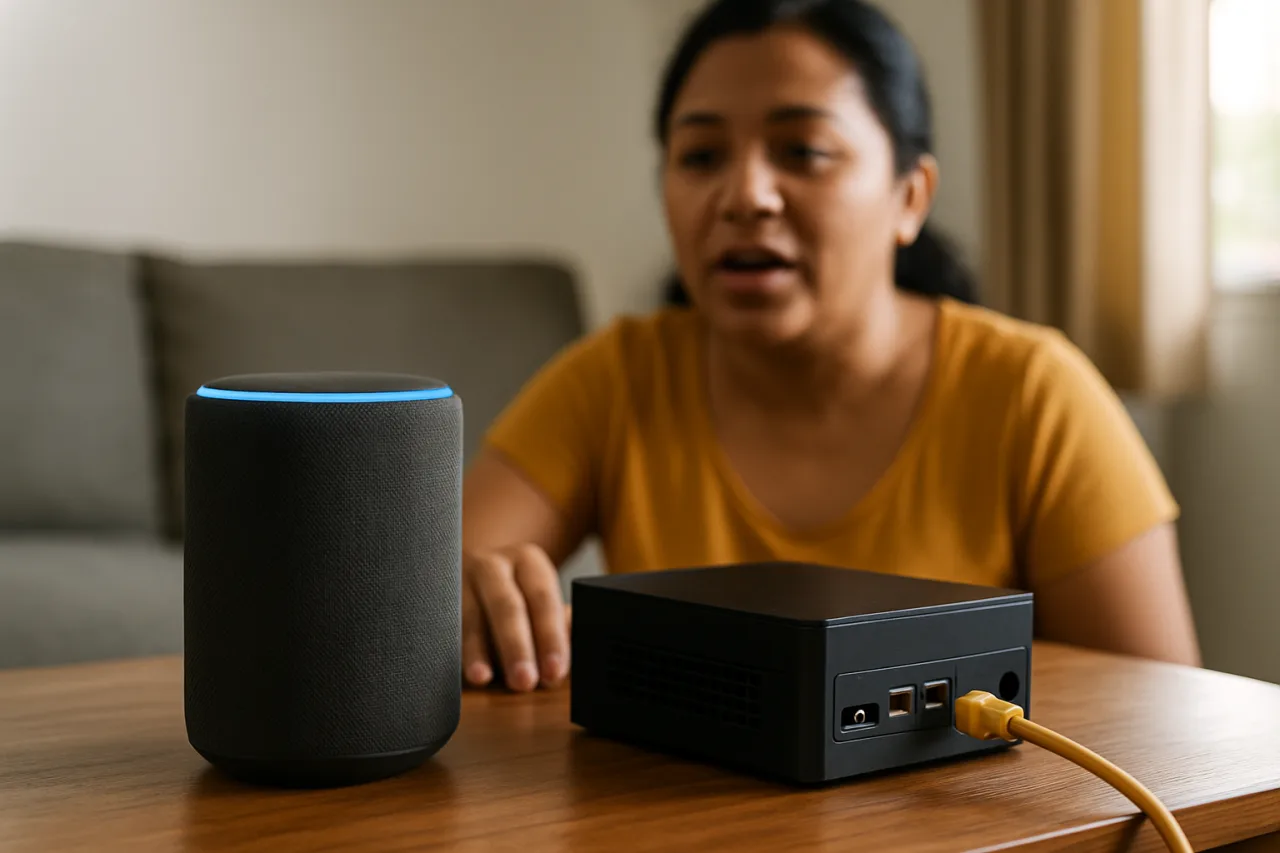
- The satellite hears you. A Voice PE puck, a browser running the Voice Satellite card, or the Companion app on your phone listens for the wake word. On Voice PE, detection happens on the device’s own chip — audio does not stream anywhere until “Okay Nabu” fires. On a phone satellite, the app does the same on-device.
- Speech-to-text writes it down. The audio hops to your server, where a Whisper engine transcribes it. Two official flavors exist: Speech-to-Phrase, a focused model that only recognizes home-control sentences (lightweight, rock-solid, limited), and faster-whisper, the open-ended model that transcribes anything but eats more CPU and RAM.
- The conversation brain decides. Home Assistant’s built-in intent engine handles the commands it knows — “turn on the kitchen lights,” “lock the front door,” “what’s the temperature outside.” Everything fuzzier goes to a conversation agent, which can be a local LLM or a cloud API, your call.
- Text-to-speech speaks back. Piper, a fast local neural voice engine, turns the reply into audio in under a second on modest hardware — and it is the same engine that announces “dinner is ready” through every satellite in the house.
- Wyoming is the glue. All of these services speak the Wyoming protocol — a standard wire format that lets Home Assistant discover and chain them, on the same box or across machines.
The elegance of the design: each piece is swappable. Start with the built-in intent engine tonight, bolt on a brain later. Start with your phone as the satellite, add a $60 puck per room as the budget allows. The pipeline does not care.
Why a Hostinger KVM VPS — and Which Tier Actually Fits
The official guidance recommends Intel N100-class hardware for Whisper Base with acceptable speed. A KVM VPS on AMD EPYC cores clears that bar with room to spare. Pricing verified against our standing September anchors and cross-checked this week against four independent VPS trackers:
- KVM 1 — $6.49/mo intro (renews ~$11.99): 1 vCPU, 4 GB RAM, 50 GB NVMe. Enough for Speech-to-Phrase (the controls-only engine) plus Piper, especially if this box already runs light workloads. The honest budget build.
- KVM 2 — $8.99/mo intro (renews ~$14.99): 2 vCPUs, 8 GB RAM, 100 GB NVMe. The recommended tier: it runs faster-whisper’s small model with real headroom and keeps replies snappy even while Nextcloud or the media server shares the box. This is where most families land.
- KVM 4 — $12.99/mo intro: 4 vCPUs, 16 GB. Only if you plan to run a 7B-class local LLM as the conversation brain alongside everything else. Below we price the smarter alternative.
One deployment fork matters more than the tier: Home Assistant’s Docker install on a VPS does not ship the Add-on Store (that convenience lives in Home Assistant OS on home hardware). On a KVM VPS you run the voice services as separate containers next to Home Assistant Container — same Wyoming protocol, same UI wiring, one extra manual step in the docker-compose file. The drill below writes that file for you. If you already run Home Assistant Container for another project, this build slots in beside it.
The peso math, because this is a decision product: at today’s rates the KVM 2 intro month runs around ₱520; the KVM 1 intro around ₱380 — less than one month of a single music-streaming subscription, forever. The $60 Voice PE puck converts to roughly ₱3,400 at current Philippines retail expectations, one per room you want to talk to, or ₱0 using the phones you already own.
The 45-Minute Drill: Docker Containers to Spoken Answers
Step 1 — Provision the VPS (10 minutes)
Order KVM 2 (or KVM 1 for the controls-only path) with Ubuntu 24.04, root SSH in, and update. Open the firewall for your Home Assistant port (8123) and, critically, nothing else — the voice services below bind to localhost only. If this VPS is shared with other builds, note its IP: you will point your phone satellite at it. Our Hermes VPS drill covers the Hostinger panel navigation step by step; the same clicks apply here.
Step 2 — Raise Home Assistant Container (10 minutes)
If the box is fresh, install Docker and pull Home Assistant Container with a docker-compose block:
services:
  homeassistant:
    container_name: ha
    image: ghcr.io/home-assistant/home-assistant:stable
    volumes:
      - ./ha-config:/config
    network_mode: host
    restart: unless-stopped
Bring it up, confirm http://VPS-IP:8123 shows onboarding, and create the local account. You do not need Home Assistant Cloud for any part of this build — that is the point.
Step 3 — Install Whisper and Piper as Wyoming Containers (10 minutes)
On a VPS install, the voice engines are containers you run beside Home Assistant, speaking Wyoming over the network. Append to the same compose file:
  whisper:
    container_name: wyoming-whisper
    image: rhasspy/wyoming-whisper
    command: --model small-int8 --language en
    restart: unless-stopped

  piper:
    container_name: wyoming-piper
    image: rhasspy/wyoming-piper
    command: --voice en_US-lessac-medium
    restart: unless-stopped
The two model choices are the knobs that matter. Whisper small-int8 is the accuracy-latency sweet spot on KVM 2 (drop to tiny-int8 on KVM 1, or switch the whole pipeline to Speech-to-Phrase for the controls-only build). Piper’s lessac-medium voice is the community’s “guests don’t realize it’s local” pick — a quality benchmark for any home assistant voice build — natural cadence, sub-second generation. Both images are from the Rhasspy project, the same maintainers behind the official add-ons.
Step 4 — Wire the Assist Pipeline in the UI (10 minutes)
In Home Assistant: Settings → Devices & Services → Add Integration → Wyoming. Enter the VPS’s own address (host-network mode makes everything reachable at 127.0.0.1); both containers appear. Then Settings → Voice assistants → Add assistant: name it, pick language, choose Whisper (or Speech-to-Phrase) for speech-to-text, Home Assistant as conversation agent (built-in intents handle hundreds of device commands with no LLM), and Piper for text-to-speech. Save. That is the entire pipeline definition — four selections in one panel.
Step 5 — Give It Ears and a Speaker (5 minutes)
Fastest path: install the Home Assistant Companion app on any Android phone, open its settings → Assist, point it at your new pipeline, and talk. Nothing to buy, nothing to flash. When the family outgrows phones-as-satellites, order the Voice Preview Edition (~$60): plug in USB-C, adopt it from the discovered-devices card, pick your wake word and pipeline in its wizard, and place it in the living room. Its ESP32-S3 chip handles wake-word detection on-device and streams audio only after “Okay Nabu” fires.
Step 6 — The Pull-the-Cable Test (5 minutes)
The certification moment from the community build logs: disconnect the VPS’s outbound internet (or block egress at the firewall) and ask the room satellite for the time. Piper answers in its local voice. Wake word, transcription, intent matching, spoken reply — the full loop ran without a single packet leaving your network. That silence is what the home assistant voice standard is for.
What the Assistant Can — and Honestly Cannot — Do Tonight
The built-in intent engine handles the household canon: lights by name and area, climate setpoints, locks, covers, media transport, timers, shopping and todo lists, plus follow-up questions like “what’s the temperature in the bedroom.” Expose devices under Settings → Voice assistants → Expose, add aliases for the names your family actually says, and the coverage surprises you. The Sentences starter pack extends the phrase library, and custom sentences cover your family’s private verbs — “get the palengke list” can become a first-class command.
What it deliberately does not do out of the box is open-ended conversation — “it’s gloomy in here, fix the mood.” That requests a conversation agent. Two honest routes:
- Local LLM route: point the pipeline’s conversation agent at an Ollama box (community build: a used RTX 3060 12GB runs a 3B model at conversational speed for around $250 used, one-time). Voice stays fully in-house; the GPU is the cost of independence. Our Ollama drill covers the private-AI layer conceptually, though GPU-class silicon belongs at home, not on a shared VPS.
- API route: wire a hosted conversation agent for a few dollars a month at your family’s question volume, with Prefer handling commands locally enabled — simple device commands stay local, only the fuzzy questions cross the wire. Latency and privacy both stay mostly intact, and the bill prices below a subscription tier you actually use.
The middle path most families take: the automation announcements (doorbell, package detected, daily briefing) run Piper directly with zero LLM latency, and the interactive pipeline gets the brain. You can even run both pipelines side by side and assign them per device.
The OFW Angle: Why a Voice Server Answers a Long-Distance Problem
The use case nobody advertises: the OFW parent’s nightly call home. A Voice PE puck in the family living room in Batangas, piped to the VPS you administer from Riyadh, becomes a one-touch intercom — the parent taps the Assist button and the voice that answers is the assistant the whole household already shares. Grocery lists spoken by Lola get transcribed and synced to the family Nextcloud. The morning briefing reads the peso rate, the school schedule, and the load-shedding advisory in a voice you chose. Because the pipeline is local software, you can re-voice it, re-word it, and extend it without permission from anyone — and when the kids ask it questions at 9 PM Manila time, the conversation happens on your infrastructure, not inside an ad company’s data warehouse. For the remittance-and-routing use cases that stay text-first, our OFW personal-AI piece covers the agent layer; the voice server is the household’s shareable interface on top.
Cost Ledger: the Whole Build vs. the Subscription Habit
One-time: $60 puck per room (or ₱0 on phones). The VPS is the only recurring line: KVM 1 at $6.49/mo intro covers Speech-to-Phrase builds; KVM 2 at $8.99/mo intro is the recommended tier for whisper-small headroom, renews around $14.99 — still under half a music subscription. A local GPU for the LLM route is a $250-class used purchase, one per household, optional. Against that: two mainstream cloud voice assistants bill households in data and silence the microphone the day you stop paying for the ecosystem. The private build’s renewal math is knowable in advance, and the hardware never becomes a subscription.
Where the build can surprise you: Piper’s first-word latency is CPU-bound, so if you stack a busy Nextcloud, the media server, and a whisper-small engine on KVM 1, replies stretch. The community documents the fix honestly — add cores (KVM 2) — and that is the entire reason the ₱520-class tier exists. Buy the headroom once — the home assistant voice stack rewards the bigger tier for years.
Watcher’s Note — Where This Stack Goes Next in 2026
Home Assistant’s voice roadmap is converging with wider assistant trends: better multilingual speech-to-phrase coverage (the project’s stated mission includes languages big tech ignores — a natural fit for Taglish households), microWakeWord custom-phrase training getting easier, and the Wyoming ecosystem pulling in new engines (a community LLM conversation agent that runs on CPU-class boxes is the piece to watch). Each improvement lands directly in the home assistant voice pipeline you already own. When any of those three matures, it lands as a container update on the server you built tonight — versioning is the quiet advantage of owning the stack.
Frequently Asked Questions
Can I build a Home Assistant Voice server on a Hostinger VPS?
Yes — run Home Assistant Container plus the Rhasspy Whisper and Piper Wyoming containers beside it, wire them in Settings → Voice assistants, and connect satellites via the Companion app or a Voice PE puck. The Add-on Store lives on Home Assistant OS installs; on a VPS you add the same services as containers, which this guide scripts.
Does the voice assistant work without internet?
The wake word, transcription (Speech-to-Phrase or Whisper), intent matching, and Piper’s spoken replies all run on your hardware. With egress blocked, the pull-the-cable test still passes for device commands. Anything you deliberately connect to the cloud — a hosted LLM conversation agent, cloud-dependent device brands — stops working, by design and by disclosure.
How much RAM does a Home Assistant Voice server need?
4 GB runs Speech-to-Phrase plus Piper comfortably; 8 GB (KVM 2) is the right tier for faster-whisper small with shared workloads. Community latency data: a Raspberry Pi 4 transcribes in ~8 seconds, an N100-class x86 box in under one second — KVM VPS cores are firmly in the second camp.
Can I use my phone as a voice satellite for Home Assistant?
Yes — the Companion app’s Assist section turns any modern Android or iOS phone into a satellite with on-device wake word and push-to-talk, pointed at your pipeline. It is the zero-hardware testing path before you spend on a $60 Voice PE puck per room.
Is the Voice Preview Edition required for this build?
No. Voice PE is the best room satellite (hardware mute switch, dual mics, on-device wake word), but the pipeline serves the Companion app, browser Voice Satellite cards, and ESPHome DIY satellites equally. Start with phones; add pucks where the family actually talks. Every satellite shares the same home assistant voice pipeline.
Financial Disclaimer: This article is for general information and does not constitute financial advice. Prices quoted are verified introductory rates at publication and renew at the publisher’s standard rates; readers should confirm current pricing on the official Hostinger pricing page before purchasing. WorldNgayon may earn a commission from links in this article at no additional cost to readers.