Table of Contents
Key Takeaway
- 🧑🤝🧑 Google CC family agent is the household AI that now serves up to six household members from one shared Google CC family agent account — school notices, vet reminders, and travel bookings pool into a single morning brief instead of hiding in one person’s inbox.
- 📄 It acts, not just summarizes: CC pre-fills registration and permission-slip PDFs, drafts meal plans, builds school-supply lists, and writes events into a family calendar on its own Antigravity-powered cloud computer.
- 🇵🇭 The catch for Filipino readers: CC is US-only for now, 18+ — but the article hands over the free-tool setup OFW households can copy today with Gmail, Google Tasks, and ChatGPT.
- 🔒 Privacy is opt-in per member: each person chooses what CC sees, weekly sender-approval lists keep control, and the agent’s own verified account can’t act outside the group.
- ⚠️ The honest limits: it’s an experiment, it can make mistakes, and handover of sensitive household docs deserves the same caution as any cloud tool.
What CC Is: Six Members, One Agent, One Morning Brief
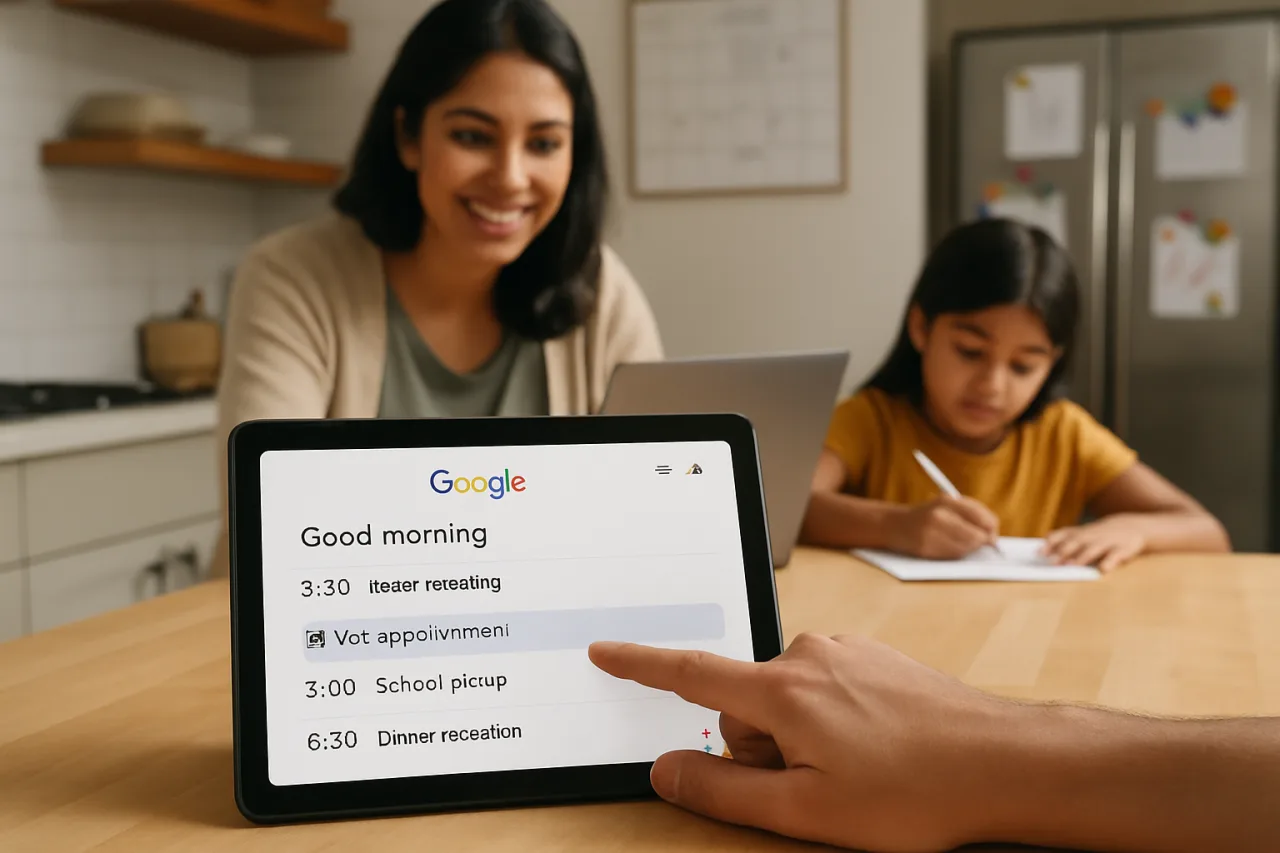
Google Labs expanded its CC experiment into a Google CC family agent on September 17, 2026 — an AI assistant with its own verified Google account that a household shares. Up to six members each choose what the agent can see; CC sorts that shared material into one morning brief called “Your Day Ahead,” keeps a family calendar current, and maintains a running task list.
The pitch is simple and familiar to any parent: school notices, swim-practice schedules, and vet reminders normally live in one parent’s inbox, and everything downstream — missed permission slips, double-booked Saturdays — flows from that bottleneck.
CC started in December 2025 as a single-user daily briefing built from Gmail, Calendar, and Drive. Google folded it into the Gemini app as Daily Brief in May, and the household version is the third iteration: same idea, now multi-tenant. Every CC runs on its own isolated cloud computer built on Antigravity, Google’s agentic harness, plus the latest Gemini models — which is what lets it open a registration form, check drive times between back-to-back activities on Google Maps, or spin up a shared Doc without a human driving every click.
The agent began as a US-and-Canada personal experiment for paid subscribers; the family version runs on web and mobile for US users 18 and older with a personal Google account, with existing users getting upgrade emails and everyone else queued on a waitlist.
Tom Shane, senior product manager at Google Labs, framed the feature around the household problem rather than the model: “one of our top user requests was for CC to do more to help run a busy home,” because coordination gets harder when the information is spread across separate accounts. That framing is why this launch matters more than the product name suggests — it is Google testing whether families will share one AI worker the way they share one car.
How It Works: the Verified Account, the Auto-CC List, the Shared Memory
Three design choices separate CC from a shared chatbot login, and each one is a privacy decision worth understanding.
First, CC has its own verified Google account. When the agent emails your family or appears in a thread, it shows up as itself — a distinct identity, not a spoof of your teenager’s name. Google states it responds only to group members and will not take action or share information outside the group without permission. That is the containment model: the agent is a member of the household, not an autonomous internet actor.
Second, the opt-in sharing model is granular. Each member decides what CC sees and can change it at any time. The “auto-cc CC” feature routes chosen senders — your child’s school, the swim center, an airline — into the agent automatically, and every week each member receives a private list of new senders to approve or ignore.
A one-off item can be forwarded by email or Google Chat, including a photo of a birthday invitation or a soccer schedule, and Drive folders and calendars can be shared directly.
Third, memory is split between household and personal. What CC learns goes into shared household memory when it applies to everyone — the soccer schedule — or a private memory when it belongs to one member, such as a personal medical appointment. That split is the difference between an assistant the family shares and a surveillance system that remembers everything.
Google also keeps a human in the loop for consequential actions: CC pre-fills forms and drafts plans, then asks for missing details, and its form-filling actions run with the member’s permission.
The Google CC family agent is the first mainstream product to treat the household itself as an AI user: the Google CC family agent reads only what members share, and the Google CC family agent model — funnel, brief, calendar, memory — is what families everywhere can copy. Before the Google CC family agent reaches more countries, the manual version below builds the same habit for free.
What It Can Actually Do: From Permission Slips to Meal Plans
Google’s examples sketch the daily workflow. Each morning the agent delivers the shared “Your Day Ahead” brief: who needs to be where, what is due, and what CC already completed yesterday — the last item being the difference between a reminder app and an agent.
It automatically tracks dates and to-dos from shared information into the family calendar, pre-fills activity registration and permission-slip PDFs, builds the school-supply list, and drafts weekly meal plans. When it lacks a detail, it asks, and the answer goes into its group memory for next time.
Because CC runs on its own cloud computer rather than a chat window, its actions extend past text: pulling live drive times from Maps between consecutive commitments, creating a shared Doc or Sheet, handling the form-filling logistics that eat the most household time. Google’s framing — “spend less time on logistics and more time together” — matches the demo cases: registration forms, birthday invitations, school emails from multiple senders pooled into one brief.
What CC does not do matters just as much for expectations. It is an early Labs experiment, US-only at launch, 18+, and its own product page treats the whole thing as experimental. It will not send anything outside the group without permission, which also means it is not your mortgage autopay or your payroll agent. The honest read: this is a household logistics assistant with guardrails, not an autonomous family butler.
The US-Only Catch — and the Setup Filipino Families Can Copy Today
Here is the part the launch coverage buries: CC’s family mode is not available in the Philippines or to most OFW households yet. The rollout is web and mobile, US, 18+, personal Google accounts; upgrade emails go to existing users and everyone else joins a waitlist. No Philippines availability date has been announced.
Treating that as the end of the story would miss the useful half — the pattern CC runs is buildable today with free tools, and most of it needs only Gmail plus a shared notes doc.
The copyable setup, without any new product:
- Create the shared inbox funnel. Make one free Gmail label per category — school, bills, travel — and enable auto-forwarding (Gmail Settings → Forwarding) from the family members’ accounts for those specific senders only. This is the manual version of CC’s auto-cc list, and the same weekly-review habit applies: new senders get approved deliberately, not by default.
- Run the morning brief with a free AI. Paste the labeled snippets into ChatGPT or Gemini free tier with this prompt: “You are the household coordinator. From these forwarded items, produce a one-screen morning brief: who needs to be where, what’s due today, what’s due this week, anything unresolved from yesterday. Flag anything that looks like a deadline within 72 hours.” Same output shape CC delivers, human-in-the-loop by design.
- Keep the family calendar single-writer. One Google Calendar, shared view for all six members, but only one or two people hold edit rights — the lesson from CC’s permission model is that shared read and controlled write beats free-for-all.
- Keep the memory file. A running shared note with the household’s standing details (sizes, school IDs, clinic numbers, weekly meals) mirrors CC’s group memory without granting an agent mailbox access. Update it weekly; the AI prompt references it.
That four-step loop is the Google CC family agent operating model in miniature — funnel, brief, calendar, memory — and it costs nothing. When CC reaches more countries, the household that already runs this habit will adopt the agent in minutes because the information hygiene is already there.
The Privacy Reality: What You Trade for the Convenience
The conveniences of the Google CC family agent all flow from one trade: an agent reads your family’s email. Google’s design answers the obvious objections — per-member opt-in, weekly sender approvals, a verified agent identity, the promise it won’t act outside the group — but the permission model is only as strong as the household’s discipline. The swim-center sender you auto-cc’d today also gives the agent every marketing blast that sender sends.
A shared memory holding your child’s class list is only private until a member adds the wrong document.
And CC’s isolated cloud computer is exactly the kind of powerful agent capability security teams flagged this month when they warned that agentic browsers and AI assistants expand the attack surface — a reminder our AI browser hijacking defense guide turns into concrete settings.
The household rules worth copying from CC’s own design, even if you never touch the product: choose sharers deliberately (the school, not the whole inbox), review new senders weekly, keep each member’s private lane private, and never route identity documents or financial credentials through any shared agent. A family calendar and task list benefit from automation; a passport scan does not need to be in any AI’s context.
The OFW Angle: the Long-Distance Household Assistant
For OFW families, the coordination problem the Google CC family agent solves is doubled by distance. The OFW parent abroad typically sits outside the school-email loop, the bills group chat, and the household calendar — then makes decisions from forwarded screenshots and secondhand summaries. Whatever tool holds the family’s logistics, the pattern that fixes the distance problem is the one CC formalizes: a single shared funnel everyone can read, one owner per edit permission, and a daily brief that reaches every member — including the one eleven time zones away.
Until CC lands beyond the US, the practical version for an OFW household is the four-step loop above running on free Google accounts, with the OFW member added as the sixth member of the funnel — receiving the same morning brief, seeing the same task list, making decisions from the same information. When the real agent arrives in your region, the family that already runs funnel-brief-calendar-memory will switch on in one sitting.
Related reading: our AI budgeting guide for OFW families handles the money half of the household; the CC setup walkthrough covers the US-based steps; and for the broader agent landscape, AI agents for beginners explains what these systems can and cannot be trusted with yet.
Frequently Asked Questions
What is the Google CC family agent?
An experimental AI agent from Google Labs that a household shares: up to six members pool chosen emails and files, and CC produces a shared morning brief, maintains the family calendar and task list, and handles logistics like pre-filling registration PDFs — each CC runs on its own isolated cloud computer built on Google’s Antigravity agentic harness.
Who can use CC right now?
The family version runs in the United States for people 18 and older with a personal Google account, on web and mobile. Existing CC users receive upgrade emails; new users join a waitlist. There is no announced availability date for the Philippines or other countries.
How much does the Google CC family agent cost?
Google has not announced separate pricing for the household CC experiment; access currently runs through the existing Google Labs experimental program for personal Google account holders in the US. Expect availability terms to evolve before a wider rollout.
Can the Google CC family agent read all my email?
No. Each member chooses what CC can see — specific senders via the auto-cc list, individual items forwarded by email or Google Chat, or shared Drive folders and calendars. Members get a weekly private list of new senders to approve, and can revoke sharing at any time.
Can Filipino families use CC today?
Not officially — the family agent is US-only at launch. But the operating pattern is replicable today with free tools: a forwarding-based shared inbox funnel, a daily AI-generated brief in ChatGPT or Gemini, one shared calendar with controlled edit rights, and a household memory note. The setup above mirrors CC’s design without the product.
Is it safe to let an AI agent handle school forms and family emails?
It is safe only to the degree the permissions are tight. CC’s containment — its own verified account, member-only responses, opt-in sharing, permission-gated form actions — is a reasonable model, but any shared agent expands the number of eyes on family data. Keep identity documents and financial details out of the agent’s context, and treat form-filling actions as things you review, not things that happen invisibly.
- blog.google/innovation-and-ai/models-and-research/google-labs/cc-expa… — Google Labs expanded its CC experiment
- siliconangle.com/2026/09/17/google-expands-cc-into-a-shared-ai-agent-… — in December 2025
External sources linked in this article, in order of first mention. Spotted an error or a broken link? Tell us.
Cite this pagePublished Sept 22, 2026 · Updated Oct 9, 2026
Agron, E. (2026, September 22). One Account for the Whole Family: How Google’s CC Agent Runs the Busy Week. WorldNgayon. https://worldngayon.com/google-cc-family-agent-2026/
Agron, Edmon. “One Account for the Whole Family: How Google’s CC Agent Runs the Busy Week.” WorldNgayon, 22 Sept. 2026, worldngayon.com/google-cc-family-agent-2026/.
Agron, Edmon. “One Account for the Whole Family: How Google’s CC Agent Runs the Busy Week.” WorldNgayon, September 22, 2026. https://worldngayon.com/google-cc-family-agent-2026/.
Agron, E. (2026) ‘One Account for the Whole Family: How Google’s CC Agent Runs the Busy Week’, WorldNgayon, 22 September. Available at: https://worldngayon.com/google-cc-family-agent-2026/.
E. Agron, “One Account for the Whole Family: How Google’s CC Agent Runs the Busy Week,” WorldNgayon, Sept. 22, 2026. [Online]. Available: https://worldngayon.com/google-cc-family-agent-2026/
@online{agron2026googlecc,
  author       = {Agron, Edmon},
  title        = {{One Account for the Whole Family: How Google’s CC Agent Runs the Busy Week}},
  year         = {2026},
  date         = {2026-09-22},
  organization = {WorldNgayon},
  url          = {https://worldngayon.com/google-cc-family-agent-2026/},
  urldate      = {}
}TY - ELEC AU - Agron, Edmon TI - One Account for the Whole Family: How Google’s CC Agent Runs the Busy Week T2 - WorldNgayon PY - 2026 DA - 2026/09/22/ UR - https://worldngayon.com/google-cc-family-agent-2026/ Y2 - ER -
Cite the version you read; the page may be updated. Zotero and Mendeley can also import this page directly.