Key Takeaway
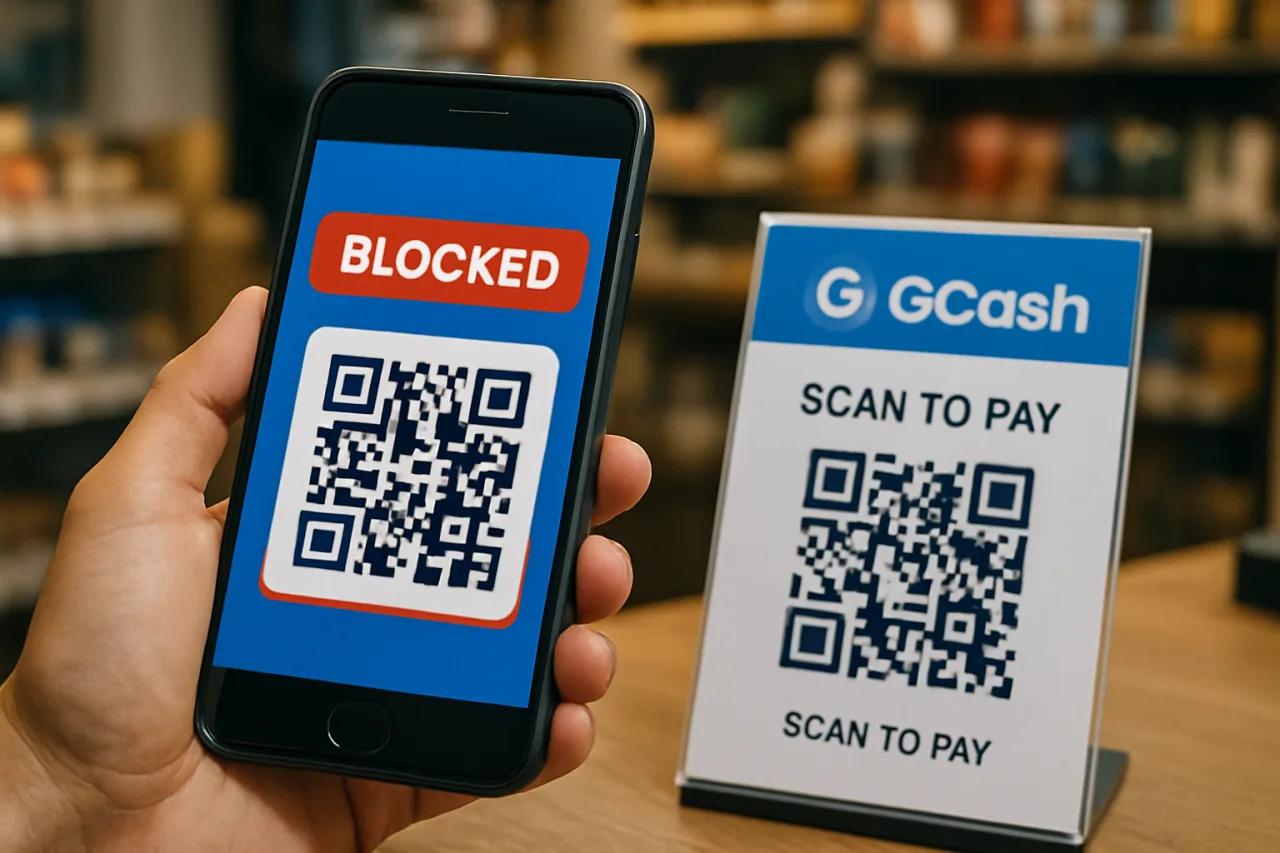
- 📱 The GCash quishing ban wave: GCash has blocked more than 4,900 fraudulent merchant accounts tied to “quishing” — scams where fake QR codes redirect your payment to the scammer’s wallet.
- 🔍 The trick: Scammers overlay or replace legitimate QR codes with fakes — a sticker over a store’s QR, a QR in a chat “invoice,” a code on a parking slip. Your money lands in their account, not the merchant’s.
- ⏱️ The 60-second check: scan → confirm the merchant name and the exact amount on the confirmation screen → verify the app’s merchant-verified badge → then pay. Never scan a QR from a chat message promising a refund or prize.
- 🛡️ GCash’s defenses: merchant verification, scam-report channels in-app, and a zero-tolerance policy that has already removed thousands of fraudulent accounts.
- 🚨 If you paid a fake QR: screenshot everything, report in-app immediately, and escalate to GCash support plus the PNP-ACG cybercrime hotline — speed decides recoverability.
GCash quishing enforcement just claimed its biggest scalp count: the country’s dominant e-wallet has blocked over 4,900 fraudulent merchant accounts linked to “quishing” — the portmanteau of QR and phishing that describes scams where a fake QR code steals payments meant for someone else. The crackdown, announced by GCash as part of its stated zero-tolerance policy, is one of the largest single anti-scam operations in Philippine digital payments this year.
If you scan QR codes to pay jeepney-adjacent sari-sari stores, settle restaurant bills, or receive salary — that’s nearly every e-wallet user in the country — this scam mechanics matter to you. Here is how the GCash quishing scam actually works, why it beats ordinary phishing, the 60-second check that defeats GCash quishing, and exactly what to do if you’ve already paid a fake code.
What Is GCash Quishing — and Why QR Beats Email Phishing
GCash quishing is phishing with a QR code — and that one substitution changes everything about how the scam works and who falls for it. Email phishing made you click a link you could at least hover over and inspect. Quishing hides the destination inside a pixel pattern no human eye can read, and it arrives through the most trusted surfaces in Philippine life: a QR standee on a store counter, a code printed on an event poster, a QR screenshot forwarded in a family group chat, a “GCash payment accepted here” tarpaulin.
The scam’s core trick is substitution or overlay: the attacker replaces a legitimate merchant’s QR with their own — a sticker slapped over the store’s code, a printed card taped over a parking-lot sign, a doctored image in a Marketplace listing. When you scan it, your e-wallet opens a payment screen that looks identical to the real thing. The name might even be a plausible-looking store name. You confirm, money moves — and it moves to the scammer.
The GCash quishing pattern is especially effective is emotional leverage: QR codes are used when money is already moving — you’re paying for parking, settling a bill, sending allowance. You’re in transaction mode, not suspicion mode. That’s the same psychological trick behind fake CAPTCHA verification scams: the attack borrows a ritual you perform daily and rides on your momentum.
And the scale is real: GCash’s own enforcement wave — the 4,900+ merchant blocks — exists because quishing grew into an industry. Where there are thousands of fraudulent merchant accounts, there are thousands of victims behind them.
How the Fake QR Scam Works, Step by Step
The GCash quishing playbook follows a consistent sequence — knowing each step shows you exactly where to break it:
Step 1: The lure. The scammer places a fake QR where scanning feels natural. Counter variants: physical overlays on real store QRs, QRs in online selling posts, QR “refund” or “prize” codes sent via SMS or Messenger, and codes in job-offer chats asking you to “receive a payment.”
Step 2: The scan. Your camera opens the e-wallet app with a payment destination pre-filled. Here’s the tell most people miss: the recipient name and merchant category are visible on the confirmation screen. A QR that opens a personal-sounding name for what should be a business — or vice versa — is the quishing tell.
Step 3: The pressure. The setup often includes urgency: “pay before the code expires,” “first 10 customers,” “your account will be charged if you don’t confirm.” Pressure exists to stop you from reading the confirmation screen.
Step 4: The extraction. You confirm; the money lands in the scammer’s account — often an account freshly registered with stolen identities, which is exactly what GCash’s merchant-verification systems and the 4,900-account ban wave target. Many victims only notice when the real merchant says payment never arrived.
Step 5: The cover. The scammer’s favorite ending is silence plus a deleted account. GCash’s fraud team can freeze and claw back in some cases — but only if the report arrives fast, which is why the first-60-minutes protocol below exists.
Inside GCash’s Response: 4,900+ Merchant Bans
GCash’s anti-quishing operation has three visible pillars, and each one maps to a step of the scam above:
Merchant verification and blocking. The 4,900+ blocked accounts were fraudulent merchants — accounts registered to receive payments while posing as legitimate sellers. GCash runs identity verification for merchants precisely to make this class of account hard to open and quick to kill when detected. The ban wave is the enforcement half of that system: detect, block, ban, repeat.
In-app reporting. GCash’s help channels include a direct scam-report flow — report a fraudulent merchant or transaction inside the app, with the transaction reference attached. Speed matters: reports trigger the fraud team’s review and potential freezes.
Public warning. By naming “quishing” publicly, GCash is doing consumer education at national scale — the term itself teaches users that QR-based scams are a distinct species from SMS phishing, needing distinct defenses.
The honest caveat: bans are reactive. The 4,900 accounts were blocked after operating. The front line is still you, at the moment of the scan — which is why the 60-second check matters more than any takedown statistic. For the broader wallet-defense picture, our GCash account security guide and the OFW-focused GCash/Maya OTP protection guide cover the account-level locks that pair with scanning discipline.
The 60-Second Check Before You Scan Any QR
This is the whole defense — four beats, one minute, and it defeats the GCash quishing pattern entirely:
Beat 1 (10 seconds): Inspect the physical QR. Is it a sticker over another code? Raised edges? Slightly off-color print? Mismatched placement (a taped code on a permanently-mounted standee)? Physical overlay is the street-level tell. If the QR looks tampered, ask the staff to confirm their payment details out loud — scammers avoid stores that talk.
Beat 2 (15 seconds): Read the recipient before confirming. After scanning, the app shows a name and merchant category. Does the name match the store? A “GCash Merchant” badge or verified merchant marker should be present for business payments. Wrong or missing name = stop. No confirmation screen should ever be raced.
Beat 3 (20 seconds): Verify the amount and destination match reality. The amount on screen must match what the seller quoted — quishing scams sometimes add small “fees.” If you were told you’d receive money and the screen asks you to pay, that’s the job-offer/refund scam pattern: close the app.
Beat 4 (10 seconds): Trust the channel test. A QR in a chat asking you to pay to “release” a prize, refund, or job payment is a scam with near-certainty. Legitimate payments don’t arrive through codes sent by strangers; our phishing red-flags guide covers the same logic for links.
That’s the discipline. It costs one minute per transaction and closes every step of the quishing playbook — because every step above relies on you skipping exactly one of these beats.
You Paid a Fake QR — the First 60 Minutes
If the money already moved to a fake merchant, speed is everything. The first hour protocol:
Minute 0–5: Freeze the scene. Screenshot the confirmation screen, transaction reference, the QR you scanned (if physical, photograph it in place), and any chat threads. Evidence first — the fraud team moves on records, not recollections.
Minute 5–15: Report in-app. GCash Help → report the fraudulent merchant/transaction, with reference numbers. This is the fastest path to a freeze on the receiving account — and with 4,900+ accounts already banned for exactly this, the fraud team knows the pattern cold.
Minute 15–30: Call GCash’s official support line (from the app or the official website — never a number from a search ad) and file the case formally. Ask for the case reference number.
Minute 30–60: Escalate to the PNP Anti-Cybercrime Group if the amount is significant — the PNP-ACG accepts e-wallet fraud reports and has processed hundreds of thousands of scam reports; their January-to-July 2026 operation log alone counts 766 arrests in cybercrime cases. File at a station or through their official channels with your screenshots.
Same day: if the scam drained your main wallet, change your MPIN from another device, review linked bank accounts, and check for unauthorized recurring links. If identity documents were submitted anywhere during the “job application,” follow our first-72-hours data breach response guide.
Recovery is possible — GCash freezes recover funds in documented cases — but every hour of silence lowers the odds. The protocol exists because speed, not luck, decides outcomes.
QR Safety for Family Chats and Sari-Sari Stores
Quishing spreads through two Philippine-specific circuits, and both need a counter-move:
The family chat. GCash quishing scam QRs travel as forwarded screenshots — “GCash giveaway,” “DOST cash aid claim,” “Palawan refund.” The family member most at risk is the one who manages the household wallet on a phone they share with relatives. Forward them the 60-second check as a checklist, not a lecture: inspect the QR, read the name, match the amount, distrust chat-borne codes. One forward beats one fraud report. For households receiving remittances, pair it with the OTP-protection guide — account takeover and quishing often run in the same campaign.
The sari-sari store or small business. Merchant-side defense is physical: mount QRs behind plastic, check your standee daily for overlays, print “Ask me to verify the amount” on the standee, and reconcile payments daily — the store that catches a fake GCash quishing payment within hours can report while the trail is warm. GCash’s merchant verification badge is worth displaying prominently; it’s the visual cue customers need for Beat 2 of the check.
And one systemic note: the Bangko Sentral ng Pilipinas continues to push e-wallet providers on consumer-protection timelines for fraud handling — meaning reports matter beyond your own case: they feed the regulatory pressure that makes platforms invest in prevention.
Two practical habits complete the loop. First, schedule a monthly five-minute wallet audit: review GCash’s linked services, remove anything unrecognized, and confirm your MPIN plus biometric locks are active — the account-level hygiene that makes even a successful scan worthless to a thief. Second, when you receive money regularly from the same payer, save their verified details once and use in-app transfers instead of fresh scans; the GCash quishing scam depends on repeated scanning of replaceable codes, and a saved payee breaks that cycle. Small merchants can go further: generate a fresh merchant QR each month, retire old printed codes, and keep a simple daily reconciliation sheet — the store that knows its expected payment list will spot a fake within one shift, not one month.
Frequently Asked Questions
What is quishing?
QR code phishing — scams where a fake QR code redirects your payment to the scammer’s account. GCash has blocked 4,900+ fraudulent merchant accounts tied to quishing schemes.
How do I spot a fake QR code on a store counter?
Look for overlays: stickers over printed codes, raised edges, tape, mismatched placement. Then do the confirmation-screen check: correct merchant name, correct amount, verified badge.
Can GCash refund money paid to a fake QR?
Possible but not guaranteed — report in-app immediately with transaction references. The fraud team can freeze the receiving account; speed is the deciding factor.
Is scanning a QR code itself dangerous?
The scan is safe; the confirmation is where the decision happens. As long as you verify the recipient name and amount before confirming, a scanned fake QR takes nothing.
What’s the “job offer” QR scam?
A scam where “employers” or “prizes” ask you to scan a QR to receive money — the screen actually asks you to pay. Any QR that asks for payment to release funds is fraud.
Does this affect Maya, bank apps, and other QR codes?
Yes — quishing is a QR pattern, not a GCash-only flaw. The same 60-second check applies to every QRPh payment in any app.
How do I report a GCash scam?
Use the in-app Help scam-report flow with your transaction reference, then call official support, then escalate to PNP-ACG for significant amounts.
Financial Disclaimer: This article is for general information only and does not constitute financial, legal, or professional advice. Verify current GCash policies and BSP advisories before making financial decisions.