UPDATED OCTOBER 2026: the licensed digital-bank roster stays at the same core names — and the system news moved: BSP is IN TALKS WITH REVOLUT for a digital banking license (BusinessWorld, October 25, 2026, on record), new digital-bank license applications remain under review per the BSP (Philstar, July 2026), and MariBank’s grant is documented in our MariBank piece | the OFW-side rules and the comparison worksheet below run for 2026 as-is | every rate cited updates faster than articles — price live on each bank’s own page before funding
Table of Contents
Correction — September 6, 2026: An earlier version used inconsistent bank counts and quoted promotional rates, account-opening times, overseas availability and product features without sufficient supporting terms. Those claims have been removed. The six banks discussed below are a selection for comparison, not a claim about the current total number of licensed digital banks.
Correction — October 31, 2026: a further check against BSP records corrected the roster itself. SeaBank Philippines is now MariBank Philippines — rebranded in 2025 and upgraded from a rural-bank license to a digital-bank license on July 8, 2026 (BSP Circular Letter CL-2026-035; Philstar) — and OFBank, LANDBANK’s wholly owned digital bank and the first licensed in the country, belongs on the list. Seven banks hold BSP digital-bank licenses as of October 2026, and the guide now carries them; the six-bank table stays a selected comparison; the overseas-onboarding promise is a per-bank verification checklist rather than a certification; and the decision worksheet is labeled illustrative.
This correction follows the update below the original September entry.
This guide anchors the correction with the full 2026 field: the complete list of digital banks in the Philippines licensed by the BSP, tested against of digital banks in the Philippines licensed by the BSP, tested against the constraint that matters most to our readers — opening the account from abroad.
For an OFW, a useful digital bank account must work from the country where you live, accept your identification, provide reliable access to your money and offer clear fees. An advertised interest rate alone does not answer those questions. Use this guide to compare the actual account and its current terms before transferring savings.
The rise of digital banks in the Philippines has changed what an OFW should expect from a bank account — and that is why this updated guide opens with the correction above: no branch visits, no passbooks, no lunch-break queues — an account opened from a phone in Riyadh, interest that traditional savings accounts cannot match, and transfers that cost less than a text message. But the market’s speed is also its trap: names that sound like banks are sometimes e-wallets, promotional rates that look generous hide withdrawal fees, and the account that opens easiest from abroad is not always the one that serves an OFW’s family best. This guide exists to convert the marketing into a checklist: the complete list of BSP-licensed digital banks in the Philippines, the onboarding questions overseas applicants must settle with each bank directly (this guide verifies the roster and the constraint pattern it cannot certify each bank’s overseas eligibility — every bank’s own requirements page is the deciding check), how the effective offers actually compare once fees and access friction are counted, and the security habits that keep a phone-first bank account safe. Ten minutes with this guide beats an afternoon of app-store roulette — and it ends with a decision worksheet built for the exact constraint that defines OFW banking: you are opening and managing the account from another country, and the bank has to work where you are, not where it wishes you were.
The Complete List of Digital Banks in the Philippines (2026)
What Changed in October 2026 (the Update Box)
- The pipeline: new digital-bank license applications remain under review at the BSP — no new licensed names added to the roster this update (the Philstar July 2026 read on the review queue runs).
- The talks: the BSP confirmed discussions with Revolut (and another firm) about opening digital-banking operations in the Philippines — the BusinessWorld October 25, 2026 report on record. talks ≠ licenses: the roster below only counts licensed, operating banks, and each candidate’s status prints on the BSP’s own pages when it ships.
- The MariBank line: MariBank’s digital-banking grant and rollout status live in the desk’s dedicated MariBank piece (linked above) — updated as the Sea-group bank’s Philippine plans print.
- The rates: digital-bank promo rates cycle monthly (the piece’s comparison worksheet below is the tool); every table row is a “verify live” line — the banks’ own pages are the only live source.
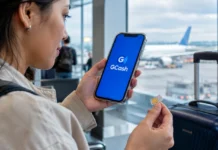
The BSP-licensed digital banks in the Philippines running under the digital bank framework — plus the bank-like players every OFW should know — form a short, verifiable list. The BSP’s licensed roster as of October 2026 runs to seven: Maya Bank (the PayMaya evolution), GoTyme Bank (the Gokongwei–Temenos joint venture), UNObank (branded UNO Digital Bank), UnionDigital Bank (UnionBank’s digital arm), Tonik Digital Bank (the Singapore-headquartered entrant), OFBank (Overseas Filipino Bank — the first licensed digital bank, wholly owned by LANDBANK, per the PDIC’s digital-bank directory), and MariBank Philippines — the bank that began as SeaBank, Shopee parent Sea Limited’s Philippine banking arm, rebranded in 2025 and upgraded from a rural-bank license to a full digital-bank license on July 8, 2026, with operations from July 18 (BSP Circular Letter CL-2026-035 and Philstar’s July report). GCash’s ecosystem — while technically an e-money issuer partnered with banks rather than a standalone digital bank — functioning as the de facto banking app for millions. The distinction matters for deposits: BSP-licensed digital banks carry deposit insurance through the Philippine Deposit Insurance Corporation up to the standard coverage limit, the same protection traditional depositors enjoy, while e-money balances carry different safeguards. Verify every name against the BSP’s official list of banks before opening anything — the list is short, public, and the first defense against fake banking apps — and the reason the phrase digital banks in the Philippines should always end with a BSP lookup, not an app-store search, which this publication’s scam coverage shows are a growth industry.
Which Philippine Digital Banks Let OFWs Open Accounts From Abroad?
Opening requirements split the field more than interest rates do, because most digital banks in the Philippines anchor identity to Philippine documents and local verification. The OFW-realistic tiers: banks that accept fully remote onboarding with a Philippine ID set (PSA-issued documents, valid government IDs) and a local mobile number reachable abroad — several of the six support this, with video-KYC replacing branch visits; banks that require a Philippine SIM for OTP delivery, which an OFW can satisfy with roaming or a family-held SIM but should verify before committing; and banks that effectively require onshore presence, which rules them out for this use case. The practical shortlist exercise: pick your two candidate digital banks, open their account-opening pages, and confirm three answers — accepted ID list, overseas address handling, and OTP delivery to foreign numbers. The bank whose onboarding page answers all three without asterisks is your bank; the ones that hide any answer behind marketing are telling you how their support behaves later. And one structural note: interest headline rates among the digital banks in the Philippines have ranged from the high single digits to above-inflation teaser levels; rates move, but the OFW-relevant comparison is the effective annual yield net of fees and withdrawal friction, which the later section of this guide walks.
Start with the regulator and the legal bank name
Check the BSP directory of banks and financial institutions for the institution’s current classification and legal name. A mobile banking app is not, by itself, proof that its operator is licensed in the BSP’s digital-bank category. Follow verified links to the provider rather than downloading an app from an unsolicited message.
For deposit protection, consult PDIC for current coverage, exclusions and the rules that apply to your account. Do not assume that an e-wallet balance, investment or crypto product has the same protection as an eligible bank deposit.
Six Digital Banks in the Philippines to Investigate First
This table is a checking worksheet, not a current rate ranking or an endorsement. Record the source URL and date beside each answer.
| Bank | Questions to resolve before applying or depositing |
|---|---|
| Tonik Digital Bank | Which savings or term-deposit product is offered to you? What are its current rate, minimum deposit, maturity and early-withdrawal conditions? |
| Maya Bank | Which balance is a bank deposit and which is a payment-wallet balance? Does a promotional rate require qualifying activity, and which balance cap applies? |
| GoTyme Bank | Can you complete the account-opening and identity checks from your present country? How will you obtain, activate and replace a card if needed? |
| UNObank (UNO Digital Bank) | What are the current product-specific rates, tenors, funding channels and withdrawal conditions? Is the advertised offer available to your account? |
| UnionDigital Bank | Which deposit products and onboarding channels are currently available? Confirm features directly; do not assume that the account supports cryptocurrency or stablecoins. |
| OFBank (Overseas Filipino Bank) | Which identification, contact number and residence details are accepted for an overseas applicant? Check funding, transfer and account-recovery procedures. |
Can You Open Digital Banks in the Philippines From Abroad?
Do not assume remote onboarding is available in every country or to every applicant. Before applying, check accepted nationality and residency, supported identification, mobile-number requirements, address verification and any in-person step. Ask what happens if your Philippine SIM stops working or you change countries.
Use the provider’s official support channel for an unresolved eligibility question. Keep its answer and date. A successful application by another OFW does not establish that your circumstances meet the same requirements.
Compare What Digital Banks in the Philippines Actually Pay — Not the Headline Rate
- Base versus promotional rate: Note when a promotion ends, the qualifying actions and the balance cap.
- Eligible balance: Check whether the rate applies to the entire deposit or only a tier or specific product.
- Taxes and fees: Read the product’s current treatment and transaction charges.
- Access: Check transfer limits, withdrawal restrictions, time-deposit maturity and early termination.
- Funding from overseas: Compare the actual pesos received after exchange-rate differences and all transfer fees.
Illustration only: A hypothetical ₱100,000 balance at a 4% annual rate earns ₱4,000 before applicable tax or fees if the full balance qualifies for a full year. If a promotional rate lasts only three months, applying it to the whole year overstates the return. Recalculate using the offer’s actual duration and eligible balance.
Security Habits That Make Digital Banks in the Philippines Safe for OFWs
A phone-first bank moves the vault into your pocket, and the security habits must match the model. One: lock the app with biometrics, never a memorized PIN alone. If OTPs route to a family-held SIM, that is delivery, not sharing — but the code still becomes visible on that phone, so disable SMS previews there and remember the rule below: the code goes to no one, not even family. Two: treat the digital banks in the Philippines as real banks for scam purposes — the fake-app and phishing industry clones them aggressively, so install only from the store listing the BSP-licensed name matches, never from a link in a Viber message. Three: keep the recovery trail — email anchor with two-factor authentication, a documented account number, and a photocopy of the IDs used at onboarding — because customer support for an account opened abroad resolves identity through documents, not through voice familiarity. Four: separate the daily-transfer wallet from the savings vault; the account that receives remittances and the account that holds the emergency fund should not be the same app. A split does not make compromise impossible — a phone carrying both apps can still reach both balances. The point is to remove the single point of failure: one compromised phone touching one convenience balance is a smaller loss than a compromised phone reaching everything, and it is a deliberate limit, not a guarantee. These four habits cost nothing and close the doors that Philippine digital banking fraud actually uses — and they transfer intact to whatever bank you finally choose, because the security model of digital banks in the Philippines is app-shaped no matter whose logo is on it. Run the worksheet, apply the habits, and the phone-first bank stops being a gamble and becomes what it should be: the most convenient branch you own, open twenty-four hours in every time zone your contract touches.
Keep access and account security in the comparison
Use a unique password and the strongest supported verification method. Never share an OTP or approve an unexpected login request. Save the bank’s official fraud-reporting and account-recovery contacts before you need them. Keep emergency money accessible; a higher-rate locked product may not suit rent, medical expenses or an unexpected trip home.
The OFW Decision Worksheet for Digital Banks in the Philippines
The worksheet below is an illustrative self-assessment, not a validated suitability test: the categories, the 5-point scale and the thresholds are this desk’s editorial choices for comparing constraints, not regulatory or suitability standards — the output is an argument to verify at each bank’s own page, never a rating. Score each candidate out of 25: Onboarding reality (10 points) — can you actually complete KYC from your host country with the documents you hold, verified against the bank’s own requirements page, not its ads? Access without a Philippine SIM (5 points) — OTPs and app logins must work on your foreign number or a documented workaround. Effective economics (5 points) — the rate after fees, withdrawal costs, and any lock-in, annualized honestly. Exit and inheritance (5 points) — how funds return to a traditional bank when you close, and whether a joint or beneficiary arrangement exists, because an OFW account that strands funds when life interrupts is a liability, not an asset. Two banks scoring 20+ is a common outcome under these weights — nothing more than a shortlist signal. A high score only means the candidate answered more of the checklist questions; how much you fund, and which bank becomes your primary, remain your decisions to verify, because no scoring sheet measures suitability or replaces the bank-by-bank checks above. Run the worksheet once a year — the digital banks in the Philippines change rates and onboarding rules fast enough that last year’s answer is this year’s assumption.
Your decision worksheet
Before choosing an account, record: legal institution name; regulator-directory check date; product name; eligibility confirmation; base and promotional rates; qualifying balance; fees; withdrawal limits; deposit-protection terms; and recovery contacts. If a material answer is missing, resolve it before sending a large amount.
Review the decision when a promotion ends, your country of residence changes, or your financial needs change. Do not retain an account solely because it once topped a comparison article.
Frequently Asked Questions
Can an OFW open a Philippine digital bank account from abroad?
Availability depends on the bank, product and applicant. Confirm accepted residency, identification, mobile number and any in-person verification before applying. Another OFW’s successful application does not establish your eligibility.
Does a banking app prove that a company is a licensed digital bank?
No. Check the institution’s legal name and current classification in the BSP directory. A mobile app alone does not establish a digital-bank licence.
How should I compare promotional savings rates?
Compare the base rate, promotion end date, qualifying activity, eligible balance cap, applicable taxes and fees, and withdrawal conditions. Calculate earnings only for the period and balance that qualify.
Are e-wallet balances and bank deposits protected in the same way?
Do not assume they are. Identify the legal provider and product, then check PDIC’s current coverage and exclusions for eligible deposits. Investments and crypto products should not be treated as insured bank deposits.
Further planning
Use our free OFW Money Starter Kit for a remittance-cost worksheet and family money-planning prompts. For savings with a different time horizon, read the corrected Pag-IBIG MP2 guide, including its explicitly hypothetical calculation.
This guide is general educational information, not personalized financial advice or a current quotation from any bank. Verify current terms with the institution and relevant regulator before acting.
Financial Disclaimer: This article is an educational comparison for general information only — it is not financial advice and no bank, rate, or account mentioned here is a recommendation. Digital-bank licenses, rosters, rates, promos and requirements change; figures are cited from sources on record (October 2026) and must be verified on the BSP’s and each bank’s live official pages before any funding decision. Bank products carry risk profiles of their own; consult a licensed financial adviser for personal decisions. worldngayon.com is not affiliated with the banks named and is not liable for outcomes from actions taken on this content.
- Official bsp.gov.ph/Regulations/Issuances/2026/CL-2026-035.pdf — Circular Letter CL-2026-035
- philstar.com/business/2026/07/25/2544422/maribank-becomes-7th-digital… — Philstar
- philstar.com/business/2026/07/10/2541030/new-digital-bank-licenses-st… — Philstar July 2026 read
- bworldonline.com/banking-finance/2026/10/25/789009/bsp-in-talks-with-… — BusinessWorld October 25, 2026 report
- Official pdic.gov.ph/files/BSDStats/Bank%20Directory_DB%20_website.pdf — digital-bank directory
- Official bsp.gov.ph/SitePages/ListOfBanks.aspx — BSP’s official list of banks
- Official bsp.gov.ph/SitePages/FinancialStability/DirBanksFIList.aspx — BSP directory of banks and financial institutions
- Official pdic.gov.ph — PDIC
External sources linked in this article, in order of first mention. Spotted an error or a broken link? Tell us.
Cite this pagePublished June 1, 2026 · Updated Oct 31, 2026
Agron, E. (2026, June 1). The Updated List of Digital Banks in the Philippines (2026 Edition). WorldNgayon. https://worldngayon.com/digital-banks-philippines-list-2026-ofw-guide/
Agron, Edmon. “The Updated List of Digital Banks in the Philippines (2026 Edition).” WorldNgayon, 1 June 2026, worldngayon.com/digital-banks-philippines-list-2026-ofw-guide/.
Agron, Edmon. “The Updated List of Digital Banks in the Philippines (2026 Edition).” WorldNgayon, June 1, 2026. https://worldngayon.com/digital-banks-philippines-list-2026-ofw-guide/.
Agron, E. (2026) ‘The Updated List of Digital Banks in the Philippines (2026 Edition)’, WorldNgayon, 1 June. Available at: https://worldngayon.com/digital-banks-philippines-list-2026-ofw-guide/.
E. Agron, “The Updated List of Digital Banks in the Philippines (2026 Edition),” WorldNgayon, June 1, 2026. [Online]. Available: https://worldngayon.com/digital-banks-philippines-list-2026-ofw-guide/
@online{agron2026digitalbanks,
  author       = {Agron, Edmon},
  title        = {{The Updated List of Digital Banks in the Philippines (2026 Edition)}},
  year         = {2026},
  date         = {2026-06-01},
  organization = {WorldNgayon},
  url          = {https://worldngayon.com/digital-banks-philippines-list-2026-ofw-guide/},
  urldate      = {}
}TY - ELEC AU - Agron, Edmon TI - The Updated List of Digital Banks in the Philippines (2026 Edition) T2 - WorldNgayon PY - 2026 DA - 2026/06/01/ UR - https://worldngayon.com/digital-banks-philippines-list-2026-ofw-guide/ Y2 - ER -
Cite the version you read; the page may be updated. Zotero and Mendeley can also import this page directly.