

Table of Contents
Key Takeaway
- 📍 The free storefront: A Google Business Profile puts a small shop on Search and Maps where buying decisions happen, and the profile is free; what separates the shops earning phone calls from the invisible ones is verification plus six settings done completely.
- ✅ The gate before the traffic: Google states plainly that customers can only find your profile after verification completes, verification methods are auto-determined and cannot be swapped, and Google reviews them for up to 5 business days.
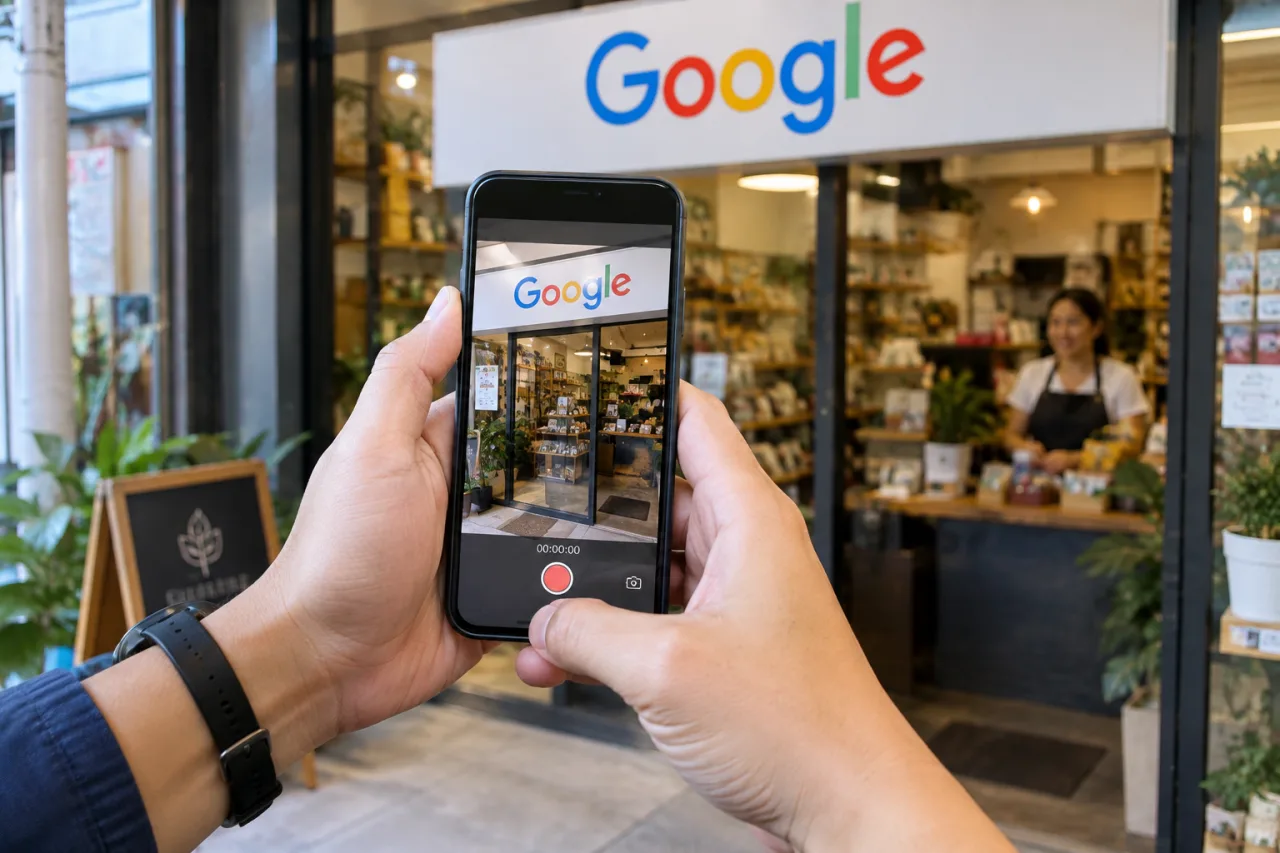
- 🎥 The 30-second video: When video verification is assigned, the recording must be at least 30 seconds, unedited, uploaded live from a mobile device, showing street signs, storefront signage that matches your profile name exactly, and proof only an employee could film, such as opening the register.
- 📞 The numbers to watch: Google’s performance report counts calls as clicks on the call button and direction requests as unique customers, and performance data only exists for verified profiles, so an unverified listing is flying blind in every sense.
- 🚫 Review rules with teeth: Google prohibits incentives for reviews, prohibits discouraging or blocking negative reviews, and prohibits pressuring customers for ratings on premises; the safe path it endorses is an official review link or QR code plus replies to everything.
A small shop can spend nothing and still own the rectangle of the screen where its next customer decides: the Google Business Profile that appears on Search and Maps with the address, the hours, the phone number and the reviews. Google’s own ranking guidance is blunt about why this rectangle matters: when a customer searches for a business or place near their location, local results on Maps and Search are what they get, and businesses with complete, accurate information are more likely to show up. The failure mode every shop owner knows is different, though: a listing that technically exists, half-filled, unverified, with a competitor’s better-fed card sitting above it. This piece walks the setup that changes that ordering, verified step by step against Google’s own Business Profile documentation as of November 27, 2026, and written for the one-location owner managing everything from a phone.
Who a Google Business Profile Is For, and Who Google Turns Away
The eligibility rule is physical. Google’s business eligibility guidelines require that a business make in-person contact with customers during its stated hours, and the exclusions follow from it: online-only businesses, lead generation agents, rental or for-sale properties with no sales office, and any address listed as a P.O. box or remote mailbox cannot hold a profile. A home bakery doing curbside pickups qualifies; a dropshipping blog does not. Before any setup work, confirm the shop’s own case against that list, because building a profile Google later finds ineligible wastes the entire effort.
One more rule shapes who may do the work: only business owners or authorized representatives may verify and manage the listing, and if someone else has already claimed the shop’s card, the route is an ownership request, not a duplicate listing. Creating a second profile for a claimed business creates the exact duplicate mess that gets cards demoted, so settle ownership first.
The Seven Steps From Claim to Complete
The sequence below is the whole build. Nothing exotic, every step verifiable in Google’s own verification and setup documentation.
- Find the existing card. Search the shop’s name plus city on Google while signed in with the shop’s Google account. Most small businesses already have an unclaimed auto-generated Google Business Profile; claiming it beats creating a new one and splits the signal.
- Claim the profile. If no card exists, create one and enter the business name exactly as the signage prints it. If a claimed card appears, request ownership instead.
- Verify. The step the whole piece turns on, treated in depth below. Until it passes, the public listing cannot be controlled and customers cannot reliably find it.
- Set the primary category. The category tells Google what the shop is, which searches it matches, and which attributes become available. Choosing the closest specific option over a broad one is the single highest-leverage field edit.
- Fill hours completely. Regular hours plus special hours for holidays and closures. A wrong-hours profile converts the next two weeks of foot traffic into angry reviews, and the local ranking guidance ties accuracy directly to surfacing.
- Load photos of the real place. Storefront, interior, products, team. Fresh photos also carry fresh proof of a real business, and Google’s ranking tips list photos and videos outright.
- Write the description and post. The description states what the shop sells and who it serves in plain sentences; then a posting rhythm begins, because an active profile keeps the fields it optimized.
Verification: the Step That Decides Everything
Google does not let a shop pick the method for the Google Business Profile it claims. Verification options are automatically determined by Google and cannot be changed; they depend on business type, public information, region and hours, and in some cases more than one method is required. The available ladder includes phone or text, email, postcard, and the video route that has become the standard for storefronts. Two traps live inside the ladder: a shop answering calls through an interactive voice response system will never receive a phone code, because IVR systems cannot get the code, and any shop that moved premises recently should update the address field before requesting anything, since the methods are chosen from the record you submit.
The video route has exact rules. Google’s video verification guidance requires a live recording uploaded from a mobile device through the Business Profile itself, at least 30 seconds, unedited, unique and complete with no breaks. For a storefront or hybrid business, the recording must show the location through street signs, building numbers or familiar nearby places, show the business name clearly printed on a permanent fixture such as a signboard, wall or window with the name matching the profile, and show proof of management: something only an employee could film, like opening a cash register, the kitchen, a storage room or a point-of-sale screen. Sensitive information, private information about people, and other people’s faces must stay out of frame. Review takes up to 5 business days, and a rejected attempt returns with reasons attached, so the re-recording can include everything from the first attempt plus the named missing items. That is a recoverable loop, not a dead end, and planning the shot list before pressing record is the difference between one pass and three.
The Google Business Profile Settings That Drive Calls and Direction Requests
Verification earns the listing; these fields earn the phone calls. Google’s performance report, documented on its insights and performance page, counts actions in defined ways: calls are the number of times a customer clicked the call button, and tracking that metric requires a phone number on the profile; direction requests count customers who asked for directions, tallied with multi-tapping, cancellations and spam filtered out; views count unique visitors, once per person per day. Two facts about the report matter for expectations. Performance data is available only for verified profiles, which is another reason verification comes first, and the searches metric refreshes monthly and may take up to 5 days to appear, so a shop should expect patience at the reporting edge.
Field by field, the call-driving order of operations is short. The primary category and the phone number come first, because one decides which searches match and the other decides whether the call button appears at all. Hours follow, including special hours, because the direction request a map app converts at a closed door is a one-time visitor. The website link, services, products and attributes round out the card, and each item added is another decision the customer does not have to make elsewhere. A shop that answers its phone quickly will see it in the calls metric within weeks; Google’s own local ranking guidance rewards complete, accurate information with better surfacing, and it names category, attributes and special hours among the fields to maintain.
Reviews Without Policy Trouble
Reviews are the Google Business Profile’s social proof and its most hazardous field. Google’s prohibited and restricted content policy draws three lines a small shop must never cross: do not offer payment, discounts or free goods in exchange for posting any review or for revising or removing a negative one; do not discourage or prohibit negative reviews, and do not selectively solicit only happy customers; do not require or pressure anyone to leave a rating while on the premises, and never request specific content. Filtered review systems, the kind that screen customers before sending the unhappy ones elsewhere, sit exactly on those lines and are treated as fake engagement.
The compliant alternative is easier and it is official: Google provides a review link and QR code builder inside the profile setup, which hands every leaving customer the same neutral doorway, whatever their experience was. Reply to reviews, including the stinging ones, because Google’s ranking tips list responding to reviews as a named improvement step, and a factual, courteous reply to a one-star review is itself an advertisement read by the next forty customers. When a review breaks policy, report it for removal through the profile rather than negotiating in public, and the same reporting path covers the extortion pattern Google now documents where bad actors threaten wave after wave of fake one-star reviews unless the shop pays.
Where the Work Actually Lives: Search, Maps or the Manager
Google’s documentation now says it directly: an individual Google Business Profile is managed on Search and Maps, and Business Profile Manager at business.google.com is for managing multiple profiles in bulk. For the one-location shop that means the dashboard nostalgia can be retired: search the business name while signed in, and the editing panel appears above the results; on a phone, the Maps app carries the whole toolkit under the account’s business profiles section. The Manager earns its keep only when a business spreads across locations, where bulk uploads, bulk insights and chain verification with spreadsheets of 10 or more locations of the same business apply, and duplicate, suspended or disabled profiles do not count toward that minimum. Access is worth setting up deliberately too: managers can be added under the owner, which is how a family employee handles reviews and posts without holding the keys the owner needs, and the account the profile lives under is worth an occasional check, because whoever controls that Google account controls the card, which is one more reason our 10-minute device audit belongs on the shop’s monthly list.
The Defenses That Hold the Rank Once It Is Earned
Rankings slip for boring reasons: the Google Business Profile hours drifted out of date, the photos went stale, the phone number changed with the carrier and the old one still rings somewhere. Set a monthly quarter-hour to re-read the card as a stranger would, checking hours, category, phone, primary photo and the top reviews. Guard the profile’s integrity the same way: accept edits only from people connected to the shop, since Google lets anyone suggest changes to public listings and an attacker can suggest a wrong phone number that routes customers to a scammer, which is a documented abuse Google lets owners report through its business conduct channels. Keep the profile itself clean of policy trouble, because restrictions for violations are a real consequence documented in Google’s guidance, and a suspended card is the most expensive silence a small shop can buy. Finally, remember the profile is not the only inbox the shop must keep trusted: the contact address inside the card needs to deliver, and our email deliverability piece covers the SPF, DKIM and DMARC records that keep those replies out of spam, while our private email hosting piece covers where that address should live.
How We Evaluated This Piece
Every requirement in this piece was verified on November 27, 2026 against Google’s published Business Profile documentation: the eligibility and ownership guidelines, the verification guidance and its video method, the performance and insights reference, the local ranking tips, and the prohibited content and review-link policies, each linked above. Feature panels vary by region and device, so button labels may differ, but the rules, review windows and metric definitions cited are the platforms’ own statements. No tools or services here are paid placements.
The Verdict: Who Needs This This Week
The seven-step Google Business Profile setup is a worth-it afternoon for every shop making real-world contact with customers: the corner store losing calls to a wrong-hours card, the clinic whose direction requests fell when the category drifted, the workshop whose reviews went unanswered for a year. It is not the right tool for an online-only seller, a lead-generation service, or a business with no premises a customer can visit, all classes Google’s eligibility rules exclude. For everyone inside the eligibility line, the order is fixed: claim, verify, categories and hours, photos, description and posts, then the review rhythm that keeps the card trusted. The listing is free, the report shows exactly which settings moved the phone, and the shop that does the full first pass then defends it quarterly will spend less than any paid ad the same budget would have bought.
FAQ
Is a Google Business Profile free?
Yes. Creating and managing a Google Business Profile costs nothing, including verification, posts, photos and the performance report. Google sells ads adjacent to profiles, but the organic listing itself, including the call button and direction-request flow, is a no-cost surface, which is why it is the first thing a small shop should complete before any paid marketing.
How long does verification take?
Google reviews verification submissions for up to 5 business days, and its documentation notes reviews can occasionally take longer. Video verification follows the same review window after the recording passes its format requirements. The profile’s customer-facing power starts after verification completes, so request it early, the same day the listing is claimed.
Why does my shop already appear on Google Maps without me doing anything?
Google auto-generates cards from public data such as web mentions and Maps contributions. Verify and claim that existing card rather than creating a second one, because duplicates split reviews and ranking signals between two listings for the same business and both end up weaker.
Can I run a Business Profile for a home-based business?
Yes, when customers make in-person contact with the business during its stated hours, which a curbside-pickup bakery or a by-appointment salon satisfies. Service-area businesses can hide the street address and define a served region instead, and a P.O. box or remote mailbox address is not acceptable in any case.
What counts as a call in Google’s profile report?
Google counts calls as clicks on the call button on the profile, and the metric only exists once the profile carries a phone number. Direction requests are counted as unique customers after filtering out multi-tapping, cancellations and spam, and views count unique visitors once per person per day, so these numbers represent people rather than raw taps.
Can I ask happy customers to leave me a review?
You may ask every customer equally, using Google’s own review link or QR code, without incentives, without screening who gets the ask, and without requesting specific content or pressured on-premises ratings. What Google prohibits is paying for, filtering or steering reviews, and the enforcement consequence is documented on Google’s policy restriction pages, where violations can cost the listing itself.
- support.google.com/business/answer/13763036?hl=en — Google’s business eligibility guidelines
- support.google.com/business/answer/7107242?hl=en — Google’s own verification and setup documentation
- support.google.com/business/answer/14271705?hl=en — Google’s video verification guidance
- support.google.com/business/answer/9918094?hl=en — its insights and performance page
- support.google.com/business/answer/7400114?hl=en — Google’s prohibited and restricted content policy
- support.google.com/business/answer/16816815?hl=en — Google provides a review link and QR code builder
External sources linked in this article, in order of first mention. Spotted an error or a broken link? Tell us.
Cite this pagePublished Nov 28, 2026
Agron, E. (2026, November 28). Google Business Profile Setup: the Small-Shop Listing That Brings Calls, Not Clicks. WorldNgayon. https://worldngayon.com/google-business-profile-guide/
Agron, Edmon. “Google Business Profile Setup: the Small-Shop Listing That Brings Calls, Not Clicks.” WorldNgayon, 28 Nov. 2026, worldngayon.com/google-business-profile-guide/.
Agron, Edmon. “Google Business Profile Setup: the Small-Shop Listing That Brings Calls, Not Clicks.” WorldNgayon, November 28, 2026. https://worldngayon.com/google-business-profile-guide/.
Agron, E. (2026) ‘Google Business Profile Setup: the Small-Shop Listing That Brings Calls, Not Clicks’, WorldNgayon, 28 November. Available at: https://worldngayon.com/google-business-profile-guide/.
E. Agron, “Google Business Profile Setup: the Small-Shop Listing That Brings Calls, Not Clicks,” WorldNgayon, Nov. 28, 2026. [Online]. Available: https://worldngayon.com/google-business-profile-guide/
@online{agron2026googlebusiness,
  author       = {Agron, Edmon},
  title        = {{Google Business Profile Setup: the Small-Shop Listing That Brings Calls, Not Clicks}},
  year         = {2026},
  date         = {2026-11-28},
  organization = {WorldNgayon},
  url          = {https://worldngayon.com/google-business-profile-guide/},
  urldate      = {}
}TY - ELEC AU - Agron, Edmon TI - Google Business Profile Setup: the Small-Shop Listing That Brings Calls, Not Clicks T2 - WorldNgayon PY - 2026 DA - 2026/11/28/ UR - https://worldngayon.com/google-business-profile-guide/ Y2 - ER -
Cite the version you read; the page may be updated. Zotero and Mendeley can also import this page directly.