Table of Contents
Key Takeaway
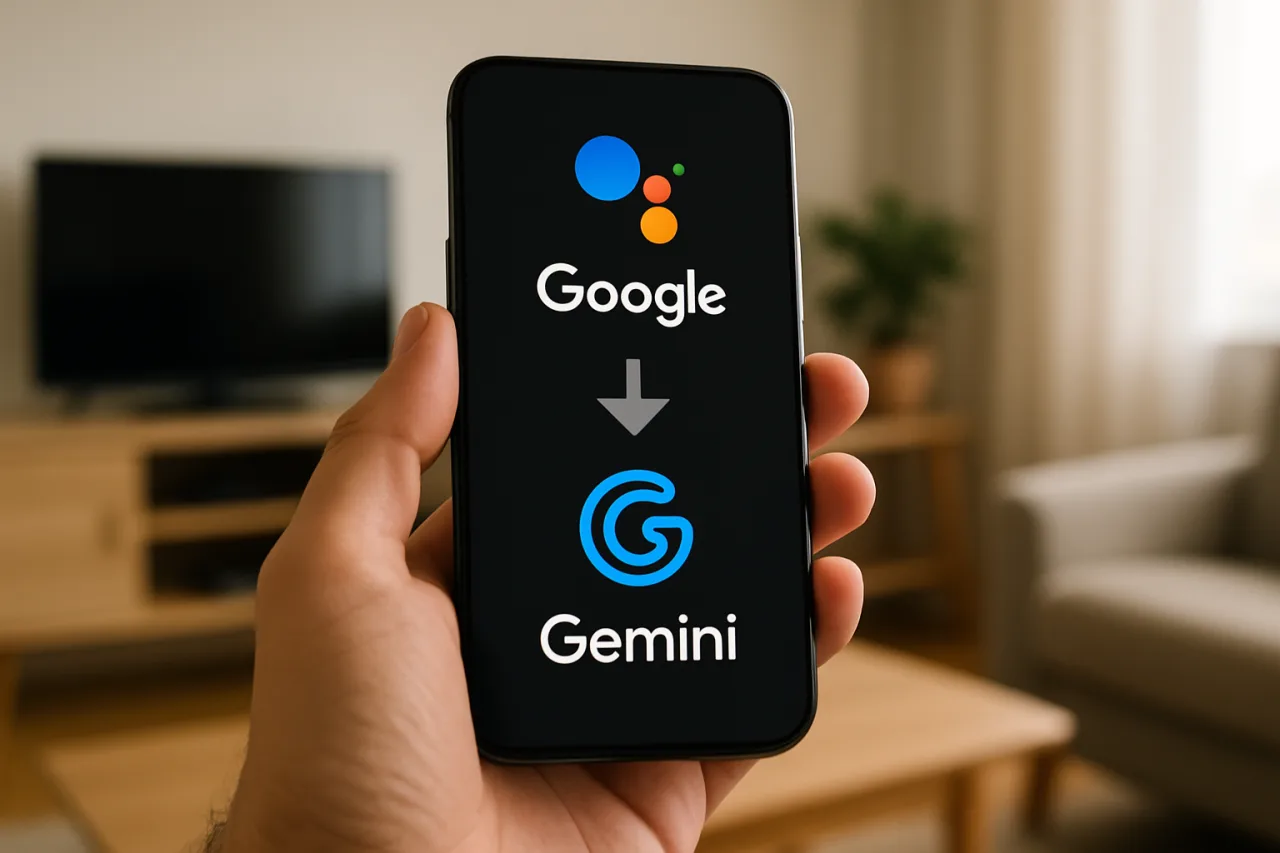
- 🌙 The retirement is real: Google began the final phase of its Google Assistant retirement on September 4, 2026, moving Android users to Gemini as the default assistant — a decade of “Hey Google” habits officially sunset.
- 📱 What changes on your phone: The wake word still works, but the engine underneath is a large language model — conversations, contextual follow-ups, and task handling all change character overnight.
- ⚠️ What breaks: Some legacy Assistant routines, third-party device integrations, and voice-shortcut configurations need a 15-minute reset — the checklist below walks the migration.
- 🔒 What to check first: Review Gemini’s activity settings before you start using it — the new assistant remembers more, and the privacy defaults deserve a deliberate choice rather than a silent one.
The assistant you talked to for a decade just retired. Starting September 4, 2026, Google began the final phase of its Google Assistant shutdown, moving Android users to Gemini as the company’s default assistant — the end of a transition that started as a rebrand and ends as a full engine swap, as TechRepublic documented in its coverage of the shutdown. The wake word sounds the same. What answers is fundamentally different: a large language model that handles follow-up questions, reads context, and fails in new ways. For the billions of Android users — and for the Filipino households whose phones, smart speakers, and TV remotes all speak to Google — the change is mostly invisible until something breaks. This guide covers what actually changes, what to check in the first fifteen minutes, and the settings worth fixing before the new assistant learns your life.
Why Google Assistant Is Being Retired
The retirement announcement ends a long transition. Google Assistant, launched in 2016, was built as a command-and-response system: fixed intents, scripted skills, predictable answers. It understood “set a timer” and “call mom” brilliantly and handled everything else by refusing politely. Gemini represents the opposite architecture — a large language model that reasons through requests, handles ambiguity, and holds context across a conversation. The capabilities gap between the two systems had become unbridgeable: users increasingly expect their assistant to summarize, draft, explain, and follow up, and a 2016-era intent engine cannot fake that.
The economics pushed the same direction. Google’s AI investments are the company’s largest capital expense in history, and maintaining two parallel assistant stacks — a legacy intent engine and a frontier LLM — across billions of devices is exactly the kind of duplicated cost a company consolidates. The September 4 date completed the migration Google had been telegraphing for two years — its own product communications on the Gemini announcement hub walk through the rollout — Assistant features frozen, Gemini absorbing capabilities, and the legacy infrastructure scheduled for wind-down. The strategy mirrors what happened to Google’s own products before — the graveyard is real — but this transition is the largest single migration of user habits in the company’s history.
The timing also lands in a competitive sprint. Apple’s assistant overhaul, Amazon’s Alexa LLM reboot, and OpenAI’s consumer agents are all racing for the same slot: the always-listening layer between a person and their digital life. Google’s answer is to make the upgrade unavoidable — every Android phone becomes a Gemini device by default, and the assistant market consolidates around whoever owns the default. For users, the practical risk is decision fatigue: the model-fatigue problem we documented this month now extends to assistants, as every platform swaps its engine and rewrites its settings menus at once.
What Changes When Google Assistant Becomes Gemini
For most users, day one feels familiar with new depth underneath. The “Hey Google” wake phrase still triggers the assistant, and basic commands — alarms, timers, calls, music — work as before. The differences emerge in what follows: ask a follow-up without repeating context and Gemini tracks it; ask it to summarize an email thread, draft a reply, or explain a confusing bill, and it performs tasks Assistant never could. The assistant also becomes conversational rather than transactional — less “device that obeys,” more “agent that discusses.”
The second change is integration depth. Gemini reads across Google’s ecosystem with LLM understanding: messages, photos (with permission), Calendar context, and Workspace documents all become materials it can reason over rather than fields it can query. That power is the upgrade’s entire value proposition — and its privacy discussion’s entire subject.
The third change is device-side. Smart speakers and displays transitioned earlier; phones were the final phase. Legacy behaviors — some third-party smart-home integrations, certain routine triggers, and specific voice-shortcut configurations — may not map one-to-one onto Gemini’s engine. Google’s migration documentation covers the supported paths, but the honest expectation is that a minority of households will need to rebuild one or two automations by hand. The 15-minute checklist below catches them before they surprise you.
The 15-Minute Post-Migration Checklist
Minutes 1-5 — the settings review. Open the Gemini app’s settings and read the activity and privacy controls deliberately. Gemini’s activity saves conversations for improving the service unless configured otherwise; choose your retention window consciously — auto-delete options exist, and picking one deliberately beats inheriting a default. Review app permissions: which apps Gemini may act in, which data it may read. This five minutes determines what the assistant learns about your household going forward.
Minutes 6-10 — the routines audit. Open the Routines section and run each one mentally. Most standard routines (morning briefing, commute mode, bedtime) migrated automatically; custom routines built on legacy Assistant features occasionally lost steps. Trigger each critical routine once and fix whatever dropped — usually a re-authentication or a rebuilt action. Households with heavy smart-home setups should test lights, locks, and thermostats individually before relying on voice control again.
Minutes 11-15 — the family and speaker check. If your household runs multiple Google accounts, verify Voice Match still maps the right person to the right calendar and music services — the migration occasionally reset voice profiles. Test the devices that matter: the speaker in the kitchen, the TV remote’s assistant button, the car’s Android Auto voice path. And check the kids’ devices: Gemini’s family-link integration carries different content controls than Assistant did, and the parental settings deserve a fresh look rather than an assumption that they carried over.
That fifteen minutes converts the migration from a thing that happened to you into a configuration you chose — and it surfaces the broken integrations before the morning alarm routine discovers them.
The Privacy Conversation the Switch Forces
The assistant transition lands in the middle of a broader renegotiation between users and AI companies about data. Gemini’s capabilities require context — and context means conversation logs, app activity, and, where enabled, screen and document access. Google’s controls are more granular than the legacy Assistant’s: per-activity deletion, retention windows, and a clear off switch for activity saving. The honest guidance is not “turn everything off” but “choose knowingly”: a household that understands what is stored, for how long, and with what effect on capability can make the trade on purpose.
For families with children and for professionals handling sensitive work on the same devices, the review matters more. The assistant that can read your calendar can also be asked about it; the integrations that make it useful are the same channels that make it powerful. The five-minute settings review is the AI-era version of locking the front door — it does not reject the technology, it sets the terms.
The OFW Household Angle: assistants Across Two Countries
The assistant migration has a dimension unique to globally spread families, and it is worth naming because Filipino households live it daily. The modern OFW household runs two assistants in two countries: the worker’s phone in Riyadh or Dubai or Toronto, and the family’s speaker in Batangas or Cebu — often on the same Google account family group, sharing shopping lists, calendars, and the household routines that keep a family coordinated across time zones. When the assistant engine changes, both ends change together, and the small automations that hold a long-distance household together — “remind me when it is 7 p.m. in Manila,” the morning call routine, the shared grocery list — deserve a deliberate test rather than an assumption.
Three practical notes for split-household setups. First, re-verify the family group’s shared services after the migration: shared lists and calendars sometimes drop members whose devices updated at different times. Second, time-zone routines are the most fragile legacy feature — a routine built around “when I say good morning” behaves differently on a reasoning engine that understands context, and usually behaves better, but the first week deserves watchfulness. Third, the language advantage is real: Gemini’s multilingual handling dramatically improves Taglish and code-switched requests that the old intent engine mangled, which for millions of mixed-language households is the single most noticeable upgrade of the entire migration.
There is also a quieter benefit worth claiming deliberately: the new assistant is genuinely useful for the admin of diaspora life — summarizing a bank’s remittance-fee email, drafting the message to the barangay, converting “what time should I call” into an answer that respects both time zones. The households that invest fifteen minutes in setup inherit an assistant that finally understands the shape of their lives; the households that skip setup keep a talking timer. The difference is the checklist above, run once.
What This Means Beyond Android
The Gemini transition is the consumer-facing edge of a change sweeping every platform: the assistant as LLM. Windows runs Copilot, Apple intelligence-ifies Siri, Amazon rebuilds Alexa on language models, and every car interface is becoming conversational. The decade of command-and-response taught users to speak in keywords; the next decade teaches them to delegate in sentences. The practical skill transfer is small — speaking naturally instead of formatting commands — but the capability jump is large enough to change household behavior around these devices: from timers and weather to “handle this email thread” and “find the document where I discussed the lease.”
For the professionals and businesses watching this shift, the assistant layer is becoming the next search surface — the place where questions get asked and answers get trusted. Our coverage of earning citations in AI answers and AI visibility in the Philippines tracks the same migration from the publisher side: when the assistant becomes the interface, being the answer it cites is the new page-one.
Frequently Asked Questions About the Google Assistant to Gemini Migration
When did Google Assistant shut down?
Google began the final phase of the Google Assistant retirement on September 4, 2026, transitioning Android phones to Gemini as the default assistant. Smart speakers and displays migrated earlier, and legacy Assistant infrastructure continues winding down through the following months.
Will my routines still work with Gemini?
Most standard routines migrated automatically, but custom routines built on legacy Assistant features occasionally lost steps during the transition. Trigger each critical routine once, and rebuild any dropped actions in the Gemini app’s routine editor — the fifteen-minute checklist above covers the audit.
Does Gemini cost money after the Google Assistant retirement?
The core Gemini assistant experience on Android is free, replacing Assistant at no charge. Google’s premium AI tiers exist for advanced capabilities, but the baseline assistant functions — voice commands, questions, smart-home control — carry no new subscription.
Does the Google Assistant wake word still work?
The “Hey Google” wake phrase continues to trigger the assistant on migrated devices, now answering with Gemini’s engine instead of the legacy Assistant. Some devices also support “Hey Gemini” as an alternative wake phrase.
How do I check Gemini’s privacy settings?
Open the Gemini app, open Settings, and review the Activity controls: conversation retention windows, auto-delete options, and app permissions. Choose your retention setting deliberately — defaults save activity for service improvement, and the auto-delete options let you set the terms yourself.
What happened to my smart speaker after the switch?
Smart speakers and displays migrated earlier in the rollout and continue working with their existing commands, now powered by Gemini. Third-party integrations occasionally needed re-authentication, and household voice profiles sometimes reset — both fixed in minutes from the device settings.
Financial Disclaimer
This article is for informational and educational purposes only and does not constitute professional financial or technical advice. Product features, terms, and availability change; verify current details with official provider documentation before making decisions.
- techrepublic.com/article/news-google-assistant-shutdown-android-gemini — TechRepublic documented in its coverage of the shutdown
- blog.google/products/gemini — the Gemini announcement hub
External sources linked in this article, in order of first mention. Spotted an error or a broken link? Tell us.
Cite this pagePublished Sept 16, 2026
Agron, E. (2026, September 16). The Assistant You Talked to for a Decade Just Retired — What the Gemini Switch Changes on Your Phone. WorldNgayon. https://worldngayon.com/google-assistant-gemini/
Agron, Edmon. “The Assistant You Talked to for a Decade Just Retired — What the Gemini Switch Changes on Your Phone.” WorldNgayon, 16 Sept. 2026, worldngayon.com/google-assistant-gemini/.
Agron, Edmon. “The Assistant You Talked to for a Decade Just Retired — What the Gemini Switch Changes on Your Phone.” WorldNgayon, September 16, 2026. https://worldngayon.com/google-assistant-gemini/.
Agron, E. (2026) ‘The Assistant You Talked to for a Decade Just Retired — What the Gemini Switch Changes on Your Phone’, WorldNgayon, 16 September. Available at: https://worldngayon.com/google-assistant-gemini/.
E. Agron, “The Assistant You Talked to for a Decade Just Retired — What the Gemini Switch Changes on Your Phone,” WorldNgayon, Sept. 16, 2026. [Online]. Available: https://worldngayon.com/google-assistant-gemini/
@online{agron2026googleassistant,
  author       = {Agron, Edmon},
  title        = {{The Assistant You Talked to for a Decade Just Retired — What the Gemini Switch Changes on Your Phone}},
  year         = {2026},
  date         = {2026-09-16},
  organization = {WorldNgayon},
  url          = {https://worldngayon.com/google-assistant-gemini/},
  urldate      = {}
}TY - ELEC AU - Agron, Edmon TI - The Assistant You Talked to for a Decade Just Retired — What the Gemini Switch Changes on Your Phone T2 - WorldNgayon PY - 2026 DA - 2026/09/16/ UR - https://worldngayon.com/google-assistant-gemini/ Y2 - ER -
Cite the version you read; the page may be updated. Zotero and Mendeley can also import this page directly.