Key Takeaway
- 🛒 Facebook Marketplace scams run both directions: fake buyers drain sellers with overpayments, fake payment screenshots, and “Zelle upgrade” emails — fake sellers collect deposits for goods that never ship; AARP’s victim-support director says plainly that nobody vets the sellers for you.
- 🧾 Never trust a payment screenshot: Meta’s own guidance says verify every payment inside your actual app or bank — the screenshot is the scam, not the proof.
- 🚫 The checkout rule decides your protection: Facebook’s purchase protection covers only transactions through Facebook checkout with shipping — pay by Venmo, Zelle, cash, or local pickup and you carry the risk alone.
- 🔢 The code ask is number-theft: a “buyer” asking to text a verification code is running the Google Voice hijack — that code registers a number in your name; Meta lists code requests as phishing.
- 💬 Off-platform chat = evidence loss: moving the deal to text or WhatsApp is where most scams land; Meta says conversations routed off Facebook are harder to track — keep the thread in the app.
Table of Contents
Facebook Marketplace scams succeed on the platform’s own trust signals — the familiar blue brand, the neighborly tone — and they have industrialized: fake buyers harvest sellers with overpayment plays and fake Zelle/Venmo notices, fake sellers collect card details off platform, and the code-request crew hijacks phone numbers between listings. AARP’s fraud experts and the BBB both document the seller-side waves, Meta’s help pages spell out the platform rules in plain text, and the FTC adds the hard arithmetic: a fake check can take weeks to bounce, and pay outside the marketplace system and the protection evaporates. This guide lines up the facebook marketplace scams that hit buyers and sellers separately, then walks the recovery order when one already landed.
Facebook Marketplace Scams on the Buyer Side
- Pay-first sellers. A deposit, a “holding fee,” a cheaper price for payment outside checkout — Meta’s scam guidance names payment-before-item as the core seller-side pattern; the item rarely exists.
- The off-platform move. “Text me at this number” — every veteran guide treats it as the scam’s on-ramp: outside the app, no record, no protection. Prices too good to be real are the bait half of most facebook marketplace scams;
- Fake tracking. The shipper’s own website is the only verification lane; Meta says verify every tracking number there — screenshots of “shipped” pages mean nothing.
- The too-good listing itself. Cars, rentals, and electronics priced below every comparable listing fold the fake-website trick into marketplace form; the 10-point link-and-site check applies here exactly as anywhere else.
- Card-detail harvests. “Pay the deposit securely here” — any link asking for full card details on a non-Facebook page is a harvest page, whatever its branding; verify the page against the site check rather than the logo.
Facebook Marketplace Scams on the Seller Side
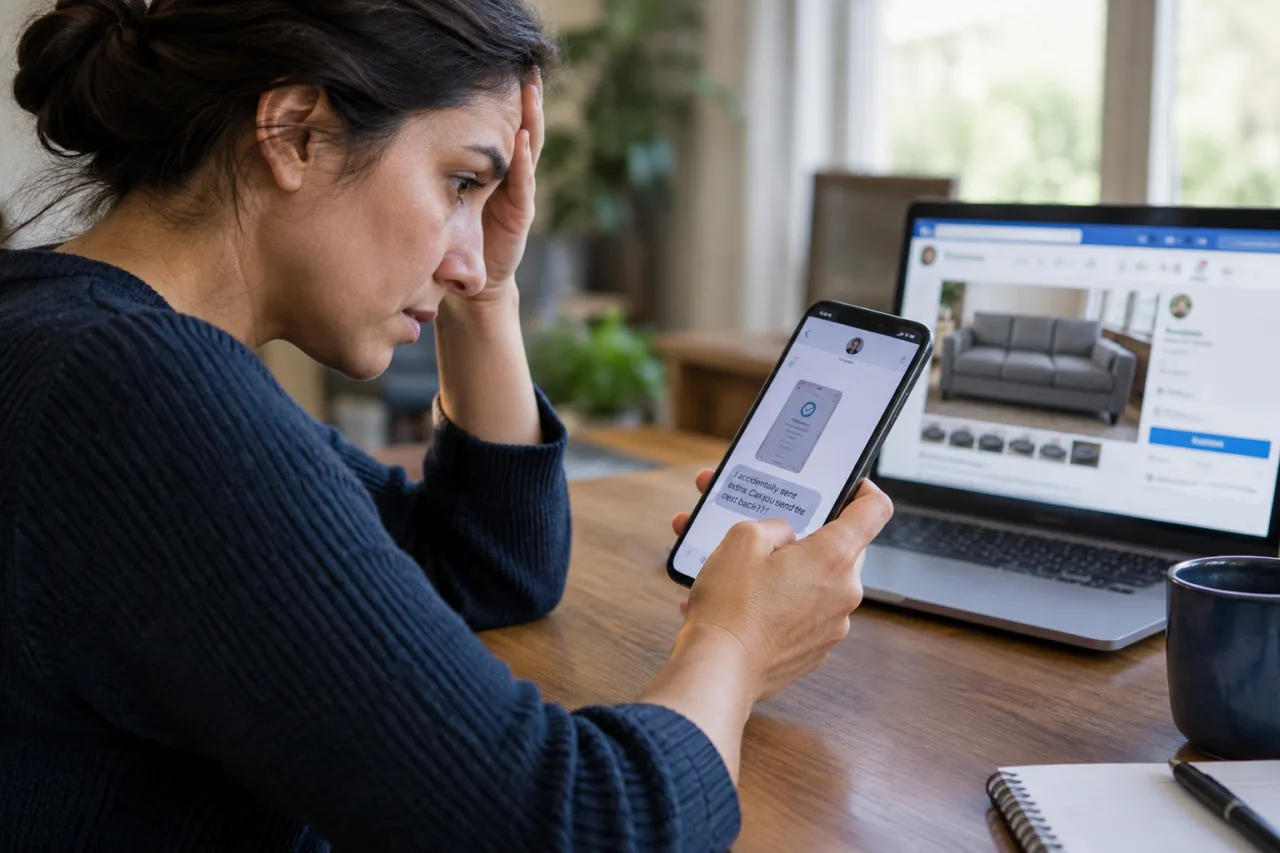
- The overpayment play. A buyer “accidentally” overpays — sometimes two fake notifications, per the FTC’s documentation of this classic — then demands a refund of the extra, which you send from real money before the fake settles and bounces. The FTC notes banks can take weeks to unwind a fake check, and the loss lands on you.
- Fake payment screenshots and “pending” notices. Meta’s guidance is blunt: never trust screenshots; check the money inside your own app. Venmo adds the sharper warning — if the payment “arrives” only after you ship and upload tracking, it is fake; that is not a feature Venmo offers.
- The Zelle/Venmo “upgrade” email. A message that looks like Zelle says you must pay a fee or “upgrade to a business account” to receive funds — Zelle says no such upgrade exists and its mail comes only from @zelle.com or @zellepay.com domains. The payment that “requires” your fee first is the scam.
- The verification-code hijack. A buyer asks you to read back a code “to prove you’re real” — those codes register Google Voice or other numbers in your name; the BBB flagged sellers being asked for phone numbers in exactly this pattern. Meta lists all code requests as phishing, full stop.
- The payment that reverses. Venmo warns that payments made from stolen cards or accounts get pulled back after delivery — the reversal risk belongs to the seller who accepted the fast payment.
The Protection Rule: Where Facebook Checkout Stops
Facebook’s purchase protection covers only what moved through Facebook checkout with platform shipping — refunds for items never delivered or materially not as described, filed on the platform’s own claim flow. The moment the deal pays by Zelle, Venmo, PayPal, cash, or local pickup, that protection ends and the dispute rides on the payment app’s rules instead. Zelle’s own fraud page is direct — the reason facebook marketplace scams gravitate to P2P rails — payments you authorized are often not reversible, though participating banks now reimburse confirmed fraud and certain qualifying impostor scams. Venmo warns there is no way to cancel a P2P payment once sent. The practical translation: the scammer’s push to leave checkout is not convenience — it is the removal of your only safety net, and sellers should read a payment-app demand the same way.
If You Already Sent Money: The Recovery Order
- Call the payment lane first. Report to your bank, card issuer, or the app immediately and ask about a reversal — the FTC’s scam-victim guidance says report to the company you paid and always ask. Bank-transfer and card disputes have clocks; P2P apps differ, and the answer lives with the app’s own support, reached from its official site.
- Report in the Facebook thread. Meta’s report flow runs from the listing and the chat; screenshot everything first — listing, profile, messages, receipts, tracking.
- File the official reports. ReportFraud.ftc.gov, IC3.gov for online losses, and IdentityTheft.gov when your ID or account details moved with the scam.
- Beware the recovery scam. The FTC warns that losing money makes the victim lists scammers trade; the “fund recovery specialist” who messages you weeks later — on a fee — runs the second wave of the same scam.
- For the code hijack: reclaim the number through the provider’s recovery flow and rotate the passwords any account shared with it.
The Buyer-Seller Habits That End Most Facebook Marketplace Scams
- Buyers: keep checkout on. Pay through Facebook checkout for anything you can’t inspect in person; the protection the platform sells only exists on its own rails.
- Sellers: cash or checkout, in person where possible. Meet in a safe public exchange spot; refuse screenshots, refuse code requests, refuse the mover’s-fee overpayment — the three tells of facebook marketplace scams cover most waves.
- Both: verify identities lightly but consistently. Profile age, mutual groups, consistent photos — thin new profiles demanding hurry are the standard scam costume. For account-level trouble on the same platform, the Facebook recovery playbook handles the takeover lane.
- Neither: never share codes, card photos, or bank details in chat. The chat is the scam’s delivery lane, and everything legitimate runs through checkout or cash; the message-side tells live in our scam-checker guide.
Local Pickup: The In-Person Trades and When They Turn
Face-to-face exchange is the safest lane for high-value items — cash in hand, item in the other — but two marketplace scams still reach into it. The first is the “friend” or “driver” substitution: an agreed meetup where a third party arrives claiming the buyer sent them, or a buyer who brings a fake receipt for money already “sent” and pressures an early handover. The second is the item-substitution and counterfeit play on the buyer’s side: sealed electronics that are bricks, or branded goods that fail one real inspection. The counter-rule is procedural, not suspicious: meet in designated safe-exchange zones or busy staffed storefronts, count every bill before the item moves (counterfeits ride person-to-person trades), test electronics on the spot, and end any trade where the other party pushes to change the payment terms after arriving. A trade that was clean in chat stays clean in person only if the payment plan does not mutate at the meetup.
Why the Off-Platform Push Works So Well
The psychology inside facebook marketplace scams is simple: the scammer imports a familiar brand’s credibility into an unprotected rail. AARP’s fraud-support director says it directly — the platform’s size and brand comfort buyers into assuming someone vets the transactions, when nobody does. The scammers layer small favors on top: a discount for paying outside checkout, urgency dressed as another interested buyer, a small initial transaction that completes cleanly to build the trust the larger second one drains. Every layer solves one objection you would otherwise raise, which is why the defense reads as boring as possible: the price, the payment, and the conversation all stay on the rails the platform actually protects, and any exception to that sentence is the moment a normal trade starts becoming a scam story.
Frequently Asked Questions
Facebook Marketplace Scams — What Is the Biggest One Right Now?
Two lead the complaints: on the buyer side, the fake seller collecting deposits off-platform (goods never ship, protection never applied); on the seller side, the fake payment notification — a screenshot plus “check your app later” — followed by an overpayment refund demand. Both end the same way: the money leaves outside Facebook checkout, where no protection exists.
I sold an item and the “buyer” sent a Zelle email saying I must pay to upgrade my account — real?
No. Zelle states plainly that no upgrade exists and its mail comes only from @zelle.com or @zellepay.com; any fee-to-receive email is the marketplace scam the AARP and Zelle both document. Delete it, keep the item until money shows inside your own app, and report the profile in the thread.
A buyer sent a screenshot showing payment — should I ship?
No — Meta’s guidance says never trust screenshots; open your own payment app and look for the money itself. Venmo adds the sharpest tell of this Facebook Marketplace scams pattern: a payment that “arrives” only after you ship and upload tracking is fake — no payment app holds funds pending shipment like that.
Someone on Marketplace asked me to read back a code texted to my phone. Why?
The code registers a number — often a Google Voice line — in your name, which the BBB documented sellers being steered into; Meta lists every code request as phishing. Refuse, report in the thread, and if the code was already read, run the provider’s number-recovery steps the same day — the reclaimed number matters, because the attacker keeps receiving every message meant for the old line until it moves back.
Does Facebook refund a Marketplace scam?
Only inside the checkout lane: purchases through Facebook checkout with platform shipping carry purchase protection and a claim flow for items that never arrived or arrived wrong; local pickups and P2P apps sit outside it, per Meta’s own help pages. Outside checkout, refunds depend on the payment rail — ask the app immediately, file ReportFraud/IC3, and treat any paid “recovery” offer as the second scam the FTC warns about. The recovery order above exists precisely for the rails that have no purchase protection.
Financial Disclaimer
This article provides general consumer-protection guidance and does not constitute financial or legal advice. Platform policies, payment-app rules, and refund programs change over time; verify against Meta’s help pages and your payment provider before acting. The author and publisher disclaim any liability for decisions based on this information.