Table of Contents
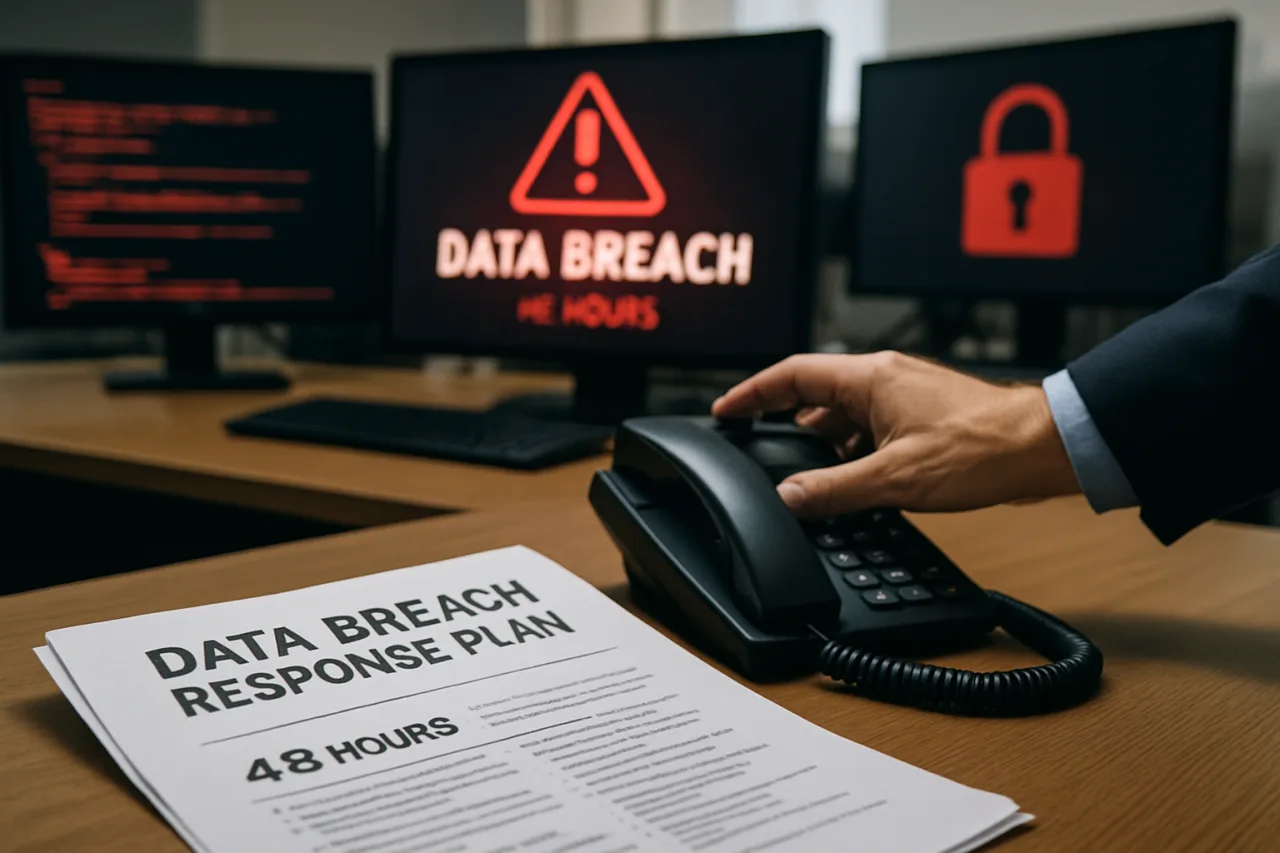
Data breach response is the difference between surviving a cyberattack and closing your business. You have 48 hours to contain the damage, preserve evidence, notify regulators, and begin recovery. Miss that window, and the consequences compound: fines multiply, customer trust collapses, and forensic investigation becomes guesswork. The average data breach cost in Southeast Asia hit $4.12 million in 2026 — but businesses with a written response plan recover 60% faster and pay 40% less than those without one.
Key Takeaway
- ⏱️ The First 48 Hours: Isolate affected systems, preserve logs and evidence, engage forensic investigators, contact your cyber insurance provider, and begin regulatory notification assessments. Every hour of delay increases recovery costs by an average of $53,000 per hour of downtime.
- 📋 The Plan: A data breach response plan is not a document — it is a set of questions answered before somebody asks them at 2 AM. Who has authority to take production offline? Which machines hold regulated data? Was encryption actually enabled?
- 💰 The Stakes: The average SMB breach costs $254,445. 60% of small businesses that suffer a breach close within six months. Businesses with a tested response plan recover in weeks; those without one recover in months — if they recover at all.
- 🇵🇭 Philippine Law: The Data Privacy Act of 2012 requires notification to the National Privacy Commission within 72 hours of discovering a breach involving personal data. Failure to notify can result in fines up to ₱5 million and imprisonment.
- 🔧 What You Will Do: Build a 5-phase response plan — detect, contain, eradicate, recover, notify — with clear roles, decision authority, and a one-page playbook you can execute at 2 AM without thinking.
The data breach response clock starts the moment you detect the breach. Not when you confirm it. Not when you finish investigating. The moment you see the first sign — an unusual login, a missing file, a ransom note on a screen — the 48-hour countdown has begun. Every minute you spend figuring out what to do is a minute the attacker uses to move deeper into your systems, exfiltrate more data, and establish persistence. A data breach response plan is the difference between controlled recovery and chaotic collapse.
In the Philippines, the stakes are higher than most business owners realize. The Data Privacy Act of 2012 (Republic Act No. 10173) requires organizations to notify the National Privacy Commission (NPC) within 72 hours of discovering a personal data breach. The notification must include the nature of the breach, the personal data involved, the measures taken, and the steps individuals can take to protect themselves. Failure to comply can result in criminal penalties including imprisonment of up to three years and fines up to ₱5 million. Yet as we documented in our Philippine cyber threat landscape analysis, 100% of Philippine organizations experienced cybersecurity incidents in 2026 — and most do not have a response plan.
The 5 Phases of Data Breach Response
The National Institute of Standards and Technology (NIST) defines incident response in four phases. For small businesses, the Federal Trade Commission (FTC) and practical experience add a fifth: notification. Here is what each phase requires, with specific actions for Filipino small businesses.
Phase 1: Detect and Confirm (Minutes 0-60)
Detection is not always obvious. The signs may be subtle: a user reports locked files, a firewall logs unusual outbound traffic, a customer complains their data was leaked, or an employee receives a ransom demand. CrowdStrike’s 2026 Threat Hunting Report found that the average attacker dwell time — the time between initial access and detection — is still measured in days, not hours. The faster you detect, the less damage the attacker does.
When you see a potential breach indicator, do not panic and do not ignore it. Document what you observed, when, and who reported it. Then verify: is this a real breach or a false alarm? Check system logs for unusual access patterns, new account registrations, or data exfiltration. If you have EDR (Endpoint Detection and Response) deployed, review its alerts. If you do not have EDR, check your server logs, firewall logs, and cloud audit logs manually. If in doubt, treat it as real until proven otherwise.
Phase 2: Contain (Minutes 60-360)
Containment stops the bleeding. The goal is to cut off the attacker’s access without destroying evidence. Isolate affected systems from the network — disconnect the network cable or disable the WiFi adapter, but do not power off the machine. Powering off can destroy volatile evidence in RAM, including encryption keys, active network connections, and malware artifacts that forensic investigators need.
For network-wide breaches, segment the network immediately: disconnect the affected zone from the rest of the network. Disable compromised accounts. Revoke active session tokens, especially for cloud applications like Microsoft 365 and Google Workspace. As we documented in our device code phishing defense guide, attackers who steal session tokens can maintain access even after you change passwords — token revocation is essential.
Move all communications to an out-of-band channel. If your email system is compromised, use a phone call, Signal, or a separate messaging platform to coordinate the response. Attackers who have compromised email can read your incident response communications and stay one step ahead. Document every containment action with timestamps — this log becomes your legal and regulatory compliance record.
Phase 3: Eradicate (Hours 6-24)
Eradication removes the attacker’s foothold from your environment. This is where forensic investigators earn their value. They identify the initial access vector, find all persistence mechanisms (backdoors, scheduled tasks, rogue accounts, malicious plugins), and ensure every trace is removed. For WordPress sites, this means scanning for malicious PHP files, unknown admin accounts, and injected code — as we documented in our Elementor Pro vulnerability analysis, attackers can upload PHP backdoors that survive password changes.
Change every password. Not just compromised accounts — every account in the organization. Attackers often harvest credential databases during the dwell period before detection. Reset all admin passwords, service account passwords, and API keys. Revoke and reissue all OAuth tokens and session tokens. If you use SSH keys for server access, generate new key pairs and replace all authorized keys. Patch every vulnerability that the attacker exploited to gain access — if you do not close the entry point, they will return.
Phase 4: Recover (Hours 24-72)
Recovery brings systems back online from known-good backups. The critical rule: never restore from a backup that predates detection but postdates compromise — it reintroduces the same foothold and starts the incident over. Verify backup integrity before restoration. Test restored systems in an isolated environment before reconnecting them to the production network.
Recovery follows a priority order: bring back the systems the business cannot run without first. For a dental clinic, that means patient records and scheduling. For an e-commerce store, that means the product catalog and payment processing. For a BPO, that means the customer relationship management platform and call routing. As we outlined in our ransomware protection guide, the 3-2-1 backup rule — 3 copies, 2 media types, 1 offline — is what makes recovery possible. Without tested, offline, immutable backups, recovery becomes rebuilding from scratch.
Phase 5: Notify (Within 72 Hours)
Notification is not optional in the Philippines. The Data Privacy Act requires notification to the National Privacy Commission within 72 hours of discovering a personal data breach. The notification must include: the nature of the breach, the personal data potentially involved, the estimated number of data subjects affected, the measures taken to contain the breach, and the steps data subjects can take to protect themselves.
For breaches affecting OFW data or cross-border data flows, additional notifications may be required under the data protection laws of the destination country. If the breach involves financial data, notify the Bangko Sentral ng Pilipinas. If it involves healthcare data, notify the Department of Health. If it involves government data, notify the DICT. As we noted in our ASEAN data breach cost analysis, regulatory fines are a small fraction of the total breach cost — but the reputational damage from delayed or inadequate notification can be catastrophic.
Customer notification should be transparent, timely, and empathetic. State what happened, when it was discovered, what data was compromised, what you are doing to fix it, and what customers should do to protect themselves. Do not minimize the breach. Do not blame the customer. Do not wait until you have “all the answers” — the 72-hour clock does not pause for your investigation. As the FTC’s Data Breach Response Guide states, misleading statements or withholding key details puts consumers at further risk.
Building Your One-Page Data Breach Response Plan
The best data breach response plan is not a 50-page document sitting in a binder. It is a single page that answers the questions you will face at 2 AM, when panic is high and clarity is low. Here is a template you can fill in today.
Incident Response Team: Name one person for each role: Incident Commander (makes go/no-go decisions), Technical Lead (investigates and contains), Legal/Compliance Lead (handles notifications), Communications Lead (handles customer and media communication), and HR (if employees are involved). In a small business, one person may cover multiple roles, but the authority to decide must be clear.
Decision Authority: Who has the authority to take production offline? Write their name and phone number. Who has the authority to engage external forensic investigators? Write their name. Who has the authority to approve emergency spending? Write their name and the spending limit. These decisions cannot wait for a committee meeting during an active breach.
Regulatory Notifications: NPC hotline: [fill in]. DICT Cybersecurity Bureau: [fill in]. PNP Anti-Cybercrime Group: [fill in]. BSP (if financial data): [fill in]. Cyber insurance provider: [fill in, with policy number]. Legal counsel: [fill in, with after-hours contact].
Technical Runbook: Where are the backup servers located? What is the restore procedure? Where are the encryption keys stored? Which systems hold regulated data? Where are the firewall logs? Where are the cloud audit logs? Answer these questions before the breach — during the breach, you will not have time to figure out where things are.
Print this data breach response plan. Tape it to the wall next to your server rack or keep it in a physical binder. Digital copies are useless if your network is down.
Frequently Asked Questions About Data Breach Response
What is a data breach response plan and why do I need one?
A data breach response plan is a documented set of procedures for detecting, containing, eradicating, recovering from, and notifying stakeholders about a cybersecurity incident. You need one because businesses with a tested response plan recover 60% faster and pay 40% less than those without one. The average SMB breach costs $254,445, and 60% of small businesses that suffer a breach close within six months. A plan transforms chaos into controlled recovery.
How quickly must I notify the National Privacy Commission after a data breach in the Philippines?
The Data Privacy Act of 2012 requires notification to the National Privacy Commission within 72 hours of discovering a personal data breach. The notification must include the nature of the breach, the personal data involved, the estimated number of affected individuals, measures taken to contain it, and steps individuals can take to protect themselves. Failure to notify can result in fines up to ₱5 million and imprisonment of up to three years.
What should I do in the first hour after discovering a data breach?
Document what you observed, when, and who reported it. Isolate affected systems by disconnecting them from the network — but do not power them off, as volatile evidence in RAM will be lost. Move incident response communications to an out-of-band channel (phone, Signal) if email may be compromised. Contact your incident response team and cyber insurance provider. Begin preserving logs and system snapshots. Do not attempt to fix the problem yourself — engage professional forensic investigators.
How much does a data breach cost a small business in 2026?
The average SMB breach costs $254,445, with incidents ranging from $120,000 to $1.24 million. In Southeast Asia, the average across all organization sizes is $4.12 million per IBM’s 2026 Cost of a Data Breach Report. Extended downtime costs an average of $53,000 per hour. Businesses with a tested response plan recover in weeks; those without one recover in months — if they recover at all.
Should I pay a ransom after a ransomware data breach?
No. The data consistently shows paying the ransom does not solve the problem. Median ransom payments are $115,000 but total recovery costs average $1.53 million. 64% of ransomware victims now refuse to pay, up from 50% two years earlier. Paying funds the next attack cycle and does not guarantee data recovery. Instead, isolate systems, engage forensic investigators, restore from tested offline backups, and report the incident to the DICT Cybersecurity Bureau and PNP Anti-Cybercrime Group.
How do I know if my data breach response plan works?
Test it. Run a tabletop exercise quarterly: gather your incident response team, present a hypothetical breach scenario, and walk through each phase of the plan. Time how long it takes to make decisions. Identify gaps — missing phone numbers, unclear authority, untested backup procedures. After each exercise, update the plan based on what you learned. A data breach response plan that has never been tested is a plan that will fail when you need it most.
What data breach response resources are available for Philippine businesses?
The National Privacy Commission provides breach notification guidelines and templates on their website. The DICT Cybersecurity Bureau offers incident reporting and advisory services. The PNP Anti-Cybercrime Group accepts breach reports and conducts criminal investigations. For WordPress-specific breaches, the CISA Stop Ransomware guide provides technical guidance applicable to Philippine businesses. For financial breaches, the BSP’s AFASA framework provides victim recovery pathways.
This article is for informational and educational purposes only. It does not constitute legal or professional cybersecurity advice. For official guidance on data breach notification in the Philippines, consult the National Privacy Commission. For incident response services, engage a qualified cybersecurity firm.