Table of Contents
Key Takeaway
- 🎯 The Threat: A CSS webmail attack uses styling code inside an email to break out of the message boundary and steal passwords, tokens, and session data from Gmail, Outlook, Yahoo Mail, and four other major webmail services.
- 🔬 The Research: PortSwigger researcher Gareth Heyes demonstrated the attacks at Black Hat USA 2026 on August 6, with public proof-of-concept code released for seven email platforms.
- 🤖 AI Compounds the Risk: The CSS webmail attack can manipulate AI email assistants like Claude Cowork and OpenAI Atlas by hiding instructions invisible to humans but readable by AI models.
- ⚠️ Still Unpatched: Outlook label-jacking and Gmail image-set() bypass both remained exploitable as of August 8, 2026 — the full Outlook password capture chain may still be unfixed.
- 🛡️ What You Can Do: Disable HTML email rendering, use dedicated email clients instead of webmail, avoid pasting content from emails into draft windows, and disable AI email integrations until providers patch.
The most dangerous cybersecurity threats are not the ones that require sophisticated malware or zero-day exploits. They are the ones that use the building blocks of the web itself — the styling language that makes pages look nice — to turn your inbox into a weapon against you. A CSS webmail attack does exactly that, and it works on the email services that billions of professionals rely on every day.
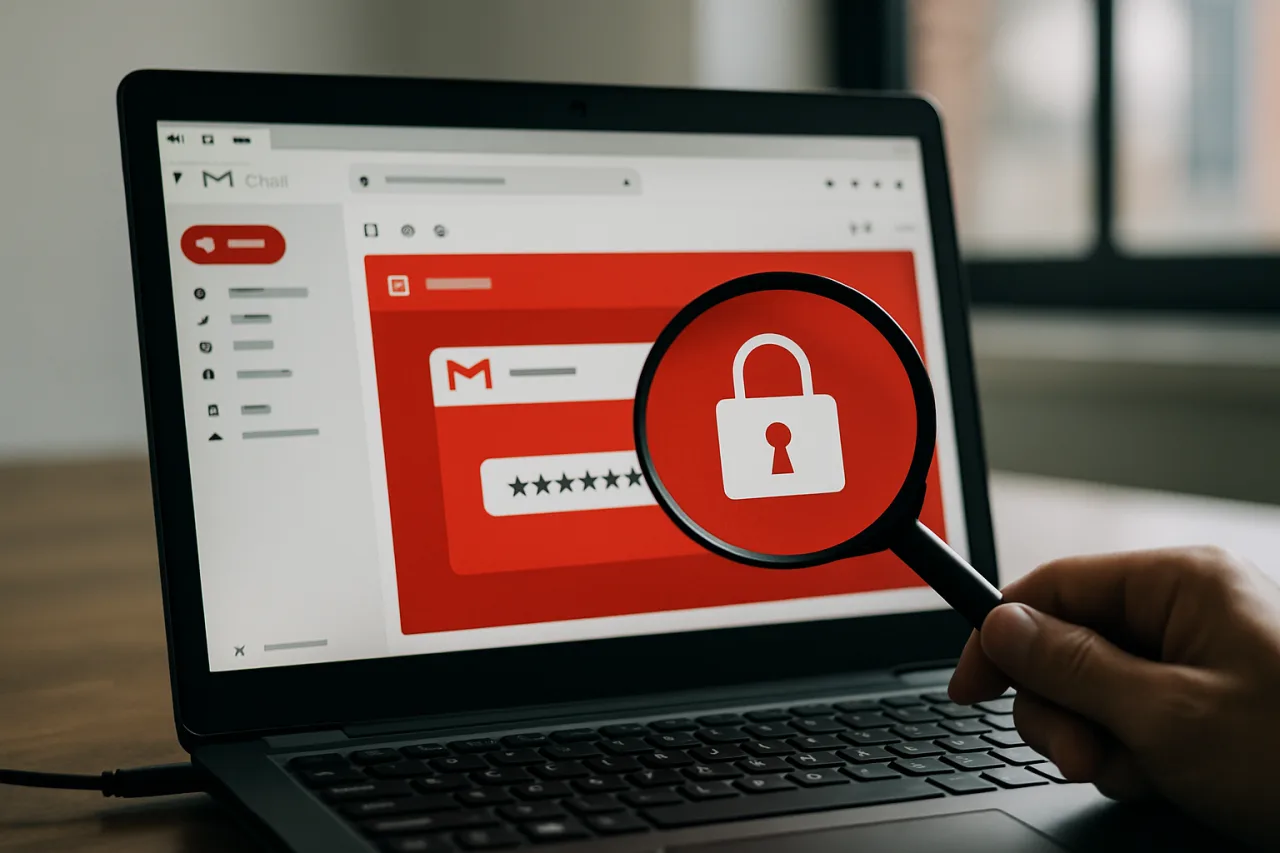
On August 6, 2026, PortSwigger researcher Gareth Heyes presented findings at Black Hat USA 2026 that should reframe how every Filipino professional thinks about email security. The research, titled “CSS — The Bomb Inside Your Inbox,” demonstrates that Cascading Style Sheets (CSS) — the code responsible for fonts, colors, and layout on virtually every website — can be weaponized to escape the boundary of an email message and interfere with the webmail interface surrounding it. The result is a class of attack that can capture passwords, hijack sessions, leak authentication tokens, and manipulate AI tools connected to your inbox, all without a single line of malicious JavaScript.
This is not a theoretical concern. Public proof-of-concept code is available on GitHub. Two of the affected platforms — Outlook and Gmail — had unfixed vulnerabilities as of the research publication date. And the attack surface extends beyond traditional email into the AI-powered email assistants that an growing number of Filipino professionals use to manage their inboxes.
Why a CSS Webmail Attack Is the Perfect Weapon
The fundamental assumption behind webmail security is that CSS is safe. Email providers like Google, Microsoft, and Yahoo allow HTML and CSS inside incoming emails because styling is supposed to be cosmetic — it changes how text looks, not what the page does. JavaScript, by contrast, is stripped out entirely because it can execute code. The CSS webmail attack breaks this assumption.
Heyes identified two paths to exploit this trust. The first is abusing CSS features that webmail providers already permit — using allowed properties in creative combinations to spoof interface elements, redirect clicks, or exfiltrate data. The second is more insidious: exploiting the gap between what a content sanitizer approves and what the browser actually renders. When a sanitizer allows a custom attribute that later gets transformed by application JavaScript into a full DOM element with unrestricted CSS, the trust boundary collapses.
“It’s quite common for webmail clients to render untrusted CSS in a trusted UI,” Heyes explained in his research published on PortSwigger. “I looked at the various allow listed CSS properties and HTML with the goal of abusing them to spoof UI actions, control browsers, take over accounts or steal tokens.”
The reason this matters for Filipino professionals is scale. According to the Department of Information and Communications Technology (DICT), the Philippines saw 16,619 phishing incidents in the first half of 2026 alone. A CSS webmail attack is harder to detect than traditional phishing because it does not redirect users to a fake website — it turns the real webmail interface itself into the attack surface. Security awareness training that teaches users to check URLs and look for padlock icons provides no defense when the attack happens inside a legitimate Gmail or Outlook window. For a deeper look at how phishing is evolving in the Philippines, read our coverage of H1 2026 phishing threats.
The Outlook Password Capture Chain
The most alarming demonstration in Heyes’ research targets Microsoft Outlook on Firefox. The attack chain combines three techniques that individually look harmless but together create a real-time password capture mechanism.
First, allowed HTML label elements in Outlook can trigger controls outside the email message itself. Label elements are standard HTML — they associate text with form fields — but in the Outlook context, they can reach into the webmail interface. Second, Outlook’s own JavaScript transforms sanitized custom data attributes into new DOM nodes carrying CSS properties that the sanitizer never approved. This is what Heyes calls a “CSS gadget” — existing application code that inadvertently creates an escape hatch. Third, a media-query parsing trick gives the attacker arbitrary CSS injection capability.
With these three pieces in place, the attacker disguises a select element — a standard dropdown menu — as a password field. Firefox maintains a roughly one-second timer for option selection in select elements, but critically, this timer resets whenever the dropdown moves offscreen. The attacker uses CSS to move the element offscreen repeatedly, which effectively makes the capture real-time. When the victim types their password into what looks like a legitimate Microsoft sign-in prompt, the attacker captures it character by character.
As of August 8, 2026, the Outlook label-jacking technique remained unfixed. PortSwigger’s paper does not confirm whether the full password-capture chain has been patched. For Filipino professionals who use Outlook for work — and many BPO and corporate employees do — this is a live, unpatched vulnerability in their daily email tool.
The Yahoo and AOL Token Theft via Copy-Paste
The CSS webmail attack against Yahoo Mail and AOL Mail requires even less technical sophistication from the victim’s perspective — but it is no less dangerous. The attack exploits a timing gap in how Firefox handles pasted HTML content.
When HTML is pasted into a Yahoo or AOL Mail draft, Firefox briefly retains the active CSS styling before the sanitizer strips it out. That window — measured in milliseconds — is enough for the attacker to extract a login token. Here is how the chain works: the attacker initiates a Medium email-login flow targeting the victim’s email address. Medium sends a 12-character hexadecimal login token. The victim then receives an email containing CSS designed to be copied to the clipboard. When the victim pastes that CSS into a Yahoo or AOL draft, the unsanitized styling triggers requests that reveal enough of the 12-character token for the attacker’s server to reconstruct it. With the complete token, the attacker can sign in as the victim.
The attack requires only two user actions: receiving the email and pasting its content into a draft. No clicks on suspicious links, no downloads, no JavaScript execution. The victim never sees a fake website. For Filipino freelancers and remote workers who manage multiple platform accounts through Yahoo Mail, this attack chain represents a silent credential theft path.
The AI Email Assistant Threat
Perhaps the most forward-looking finding in the CSS webmail attack research is how it targets AI tools connected to email inboxes. This is where the threat intersects with the growing adoption of AI email assistants among Filipino professionals.
Gmail’s image-set() CSS function provided a bypass that could trigger external requests despite sanitization. Heyes and PortSwigger colleague Pete Hendy chained this into an indirect prompt-injection attack against Anthropic’s Claude Cowork, which connects to Gmail through a Google Workspace integration. The attack flow: the attacker sends an email with hidden CSS-based instructions. When the victim asks Cowork to process their emails, the injected instructions cause the AI assistant to retrieve a Slack token from a confirmation email and place it in an HTML draft. Viewing that draft then leaks the token to the attacker.
A separate demonstration targeted OpenAI’s Atlas AI browser. CSS pseudo-elements and opacity settings made human readers see harmless text while the AI model read hidden instructions underneath. When the user asked Atlas to translate the visible text, the hidden prompt caused it to open browser tabs and encode the victim’s name in URL fragments, exfiltrating data without the user’s knowledge. OpenAI deprecated Atlas on August 9, 2026.
This attack vector is particularly relevant because it scales with AI adoption. The more Filipino professionals use AI assistants to summarize, triage, and respond to email, the larger the attack surface becomes. The CSS webmail attack does not need to trick the human — it needs to trick the AI that the human trusts to read their inbox. This is a new category of threat that extends beyond email into the broader AI agent ecosystem, as we documented in our analysis of the coding agent vulnerability that breached Anthropic, Google, and OpenAI.
What Still Works and What Was Fixed
Not every vulnerability in the CSS webmail attack research remains exploitable. Heyes reported his findings to affected vendors, and some have patched specific issues. The current status as of August 8, 2026:
Fastmail fixed two CSS mutation bugs that Heyes reported. However, a separate “CSS hotwiring” technique that can redirect clicks into unintended multi-step UI actions was demonstrated, and the researcher also showed an image-proxy bypass using an allow-listed domain that reveals when an email is viewed.
Proton Mail had a proxy bypass that stopped working when Heyes retested before publication. However, a separate vector that exposed the recipient’s IP address was demonstrated, which is notable because Proton’s tracker-protection documentation explicitly states that the service is designed to hide personal IP addresses and exact email-open times.
Outlook label-jacking still worked as of August 6. The full password-capture chain status is unconfirmed.
Gmail image-set() bypass still worked as of August 6. The Claude Cowork prompt-injection chain depends on this bypass.
Yahoo Mail and AOL Mail — the paste-race condition that enables token theft was demonstrated on Firefox. No fix confirmation has been published.
How Filipino Professionals Can Protect Themselves
The CSS webmail attack is difficult to defend against at the individual level because it exploits the webmail provider’s infrastructure, not the user’s device. However, Filipino professionals can take specific steps to reduce their exposure:
1. Use dedicated email clients instead of webmail. Desktop clients like Mozilla Thunderbird or the native Mail app on macOS and Windows render HTML email in a sandboxed environment that is isolated from the email client’s own interface. This breaks the trust boundary that the CSS webmail attack exploits. If you must use webmail, consider disabling HTML email rendering in your provider’s settings.
2. Never paste content from emails into draft windows. The Yahoo and AOL token-theft chain requires the victim to copy content from an email and paste it into a draft. If you receive an email asking you to copy and paste anything, treat it as suspicious — even if it appears to come from a legitimate service.
3. Disable AI email integrations until providers patch. The Claude Cowork and OpenAI Atlas attack chains demonstrate that AI email assistants can be manipulated through hidden CSS instructions. If you use an AI tool that reads your Gmail or Outlook inbox, consider disconnecting it until your email provider confirms that CSS sanitization has been strengthened.
4. Use hardware security keys for account recovery. Even if an attacker captures your password through the Outlook chain, they cannot complete sign-in if your account requires a hardware security key for multi-factor authentication. FIDO2 keys like YubiKey provide the strongest protection against credential theft.
5. Monitor for suspicious login activity. Both Google and Microsoft offer login activity logs that show recent sign-ins by location and device. Check these logs weekly if you use webmail as your primary email tool. For practical guidance on detecting AI-generated content and social engineering, see our deepfake detection guide for Filipino professionals.
What This Means for Email Security in the Philippines
The Philippines has one of the highest email engagement rates in Southeast Asia, driven by the BPO industry, remote work adoption, and the sheer volume of overseas Filipino worker communications. Email is not just a communication tool for Filipino professionals — it is the connective tissue between diaspora workers and their families, between freelancers and their international clients, between entrepreneurs and their suppliers.
The CSS webmail attack matters because it targets the trust model that makes email usable. If a user cannot trust that the Microsoft sign-in prompt they see inside Outlook is genuine, the entire webmail paradigm breaks down. This is not a phishing email that arrives in the inbox — it is the inbox itself becoming the phishing tool. Traditional security awareness training, which focuses on identifying suspicious senders and checking URLs, provides no defense against an attack that uses the legitimate email provider’s own interface as the attack surface.
The Bangko Sentral ng Pilipinas has issued governance principles for AI in financial services through Memorandum M-2026-031, but these do not specifically address the intersection of CSS-based attacks and AI email assistants. As Filipino banks and fintech companies increasingly adopt AI tools for customer service and internal operations, the attack surface demonstrated by Heyes’ research will grow. The National Privacy Commission and the DICT should consider whether current cybersecurity guidelines adequately address CSS-based webmail vulnerabilities.
The Bigger Picture
What makes the CSS webmail attack genuinely significant is not any single exploit chain. It is the demonstration that the fundamental security model of webmail — allowing untrusted CSS to render inside a trusted interface — is broken. Every webmail provider that allows HTML email is making the same assumption: that CSS sanitization can prevent styling code from reaching outside the message boundary. Heyes’ research proves that this assumption is false across at least seven major email platforms.
The defensive guidance from PortSwigger is straightforward in principle but difficult in practice: isolate HTML email in sandboxed iframes, tightly restrict CSS, implement character allow lists for CSS validation, check for CSS gadgets before allowing custom attributes, block select menus and dangerous selectors, and prevent attacker-controlled image requests. The challenge is that HTML email is a feature, not a bug — users want rich formatting, images, and styling in their messages. Stripping CSS down to plain text would eliminate the attack surface but also eliminate the user experience that webmail providers compete on.
For now, the proof-of-concept code is public, the vulnerabilities are partially unpatched, and the AI email assistant attack vector is a preview of threats to come. Filipino professionals who depend on webmail for daily communication should treat every HTML email as potentially hostile — not because every email is an attack, but because the infrastructure that renders those emails can no longer be assumed safe.
Frequently Asked Questions About CSS Webmail Attacks
What is a CSS webmail attack?
A CSS webmail attack is a technique that uses Cascading Style Sheets — the styling code used in web design — inside an email to break out of the message boundary and interfere with the webmail interface. This can allow an attacker to steal passwords, capture authentication tokens, hijack user sessions, and manipulate AI tools that read email, all without using JavaScript or traditional malware.
Which email services are affected by the CSS webmail attack?
The research demonstrated attacks against seven webmail platforms: Microsoft Outlook, Gmail, Fastmail, Proton Mail, Yahoo Mail, AOL Mail, and OpenAI Atlas. Outlook label-jacking and Gmail image-set() bypass remained unpatched as of August 8, 2026. Fastmail fixed two CSS mutation bugs, and a Proton Mail proxy bypass stopped working before publication.
How does the CSS webmail attack steal passwords?
The Outlook attack chain uses allowed HTML label elements to trigger controls outside the email, then exploits a JavaScript “CSS gadget” to inject unrestricted CSS that disguises a dropdown menu as a password field. When the victim types their password, CSS captures it character by character in near real-time.
Can a CSS webmail attack target AI email assistants?
Yes. The research demonstrated two AI attack chains. The first used Gmail’s image-set() bypass to inject hidden instructions into Claude Cowork, causing it to retrieve a Slack token and leak it through an HTML draft. The second used CSS pseudo-elements to show humans harmless text while an AI model read hidden instructions, manipulating OpenAI’s Atlas browser.
How can I protect myself from a CSS webmail attack?
Use a dedicated email client instead of webmail, disable HTML email rendering if possible, never paste content from emails into draft windows, disable AI email integrations until providers patch, and use hardware security keys for multi-factor authentication. Check your provider’s login activity logs weekly for suspicious sign-ins.
Is the CSS webmail attack being actively exploited?
The research presents proof-of-concept attacks and does not report malicious exploitation in the wild. However, public PoC code is available on GitHub, and two major vulnerabilities — Outlook label-jacking and Gmail image-set() bypass — remained unpatched as of August 8, 2026. The potential for active exploitation exists.
Does using a VPN protect against CSS webmail attacks?
No. A VPN encrypts your network traffic but does not prevent CSS-based attacks that execute within your browser. The CSS webmail attack operates at the email rendering layer, not the network layer. A Proton Mail vector demonstrated in the research can even expose the recipient’s IP address despite Proton’s tracker-protection features.
Cybersecurity Disclaimer: This article is for informational purposes only and does not constitute professional cybersecurity advice. The CSS webmail attack techniques described are based on published security research with public proof-of-concept code. Readers should consult their organization’s IT security team and email provider for specific guidance on protecting their accounts.