Key Takeaway
- 📋 The artifact of this piece: an AI compliance log template — a single running document that records what your AI tools did, when, under whose approval, and how you’d prove it.
- 🏢 Your client’s security team already wants this: execution logs, approval gates, provenance tracking, and rollback capability are the four controls 2026 enterprise buyers demand from every AI-using vendor.
- 🏛️ Regulators are converging on the same shape: NYC’s AI-incident reporting bill and the EU’s AI Act both ask “show me what the system did” — a log is the answer that survives both.
- 🛠️ Start with three columns, five minutes a day — no new software purchase required, works with the free tier of your current tools, and upgradable later.
- 🇵🇭 The Filipino freelancer edge: the vendor who can hand over a compliance log at contract renewal is the vendor whose rate card defends itself.
Table of Contents
An AI compliance log is the document that lets you prove — in five minutes, with evidence — what every AI tool did on your client’s behalf. Here is the situation that creates demand for it: your agency runs client work through ChatGPT, Claude, Gemini, and a stack of AI agents that touch real customer data, and last week an enterprise client’s security questionnaire added four new lines — “Describe your AI usage logs,” “How do you gate autonomous actions?”, “Show provenance for AI-generated deliverables,” “Can you roll back an agent’s mistakes?” Two years ago that questionnaire asked about password policies. This is the new bar, and this piece hands over the artifact that clears it: the log template, the tool setup, and the worked example, in one pass.
Why an AI Compliance Log Is Now a Business Requirement
The pressure is converging from three directions at once. Enterprise security reviews: the 2026 agent-product consensus — execution logs, approval gates, provenance tracking, roll back capabilities as “first-class concerns” — came from how buyers evaluate AI vendors, and the questionnaire lines reflect it verbatim. Regulation: New York City’s contractor AI-incident reporting bill would formally require exactly this record from vendors on city contracts; the EU AI Act’s transparency provisions ask the same question in different words; Manila’s own house bills on AI governance copy both templates. And the scam layer: when an AI-assisted deliverable goes wrong — the agent sent the draft with errors to the client, or generated content that borrowed too closely from a source — the difference between a defensible incident and a firing offense is whether documentation existed BEFORE the incident. An AI compliance log is cheapest insurance in the stack: zero software, ten minutes a day, and it answers every future question before it’s asked.
The AI Compliance Log Template (Copy This)
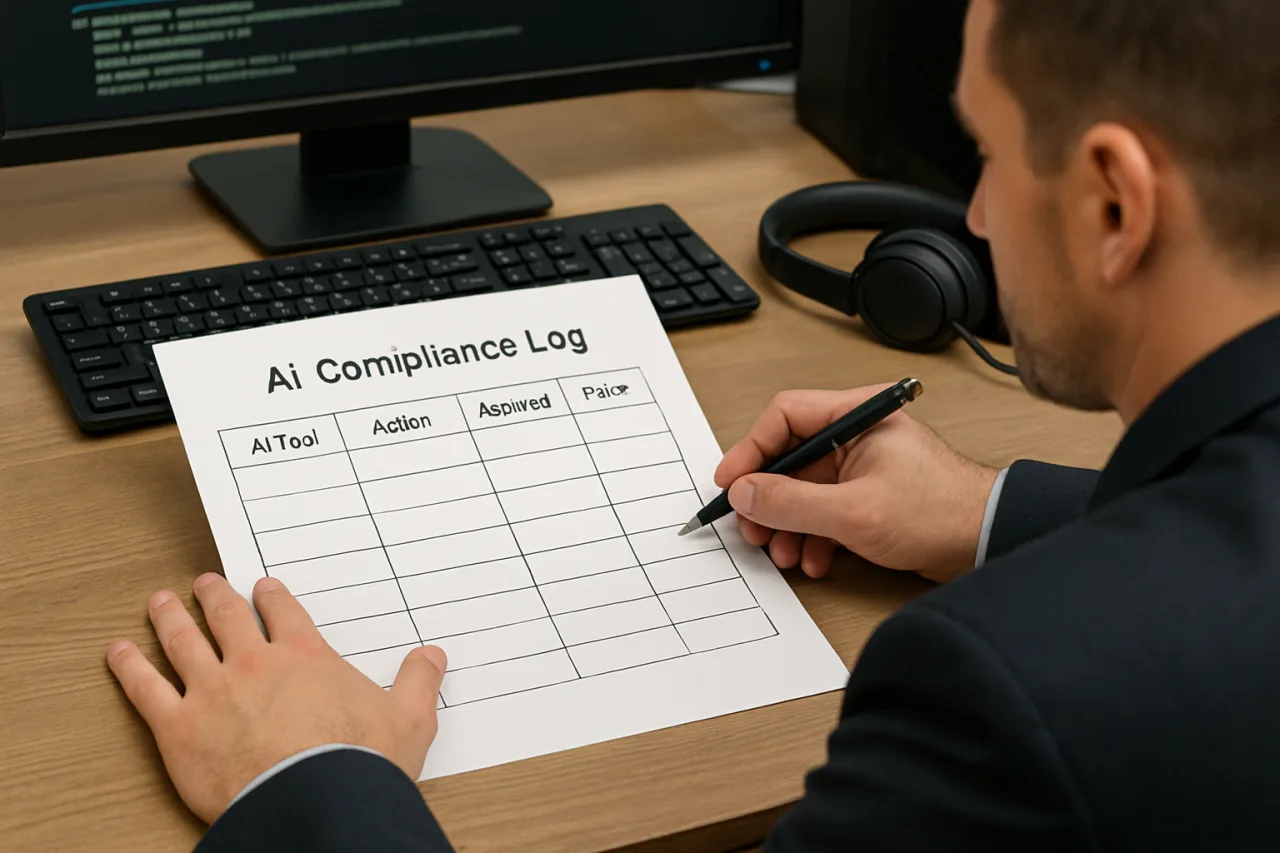
One table per AI tool, one row per session that touched client work. Five columns, fixed meaning:
| Column | What goes in it | Example entry |
|---|---|---|
| Date / Worker | Session date + who drove the tool | Oct 3 — J. Cruz (copy team) |
| Tool + Mode | Model, tier, and whether agents ran | ChatGPT — GPT-6 Sol, agent mode OFF |
| Client Data Touched | Yes/no + category (never paste raw IDs) | Yes — anonymized sales copy only |
| Approval Gate | What REQUIRED human sign-off before use | Final copy read + edited by lead before send |
| Provenance / Rollback | Where outputs are stored + can you undo | Deliverable v3 in project folder; v2 retained |
Two rules make the template real. Rule one: the log records process, not contents — you never log what the client’s data said; you log THAT data was touched, by what, under whose approval. Rule two: write it when it happens — a log reconstructed after an incident is not a compliance artifact; counsel treats it as fiction. Five rows a day across three tools is fifteen minutes; that is the entire cost of clearing the questionnaire line.
Building It Tool-by-Tool (the 2026 Stack)
ChatGPT / OpenAI stack: Team and Enterprise workspaces already export conversation logs per member — schedule a weekly export into a dated folder and log the export itself as a row. For agent runs, the workspace’s audit trail shows each tool call; screenshot the session summary into the log. Claude / Anthropic stack: Projects keep versioned artifacts natively; the provenance column entries come from the project’s own history — zero extra work. Gemini / Google stack: Workspace admins get activity reports per user; same weekly-export pattern. Agent platforms (n8n, MCP servers, custom agents): this is where approval gates matter most — set the platform’s require-approval step on every external action (send email, publish, pay), and the gate’s own log becomes your rollback spine. The pattern holds across every tool in 2026’s market: the platforms moved first (the consensus built into agent products this year is exactly these controls), and your job is only to ROUTINE-IZE the export. The 30-minute setup buys the year.
Worked Example: One Week of a Real-Shaped Agency Log
Row 1 — Oct 3, J. Cruz — ChatGPT GPT-6 Sol, agent OFF — client data: NO (used competitor public posts for tone study) — gate: none needed — provenance: internal notes doc. A research-only session; the log row takes thirty seconds and answers “did AI ever touch client data” with precision instead of guessing. Row 2 — Oct 3, M. Reyes — Claude Project “Client-A Drafts” — data: YES anonymized brief — gate: account lead approved final copy before send — provenance: v4 in project, v3 retained. The approval gate is the row’s value: when the client’s security team asks “who signs off on AI-written copy?”, the log shows a NAME and a DATE. Row 3 — Oct 4, agent run — n8n + GPT-6 Sol, agent mode ON — data: YES (customer list, batch send) — gate: approval step REQUIRED the lead’s click before send — provenance: n8n execution log #4471 + sent items. This is the row that saves careers: the agent’s every action sits in an execution log with a human gate upstream of the action. Weekly total: 11 rows, 15 minutes of logging, one PDF export — and a security questionnaire answered by attaching the file. That is the entire practice; everything else in the 2026 compliance discourse is decoration on this spine.
The Upgrade Path (When You Outgrow the Table)
The manual table takes you through your first enterprise contract — then volume makes automation worth it. The upgrade order: first, move the log itself into a version-controlled document per client (Git or document history — provenance for the log itself); second, tool-mandated exports land automatically (workspace audit exports on a schedule — the log becomes curation rather than typing); third, for agent-heavy shops, the platform’s execution logs get referenced BY the log rather than copied into it (row points to execution ID). The principle never changes at any stage: an AI compliance log proves what happened, who approved it, and how it reverses — the three questions every buyer, regulator, and court asks in that order. The vendors who build the habit early are the ones whose 2027 rate cards read differently.
Frequently Asked Questions
What is an AI compliance log?
A running record of what AI tools did on client work: date, tool and mode, whether client data was touched, what required human approval, and where outputs live for provenance and rollback. One row per session, written as it happens.
Do small agencies really need an AI compliance log?
Yes — precisely because enterprise clients now ask. Four questionnaire lines about AI usage, gating, provenance, and rollback appeared on 2026 security reviews; a two-person agency with a log answers them in a PDF. A two-person agency without one answers “we don’t track that,” which is a disqualifier.
What goes in each column of the template?
Date and worker; tool plus mode (agent on/off); whether client data was touched (category only, never raw contents); the approval gate (who signed off before use); and provenance/rollback (where outputs are stored and how they’d be reversed).
How does this relate to the NYC AI incident reporting bill?
The bill would require vendors on city contracts to identify and report AI safety incidents through NYC3 standards — a compliance log is the record that makes incident identification possible. Vendors who log daily already hold the report; vendors who don’t reconstruct it under deadline, which never reads well.
Which tools support automatic log export?
OpenAI Team/Enterprise workspaces (conversation + audit exports), Claude Projects (versioned artifacts), Google Workspace admin reports, and n8n/agent platforms (execution logs with approval-gate records). The export feeds the log; the log feeds the questionnaire.
Financial Disclaimer: This article is for general information and education only and does not constitute legal or compliance advice. Regulatory frameworks mentioned are evolving; verify current requirements with official sources and qualified counsel before implementation.