Key Takeaway
- 📸 Immich photo backup gives your family a private Google Photos replacement: automatic phone uploads, face recognition, and timeline search — on a VPS you own, with nobody scanning the albums.
- 🖥️ The honest hardware number: 6 GB RAM minimum (8 GB recommended) because the machine-learning container is memory-hungry; Hostinger’s KVM 2 plan is the sweet spot, KVM 4 the comfortable one.
- 🐳 Install takes ten minutes with the project’s own Docker Compose file — the real work is the four gotchas: RAM, disk sizing, HTTPS for the mobile app, and safe upgrades.
- 📱 The mobile app refuses plain-HTTP servers — put port 2283 behind HTTPS on day one or the camera roll never uploads.
- 💾 Originals eat disk in full, plus 10-20% for thumbnails — size the volume for your library plus headroom before the first upload.
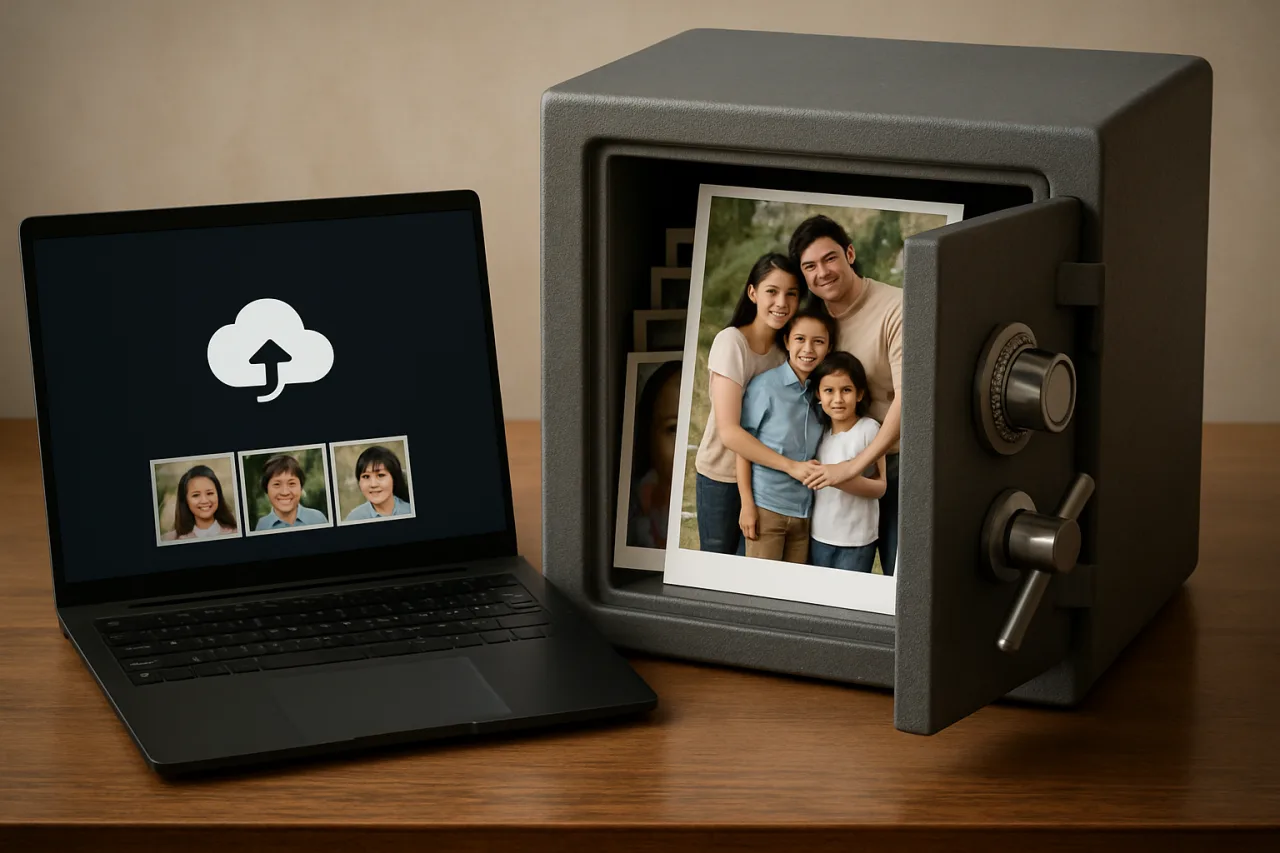
Every family album uploaded to a big tech cloud is a family album someone else’s algorithms read. The OFW version of that problem is sharper: the photos that matter most — birthdays seen over video call, the children growing up while you work abroad — live on servers whose business model is analyzing them. Immich photo backup on a Hostinger VPS ends that trade: the open-source project replicates the Google Photos experience (automatic background uploads, face recognition, machine-learning search) on a server you rent and control, where the original files stay on your disk and nobody scans them to sell you anything. This Immich photo backup guide builds it honestly — the ten-minute install, the four gotchas that eat weekends, and the OFW family setup that makes the vault useful from Manila to Riyadh. If you have decided to move, the step-by-step Immich on Hostinger deployment guide walks the whole build in one afternoon.
Table of Contents
What You Are Building and Why It Beats Renting
Immich photo backup is a self-hosted service — the family vault in software form. — a real replacement for Google Photos, not a lesser clone. The phone app uploads your camera roll in the background over WiFi; the web interface gives you a timeline, albums, shared libraries, face recognition, and machine-learning search that finds “beach” or your daughter’s face without anyone tagging anything. The difference is who holds the files: on your VPS, the originals stay on your disk in full resolution, the machine learning runs on your hardware, and the only company with access to the albums is the hosting company you chose — which sees encrypted traffic and disk sectors, not your family’s faces.
The trade-offs are honest too. You become the administrator: updates need care, backups are your responsibility, and the machine-learning container needs real RAM. For the OFW family, the math still lands on Immich’s side — one VPS serves the whole household (your phone in Riyadh, your spouse’s in Laguna, the kids’ tablets), the monthly cost stays flat as the library grows, and the albums stay family property. The detailed self-hosting analysis calls the result rock-solid when the four gotchas are respected — this Immich photo backup guide respects them from the start.
Step 1: Size the VPS — the Honest Numbers
The official docs say 6 GB RAM minimum, 8 GB recommended; treat 4 GB plus swap as the absolute floor. The reason is one container: immich-machine-learning loads CLIP and face-recognition models into RAM to power search, and on a 2 GB box the kernel kills it mid-indexing (the famous exit-137 kill). Disk needs your full library plus 10-20% overhead for thumbnails and previews — a 200 GB photo collection wants a 300 GB volume.
On Hostinger’s KVM lineup this maps cleanly: KVM 2 (8 GB RAM class) is the sweet spot for a family library with ML search enabled; KVM 1 runs Immich fine with swap added if you disable machine learning or accept slower indexing; KVM 4 is the comfortable tier for extended families sharing one server. The KVM plans’ dedicated resources matter here — the ML container’s memory spikes are exactly the workload shared hosting cannot carry.
Affiliate disclosure: WorldNgayon may earn a small commission when you use our links, at no extra cost to you. Full details on our disclaimer page.
Step 2: Docker and the Ten-Minute Install
- Create the VPS in hPanel with Ubuntu 24.04, then SSH in:
ssh root@your-server-ip. - Install Docker with the official convenience script:
curl -fsSL https://get.docker.com | sh, then verify withdocker --version. - Get Immich’s compose file from the project’s install docs: create a directory (
mkdir immich && cd immich), download the recommendeddocker-compose.ymland.env, and set the upload location to your data path. - Launch:
docker compose up -d. Four containers start: the server, the machine-learning worker, PostgreSQL, and Redis. Ten minutes, first boot to login page. - Create the admin account at
http://your-server-ip:2283, then immediately proceed to Step 3 — the mobile app will refuse this plain-HTTP address.
Step 3: HTTPS or the Mobile App Refuses You
The mobile apps require a secure connection — a plain-HTTP server is unusable on phones, which is why this step exists before the family onboarding. Two solid paths on a Hostinger VPS: put a reverse proxy (Caddy is the zero-config favorite) in front of port 2283 with your domain and automatic Let’s Encrypt certificates, or use Cloudflare Tunnel for a no-open-ports setup. Point a subdomain — photos.yourdomain.com — at the proxy, and the login page moves to https://photos.yourdomain.com. From here, every family device connects by domain name; the IP address never needs to be remembered or exposed.
Step 4: Connect the Family Phones
Install the app on every phone that matters — yours abroad, your spouse’s at home, the kids’ if they have them. Log into the server, grant photo permissions, and enable background backup: the camera roll uploads automatically over WiFi from then on. Two family settings make the vault civil rather than chaotic: shared albums for the household’s collective timeline (everyone’s photos of everyone, curated), and partner sharing so spouses see each other’s libraries without account gymnastics. The upload traffic runs over your HTTPS tunnel — the same privacy model as the self-hosted email stack in our private email guide.
Step 5: Face Search — the Immich Photo Backup Memory Machine
The Immich photo backup machine turns storage into an album: after uploads, it builds face clusters (everyone in the family becomes searchable by face), object and scene tags (“beach,” “graduation,” “birthday”), and OCR on screenshots. First indexing of a large library takes hours — run it overnight, and the box warms up once and stays warm. This is also the step that justifies the RAM budget from Step 1: disable ML on a small VPS and Immich still backs up perfectly, you just lose the magic search. Most families decide the magic is worth one plan tier.
Step 6: the Two Maintenance Habits That Save Weekends
Immich ships breaking changes often enough that a careless docker compose pull can leave the database unable to start — the upgrade discipline is real. The two habits: back up before every update (a filesystem copy of the Postgres data directory plus your originals folder — five minutes with the VPS suspended or containers stopped), and read the release notes before pulling — version jumps occasionally require config migrations, and the project documents them clearly. Pair the update ritual with the server-monitoring setup from our Uptime Kuma guide so the vault alerts you before the family notices it is down. The full restore procedure lives in the project docs; the habit summary is one line: backup first, update second, never the reverse.
Bringing the Old Library Home: the Google Photos Export
The Immich photo backup vault is only complete when the old albums move in. Google Takeout exports the entire Photos library as downloadable archives — the export runs asynchronously (a 100 GB library can take a day to prepare), and the downloads arrive as multi-gigabyte zip chunks. The Immich import path: extract the zips on your computer, then upload through the web interface in batches, or — for very large libraries — copy the extracted folders to the VPS with an SFTP client and use Immich’s CLI import. The face indexing runs automatically as files land, which is why the Immich photo backup import works best in the evening: by morning, fifteen years of family history is searchable by name, place, and face.
Two details save heartbreak. First, check the export’s included data: takeout folders can carry both original photos and edited duplicates — the Immich photo backup duplicate detection reconciles them after import. Second, do not delete the Google copy until the Immich import is verified: spot-check dates, count the files, and confirm the face search returns results. The migration ends the scanning relationship on your schedule, not theirs — and once the albums live on the vault, the old cloud account becomes a shell you can close.
Frequently Asked Questions
What is Immich photo backup?
Immich is an open-source, self-hosted photo and video backup service — a private replacement for Google Photos. The mobile app uploads your camera roll automatically, and the web interface provides timelines, albums, face recognition, and ML-powered search. Running on your own VPS means the original files and the analysis both stay on hardware you control, with no ad-platform scanning.
How much RAM does Immich need on a VPS?
The official guidance says 6 GB minimum and 8 GB recommended, because the machine-learning container loads CLIP and face-recognition models into memory. A 4 GB VPS plus swap is the workable floor with reduced ML usage; Hostinger’s KVM 2 plan hits the recommended tier comfortably. On 2 GB the kernel kills the ML container (exit 137) during indexing.
Is Immich a good Google Photos replacement for families?
Yes — for families who want ownership. The core experience (automatic background uploads, timeline, shared albums, face search) matches Google Photos’ daily-use features, and every family member’s phone can back up to the same server with partner sharing. What you give up: the polish of a free billion-dollar product and zero maintenance. What you gain: no scanning, no ads, no storage price hikes, and files that belong to you.
Why does the Immich mobile app refuse to connect?
The apps require HTTPS — a server on plain HTTP (like http://your-ip:2283) is rejected by design. Fix it by putting the server behind a reverse proxy with valid TLS certificates (Caddy handles this automatically) or a Cloudflare Tunnel. Once the server answers on https://photos.yourdomain.com, every phone connects normally.
How do I update Immich safely?
Back up first (copy the PostgreSQL data directory and your originals), read the release notes for migration steps, then docker compose pull && docker compose up -d. Never update without the backup — the project ships breaking changes regularly, and a failed migration without a backup costs a weekend. The five-minute filesystem backup before each update is the entire insurance policy.
How much does the Immich setup cost on Hostinger?
The VPS is the only cost: KVM-class plans in the roughly $7-9 monthly range (per the verified pricing anchors) cover a family library, with disk sized to your collection plus 20%. Compare against cloud photo storage subscriptions per person — for a three-to-five-person family, the self-hosted vault usually reaches price parity within a year and keeps the files.
Final Word: The Album Belongs to the Family, Not the Feed
Immich photo backup on a Hostinger VPS is the rare upgrade that pays in two currencies: privacy and ownership. The install is ten minutes; the honest work is the four gotchas — RAM, disk, HTTPS, upgrade discipline — and this guide front-loads every one of them. What you end up with is a vault that behaves like the best commercial photo service, runs on hardware you rent by the month, and answers to nobody’s advertising model. The children in those albums grow up either way. The only decision is who holds the memories — a feed that profiles, or a server that serves.
- ssdnodes.com/learn/self-host-immich-google-photos — detailed self-hosting analysis
External sources linked in this article, in order of first mention. Spotted an error or a broken link? Tell us.
Cite this pagePublished Sept 19, 2026 · Updated Oct 9, 2026
Agron, E. (2026, September 19). OFW Family Albums Deserve a Vault, Not an Ad Platform — Immich on Hostinger. WorldNgayon. https://worldngayon.com/immich-photo-backup-hostinger-2026/
Agron, Edmon. “OFW Family Albums Deserve a Vault, Not an Ad Platform — Immich on Hostinger.” WorldNgayon, 19 Sept. 2026, worldngayon.com/immich-photo-backup-hostinger-2026/.
Agron, Edmon. “OFW Family Albums Deserve a Vault, Not an Ad Platform — Immich on Hostinger.” WorldNgayon, September 19, 2026. https://worldngayon.com/immich-photo-backup-hostinger-2026/.
Agron, E. (2026) ‘OFW Family Albums Deserve a Vault, Not an Ad Platform — Immich on Hostinger’, WorldNgayon, 19 September. Available at: https://worldngayon.com/immich-photo-backup-hostinger-2026/.
E. Agron, “OFW Family Albums Deserve a Vault, Not an Ad Platform — Immich on Hostinger,” WorldNgayon, Sept. 19, 2026. [Online]. Available: https://worldngayon.com/immich-photo-backup-hostinger-2026/
@online{agron2026immichphoto,
  author       = {Agron, Edmon},
  title        = {{OFW Family Albums Deserve a Vault, Not an Ad Platform — Immich on Hostinger}},
  year         = {2026},
  date         = {2026-09-19},
  organization = {WorldNgayon},
  url          = {https://worldngayon.com/immich-photo-backup-hostinger-2026/},
  urldate      = {}
}TY - ELEC AU - Agron, Edmon TI - OFW Family Albums Deserve a Vault, Not an Ad Platform — Immich on Hostinger T2 - WorldNgayon PY - 2026 DA - 2026/09/19/ UR - https://worldngayon.com/immich-photo-backup-hostinger-2026/ Y2 - ER -
Cite the version you read; the page may be updated. Zotero and Mendeley can also import this page directly.