The Samsung Wallet USDC Ledger — Fee-Free Transfers, 82M Devices
Table of Contents
Key Takeaway
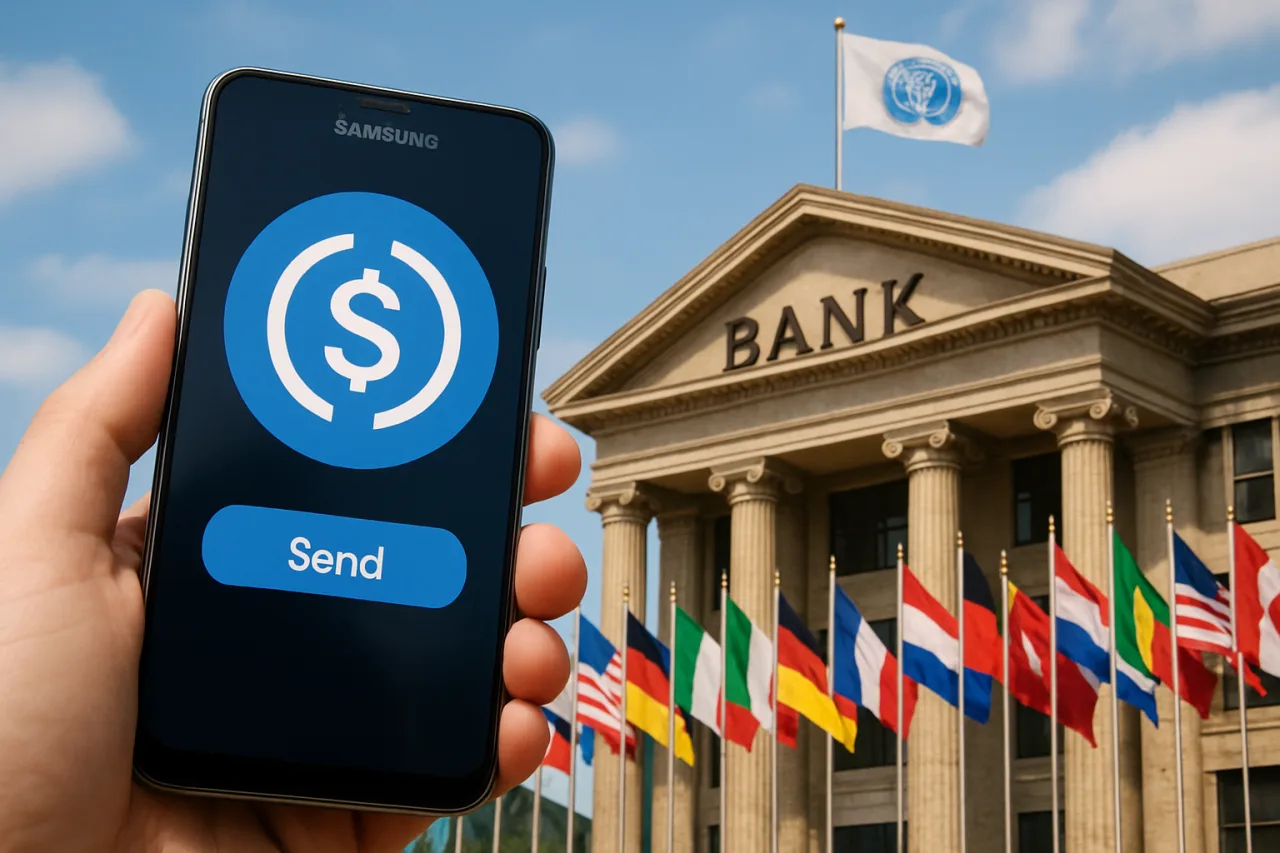
- 📱 Samsung Wallet USDC transfers launch this month on 82 million US Galaxy devices: Samsung ships the feature in the last week of October 2026 — send USDC to compatible crypto wallets with no Samsung transfer fee, or to bank accounts in 60+ countries with local-currency payout.
- 🏦 Samsung is the interface, not the money-holder: by its own disclosure, Samsung is not a bank, transmitter, or custodian — Bastion (a New York-chartered trust company with conditional OCC national charter approval) powers the framework and Coinbase Prime Vault sub-custodies the USDC.
- 🆓 The fee story splits in two: wallet-to-wallet USDC transfers run fee-free from Samsung (recipients’ wallets or exchanges may charge); bank-account delivery applies destination-dependent fees disclosed in-app before you confirm — the corridor decision now has a third rail alongside banks and money-transfer houses.
- 🌍 Solana and Sui run the pipes: the blockchain layer is provided by separate partners including Solana — where stablecoin supply is up roughly 20% year over year and the network processed over $5.25 trillion in stablecoin volume in 2026 alone.
- ⏳ Eligibility is the catch: US residents 18+, Samsung Account, identity verification, biometrics on registered devices running Android 13+, and Samsung’s disclosure that it doesn’t yet publish its FX margin on bank-delivery transfers — the app shows fees and delivery estimates per transfer, which makes the comparison habit mandatory.
Samsung Wallet USDC transfers open a fee-free era in the wallet you already carry: the phone in your pocket has been quietly eating your banking apps for years — and now it goes after the one service you fly home to handle in person. On October 7, 2026, Samsung Electronics America announced that Samsung Wallet USDC transfers go live for eligible US Galaxy users in the last week of October: a stablecoin balance you can buy inside the wallet app you already use for cards and boarding passes, send across borders to compatible crypto wallets with no Samsung transfer fee, or route to bank accounts in more than 60 countries where the recipient receives their local currency — no crypto wallet, no seed phrase, no new app. This is the remittance aisle Samsung Wallet USDC is rebuilding, and the corridor math it forces is the real story for every family that sends money home.
The announcement matters less as a Samsung feature than as the first mainstream-default distribution of stablecoin rails at true consumer scale — 82 million devices at launch, with Samsung’s global install base running to hundreds of millions more in markets “to follow, subject to local regulatory requirements.” The fee-free wallet leg puts a public price of zero beside remittance fees that have averaged multiple percentage points for decades. The bank-delivery leg is where the traditional corridor competition really begins. What follows is the receipt, the custody chain decoded, the fee truth in both legs, and the worked corridor math with the honest unknowns Samsung hasn’t disclosed yet.
The Announcement, Receipt-Verified
The facts, from Samsung’s own press release and corroborated by the Solana Foundation’s announcement of the same day:
- When: per Samsung’s own press release, launching in the last week of October 2026 for eligible Galaxy users in the United States. The feature was presaged at Galaxy Unpacked in July, where a USDC account demo (send, receive, top-up) ran on stage without confirmed issuer partnerships — the October announcement is the shipping version with the partners named.
- Scale: 82 million compatible Galaxy devices in the US at launch — Samsung’s number for devices compatible with Samsung Wallet — with additional markets to follow per local regulation.
- The asset: USDC, the US dollar-denominated stablecoin, is the first supported token; when users select “Buy Stablecoin,” USDC appears as the default dollar stablecoin.
- Wallet leg: transfers to compatible third-party crypto wallets or exchange accounts supporting USDC on a supported network — “in seconds and with no transfer fees” from Samsung; footnote 3’s fine print is precise: recipient wallet providers or exchanges may impose their own fees, transfer speed depends on network conditions, and sanctioned jurisdictions are excluded.
- Bank leg: transfers to qualifying bank accounts in 60+ countries, funds delivered in the recipient’s local currency — fees “apply, vary by destination country and amount, and are shown in the app with an estimated delivery time before the sender confirms.” Some banks or account types aren’t supported; recipient eligibility varies.
- Device gate: biometric authentication on registered devices initiates every transfer — the phone is the security boundary for the account.
- Quotes on record: Woncheol Chai, EVP and Head of Samsung’s Digital Wallet Team: “We’re bringing USDC transfers into Samsung Wallet so eligible Galaxy users can get started without installing another app or managing private keys themselves.” Solana Foundation President Lily Liu framed the distribution bet: stablecoins proved the technology for a decade; what they lacked was the way to reach the mainstream.
For the senders this piece is written for — cross-border earners of every nationality — the shape of that receipt is the news: the world’s most distributed phone vendor just normalized digital-dollar transfers as a default wallet behavior, ahead of every bank app it competes with.
Who Actually Holds Your Money: the Custody Chain, Decoded
The part of the announcement most coverage skips, and the part any sender should read first: whose balance is this, and who has the keys? Samsung’s own footnote 5 is the disclosure backbone — “Samsung is not a bank, money transmitter, or digital asset custodian and does not hold customer funds” — so the chain of responsibility reads like this:
- Bastion — the framework operator. A licensed stablecoin custodian and infrastructure provider holding a New York trust charter (Bastion Platforms Trust Company, LLC) with preliminary conditional approval from the OCC for a national trust bank charter; venture backing includes Andreessen Horowitz and Coinbase Ventures. Its role: run the stablecoin accounts, custody, and movement services behind Samsung Wallet’s feature — the same full-stack model it sells to other enterprises running branded stablecoin programs.
- Coinbase Prime Vault — the sub-custodian. Bastion’s official sub-custody partner; all USDC held for Samsung Wallet users sits under Coinbase Prime custody arrangements. That places the assets with the market’s largest regulated custodian by stored assets — institutional-grade custody infrastructure beneath a consumer wallet experience.
- Solana and Sui — the network providers. “Infrastructure and blockchain network support” come from separate partners including Solana and Sui. The wallet’s stablecoin balances move on those chains; Samsung Wallet USDC interface design abstracts the technical layer entirely — no chain selection is put in the user’s way at launch.
- Coinbase (already in the family). The launch is the next chapter of the existing Samsung–Coinbase collaboration: Samsung Pay already appears as a payment option in the Coinbase app, with Coinbase One benefits accessible through Samsung Wallet — the October move extends that relationship from “buy crypto” to “move stablecoins natively.”
- Samsung — the interface and the funnel. The device layer: biometric-gated access, the wallet UX, and — functionally — the distribution. But the customer-fund custody never touches Samsung’s balance sheet, per its own terms.
The practical Samsung Wallet USDC reading: this chain is a regulated custody stack with a phone interface on top. Custody risk is concentrated in named, licensed institutions (Bastion’s charter, Coinbase’s vault) rather than in a phone vendor’s pockets — materially different from both “leave USDC on an unregulated exchange” and “self-custody or self-lose.” For amounts you carry across borders, the chain above is the diligence summary; the footnote language is the source.
The Two Transfer Modes — and the Fee Truth in Each
Mode selection is the actual Samsung Wallet USDC fee decision, and the two legs price very differently:
- Wallet-to-wallet (crypto rail). Sender sends USDC from Samsung Wallet to a compatible external wallet — international, seconds, no Samsung fee. The recipient side carries the hidden costs: if the recipient wants local currency, they’ll convert on their own exchange or wallet, bearing that platform’s conversion spread and withdrawal fees. The Samsung Wallet USDC corridor’s total cost = effectively zero from the sender + whatever the recipient’s cash-out charges. For crypto-literate family networks (already running exchange accounts), this leg is the cheapest transfer structure that has ever shipped mainstream — and for wallet-to-wallet holding (recipient keeps digital dollars), it’s free end-to-end.
- Bank delivery (fiat rail). Sender sends to a qualifying bank account in 60+ countries; the recipient receives local currency in their bank — for the recipient, indistinguishable from receiving a standard international transfer, with zero crypto literacy required. Fees apply, vary by destination country and amount, and are displayed in-app with an estimated delivery time before confirmation. Samsung’s disclosure does not state its FX margin on these bank-delivery conversions — the app’s per-transfer quote is the number that matters, and it may be excellent in some corridors and merely competitive in others. The transparency habit — quote a test transfer before relying on the rail — is the verification this piece can’t do for you yet.
The strategic summary: Samsung’s fee-free wallet leg is unambiguous and market-shifting (zero at the sender, recipient-side costs disclosed only by their own platforms). The bank leg is a corridor-by-corridor question the app answers per transfer — deliberately shown before confirmation. Senders should treat the published wallet leg as fact and the bank leg as a quote to be tested per corridor and amount.
What Changed: the Regulatory Unlock Behind the Launch
The launch is not timed like a product feature — it’s timed like a regulation. Samsung frames the move explicitly: the feature arrives “following the establishment of a regulatory framework for stablecoins” in the United States — the compliance surface that let Bastion’s trust charter and Coinbase’s vault wrap a consumer product at this scale. That’s the quiet transformation for the whole category: stablecoin distribution just became a licensing question rather than a technical question. Phone vendors, banks, and fintechs now compete on the same regulated rails, and the differentiators are distribution (Samsung’s 82M devices), experience (native wallet UX, no seed phrases), and custody quality (the chain above) — not raw blockchain novelty.
The same logic governs expansion: additional markets arrive “in line with regulatory developments in each country” — the corridor map will grow by jurisdiction approvals, not by engineering sprints. For senders in corridors not yet covered, the practical question is which regulated alternative arrives first in their market; for the 60+ bank-delivery countries at launch, the question is only the fee quote.
The Corridor Math: a Worked US-to-Home-Country Example
Worked Samsung Wallet USDC corridor math — $400 sent monthly from the US to Southeast Asia, the archetypal cross-border transaction:
- Bank wire (traditional). Outgoing wire fees commonly $15–$45 depending on the bank, plus correspondent-bank deductions, plus the FX conversion typically 2–4% worse than the real market rate. Total cost on $400: roughly $25–$60 all-in, arriving in 1–3 business days. The benchmark every corridor family knows.
- Money-transfer houses (cash pickup and bank payout). The dominant remittance model: headline transfer fees commonly $0–$15 for the small-corridor promos and standard tiers, with FX spreads typically 1–3% — effectively $5–$27 total on $400, with minutes-to-arrive for cash pickup. Speed is the moat; the spread is the margin.
- Samsung Wallet USDC — wallet-to-wallet. Sender cost: zero (no Samsung transfer fee) for transfers to a compatible wallet. If the family already holds USDC across exchanges or wallets (a growing number in the digital-dollar era), the whole $400 moves free in seconds. If the recipient converts to local currency, subtract their platform’s spread/withdrawal costs — the family’s own comparison line.
- Samsung Wallet USDC — bank delivery. The recipient’s bank account receives local currency; fees vary by country/amount and are quoted in-app pre-confirm. The undisclosed variable is Samsung’s embedded FX margin — so the worked example carries an honest bracket: if the quote lands near money-transfer-house pricing (spread ~1–2% + fee), the corridor behaves like a modern remittance app in a phone you already had; if it lands leaner (the fee-free wallet leg suggests Samsung can price aggressively for share), the traditional corridor’s margin cushion is in trouble. We state the unknown because the app-quote is the only authority — and the habit is one test transfer before trusting the rail.
The Samsung Wallet USDC comparison discipline, universalized for any corridor: quote the same $400 across (1) your bank wire all-in cost, (2) your usual transfer house’s effective total (fee + spread), (3) the Samsung bank-delivery in-app quote, (4) the wallet-to-wallet zero-cost leg if your recipient side can hold/dump USDC cheaply. Corridors will diverge — the app publishes per-transfer quotes precisely because the answer varies — and the winner per corridor is a number, not a brand story. For context on the Philippines-side rails specifically — where a bank-regulated peso stablecoin corridor is also being built — our BSP stablecoin rails analysis covers the receiving end’s evolution, and our standing fee audit of every corridor method keeps the baseline numbers current for the world’s largest remittance lanes.
What to Watch Next — and the Honest Unknowns
- The eligibility rollout (rest of October). “Eligible Galaxy users” is Samsung’s controlled-rollout language — expect staged Samsung Wallet USDC availability across Android 13+ devices with Wallet updated. No private keys, no chain picker: the abstraction itself is the UX innovation here.
- The fee evolution on bank delivery. Every corridor family should log its first Samsung Wallet USDC test-transfer quotes and re-quote monthly — introductory corridor pricing at big-tech launches tends to be the best pricing the rail ever offers, and share-capture pricing later tightens. The historical pattern across fintech launches is consistent; the quotes-in-journal habit is the protection.
- Solana and Sui network behavior at consumer scale. The $5.25T-volume chain now inherits a default app surface — network congestion behavior during peak send windows (weekends, holidays, payday clusters) becomes a live consumer experience for the first time at this distribution. The transfer-speed footnote (network conditions govern) is the honest hedge Samsung discloses.
- Tap-to-pay and in-store stablecoin spending. Samsung frames future capabilities: paying with stablecoins online or tapping an eligible Galaxy device in store. When that ships, the wallet stops being a remittance rail and becomes a parallel consumer payment network — the competitive event banks actually fear.
- Market expansion by regulation. The 60+-country bank list is where cross-border livelihoods actually live — watch the in-app country picker as the true expansion map, and expect corridor-by-corridor divergence on fees and availability as national regimes sign on.
- The transparency watch. Samsung discloses fees in-app but hasn’t published its bank-delivery FX margins, and the USDC balances yield nothing (they’re cash equivalents, not savings) — the two honesty items every sender should carry. When margin disclosure or interest-bearing options appear, that’s the next material story.
For the custody-risk side of holding balances on these rails — what breaching the chain-of-custody actually looks like when token bridges and vendor dependencies fail — our analysis of the season’s exchange-custodian breach and our coverage of this week’s protocol incident are the standing context: regulated custody chains are the strong answer to exactly those failure modes, and this launch wraps consumer money in the strongest custody stack any mainstream wallet has shipped.
Frequently Asked Questions
When can I send USDC from Samsung Wallet?
Samsung announced launch “in the last week of October 2026” for eligible US Galaxy users — staged rollout across the 82 million compatible devices (Android 13+, Samsung Wallet updated, Samsung Account with identity verification, biometrics configured on the registered device). Corridors beyond wallet-to-wallet and the 60+-country bank-delivery map expand as each jurisdiction’s regulation allows.
Does Samsung charge fees for USDC transfers?
Two answers by mode: transfers to compatible external crypto wallets carry no Samsung fee (recipient-side platforms may charge their own conversion or withdrawal fees); transfers to bank accounts in 60+ countries apply fees that vary by destination country and amount — disclosed in the app with an estimated delivery time before you confirm. The per-transfer in-app quote is the authoritative number; there is no flat public fee sheet yet.
Who holds my USDC in Samsung Wallet?
Not Samsung — by its own disclosure, Samsung is not a bank, money transmitter, or custodian and holds no customer funds. The regulated chain: Bastion (New York trust-chartered custodian, with conditional OCC national trust bank charter approval) operates the stablecoin accounts and movement, and Coinbase Prime Vault serves as official sub-custodian safeguarding all USDC in the wallet. Samsung provides the device interface with biometric gating.
Does my recipient need a crypto wallet?
Not for bank delivery: qualifying bank accounts in 60+ countries receive local currency — the recipient experience is a standard bank credit, no crypto involvement. They do where you use the wallet-to-wallet leg: a compatible wallet or exchange account supporting USDC on a supported network, where they hold or convert at their own platform’s terms.
Which blockchains does Samsung Wallet use for USDC?
Samsung names infrastructure and network support from separate partners including Solana and Sui — with the chain layer deliberately abstracted away from the user experience (no network selection in the send flow at launch). Solana’s own announcement of the partnership notes its stablecoin supply up ~20% year over year and over $5.25 trillion in stablecoin volume processed in 2026.
Is Samsung Wallet USDC good for remittances compared to banks and transfer houses?
The wallet-to-wallet leg is the cheapest structure ever shipped mainstream — zero sender fees, second-level delivery, with the total cost depending on the recipient’s own cash-out platform. The Samsung Wallet USDC bank-delivery leg competes corridor-by-corridor: Samsung’s FX margin is undisclosed, so quote one test transfer against your bank’s all-in cost and your transfer house’s effective total (fee + spread), and keep a monthly log — corridor winners differ, and the number decides, not the brand.
Final Word: The Wallet Wars Just Got a Third Rail
The remittance market’s incumbents spent two decades competing on fees against each other, and the phone — with 82 million devices in one country alone — just walked onto the lane with a zero-price headline on wallet transfers and a quote-per-corridor model on the rest. Whether Samsung Wallet USDC becomes the corridor default will be decided the way these things always are: corridor by corridor, quote by quote, phone by phone, family by family. But the direction is no longer arguable — the world’s most-distributed consumer company has put regulated digital dollars into the default wallet of its phones, on national rails, with institutional custody named and disclosed. The fee-free era for cross-border money isn’t coming anymore; in the last week of October, it ships to every eligible Galaxy in the United States. The families that win are the ones that quote before they trust — starting with one test transfer this month.
Financial Disclaimer
This piece analyzes product fees, foreign-exchange structures, and digital-asset services that change without notice. Transfer fees, FX margins, country availability, and custody terms must be verified in-app and on the provider’s own pages before transacting. Stablecoin values reference the US dollar but crypto-asset and digital-dollar services carry regulatory and platform risks that vary by jurisdiction. Nothing here is financial, investment, or tax advice; transfer and asset decisions remain the reader’s own responsibility.
- solana.com/news/samsung-wallet — announcement of the same day
- samsungmobilepress.com/articles/samsung-wallet-stablecoin-galaxy-us — Samsung’s own press release
External sources linked in this article, in order of first mention. Spotted an error or a broken link? Tell us.
Cite this pagePublished Oct 8, 2026 · Updated Oct 9, 2026
Agron, E. (2026, October 8). The Fee-Free Remittance Era Opens: Samsung Wallet USDC Transfers Hit 82 Million Galaxy Devices — the Corridor Math Inside. WorldNgayon. https://worldngayon.com/samsung-wallet-usdc/
Agron, Edmon. “The Fee-Free Remittance Era Opens: Samsung Wallet USDC Transfers Hit 82 Million Galaxy Devices — the Corridor Math Inside.” WorldNgayon, 8 Oct. 2026, worldngayon.com/samsung-wallet-usdc/.
Agron, Edmon. “The Fee-Free Remittance Era Opens: Samsung Wallet USDC Transfers Hit 82 Million Galaxy Devices — the Corridor Math Inside.” WorldNgayon, October 8, 2026. https://worldngayon.com/samsung-wallet-usdc/.
Agron, E. (2026) ‘The Fee-Free Remittance Era Opens: Samsung Wallet USDC Transfers Hit 82 Million Galaxy Devices — the Corridor Math Inside’, WorldNgayon, 8 October. Available at: https://worldngayon.com/samsung-wallet-usdc/.
E. Agron, “The Fee-Free Remittance Era Opens: Samsung Wallet USDC Transfers Hit 82 Million Galaxy Devices — the Corridor Math Inside,” WorldNgayon, Oct. 8, 2026. [Online]. Available: https://worldngayon.com/samsung-wallet-usdc/
@online{agron2026samsungwallet,
  author       = {Agron, Edmon},
  title        = {{The Fee-Free Remittance Era Opens: Samsung Wallet USDC Transfers Hit 82 Million Galaxy Devices — the Corridor Math Inside}},
  year         = {2026},
  date         = {2026-10-08},
  organization = {WorldNgayon},
  url          = {https://worldngayon.com/samsung-wallet-usdc/},
  urldate      = {}
}TY - ELEC AU - Agron, Edmon TI - The Fee-Free Remittance Era Opens: Samsung Wallet USDC Transfers Hit 82 Million Galaxy Devices — the Corridor Math Inside T2 - WorldNgayon PY - 2026 DA - 2026/10/08/ UR - https://worldngayon.com/samsung-wallet-usdc/ Y2 - ER -
Cite the version you read; the page may be updated. Zotero and Mendeley can also import this page directly.