Table of Contents
TLDR: Looking for GCash for OFW businesses? GCash partnered with global fintech Pine Labs to bring advanced payment terminals to Philippine MSMEs. For OFWs who fund family sari-sari stores back home, this means your family can now accept credit cards, debit cards, and QR payments using just a smartphone — no expensive POS machine required.
The GCash and Pine Labs partnership, announced in May 2026, marks a major shift in how small Filipino businesses accept payments. It brings one of India’s largest payment infrastructure companies into the Philippines through GCash for Business — the merchant solutions arm of the country’s leading e-wallet. For the estimated 1.1 million sari-sari stores across the Philippines — many funded by OFW remittances — this means access to the same payment tools that large retailers have used for years.
Who Is Pine Labs and Why Does This Matter for OFW Businesses?
Pine Labs is a global fintech platform headquartered in India that operates across eight countries including India, Malaysia, the Philippines, UAE, Singapore, Australia, the United States, and parts of Africa. Founded in 1998, the company has grown into one of India’s largest merchant payment platforms, processing billions of dollars in transactions annually. It is best known for its point-of-sale (POS) terminals, installment payment solutions, and merchant commerce software that powers everything from small retail shops to large chain stores.
In the Philippines, Pine Labs is already working with SM Retail on gift card programs. The company’s entry through GCash for Business brings its full technology stack — payment terminals, installment plans, loyalty rewards, and cashback systems — to the country’s millions of micro, small, and medium enterprises (MSMEs). For context, MSMEs make up 99.5 percent of all businesses in the Philippines, according to the Department of Trade and Industry, yet most still operate on cash-only transactions.
What Exactly Can OFW Families Use Right Now?
Through the GCash for Business platform, OFW-funded enterprises can access several payment tools immediately:
PocketPay. This is GCash’s SoftPOS (software point-of-sale) solution that turns any NFC-enabled smartphone into a card payment terminal. Your family in the Philippines can accept credit card and debit card payments without buying expensive hardware — the phone itself becomes the POS machine. The service was developed in partnership with BPC, a European payment technology company, and is designed for micro-merchants who could never afford traditional POS systems.
SoundPay. A real-time audio payment confirmation system. When a customer pays via GCash QR, the merchant’s phone plays an audible confirmation. This eliminates the “did the payment go through?” uncertainty that small store owners face when accepting digital payments.
SoundPay Plus and EasyPOS. For businesses ready to upgrade from smartphone-only solutions, GCash for Business offers dedicated hardware devices. SoundPay Plus adds a larger display screen and receipt printing, while EasyPOS is a full tablet-based POS system for stores with higher transaction volumes.
With Pine Labs’ technology integration, all of these tools will now support both QR and card-based payments on a unified platform, meaning your family store can accept GCash QR, Visa, Mastercard, and installment payments through a single system.
How to Set Up Digital Payments for Your Family’s Store
Setting up your OFW-funded sari-sari store or small business for digital payments is straightforward and requires no technical expertise:
Step 1: Download the GCash for Business app. Your family member in the Philippines needs a smartphone with the GCash app installed. From within the app, they can register for GCash for Business — the merchant version of the platform. Registration requires basic business information and a valid ID.
Step 2: Verify the business. GCash will verify the business details, which typically takes one to two business days. Once approved, the merchant account is active and ready to accept QR payments immediately.
Step 3: Enable card payments via PocketPay. If the merchant’s smartphone has NFC (near-field communication) capability — most Android phones and recent iPhones do — they can activate PocketPay within the GCash for Business app. This allows customers to tap their credit or debit card on the phone to pay.
Step 4: Train the family member. GCash provides in-app tutorials and customer support for new merchants. The key skills to learn: how to generate a QR code for payment, how to accept a card tap payment, and how to confirm transactions via SoundPay audio alerts.
Step 5: Display payment options visibly. Place the GCash QR code signage (available from GCash) at the store counter so customers know digital payments are accepted. Many stores report a 75 percent increase in customer transactions after displaying digital payment options, based on industry surveys of sari-sari store digital adoption.
How Do GCash Merchant Fees Compare to Traditional Payment Systems?
For OFWs comparing payment options for their family businesses, here is a breakdown of what GCash for Business costs versus traditional bank merchant accounts:
| Feature | GCash for Business | Traditional Bank Merchant Account |
|---|---|---|
| Setup cost | Free (app download) | P5,000-P15,000 (terminal + deposit) |
| Hardware needed | Existing smartphone | Dedicated POS terminal |
| QR payment fee | 0.5%-1% per transaction | 1.5%-2.5% per transaction |
| Card payment fee | 1%-1.5% (via PocketPay) | 2%-3% per transaction |
| Settlement time | Real-time to GCash wallet | 1-3 business days to bank |
| Monthly fee | None | P200-P500 monthly maintenance |
Source: GCash for Business published rates, Philippine bank merchant fee schedules, as of May 2026. Rates may vary by business type and transaction volume.
The key advantage for OFW-funded micro-enterprises is the zero upfront cost. Traditional bank merchant accounts require a terminal deposit of thousands of pesos plus monthly maintenance fees. With GCash for Business, the family store can start accepting digital payments using the smartphone they already own — no additional hardware investment needed.
What This Means for OFWs Sending Money Home for Business
For OFWs who send remittances to support family businesses — whether a sari-sari store, a rice trading enterprise, or a small eatery — the GCash-Pine Labs partnership solves a fundamental problem: cash dependency.
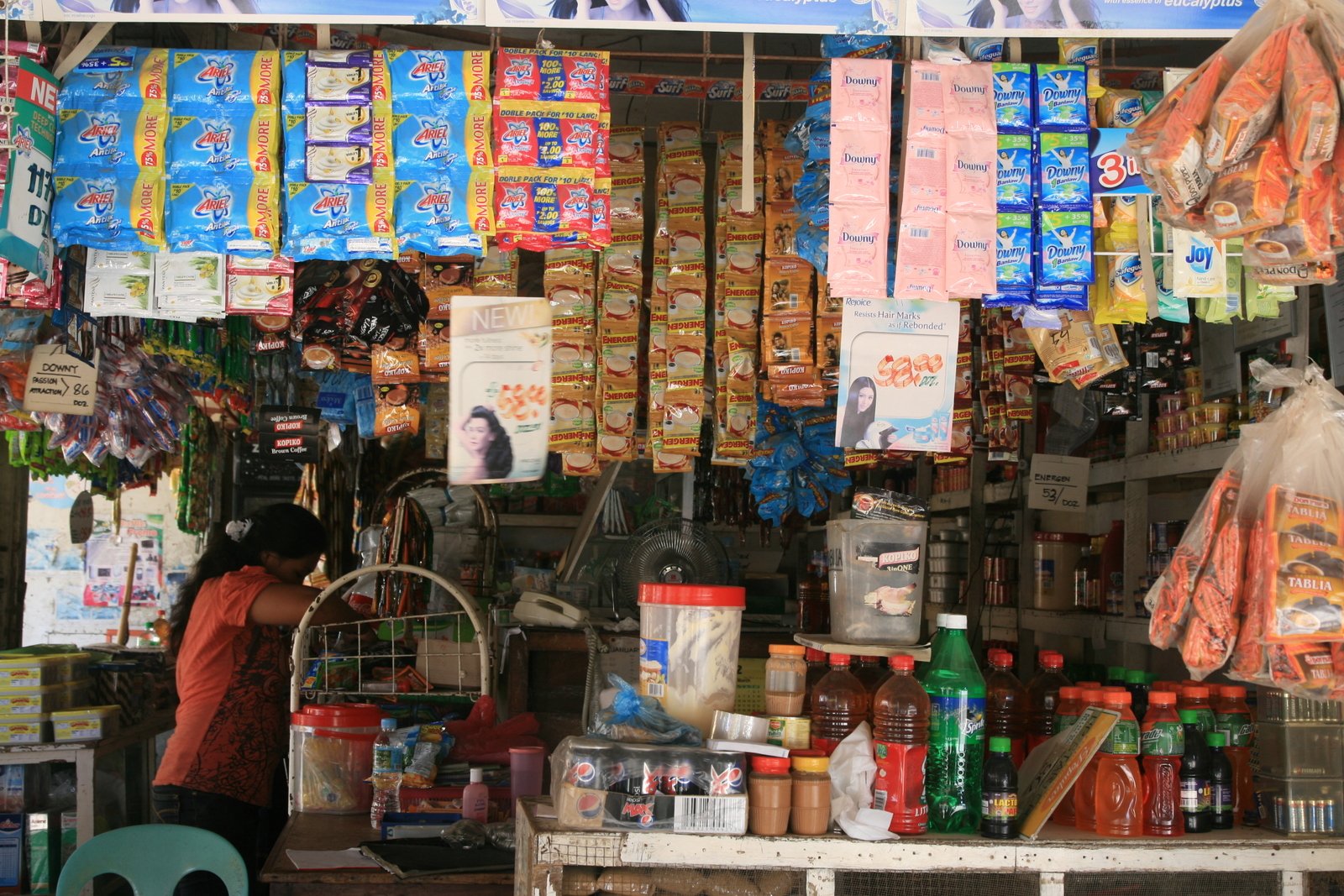
OFWs who send money through Wise or other remittance apps can now have their families receive payments digitally and accept card payments from customers. A customer walks into the sari-sari store, buys P500 worth of goods, taps their card — and the money goes directly into the store’s GCash wallet. No cash handling, no change-giving errors, no robbery risk.
This is especially valuable in OFW-heavy provinces like Ilocos, Pangasinan, and the Visayas, where many sari-sari stores are the primary source of income for families with members working abroad. OFWs who have set up side hustles from their smartphones can apply the same mindset to digitizing the family business back home.
Frequently Asked Questions About GCash for OFW Businesses
Editorial Note: This article was researched and drafted with AI assistance, then reviewed, verified, and approved by Edmon Agron. Sources include IBS Intelligence, CNBC TV18, Manila Bulletin, Rappler, the Department of Trade and Industry, and GCash published materials. All figures and rates are as of May 2026.
WorldNgayon may earn a small commission when you use our affiliate links, at no extra cost to you.